


NiceNIC API 502/522 Errors: Check the Original Order Before Retrying
If your application receives a 502, 522, HTML page or another unexpected response, first identify what the request was doing.
A domain availability check needs a different recovery process from a registration, renewal or transfer. For a paid operation, an unusable response can leave the outcome uncertain. NiceNIC's WHMCS guidance recommends checking the domain and transaction before repeating the action.
Start Here: What Were You Trying to Do?
An API connection working again and an earlier order being resolved are two separate things to verify.
Classify a request by its API action, not just its HTTP method. Some paid-operation examples also use URL query parameters; a GET request is not automatically a read-only check.
1. Identify the Response You Actually Received
Keep the HTTP status separate from the code inside a JSON response.
code and msg
Cloudflare documents 502/504 errors separately from 522 connection timeouts. They should not be treated as one proven root cause.
The NiceNIC response reference describes the JSON fields. An HTTP success status alone is insufficient to decide that a domain operation completed.
Before changing settings, save:
- The date, time and time zone.
- The API version, environment, endpoint and action.
- The affected domain and original order reference, if available.
- The HTTP status, Content-Type and a short sanitized response excerpt.
- Any returned request ID or Cloudflare Ray ID.
- Whether this happened once or across several requests.
Remove Authorization headers, API Secrets, passwords and unrelated customer details before sharing logs.
2. Check the Endpoint and API Version
For NiceNIC Domain API v2 production, the documented base endpoint is:
https://api.nicenic.net/v2/
API v2 uses JSON and the documented username/API Secret authentication. Compare the deployed configuration with the API documentation, including any applicable authorized-server-IP settings.
If your integration reports an XML parsing error, confirm which API version the integration actually uses. An older XML client cannot be made compatible with API v2 simply by changing the hostname or parser.
Also check that your application is using credentials and configuration for its intended environment. A successful Sandbox test does not confirm the outcome of a production order.
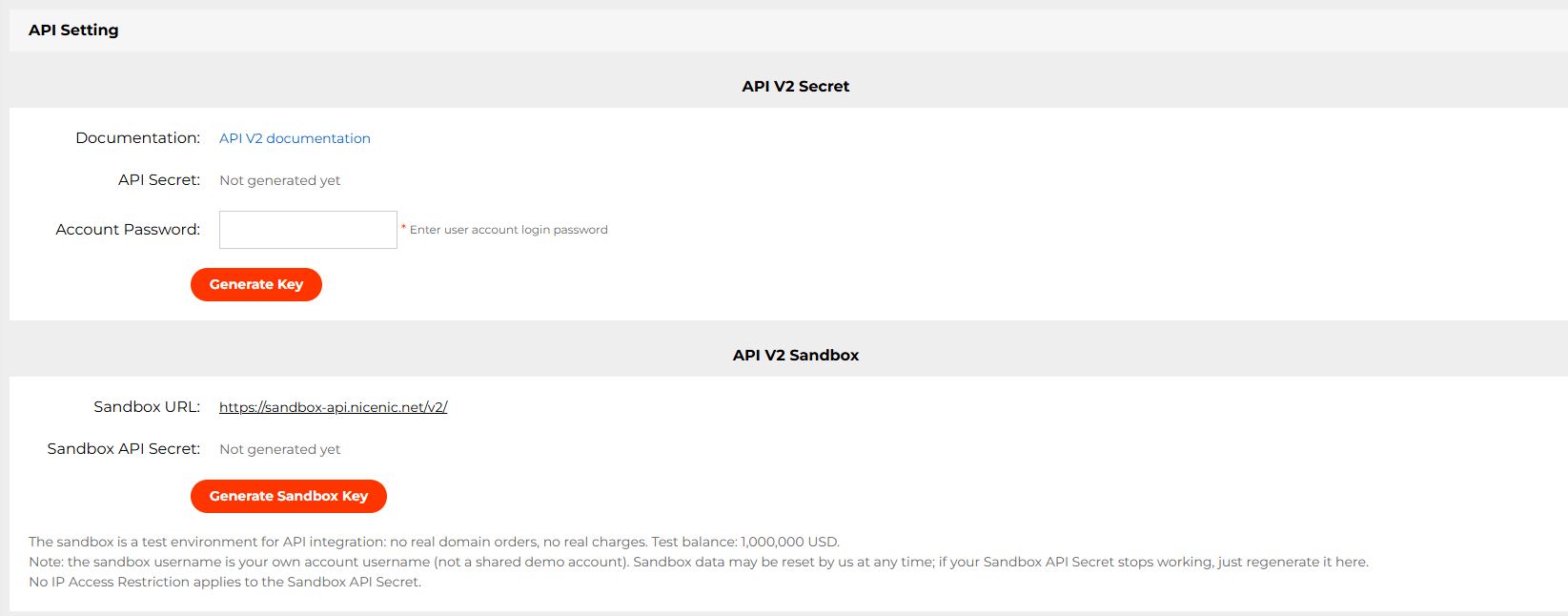
For WHMCS, preserve the module version and relevant module log. Follow the module's setup and troubleshooting instructions for the installed package.
3. If the Request Could Charge Your Balance, Check the Original Result
Sign in to the NiceNIC account used by the integration. Match the same domain, action and request time across the available records.
Check the Account Transaction
Review the account transaction history. Developers can also use the documented List Account Transactions API.
It returns transaction type, description, amount, currency and time, with the documented time zone UTC+8. Check the relevant pages of history and align the time zone with your application logs.
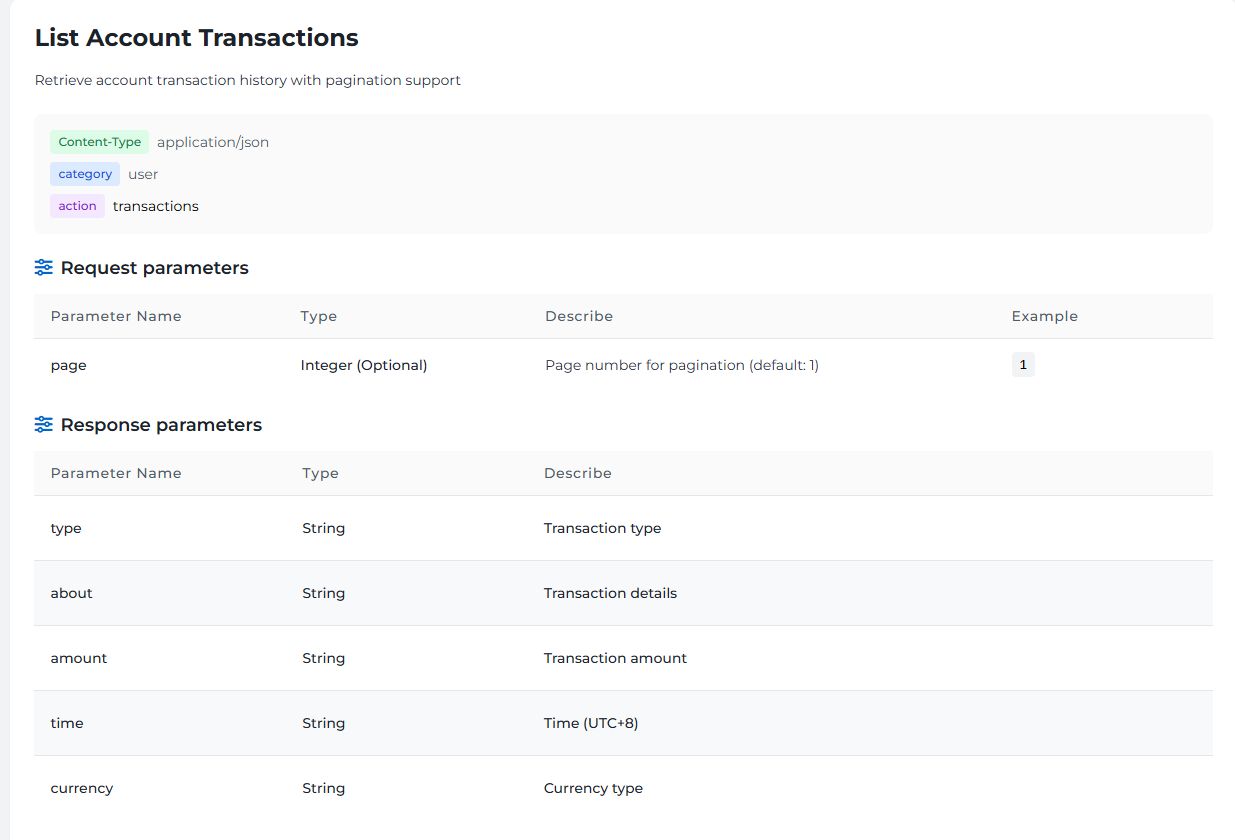
A transaction entry shows account activity; it is not a complete order-status response. A missing entry or unchanged balance alone does not establish that the original request was never accepted.
Check the Domain and Operation
Use the account's domain information and available order records. The read-only Get Domain Details API can help verify domain details and expiry dates; it does not replace tracing the original order.
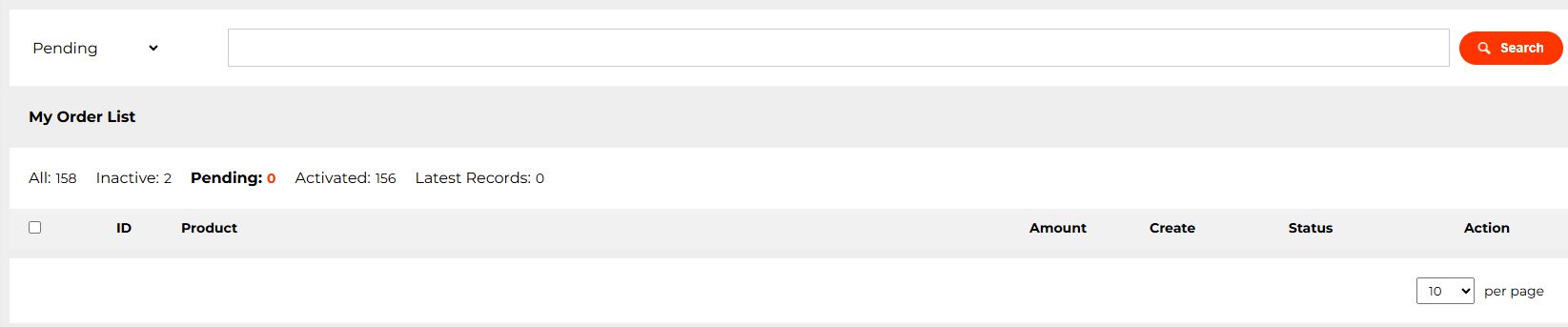
- Registration: confirm whether the domain was registered in the intended account or remains pending.
- Renewal: match the renewal record to the domain's resulting expiry date. Seeing the existing domain in your account does not prove that this renewal succeeded.
- Transfer: distinguish a submitted or pending transfer from a completed transfer.
An availability result alone cannot confirm which account obtained a domain.
Choose the Next Action from the Verified State
For domain registration, the Register Domain documentation explains that JSON code: 201 means the order was submitted and the fee deducted, while final activation still awaits registry confirmation. Preserve that pending order.
4. Verify Recovery with a Read-Only Request
After correcting a configuration issue or receiving a service update, make a controlled read-only request from the same application environment.
Suitable checks include domain availability or existing domain information. NiceNIC's Quick Start recommends read-only checks before paid production actions.
Confirm that:
- The request reaches the intended environment.
- The response is readable in the expected format.
-
The returned
code,msgand data make sense for that endpoint. - The original unresolved paid request has been checked separately.
If read requests continue failing, avoid a tight retry loop and send the evidence to Support. Keep affected paid requests on hold until their outcomes are understood.
A successful read proves that particular check worked. It does not prove that every service has recovered or that an earlier purchase completed.
5. Send One Useful Support Request If the Result Is Still Unclear
Use NiceNIC Support and include the details below. Use your real account information only in the private support request.
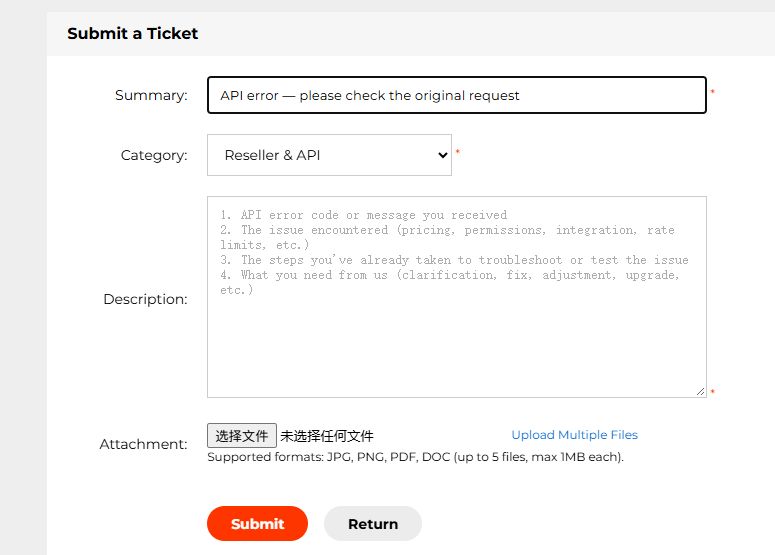
Subject: API error — please check the original request
NiceNIC username:
Environment and API version:
Action and affected domain:
Request date/time/time zone:
HTTP status and Content-Type:
API code/message, if a valid JSON response was received:
Request ID / Ray ID, if present:
Original order reference, if available:
Matching transaction and current domain result:
Any retries already made:
Sanitized error excerpt:
[Paste only the relevant part, with credentials removed.]
Please confirm whether the original request was accepted,
whether it completed or remains pending, and whether a new
submission is appropriate.
For several affected domains, attach a list with one row per original request. Include request time, action, domain, available reference and known result.
Keep an unresolved paid order open with a clear next step. Close the case after the affected API check works and each disputed paid operation has a confirmed outcome. Keep the same support thread for outstanding orders so the request history stays together.


