


X
How to Manage Your NiceNIC Business Email
Before You Begin
- Confirm the Business Email order and mailbox are active.
- Check who manages DNS for the domain.
- Keep the full email address, password and required mail-server settings available.
We've made an important improvement to enhance your experience.
Previously, customers needed to contact support to receive Business Email login information.
Now:
- Business Email is automatically provisioned after purchase
- Login details are available directly in your NiceNIC account
- No manual request or waiting time is required
How to Access Your Business Email
You can access your Business Email login details by following these steps:
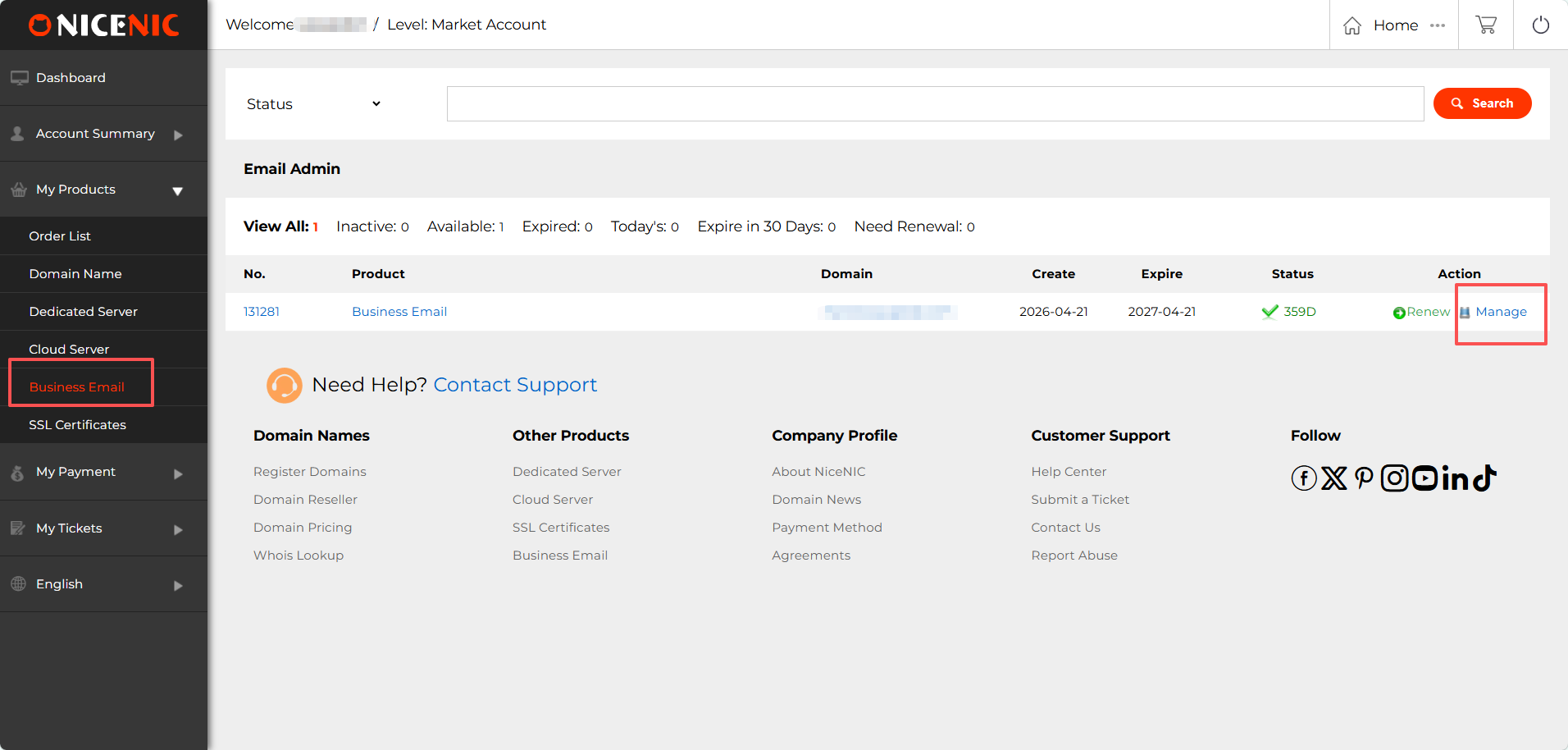
1. Log in to your NiceNIC account
Navigate to: My Products > Business Email > Manage
2. Locate your Admin Account and Login information
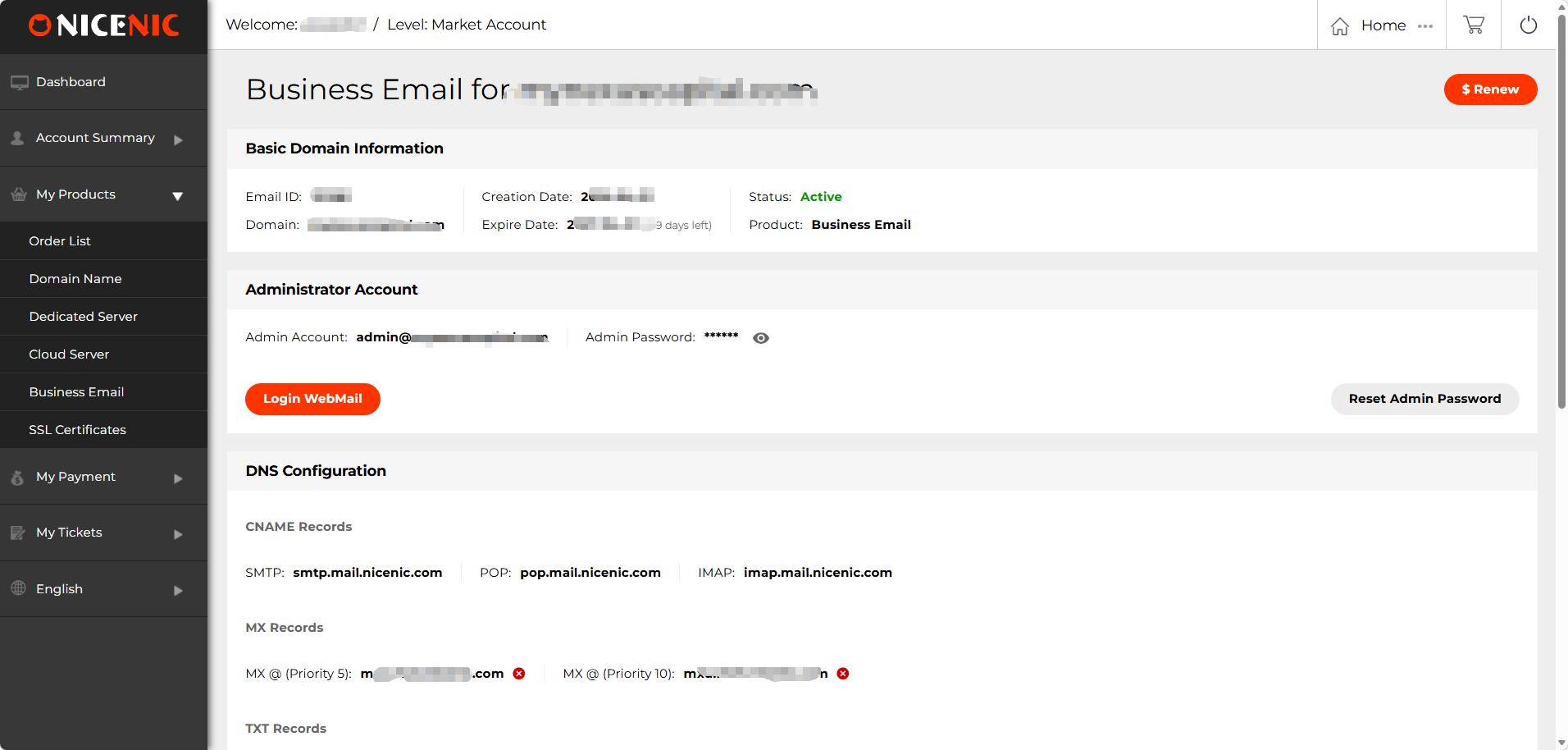
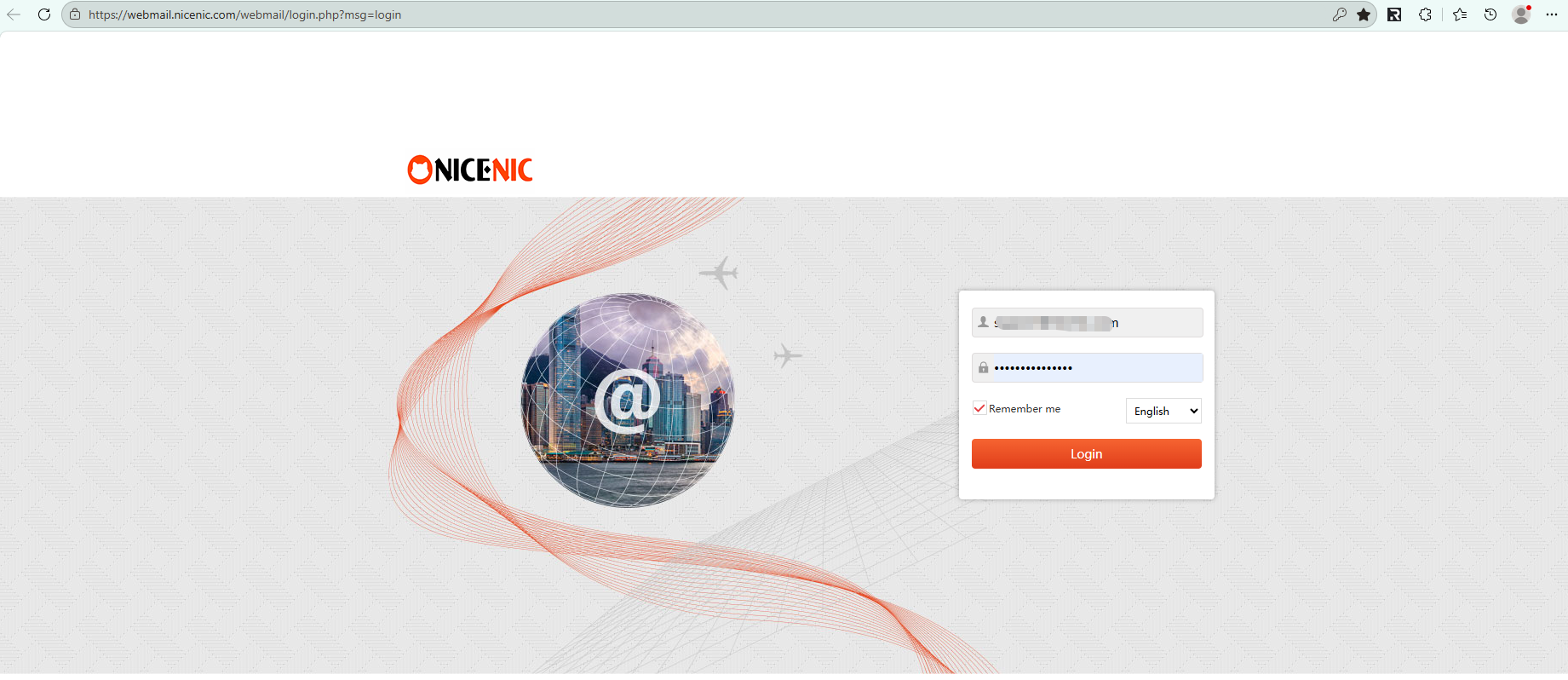
3. Click "Login WebMail" to access your mailbox
Related NiceNIC Guides
- How to Connect to your Email Client?
- How to Set Up Your Email with POP3 & IMAP
- What is SPF and How to Set Up SPF?
- How to add TXT/SPF/DKIM/DMARC records
If the issue continues after you complete the checks above, submit a NiceNIC support ticket with the affected domain or product, the exact error message, the time of the issue and the troubleshooting already completed.
Need help? We're always here for you.
Human Support


- Domain Names
- Registering Domains
- Domain Reseller
- Domain API
- Whois Lookup
- Our Products
- Dedicated Server
- Cloud Server
- SSL Certificates
- Business Email
- Company Profile
- About NiceNIC
- Domain News
- Payment Method
- Legal | Disclosure Requests
- Customer Support
- Help Center
- Submit a Ticket
- Contact Us
- Report Abuse
Copyright © 2006–2026 NICENIC INTERNATIONAL GROUP CO., LIMITED. All Rights Reserved. · U.S. Affiliate: NICENIC LLC
