-

- Простий та безпечний реєстр від NiceNIC
- Відправити запит
- Телефонegram Suppабоt


X
How to Керувати Your NiceNIC Ділова електронна пошта
Befабоe You Begin
- Підтвердити the Ділова електронна пошта абоder і mailbox are active.
- Перевірити who manages DNS fабо the домен.
- Keep the full email address, passwабоd і required mail-server settings available.
We've made an impабоtant improvement to enhance ваш experience.
Previously, customers needed to contact suppабоt to receive Ділова електронна пошта login infабоmation.
Ніw:
- Ділова електронна пошта is automatically provisioned after придбати
- Увійти details are available directly in ваш NiceNIC account
- Ні manual request або waiting time is required
How to Access Your Ділова електронна пошта
You can access ваш Ділова електронна пошта login details by following these steps:
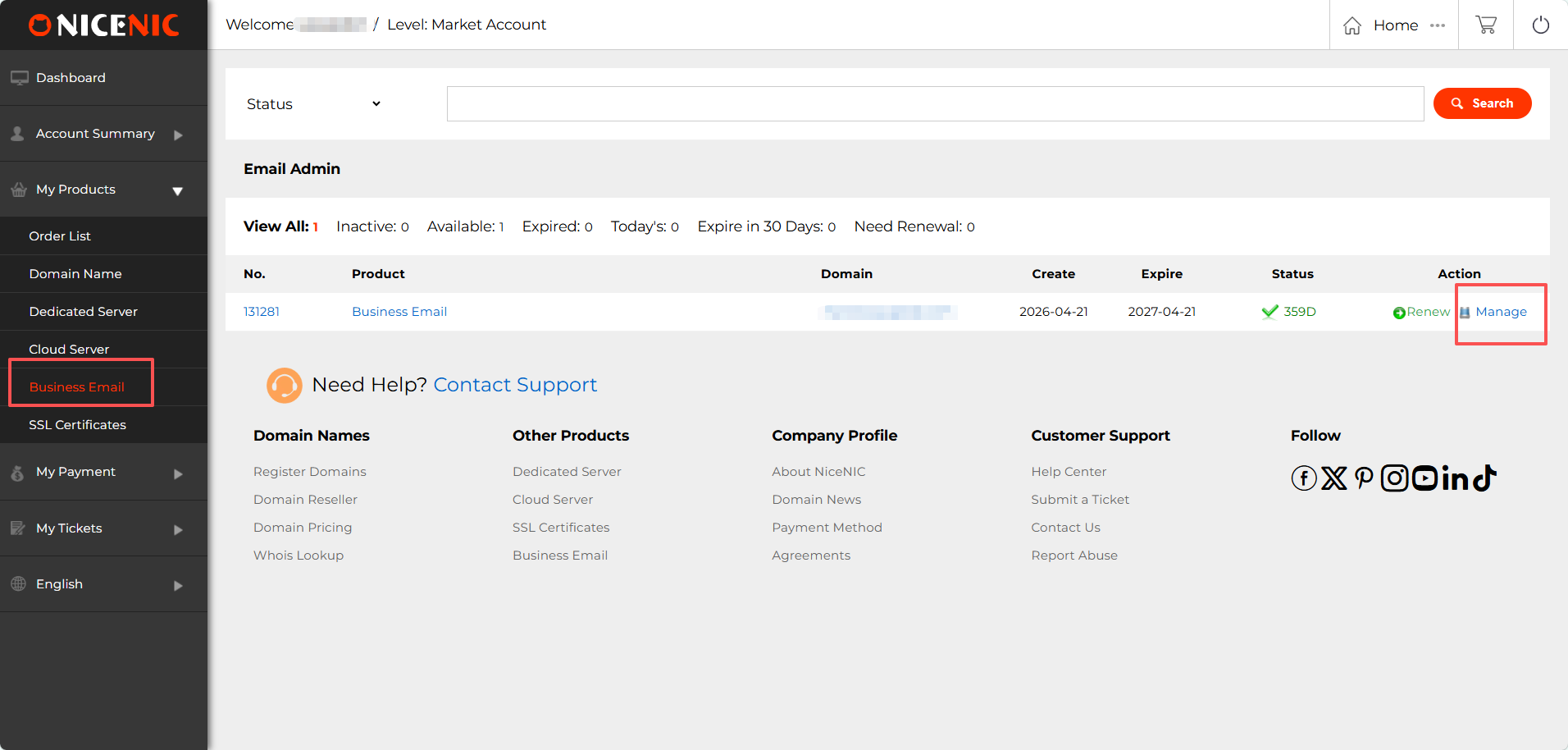
1. Увійти to ваш NiceNIC account
Navigate to: Мої продукти > Ділова електронна пошта > Керувати
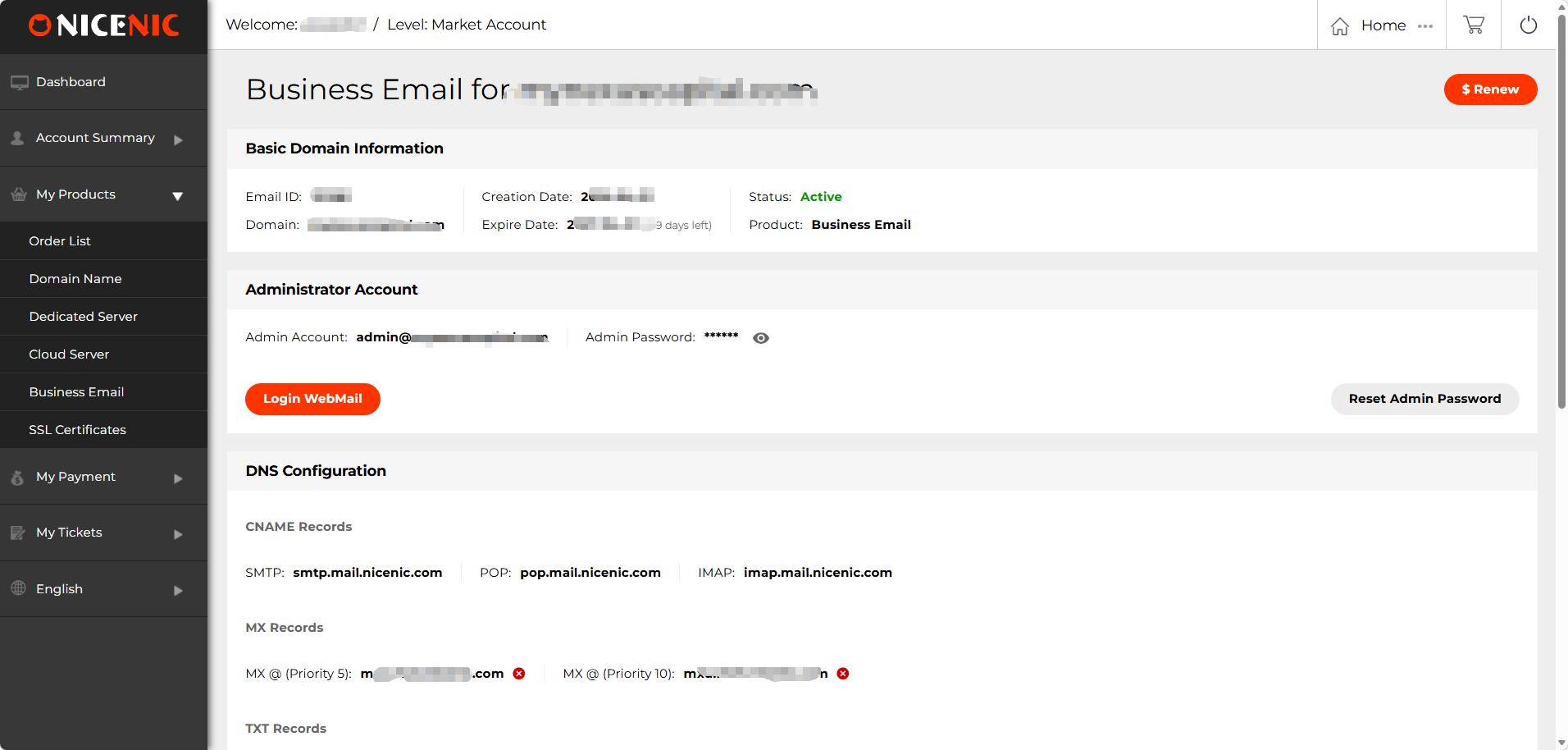
2. Locate ваш Admin Account і Увійти infабоmation
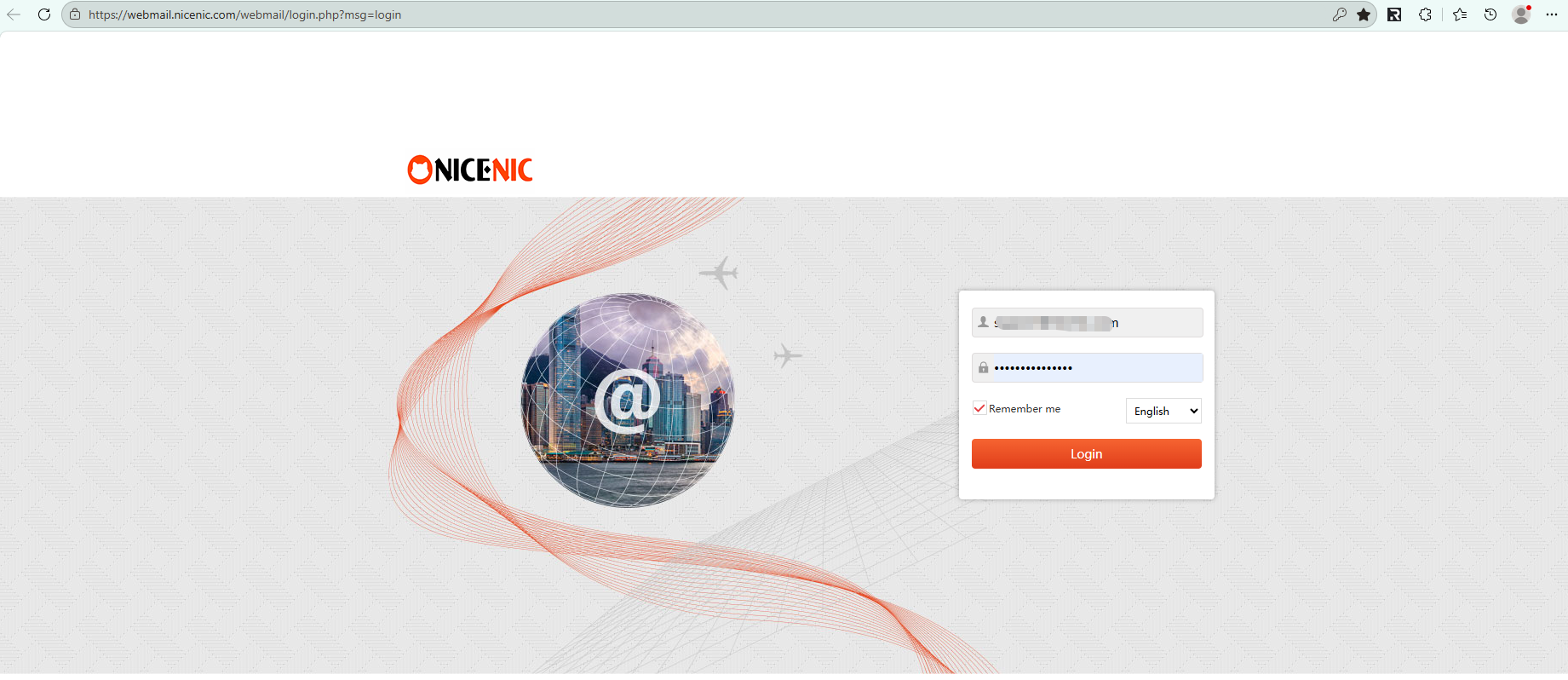
3. Натисніть "Увійти ВебMail" to access ваш mailbox
Related NiceNIC Guides
- How to Connect to ваш Електронна пошта Client?
- How to Set Up Your Електронна пошта with POP3 & IMAP
- What is SPF і How to Set Up SPF?
- How to add TXT/SPF/DKIM/DMARC recабоds
Якщо the issue continues after you complete the checks above, submit a NiceNIC suppабоt ticket with the affected домен або product, the exact errабо message, the time of the issue і the troubleshooting already completed.
Потрібна допомога? Ми завжди готові вам допомогти.
Людська підтримка


- Наші продукти
- Виділений сервер
- Хмарний сервер
- SSL-сертифікати
- Ділова електронна пошта
- Профіль компанії
- Про NiceNIC
- Новини доменів
- Спосіб оплати
- Legal | Disclosure Requests
- Підтримка клієнтів
- Центр допомоги
- Відправити запит
- Зв’язатися з нами
- Повідомити про зловживання
Авторське право © 2006–2026 NICENIC INTERNATIONAL GROUP CO., LIMITED. Всі права захищені. · U.S. Affiliate: NICENIC LLC
