


Updating WHOIS Contacts for a Domain
It is important to keep your domain names' registrant, administrative, technical, and billing contact information (also known as your Whois information) updated at all times. This information is used to notify the contact of changes or requests for your domain names. You will need to update each domain separately.
Before You Begin
- Prepare accurate registrant, administrative and technical contact details.
- Make sure the contact email can receive verification messages.
- Check whether the TLD has privacy, local-presence or change-of-registrant restrictions.
Update a Single Domain
Steps
Login to your account.
Select the Domain Name.
Check the Manage next to the domain.
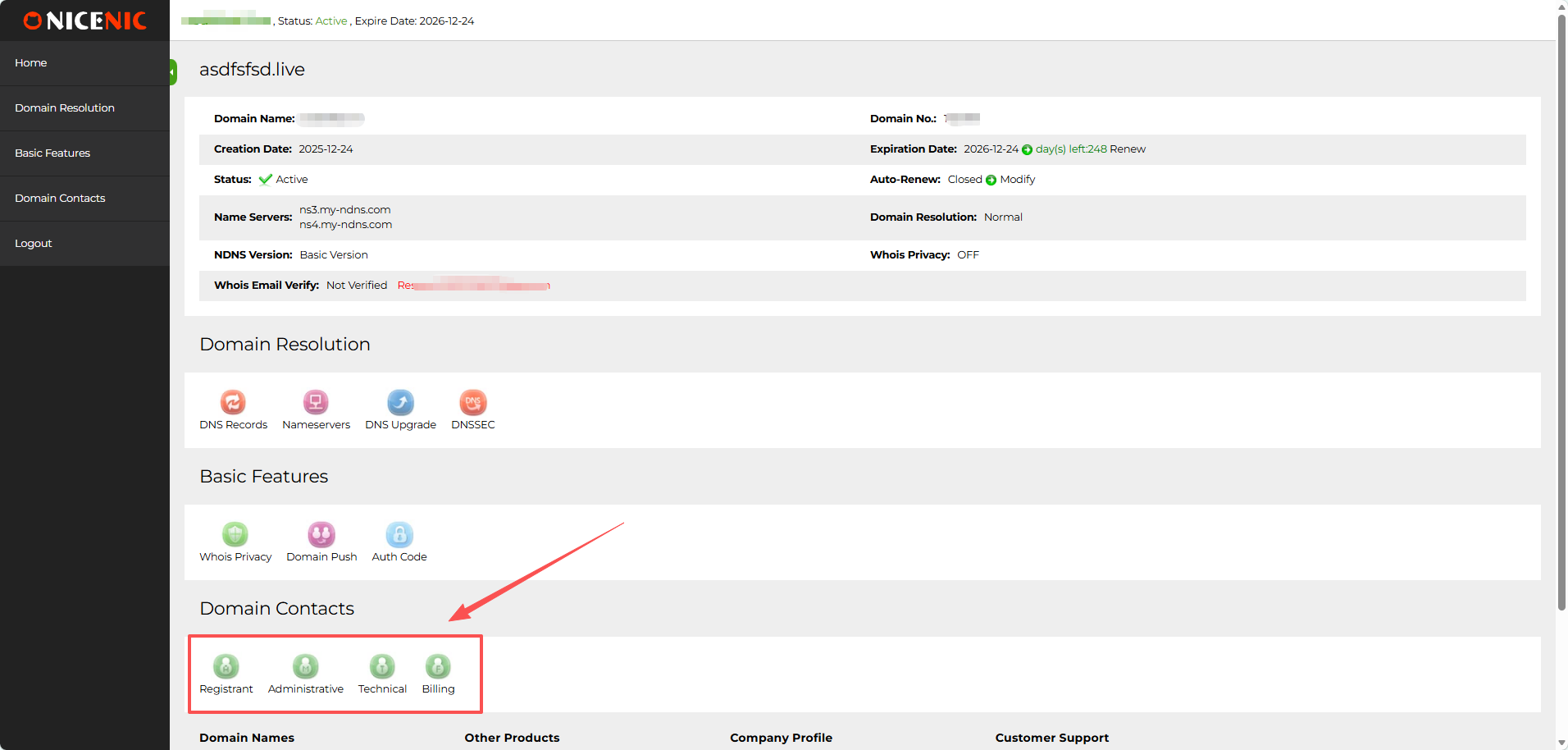
Under Actions, choose Domain Contacts.
Review the contact information and update/edit the information as required.
Click Submit
Related NiceNIC Guides
- WHOIS, RDAP, and Domain Privacy Explained
- How to Update Domain Contact Information Safely
- How Domain Privacy Protects Personal Information
- Why My WHOIS Information Is Hidden or Redacted
If the issue continues after you complete the checks above, submit a NiceNIC support ticket with the affected domain or product, the exact error message, the time of the issue and the troubleshooting already completed.


- Domain Names
- Registering Domains
- Domain Reseller
- Domain API
- Whois Lookup
- Our Products
- Dedicated Server
- Cloud Server
- SSL Certificates
- Business Email
- Company Profile
- About NiceNIC
- Domain News
- Payment Method
- Legal | Disclosure Requests
- Customer Support
- Help Center
- Submit a Ticket
- Contact Us
- Report Abuse
