


Making Bulk Changes to Domains
Before You Begin
- Sign in to the correct NiceNIC account.
- Identify the exact domain or product affected.
- Record current settings before making a change.
Bulk changes are a convenient way to make the same change across more than one domain in your portfolio.
Types of Bulk Changes
Bulk Renew
Bulk Nameserver change
Steps
Log into your account
Click on the Domain Name
Select the domains you wish to change by checking the boxes to the left of the domains
At the bottom of the domain name list, select BULK ACTIONS then select the item to change
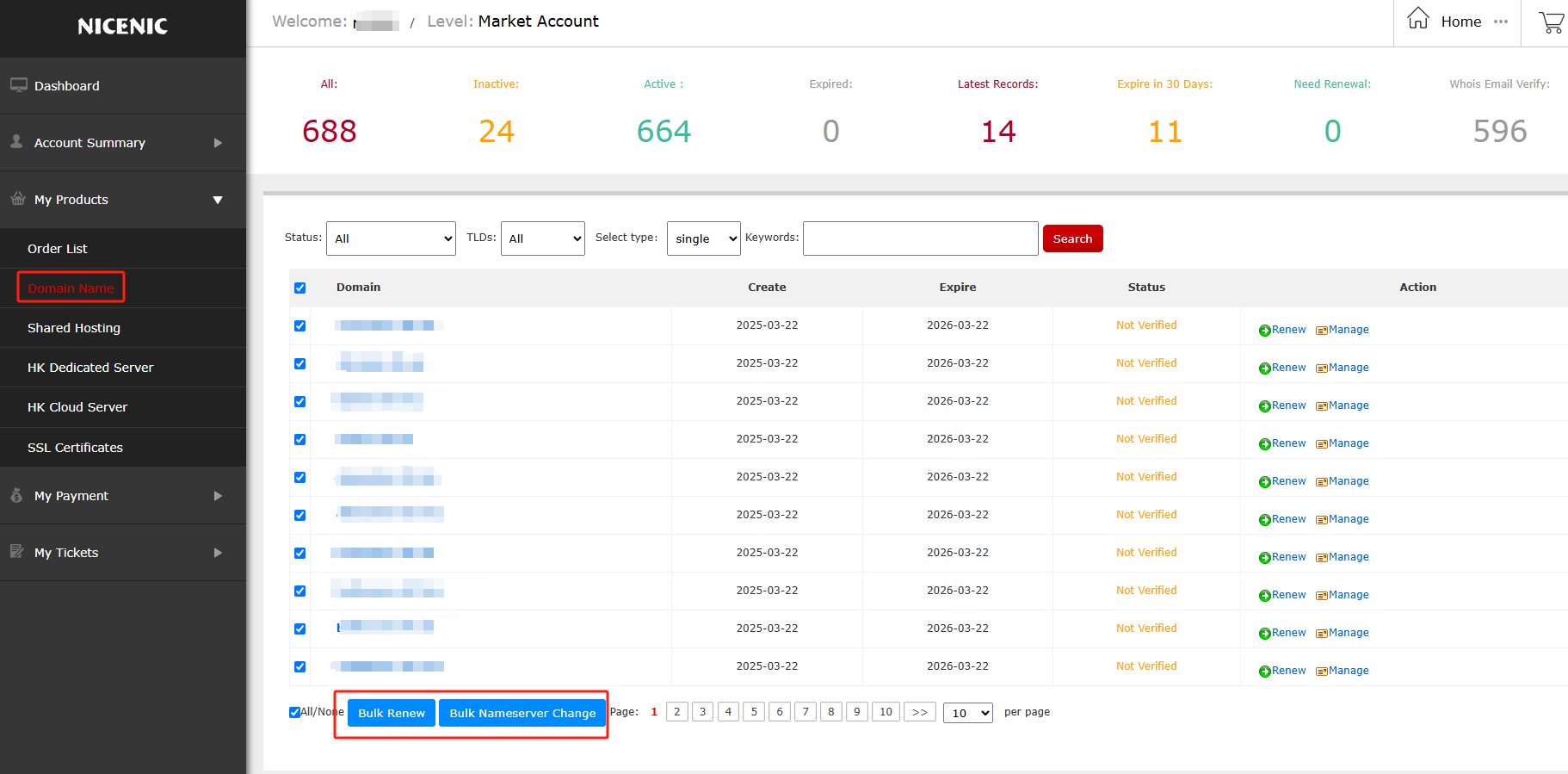
For bulk changes beyond what is provided here, please submit a Support Ticket.
Related NiceNIC Guides
- Which ccTLDs Registrations Need Special Registration Requirements
- How to Register a Domain Name
- Why Documents Are Required to Register a Domain Name
- How to Submit Documents for Domain Name Registration?
If the issue continues after you complete the checks above, submit a NiceNIC support ticket with the affected domain or product, the exact error message, the time of the issue and the troubleshooting already completed.


- Domain Names
- Registering Domains
- Domain Reseller
- Domain API
- Whois Lookup
- Our Products
- Dedicated Server
- Cloud Server
- SSL Certificates
- Business Email
- Company Profile
- About NiceNIC
- Domain News
- Payment Method
- Legal | Disclosure Requests
- Customer Support
- Help Center
- Submit a Ticket
- Contact Us
- Report Abuse
