


How to Register a Domain Name
Before You Begin
- Sign in to the correct NiceNIC account.
- Identify the exact domain or product affected.
- Record current settings before making a change.
Domain search process
When you look for a domain using our Domain Name Search, you'll find the information regarding its availability with a list of similar domain names you may be interested in. Our Domain search tool allows to check options for a number of names and set various filters:
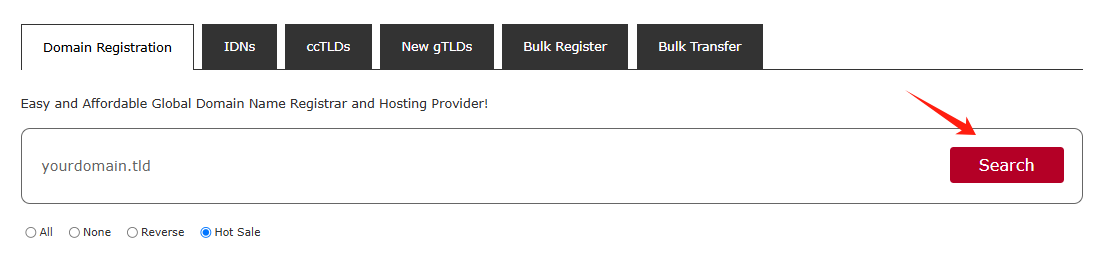
You can enter fully-qualified domain names (Top-Level Domains or TLDs like .com, .net, etc.) or select TLDs from the list:
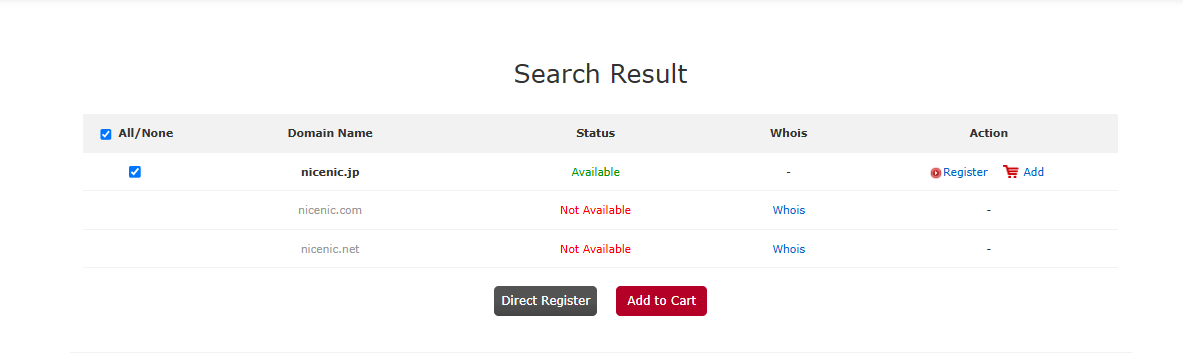
There are several different statuses that a domain can have:
Available: The domain name is available for registration. You will see the Add to Cart button next to these types of domain names.
Not Available: The domain name is either registered by someone else or reserved by the Registry.
Click on the "Register" or "Add" button to select the additional products you'd like.
Domain configuration
If you are not logged in, you will be prompted to enter your NiceNIC account username and password on the next page. If you do not have a NiceNIC account, you will be able to create one on the same page.
Click on the "Add" button to select
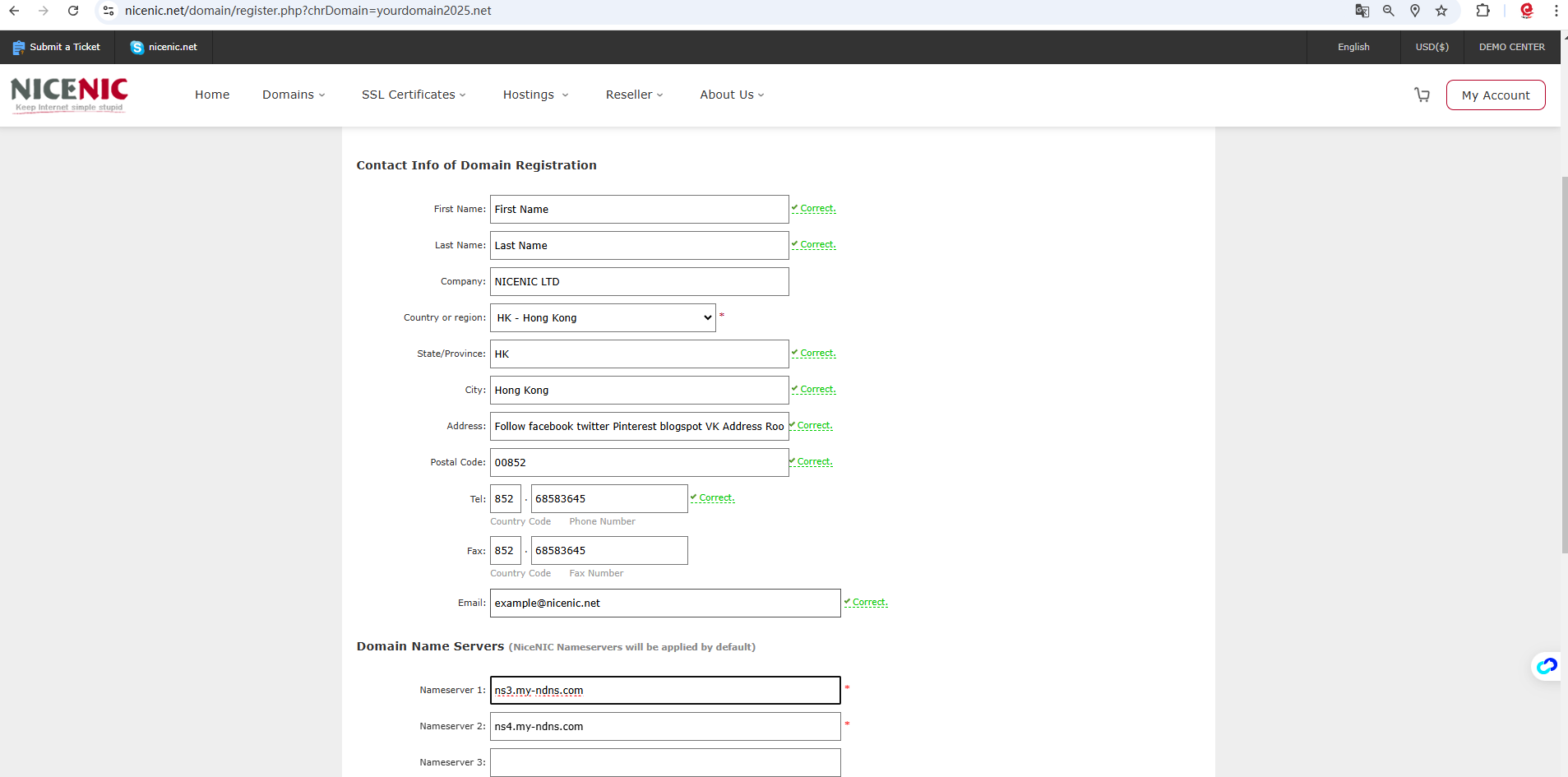
If you register a domain name for the first time, Please provided your contact information (the postal address, phone, etc.).
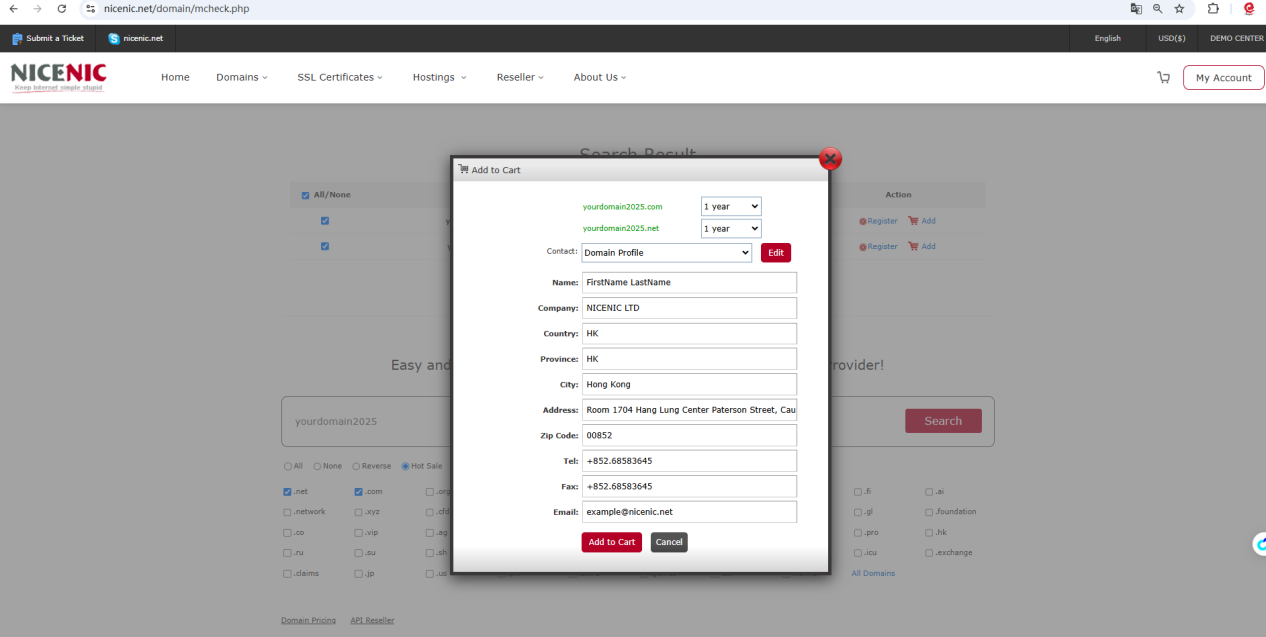
Or you can Click on the "Register" button to select and provided your contact information (the postal address, phone, etc.).
Click on the "Add to Card" then click on the "Check Out"

Click on the "Confirm Order"
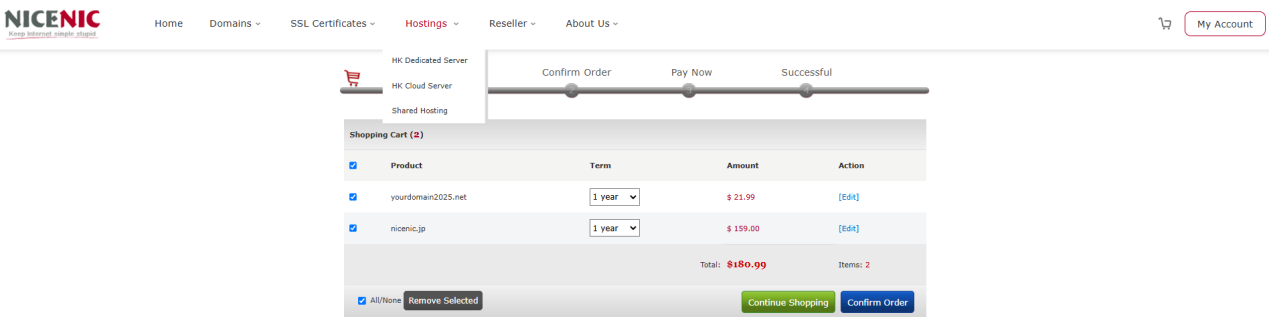
Click on the "Pay Now"
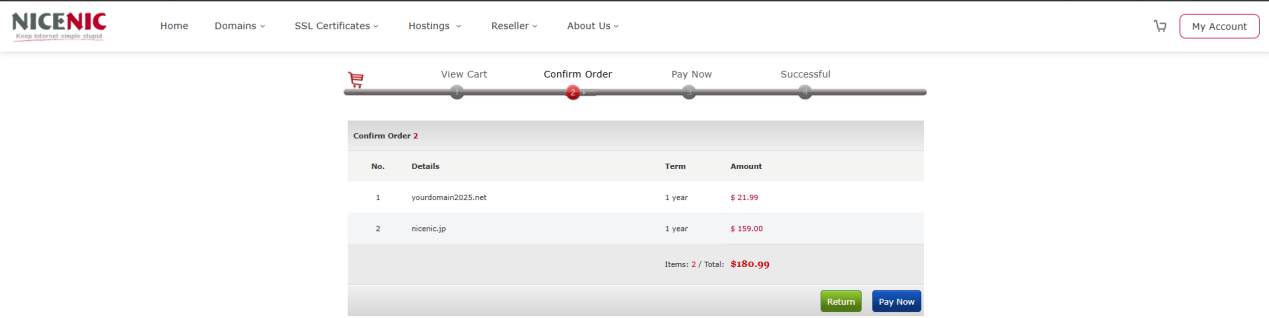
When you are ready to place your order, click on the Online Payment button
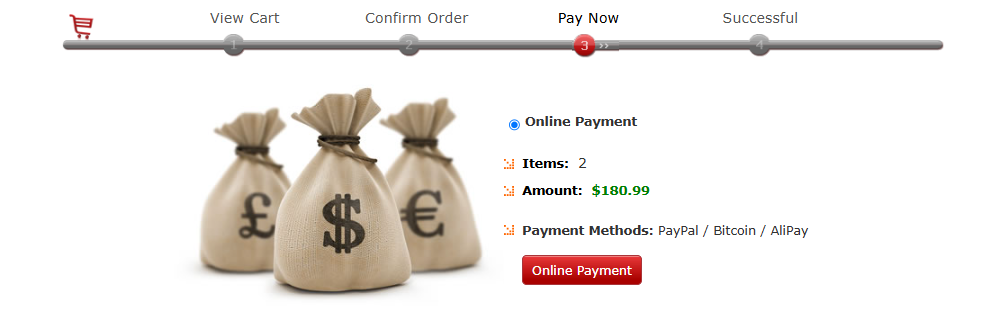
The selected items are processed one by one, and when your order is complete, the order summary will be sent to your primary email address.
Related NiceNIC Guides
- Simplify Your Domain Management with Nicenic's Control Panel: A Step-by-Step Overview
- How to Manage DNS Records
- How to Check Domain Status Before Transfer or Renewal
- NiceNIC Expired Domain Policy | Renewal, Redemption & Auction Timeline
If the issue continues after you complete the checks above, submit a NiceNIC support ticket with the affected domain or product, the exact error message, the time of the issue and the troubleshooting already completed.


- Domain Names
- Registering Domains
- Domain Reseller
- Domain API
- Whois Lookup
- Our Products
- Dedicated Server
- Cloud Server
- SSL Certificates
- Business Email
- Company Profile
- About NiceNIC
- Domain News
- Payment Method
- Legal | Disclosure Requests
- Customer Support
- Help Center
- Submit a Ticket
- Contact Us
- Report Abuse
