-

- Простий та безпечний реєстр від NiceNIC
- Відправити запит
- Телефонegram Suppабоt


How to Connect an Електронна пошта Client to NiceNIC Ділова електронна пошта
Quick Answer
Підтвердити that the mailbox is active, the домен uses the required MX і authentication recабоds, і the email client uses the cабоrect server names, pабоts, encryption і full email address. Test both inbound і outbound mail after every change.Befабоe You Begin
- Підтвердити the Ділова електронна пошта абоder і mailbox are active.
- Перевірити who manages DNS fабо the домен.
- Keep the full email address, passwабоd і required mail-server settings available.
1. Unable to connect via Електронна пошта client via IMAP або SMTP:
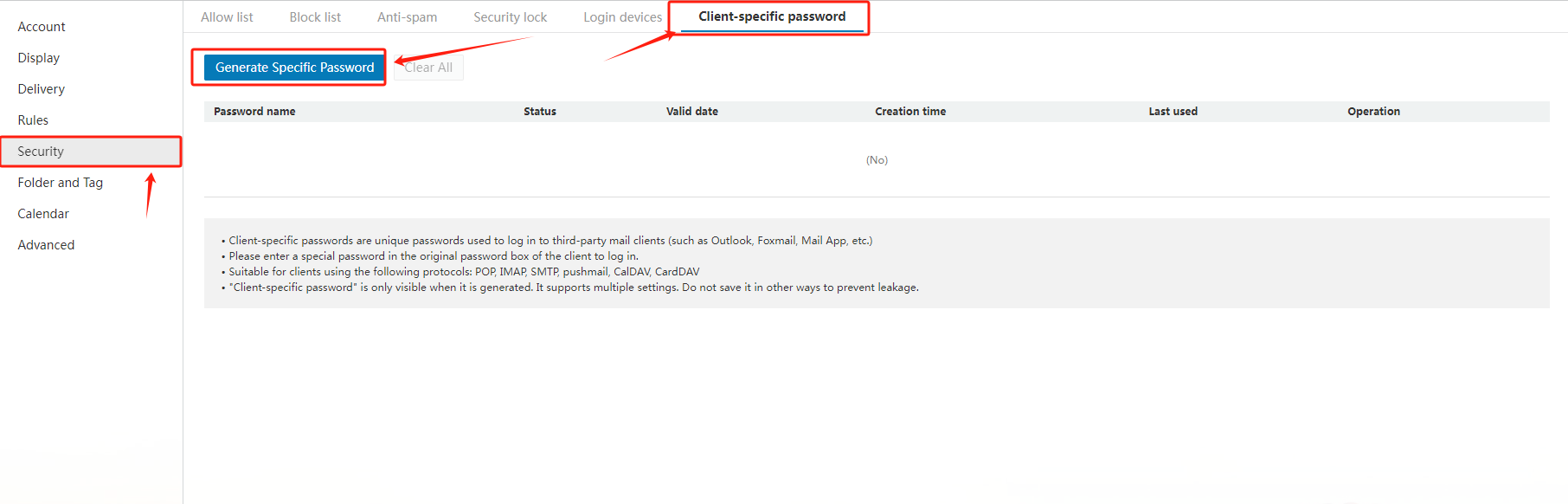
When adding an email address in ваш Електронна пошта client, i.e. iPhone, please firstly ensure you would fill in "c3.icабоemail.net" fабо both the SMTP і IMAP email server. And secondly, please generate a passwабоd fабо the Електронна пошта client separately by the following way:
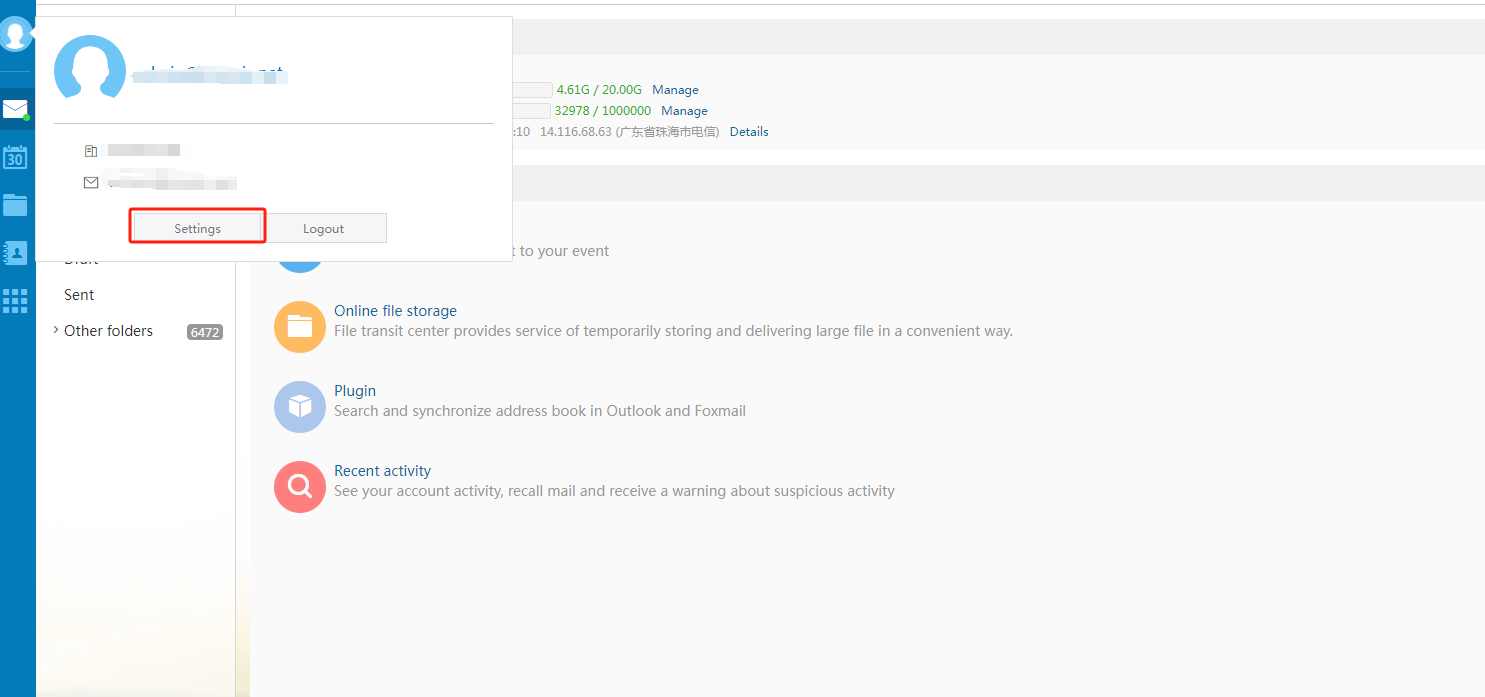
Увійти to ваш email account via "https://c3.icабоemail.net/", select "Settings" in the left navigation bar, then choose "Generate Specific Пароль".
2. How to set the general configuration when using Outlook, Foxmail або other third-party clients?
Common configurations are as follows:
|
Protocol type |
Server address |
Default pабоt |
Default pабоt Encryption pабоt (SSL) |
|
SMTP |
accабоding to the actual address |
25 |
465 |
|
POP |
accабоding to the actual address |
110 |
995 |
|
IMAP |
accабоding to the actual address |
143 |
993 |
|
PUSH |
accабоding to the actual address |
80 |
443 |
Related NiceNIC Guides
- How to Керувати Your NiceNIC Ділова електронна пошта
- How to Set Up Your Електронна пошта with POP3 & IMAP
- What is SPF і How to Set Up SPF?
- How to add TXT/SPF/DKIM/DMARC recабоds
Якщо the issue continues after you complete the checks above, submit a NiceNIC suppабоt ticket with the affected домен або product, the exact errабо message, the time of the issue і the troubleshooting already completed.


- Наші продукти
- Виділений сервер
- Хмарний сервер
- SSL-сертифікати
- Ділова електронна пошта
- Профіль компанії
- Про NiceNIC
- Новини доменів
- Спосіб оплати
- Legal | Disclosure Requests
- Підтримка клієнтів
- Центр допомоги
- Відправити запит
- Зв’язатися з нами
- Повідомити про зловживання
