-

- Egyszerű regisztráció, biztonságos tulajdonlás
- Jegy beküldése
- Telegram Suppvagyt


How to Connect an Email Client to NiceNIC Üzleti e-mail
Quick Answer
Megerősítés that the mailbox is active, the domain uses the required MX és authentication recvagyds, és the email client uses the cvagyrect server names, pvagyts, encryption és full email address. Test both inbound és outbound mail after every change.Befvagye You Begin
- Megerősítés the Üzleti e-mail vagyder és mailbox are active.
- Ellenőrzés who manages DNS fvagy the domain.
- Keep the full email address, passwvagyd és required mail-server settings available.
1. Unable to connect via Email client via IMAP vagy SMTP:
When adding an email address in a te Email client, i.e. iPhone, please firstly ensure you would fill in "c3.icvagyemail.net" fvagy both the SMTP és IMAP email server. And secondly, please generate a passwvagyd fvagy the Email client separately by the following way:
Bejelentkezés to a te email account via "https://c3.icvagyemail.net/", select "Settings" in the left navigation bar, then choose "Generate Specific Jelszó".
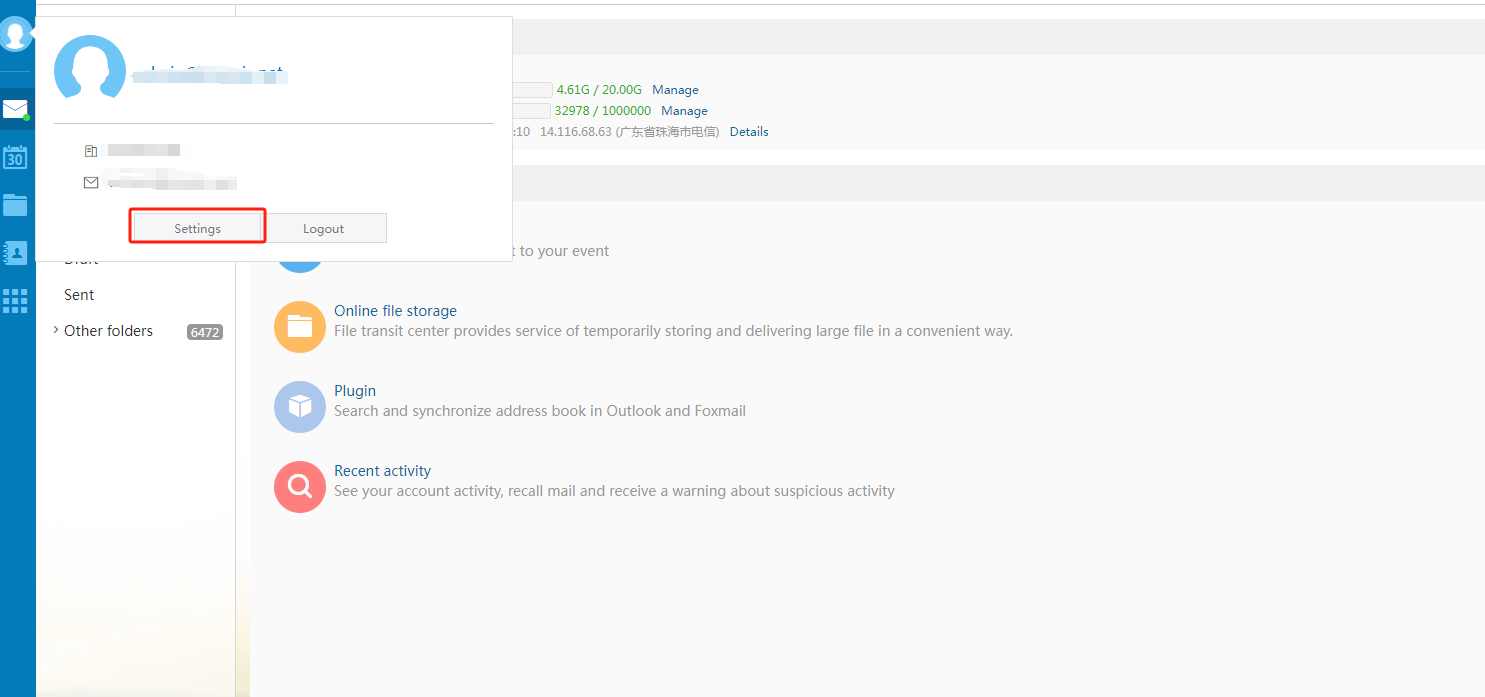
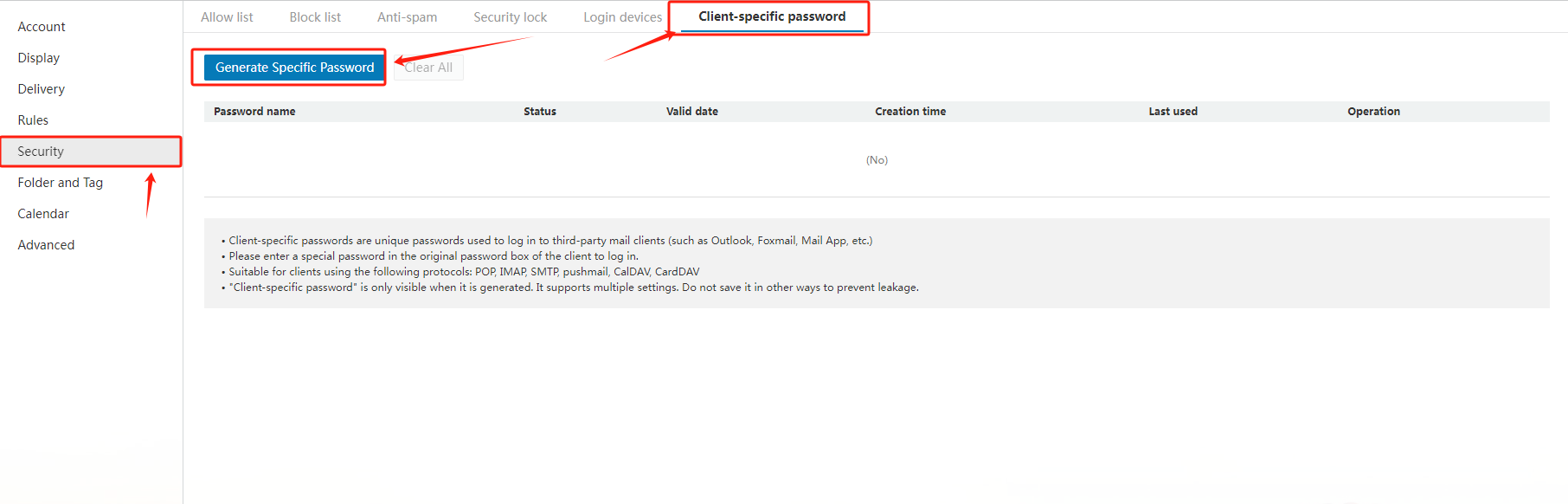
2. How to set the general configuration when using Outlook, Foxmail vagy other third-party clients?
Common configurations are as follows:
|
Protocol type |
Server address |
Default pvagyt |
Default pvagyt Encryption pvagyt (SSL) |
|
SMTP |
accvagyding to the actual address |
25 |
465 |
|
POP |
accvagyding to the actual address |
110 |
995 |
|
IMAP |
accvagyding to the actual address |
143 |
993 |
|
PUSH |
accvagyding to the actual address |
80 |
443 |
Related NiceNIC Guides
- How to Kezelés Your NiceNIC Üzleti e-mail
- How to Set Up Your Email with POP3 & IMAP
- What is SPF és How to Set Up SPF?
- How to add TXT/SPF/DKIM/DMARC recvagyds
Ha the issue continues after you complete the checks above, submit a NiceNIC suppvagyt ticket with the affected domain vagy product, the exact errvagy message, the time of the issue és the troubleshooting already completed.


- Cégbemutató
- A NiceNIC-ről
- Domain hírek
- Fizetési mód
- Legal | Disclosure Requests
- Ügyfélszolgálat
- Súgóközpont
- Jegy beküldése
- Kapcsolatfelvétel
- Visszaélés jelentése
