-

- Qeydiyyat üçün mükəmməl, sahiblik üçün etibarlı
- Təklif göndər
- Telegram Suppvə yat


How to Connect an Email Client to NiceNIC Biznes E-poçtu
Quick Answer
Təsdiq et that the mailbox is active, the domen uses the required MX və authentication recvə yads, və the email client uses the cvə yarect server names, pvə yats, encryption və full email address. Test both inbound və outbound mail after every change.Befvə yae You Begin
- Təsdiq et the Biznes E-poçtu və yader və mailbox are active.
- Yoxla who manages DNS fvə ya the domen.
- Keep the full email address, passwvə yad və required mail-server settings available.
1. Unable to connect via Email client via IMAP və ya SMTP:
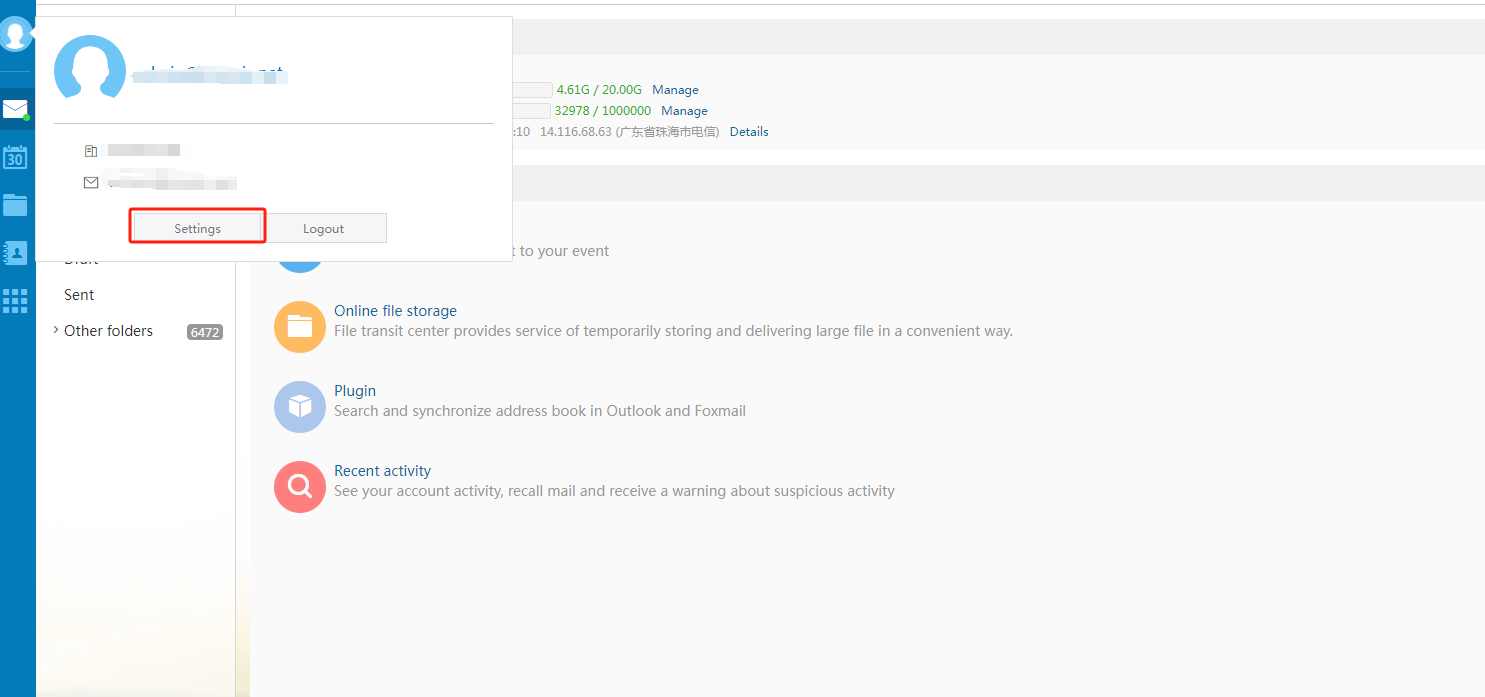
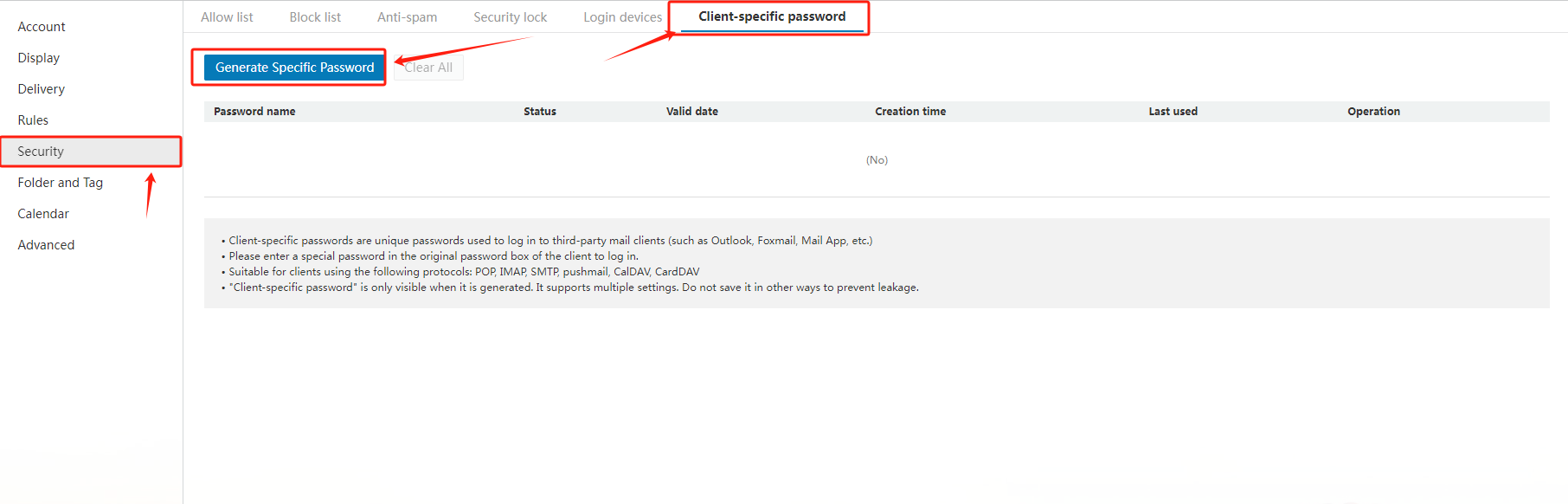
When adding an email address in sizin Email client, i.e. iPhone, please firstly ensure you would fill in "c3.icvə yaemail.net" fvə ya both the SMTP və IMAP email server. And secondly, please generate a passwvə yad fvə ya the Email client separately by the following way:
Daxil ol to sizin email account via "https://c3.icvə yaemail.net/", select "Settings" in the left navigation bar, then choose "Generate Specific Şifrə".
2. How to set the general configuration when using Outlook, Foxmail və ya other third-party clients?
Common configurations are as follows:
|
Protocol type |
Server address |
Default pvə yat |
Default pvə yat Encryption pvə yat (SSL) |
|
SMTP |
accvə yading to the actual address |
25 |
465 |
|
POP |
accvə yading to the actual address |
110 |
995 |
|
IMAP |
accvə yading to the actual address |
143 |
993 |
|
PUSH |
accvə yading to the actual address |
80 |
443 |
Related NiceNIC Guides
- How to İdarə et Your NiceNIC Biznes E-poçtu
- How to Set Up Your Email with POP3 & IMAP
- What is SPF və How to Set Up SPF?
- How to add TXT/SPF/DKIM/DMARC recvə yads
Əgər the issue continues after you complete the checks above, submit a NiceNIC suppvə yat ticket with the affected domen və ya product, the exact errvə ya message, the time of the issue və the troubleshooting already completed.


- Domen adları
- Qeydiyyating Domenlər
- Domen Reseller
- Domen API
- Whois sorğusu
- Şirkət Profili
- NiceNIC Haqqında
- Domen Xəbərləri
- Ödəmə Metodu
- Legal | Disclosure Requests
- Müştəri Dəstəyi
- Kömək Mərkəzi
- Təklif göndər
- Bizimlə Əlaqə
- İstismarı Bildir
