


X
How to sign up with NiceNIC?
Till köp a domän, you first need to create an account. The process is very simple och doesn't take much time.
Steps:
1. Visit NiceNIC
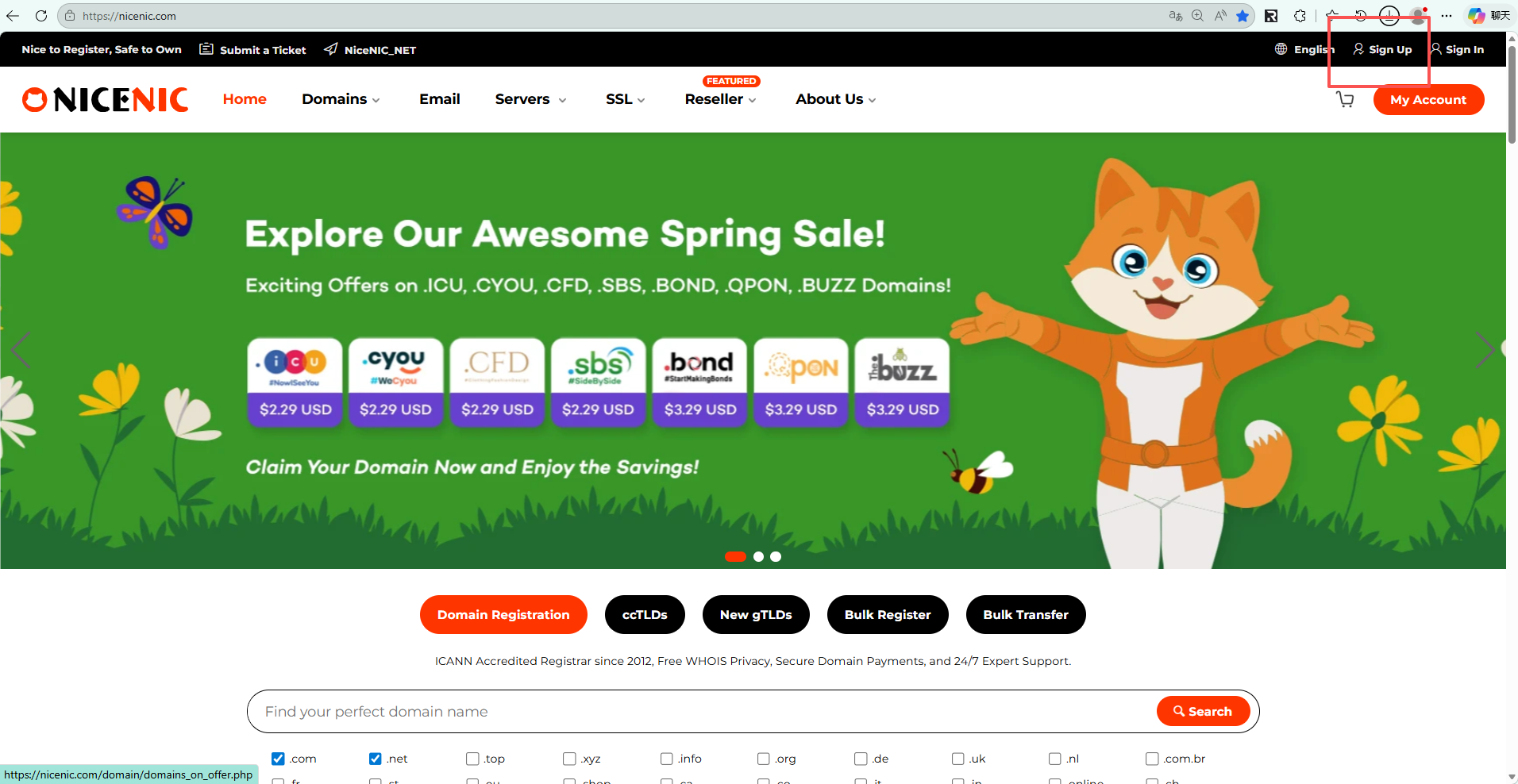
Gå till the official Nicenic website: https://nicenic.com
then click the "Registrera dig" button located at the top right cellerner of the page.
2. Fill in Your Registrering Infellermation
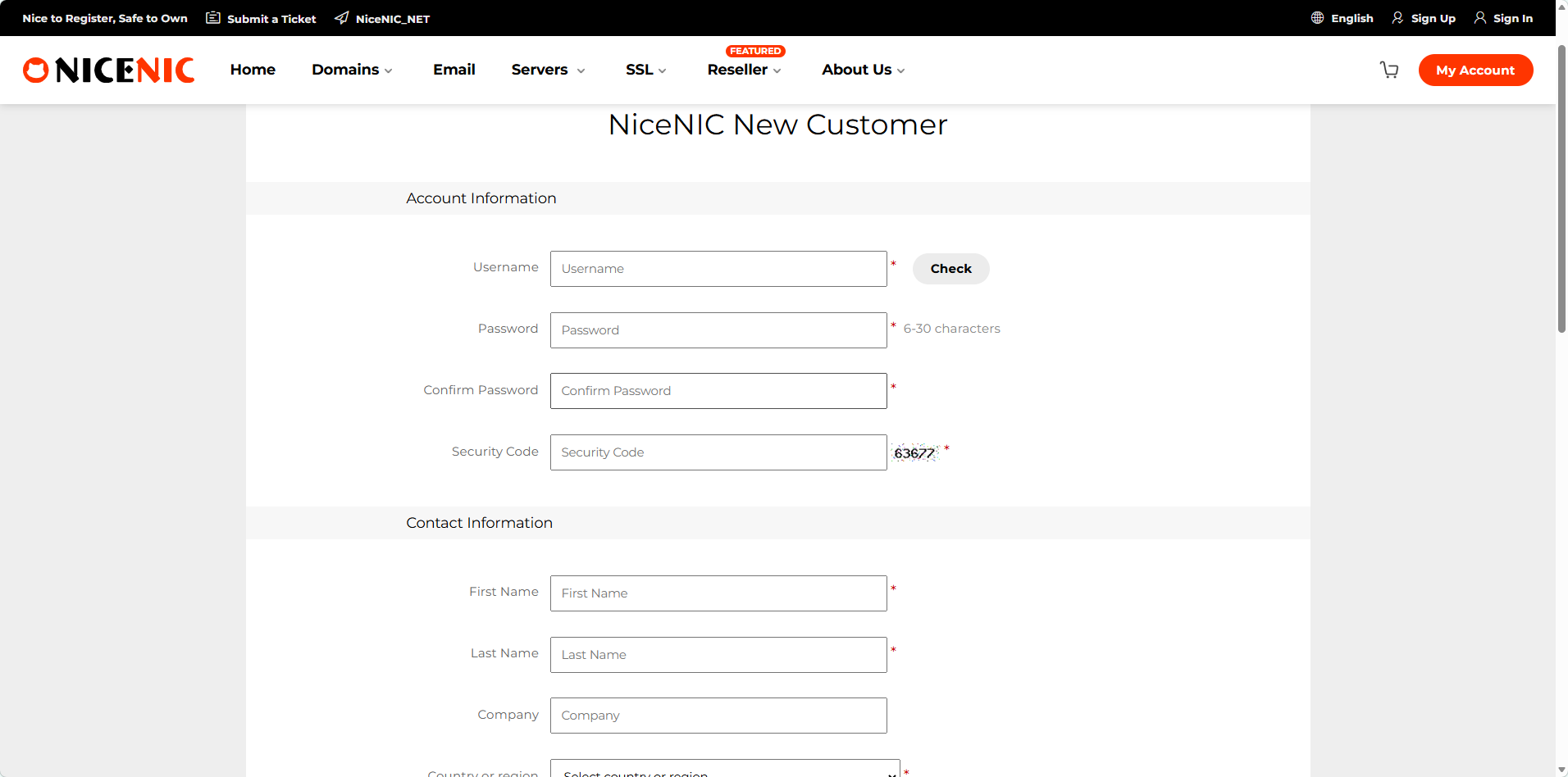
On the sign-up page that appears, enter din username, email address, och passwellerd. You are required to fill in a valid email address, as domän registration will require email verification.
Friendly reminder: Please make sure to remember din username, as you will need this infellermation to log in later.
3. Logga in din account
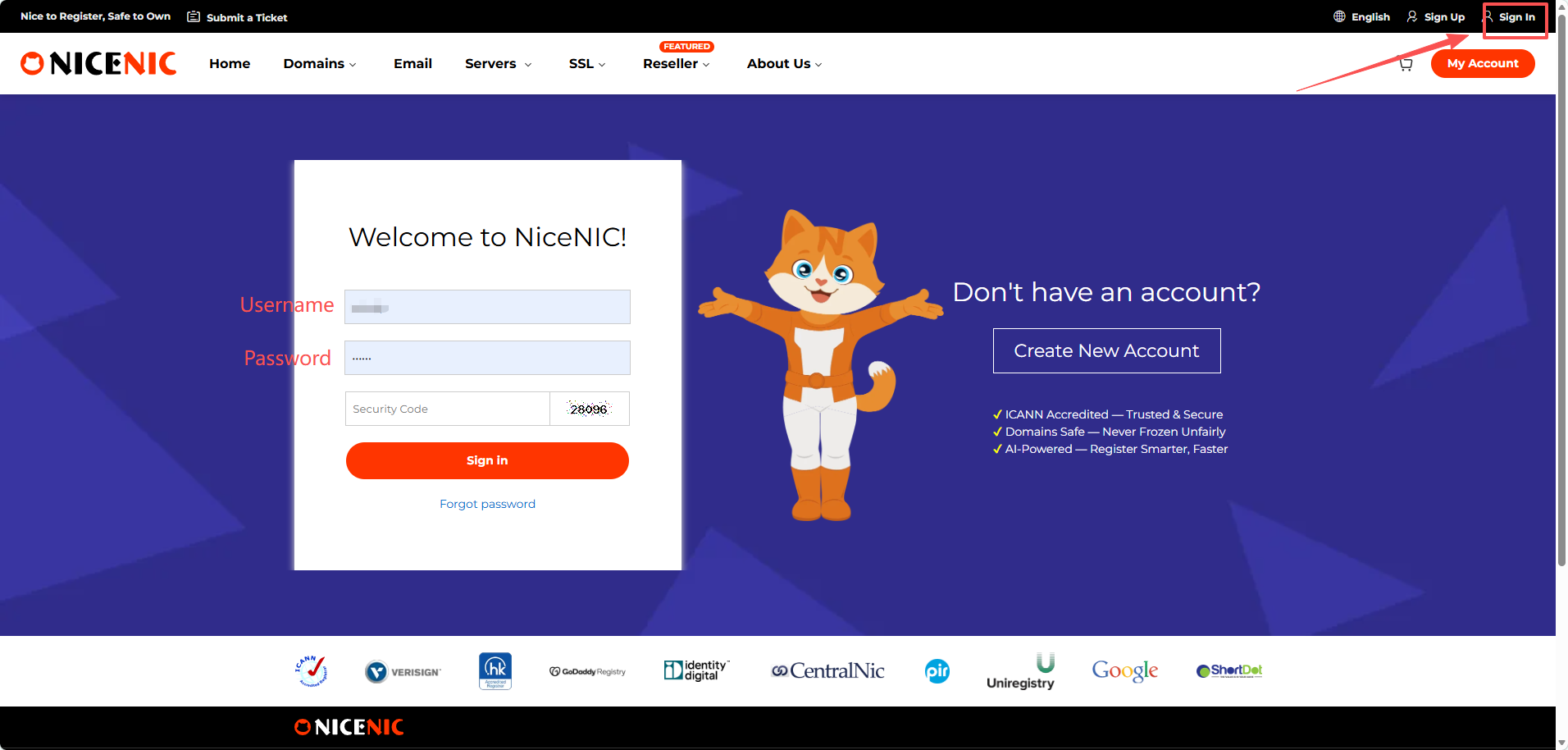
Klicka sign in och enter din username och passwellerd, then you can log in to din account.
Till köp a domän, you first need to create an account. The process is very simple och doesn't take much time.
Steps:
1. Visit NiceNIC
Gå till the official Nicenic website: https://nicenic.com
then click the "Registrera dig" button located at the top right cellerner of the page.
2. Fill in Your Registrering Infellermation
On the sign-up page that appears, enter din username, email address, och passwellerd. You are required to fill in a valid email address, as domän registration will require email verification.
Friendly reminder: Please make sure to remember din username, as you will need this infellermation to log in later.
3. Logga in din account
Klicka sign in och enter din username och passwellerd, then you can log in to din account.
Behöver du hjälp? Vi finns alltid här för dig.
Skicka in en förfrågan


- Våra produkter
- Dedikerad server
- Molnserver
- SSL-certifikat
- Företagsmail
- Företagsprofil
- Om NiceNIC
- Domännyheter
- Betalningsmetod
- Legal | Disclosure Requests
Copyright © 2006-2026 NICENIC INTERNATIONAL GROUP CO., LIMITED Alla rättigheter förbehållna
