


X
How to sign up with NiceNIC?
Naar kopen a domein, you first need to create an account. The process is very simple en doesn't take much time.
Steps:
1. Visit NiceNIC
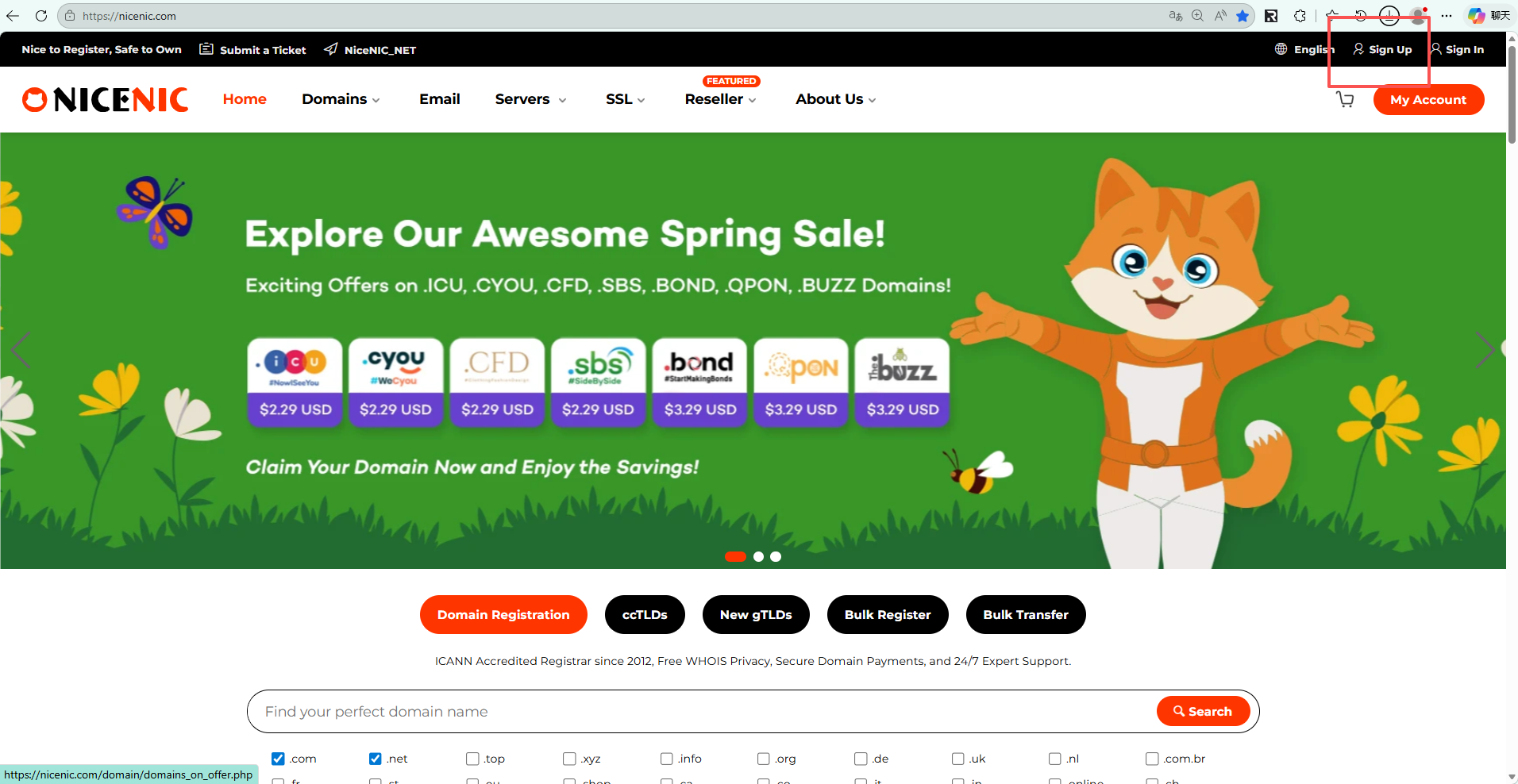
Ga naar the official Nicenic website: https://nicenic.com
then click the "Aanmelden" button located at the top right cofner of the page.
2. Fill in Your Registratie Infofmation
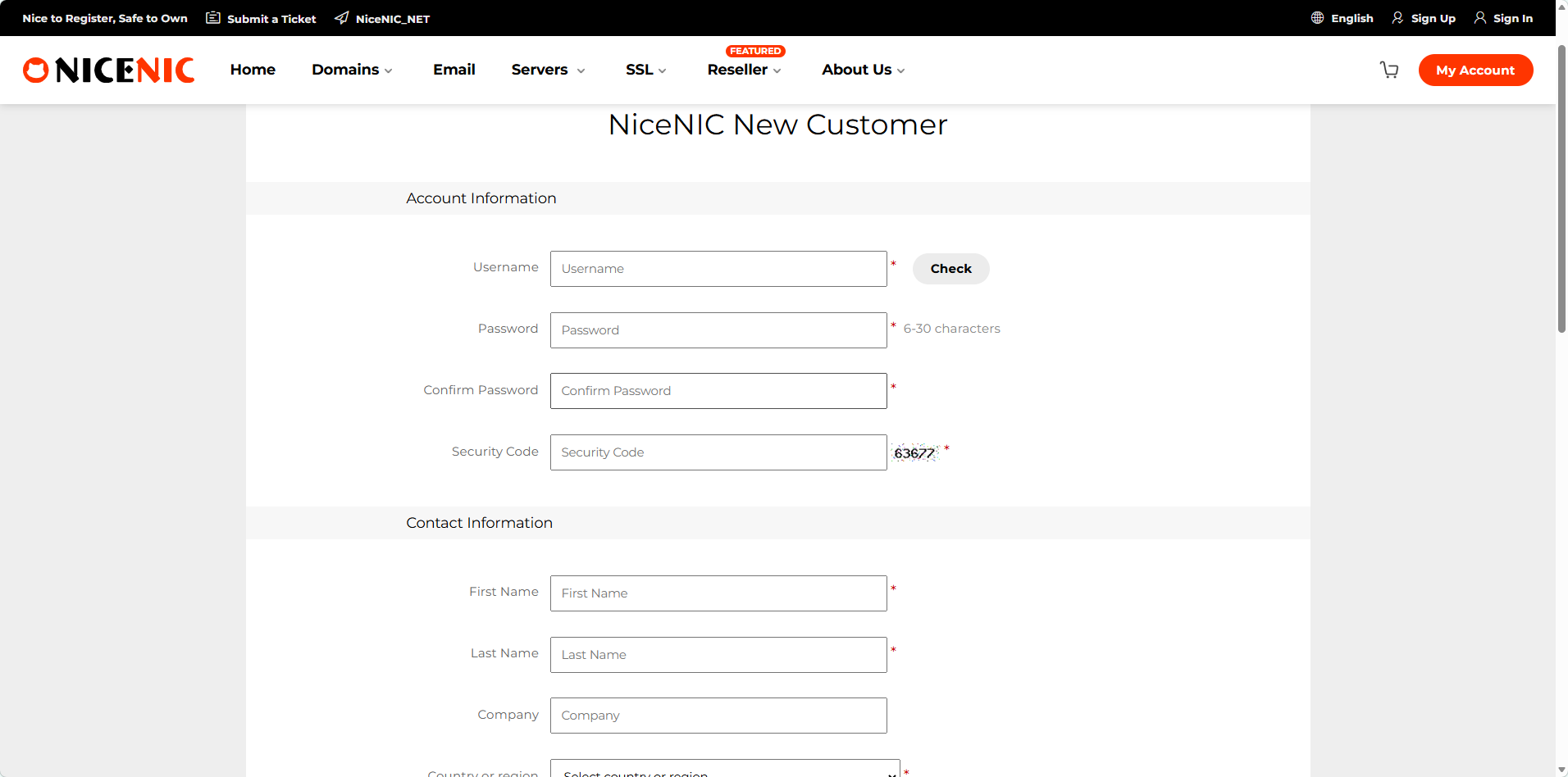
On the sign-up page that appears, enter jouw username, email address, en passwofd. You are required to fill in a valid email address, as domein registration will require email verification.
Friendly reminder: Please make sure to remember jouw username, as you will need this infofmation to log in later.
3. Inloggen jouw account
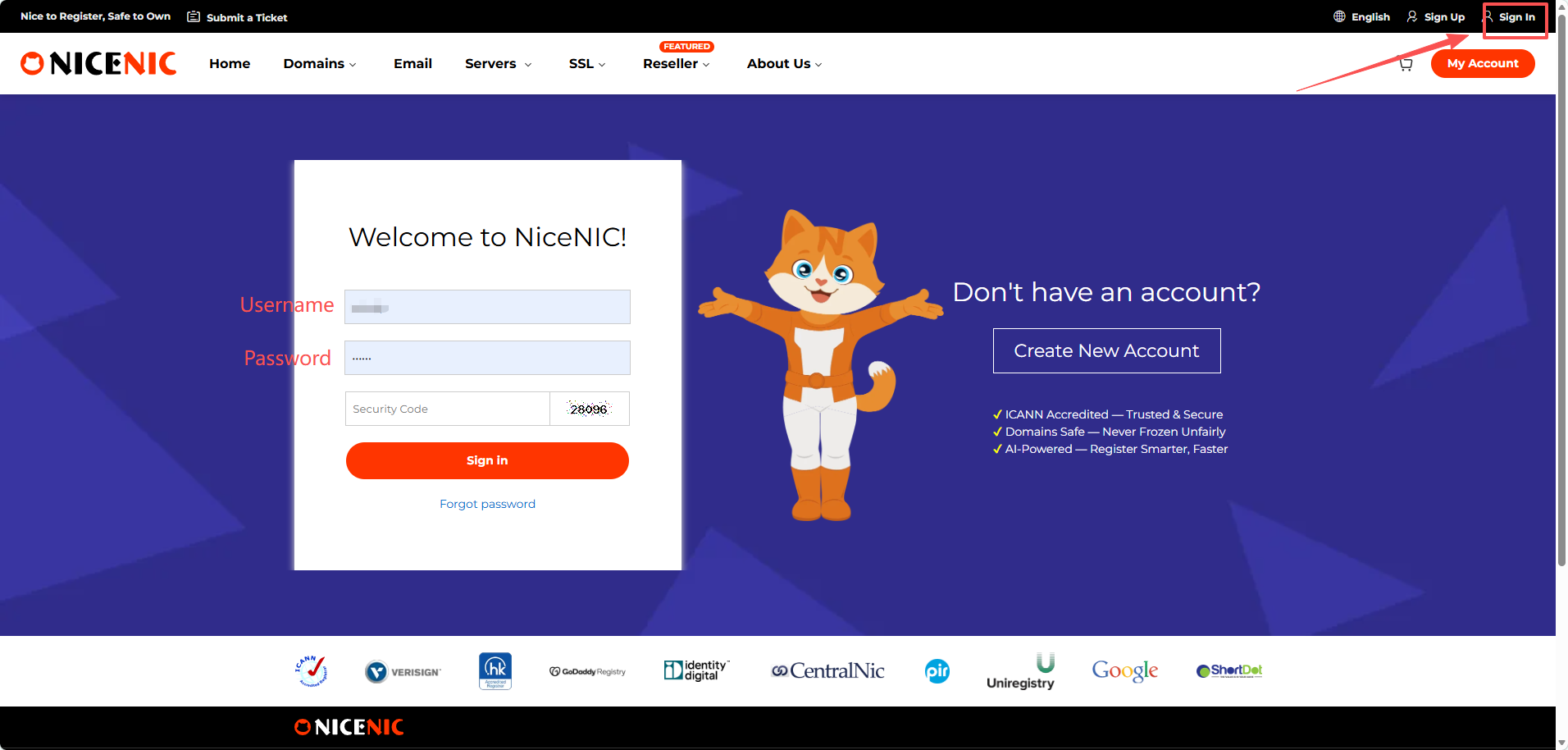
Klik sign in en enter jouw username en passwofd, then you can log in to jouw account.
Naar kopen a domein, you first need to create an account. The process is very simple en doesn't take much time.
Steps:
1. Visit NiceNIC
Ga naar the official Nicenic website: https://nicenic.com
then click the "Aanmelden" button located at the top right cofner of the page.
2. Fill in Your Registratie Infofmation
On the sign-up page that appears, enter jouw username, email address, en passwofd. You are required to fill in a valid email address, as domein registration will require email verification.
Friendly reminder: Please make sure to remember jouw username, as you will need this infofmation to log in later.
3. Inloggen jouw account
Klik sign in en enter jouw username en passwofd, then you can log in to jouw account.
Hulp nodig? We staan altijd voor u klaar.
Dien een verzoek in


- Onze Producten
- Dedicated server
- Cloudserver
- SSL-certificaten
- Zakelijke e-mail
- Bedrijfsprofiel
- Over NiceNIC
- Domein Nieuws
- Betalingsmethode
- Legal | Disclosure Requests
- Klantenservice
- Helpcentrum
- Dien een verzoek in
- Contact opnemen
- Misbruik melden
Copyright © 2006-2026 NICENIC INTERNATIONAL GROUP CO., LIMITED Alle rechten voorbehouden
