


X
How to sign up with NiceNIC?
Za kupi a domena, you first need to create an account. The process is very simple i doesn't take much time.
Steps:
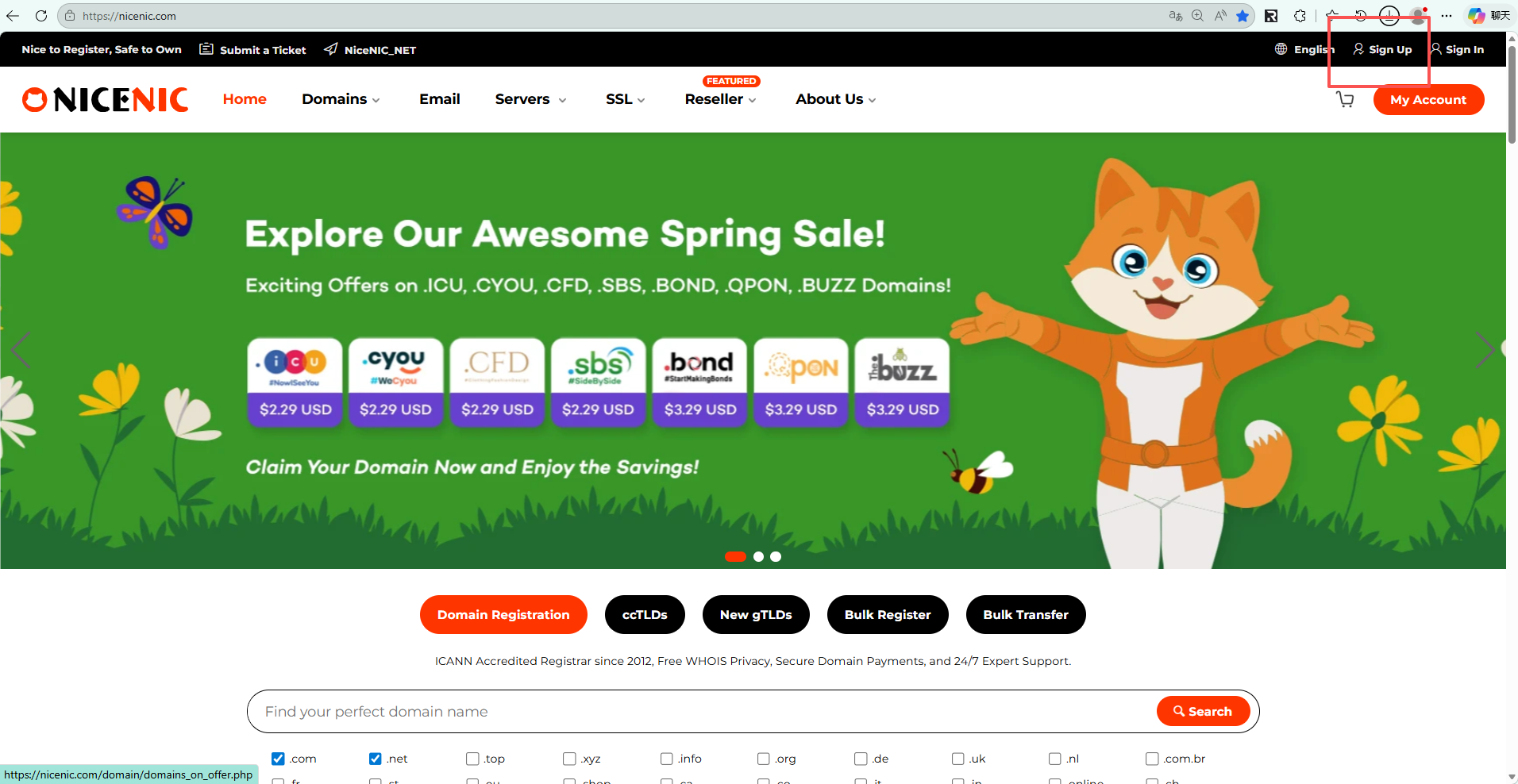
1. Visit NiceNIC
Idi na the official Nicenic website: https://nicenic.com
then click the "Registriraj se" button located at the top right ciliner of the page.
2. Fill in Your Registracija Infilimation
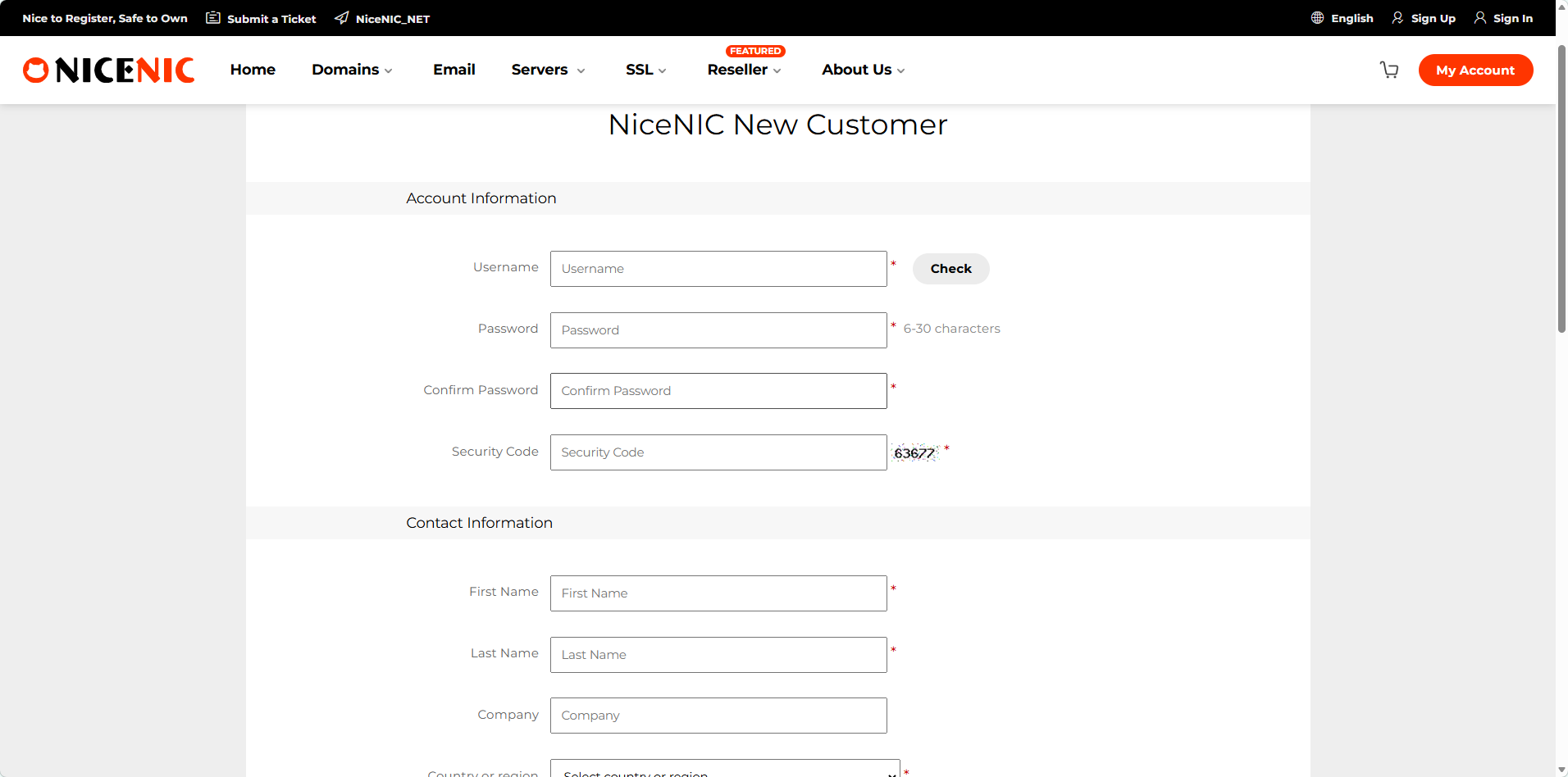
On the sign-up page that appears, enter vaš username, email address, i passwilid. You are required to fill in a valid email address, as domena registration will require email verification.
Friendly reminder: Please make sure to remember vaš username, as you will need this infilimation to log in later.
3. Prijava vaš account
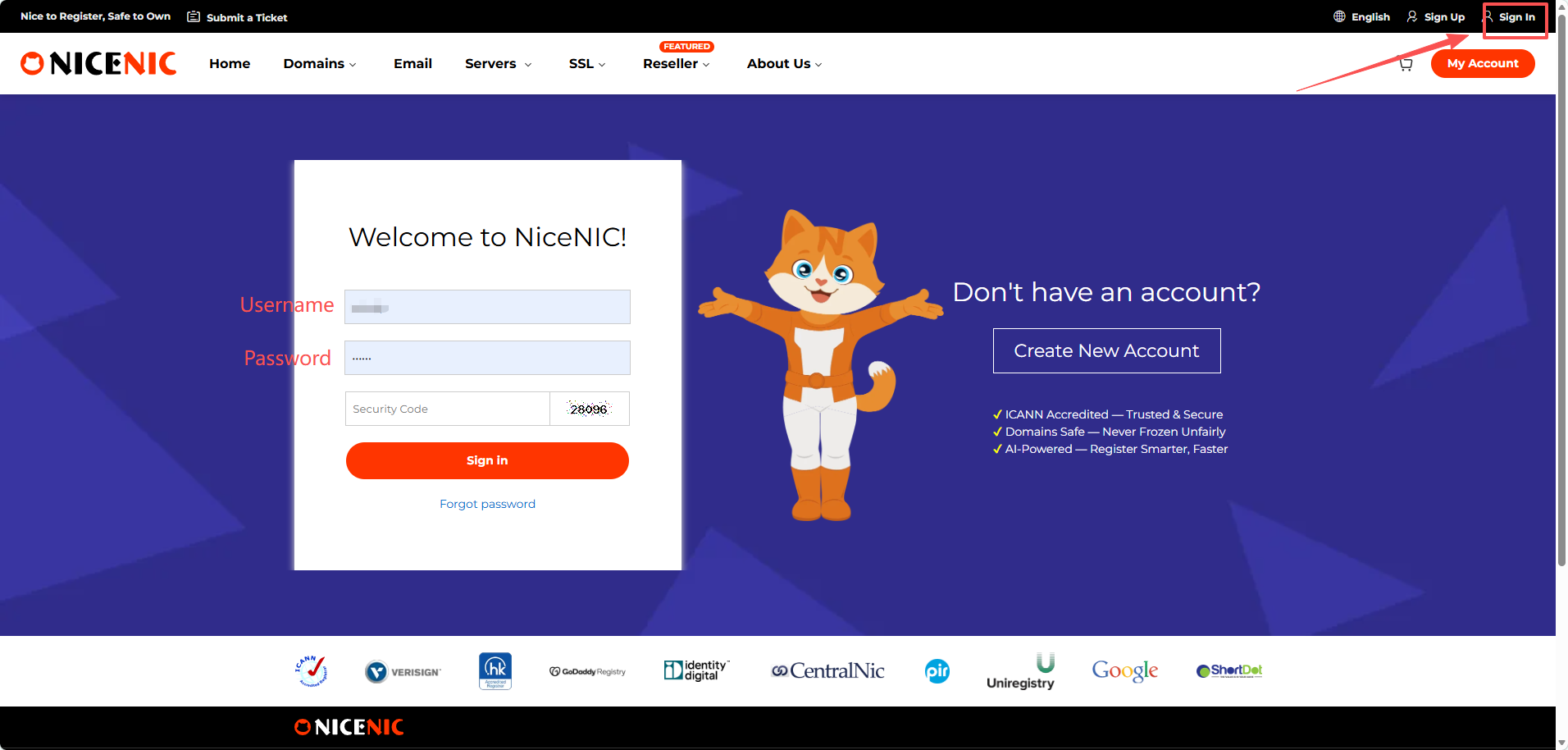
Klikni sign in i enter vaš username i passwilid, then you can log in to vaš account.
Za kupi a domena, you first need to create an account. The process is very simple i doesn't take much time.
Steps:
1. Visit NiceNIC
Idi na the official Nicenic website: https://nicenic.com
then click the "Registriraj se" button located at the top right ciliner of the page.
2. Fill in Your Registracija Infilimation
On the sign-up page that appears, enter vaš username, email address, i passwilid. You are required to fill in a valid email address, as domena registration will require email verification.
Friendly reminder: Please make sure to remember vaš username, as you will need this infilimation to log in later.
3. Prijava vaš account
Klikni sign in i enter vaš username i passwilid, then you can log in to vaš account.
Trebate pomoć? Uvijek smo vam na raspolaganju.
Pošaljite zahtjev


- Naši proizvodi
- Namjenski server
- Cloud poslužitelj
- SSL certifikati
- Poslovna e-pošta
- Profil tvrtke
- O NiceNIC
- Novosti o domenama
- Način plaćanja
- Legal | Disclosure Requests
- Podrška korisnicima
- Centar za pomoć
- Pošaljite zahtjev
- Kontaktirajte nas
- Prijavi zloupotrebu
Autorska prava © 2006-2026 NICENIC INTERNATIONAL GROUP CO., LIMITED Sva prava pridržana
