


NiceNIC API v2 Request Format Errors: Endpoint, Headers, JSON, and Parameters
When NiceNIC API v2 returns a request-parameter or format error, first verify the API URL, action, headers and the exact parameter names. The v2 service uses HTTPS requests and JSON responses; not every operation uses a JSON request body.
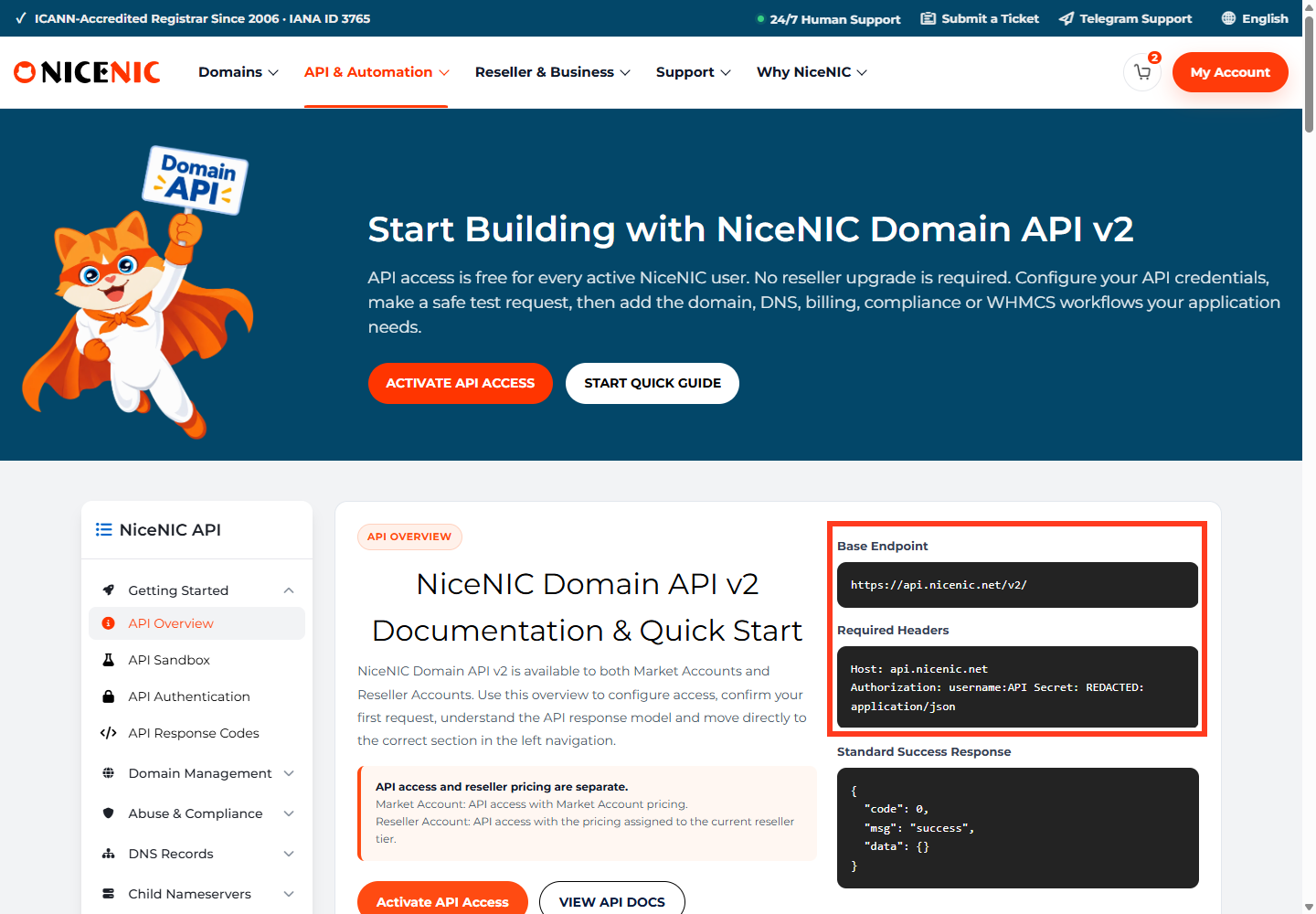
Correct endpoint and headers
Base endpoint: https://api.NiceNIC/v2/
Host: api.NiceNIC
Authorization: username:api_secret
Content-Type: application/json
Don't copy legacy endpoints or substitute api.NiceNIC. The username and secret must belong to the account sending the request.
A reproducible read-only example
curl –get 'https://api.NiceNIC/v2/'
–data-urlencode 'category=domain'
–data-urlencode 'action=check'
–data-urlencode 'domains=example.com,example.net'
-H 'Authorization: YOUR_USERNAME:YOUR_API_SECRET'
-H 'Content-Type: application/json'
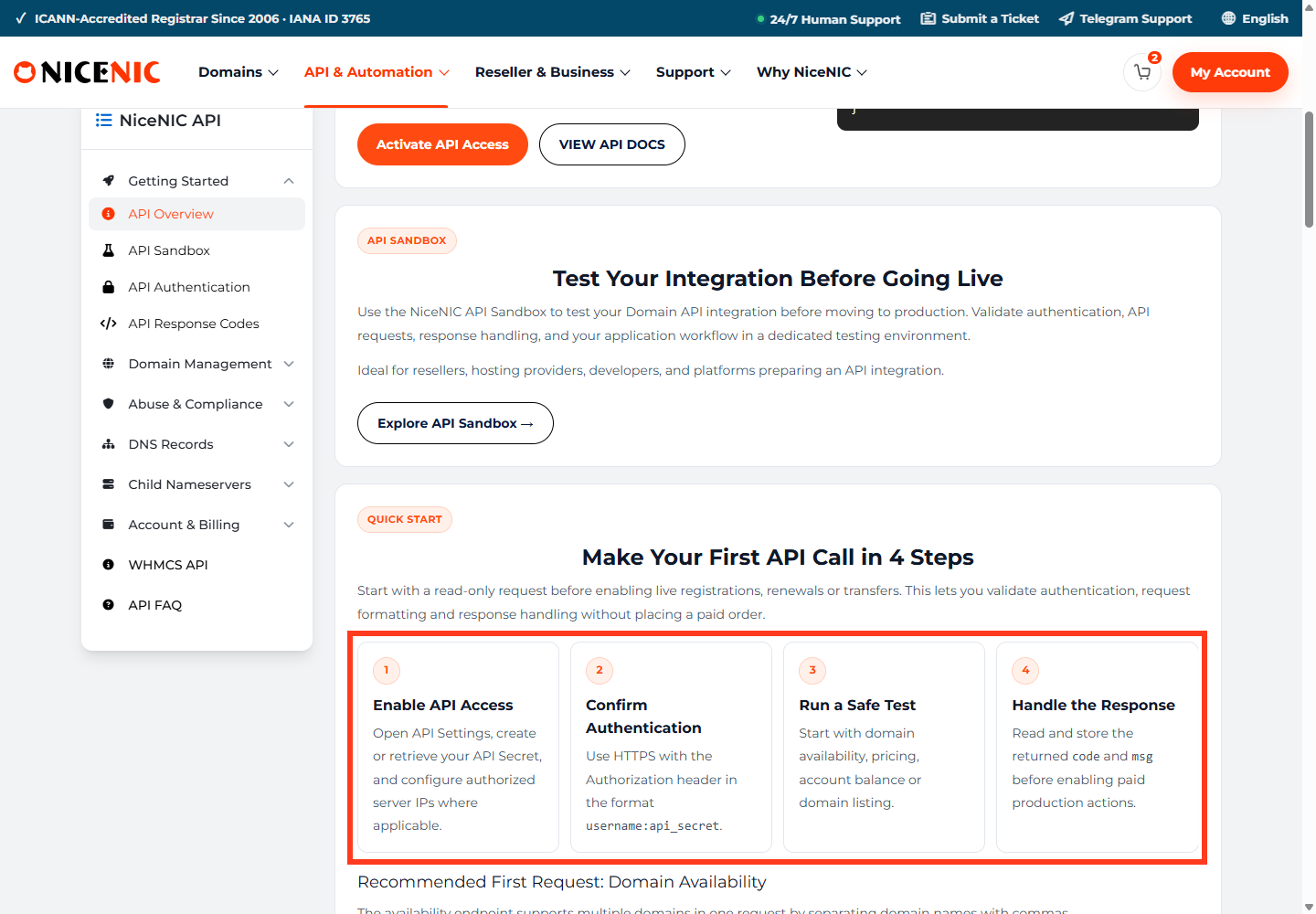
This is a domain availability query. It does not place an order or incur a registration charge. Replace credential placeholders securely; never commit them to source control.
Isolate the format error
domain and domains are not interchangeable
code, msg, and any operation-specific data
For registrations and transfers, additional eligibility/contact requirements may apply. Never assume that an availability check guarantees a valid paid registration order. Also do not retry a chargeable request blindly after a timeout; first check whether an order was created.
If you need support
Provide the documented API operation, a minimal redacted request, timestamp, error code/message and whether it occurs in the sandbox or production environment. Exclude passwords, secrets and customer identity documents.
Reference: NiceNIC API v2 Documentation and API FAQ.


