


What clientTransferProhibited Means
clientTransferProhibited
When should you remove the lock?
Keep the transfer lock in place when you are not moving the domain. When you intend to transfer it, you may need to unlock it and request the domain's transfer authorization code (also called AuthInfo/EPP code). Some TLDs use another process, and an unlock alone does not remove every transfer restriction.
Check and unlock your domain
- Sign in to the account that currently manages the domain.
- Open that domain's management page and inspect its transfer lock and registry status.
- If you intend to transfer the domain, use the available Unlock or Transfer Lock control and save the change. The label may differ by interface.
- Recheck the registry's status through an official lookup or RDAP service. A recent change may take time to appear.
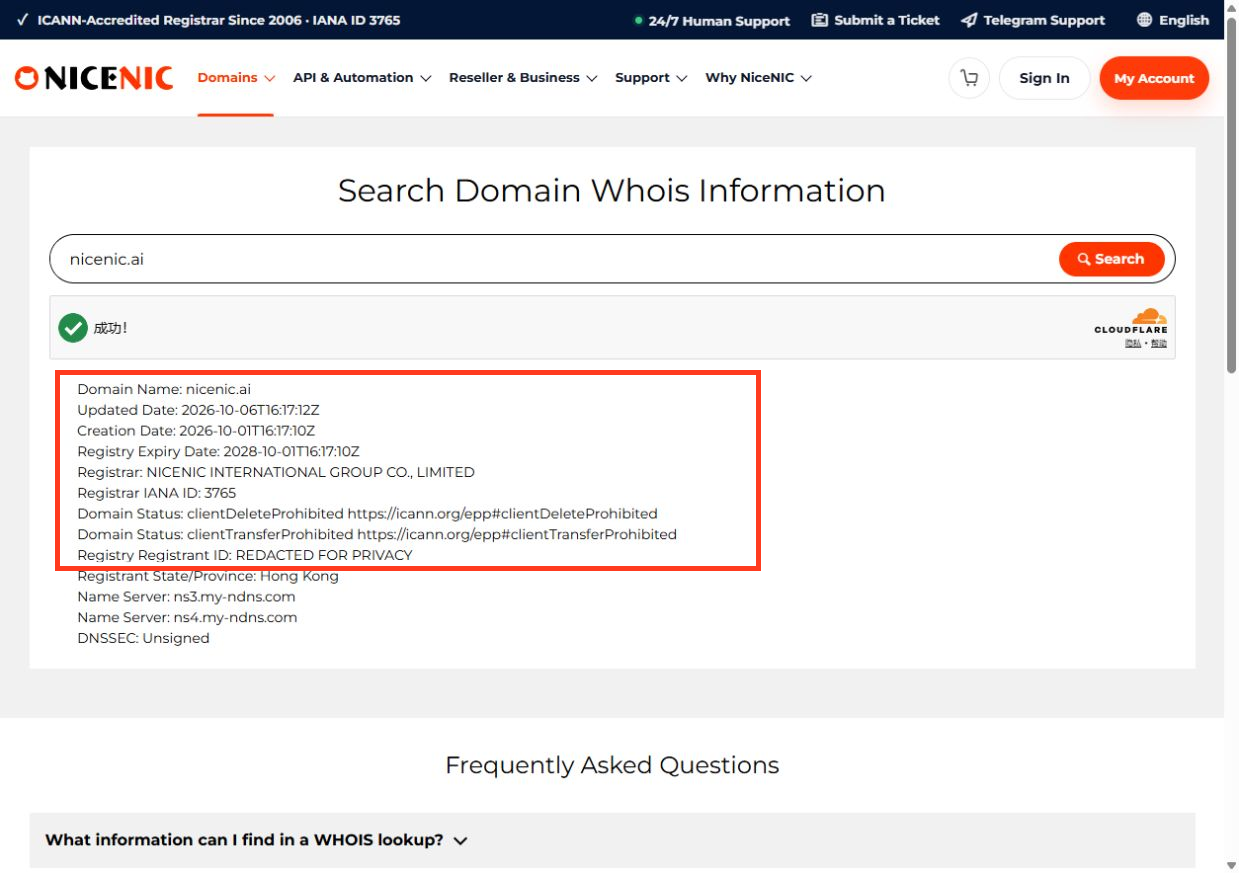
- Obtain the transfer authorization code if the target TLD uses one, and initiate the transfer with your chosen registrar.
If the control is unavailable, identify whether the restriction comes from a recent registration, a prior transfer, a dispute, fraud review, or a registry rule. A registrar lock and a policy-based transfer prohibition are not the same thing.
If unlocking does not solve the problem
-
serverTransferProhibited: the registry controls the restriction; ask the registrar what can resolve it. -
clientHoldorserverHold: separate DNS suspension statuses; unlocking transfer does not restore DNS. - Domain in redemption/pendingDelete: renewal or restoration may need to be resolved before any transfer can proceed.
- Recent ownership changes: transfer policy restrictions may apply depending on the TLD and circumstances.
Contact NiceNIC Support with the domain, current status codes, transfer destination, and the exact error. Do not send your EPP code publicly. For related checks, see How to Check Domain Status Before Transfer or Renewal.
Example: a legitimate transfer versus an unexpected unlock
Scenario A — you are transferring away. You verify the desired registrar, check any applicable transfer lock period, unlock the domain if the registrar permits it, obtain the appropriate authorization code for the extension, submit the transfer, then monitor pendingTransfer. Once complete, consider re-enabling a transfer lock with the new registrar.
Scenario B — somebody asks you to unlock unexpectedly. Leave clientTransferProhibited in place. A legitimate-looking email is not enough evidence of authorization. Verify the request directly inside the registrar account or with an authorized account administrator. Unexpected unlocking can expose a domain to hijacking.
What the lock does not do
clientRenewProhibited, lifecycle status or payment issues
clientHold/serverHold, delegation and DNS
A transfer lock is not the same as a 60-day transfer eligibility restriction after certain registrations or registrant changes. Removing the visible lock does not override those policies or a registry-level serverTransferProhibited status. See ICANN's EPP status reference.


