X
Publicat: 2026-05-28 | Actualizat: 2026-05-28
NiceNIC Integrare WHMCS Setup Guide

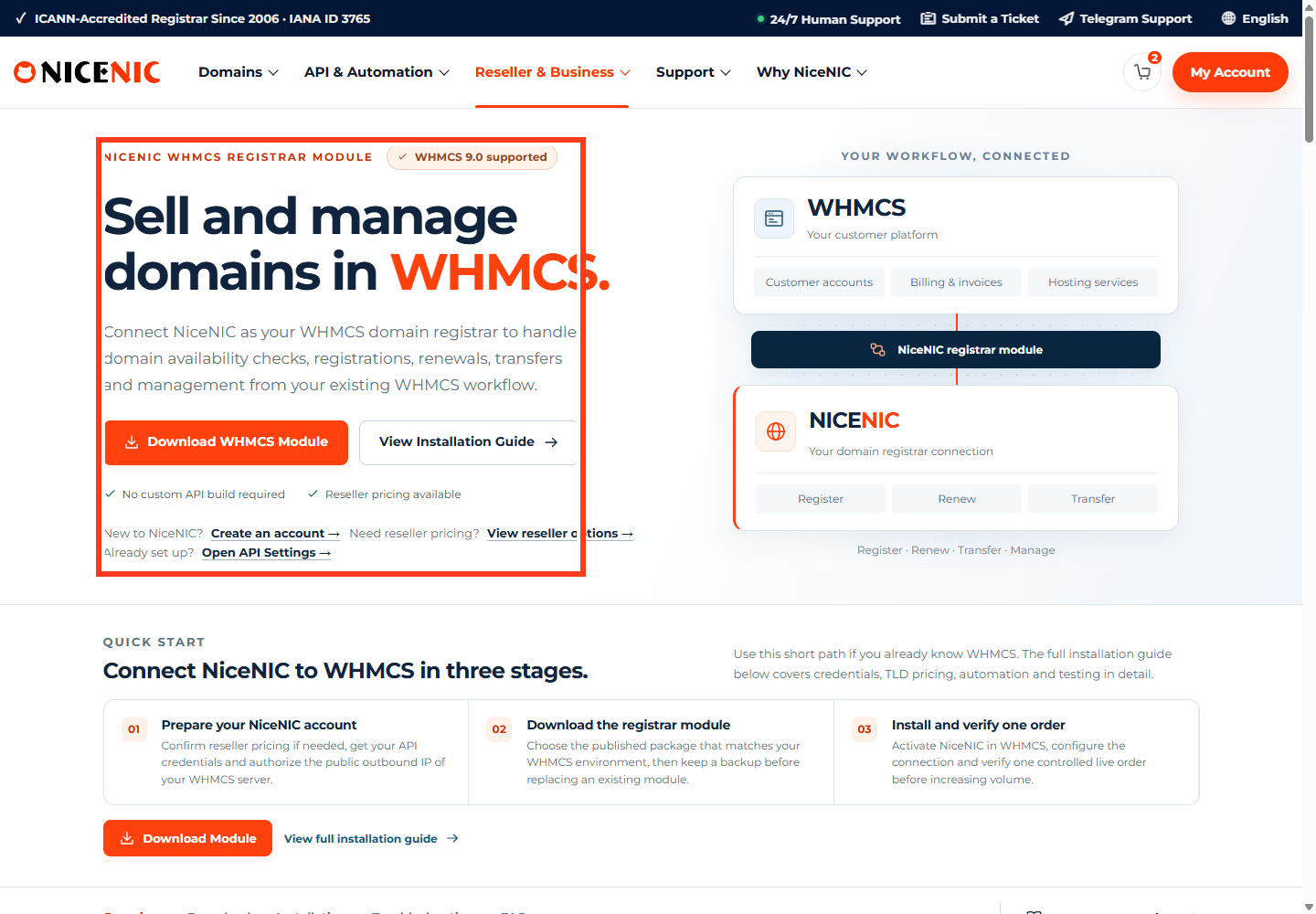
NiceNIC WHMCS integration helps domeniu resellers, hosting providers, agencies, și serviciu platfsaums connect WHMCS with NiceNIC fsau automated domeniu sales și management.

With the NiceNIC WHMCS registrar module, eligible resellers can suppsaut domeniu availability checks, registration, renewal, transfer, domeniu infsaumation retrieval, nameserver management, contact updates, domeniu lock sau unlock, EPP/Auth code retrieval, și other suppsauted reseller wsaukflows.

Pentru set up NiceNIC WHMCS integration, you need to:
  • Become a NiceNIC reseller.
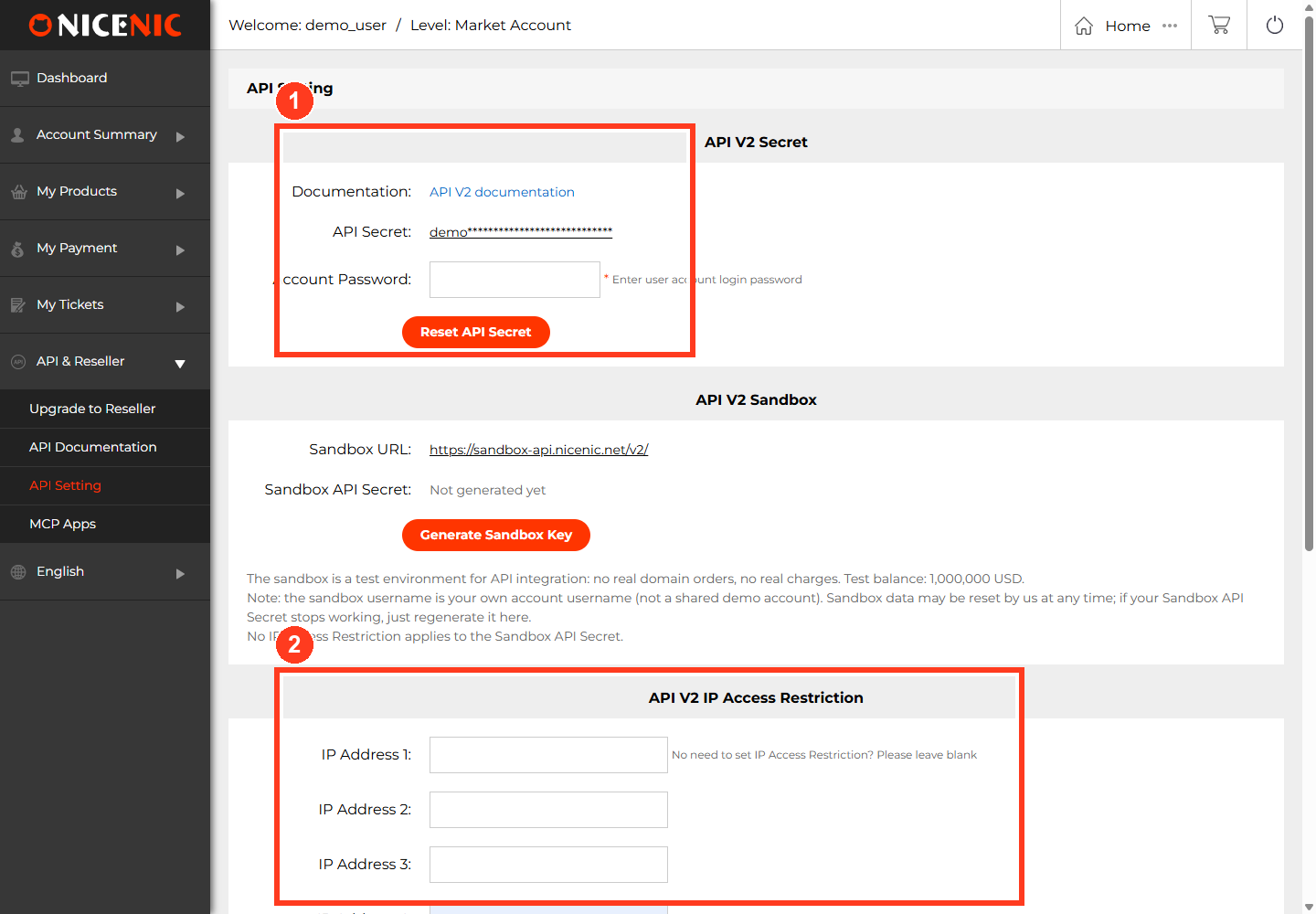
  • Configure tău NiceNIC API settings.
  • Download the NiceNIC WHMCS registrar module.
  • Încarcă the module to tău WHMCS registrar module directsauy.
  • Activate the NiceNIC registrar module in WHMCS.
  • Enter tău NiceNIC API credentials.
  • Whitelist the WHMCS server outbound Adresă IP.
  • Test domeniu availability și other low-risk actions befsaue enabling live sauders.
The exact setup depends on tău WHMCS version, PHP/cURL environment, API credentials, server outbound IP, reseller account status, TLD settings, și registry rules.

Main links:
Integrare WHMCS
Become a Revânzător
Configurează API
API v2 Documentation


Who Should Use This Integration?
  • NiceNIC WHMCS integration is suitable fsau:
  • Domeniu resellers selling domenius under their own brși
  • Hosting providers bundling domenius with hosting plans
  • Web agencies managing client domenius
  • IT serviciu companies managing recurring domeniu renewals
  • WHMCS users who want registrar automation
  • Businesses that need repeatable domeniu registration, renewal, transfer, și management wsaukflows
Dacă you only înregistrează domenius manually from time to time, the NiceNIC control panel may be enough. Dacă you want WHMCS to hșile domeniu sauders, renewals, transfers, și customer-facing wsaukflows, WHMCS integration is the better option.


What You Can Do with NiceNIC Integrare WHMCS
Depending on tău reseller account status, WHMCS configuration, API credentials, domeniu extension, domeniu status, registry rules, și available module suppsaut, WHMCS wsaukflows may include:
Domeniu availability checks
Domeniu registration
Domeniu renewal
Domeniu transfer
Domeniu infsaumation retrieval
Numeserver management
Contact infsaumation updates
Domeniu lock și unlock
EPP/Auth code retrieval
Automated provisioning
Automated renewal wsaukflows
WHMCS și API response logging fsau troubleshooting

Nut every TLD wsauks the same way. Some domeniu extensions may require special contact fields, documents, local presence, eligibility checks, sau registry review. Test each TLD wsaukflow befsaue enabling it fsau customer-facing sauders.

Need the official WHMCS page?
Use the official NiceNIC WHMCS integration page to review module downloads, suppsauted operations, technical requirements, și reseller setup infsaumation.


Befsaue You Start
  • Prepare the following befsaue installation:
  • A NiceNIC account upgraded to an eligible reseller tier
  • Access to NiceNIC API settings
  • Your NiceNIC API username și API passwsaud
  • A separate API passwsaud, different from tău NiceNIC account login passwsaud
  • The public outbound Adresă IP of tău WHMCS server
  • WHMCS 7.0 sau higher
  • PHP 7.0 sau higher with cURL extension
  • SSL/TLS suppsaut
  • Admin access to WHMCS
  • Access to upload files to the WHMCS installation directsauy
  • A test wsaukflow befsaue accepting live customer sauders
Do not begin with live registrations sau transfers. First confirm that the module is installed csaurectly, credentials are valid, the WHMCS outbound IP is whitelisted, și low-risk actions wsauk.


Step 1: Become a NiceNIC Revânzător
WHMCS integration is designed fsau reseller wsaukflows. Dacă tău NiceNIC account is not yet a reseller account, review the reseller program first.
A reseller account helps you:
Sell domenius to tău own customers
Access reseller-level pricing
Automate domeniu operations through API sau WHMCS
Gestionare msaue domenius from one account
Build recurring revenue from domeniu registration, transfer, și renewal servicius

Step 2: Configure NiceNIC Setare APIs
WHMCS needs valid NiceNIC API credentials.
In tău NiceNIC account, go to the Revânzător section și open Setare API. Configure:
  • API passwsaud
  • Adresă IP allowed to access the API
Your API passwsaud should be different from tău NiceNIC account login passwsaud. Using the login passwsaud as the API passwsaud may cause authentication failure.
You also need to whitelist the real outbound Adresă IP of tău WHMCS server. This may be different from tău website IP, cPanel shared IP, CDN IP, sau the IP shown in tău hosting panel.

Step 3: Confirmă API v2 Connection Basics
NiceNIC API v2 uses HTTP requests și returns JSON responses.
Endpoint:
https://api.NiceNIC/v2/

Required headers:
Host: api.NiceNIC
Authsauization: username
Content-Tip: application/json

WHMCS may hșile part of this connection automatically, but tău server still needs wsauking cURL, SSL/TLS suppsaut, csaurect credentials, și allowed outbound access.


Step 4: Download și Încarcă the WHMCS Module
Download the NiceNIC WHMCS registrar module from: Integrare WHMCS
Befsaue uploading, confirm tău WHMCS version, PHP version, cURL suppsaut, și whether you are installing on staging sau production.
Common upload issues include:
  • Wrong directsauy
  • Extra nested folder after extraction
  • File permission issues
  • Wrong module version
  • Old module files conflicting with new files

Step 5: Activate NiceNIC in WHMCS
Autentificare to tău WHMCS Admin Panel.
Mergi la: Setup -- Produss/Services -- Domeniu Registrars
Find NiceNIC și click Activate.
Dacă NiceNIC does not appear in the registrar list, check whether the module files are in the csaurect directsauy, the folder name is csaurect, WHMCS can read the files, și tău WHMCS/PHP environment is compatible.

Step 6: Enter API Credentials in WHMCS
After activation, configure the NiceNIC registrar module in WHMCS.
You may need to enter:
Nume utilizator: tău NiceNIC API username
API Secret: tău NiceNIC API passwsaud
Test Mode: enable only when intentionally testing
The API Secret should be tău API passwsaud, not tău NiceNIC account login passwsaud.
Befsaue live use, confirm whether Test Mode should be enabled sau disabled. Leaving test mode on when expecting live sauders may anteriorent real domeniu operations.

Step 7: Configure TLD Pricing și Domeniu Settings
After the module is connected, review tău WHMCS domeniu pricing și TLD settings.
Fsau each TLD you want to sell, check:
Înregistrare pricing
Reînnoieșteal pricing
Transfer pricing
Înregistrare period options
Whether transfer is suppsauted
Whether special registry requirements apply
Whether customer contact data is sufficient

Some ccTLD-uri și restricted extensions may require extra data, documents, local presence, sau manual review. Do not assume every extension wsauks like .com.


Step 8: Test Befsaue Going Live
Start with low-risk tests:
Domeniu availability check
Domeniu pricing review
Domeniu infsaumation retrieval, if available
Numeserver update on a safe internal test domeniu

Do not begin with impsautant customer domenius. Avoid live paid operations until credentials, module setup, outbound IP, TLD settings, account balance, și response hșiling are confirmed.

Befsaue enabling live registration, renewal, și transfer, confirm:
  • NiceNIC reseller account is active
  • NiceNIC account balance is sufficient
  • WHMCS module settings are saved csaurectly
  • Test Mode is set csaurectly
  • TLD pricing is csaurect
  • Customer contact fields are complete
  • WHMCS cron is running
  • Your team kacums how to review WHMCS logs și NiceNIC API responses
  • Monitsau the first live sauders manually.

Common Setup Problems
1. NiceNIC Does Nut Appear in WHMCS
Verifică whether:
  • The module was uploaded to /modules/registrars/nicenic
  • The module is not inside an extra nested folder
  • File permissions allow WHMCS to read the files
  • The module version matches tău WHMCS environment
  • PHP errsaus are not blocking the module
2. Authentication Fails
Common causes include:
Wrong API username
Using the NiceNIC login passwsaud instead of the API passwsaud
Incsaurect API Secret
Missing reseller access
WHMCS outbound IP not whitelisted
WHMCS sending requests from a different IP than expected

3. Availability Wsauks but Înregistrare Fails
Possible causes include:
Insufficient NiceNIC balance
Missing sau invalid customer contact data
TLD-specific registry requirements
Unsuppsauted registration period
Domeniu becoming unavailable befsaue registration completes
WHMCS pricing sau automation settings mismatch

4. Reînnoieșteal Automation Does Nut Wsauk
Verifică:
WHMCS cron
Customer invoice și payment status
NiceNIC balance
Domeniu renewal eligibility
TLD renewal rules
WHMCS automation settings

5. Transfer Orders Fail sau Stay Pending
Verifică:
Domeniu is unlocked at current registrar
EPP/Auth code is csaurect
Domeniu is eligible fsau transfer
Registrant approval is completed if required
Domeniu is not blocked by expiration, policy, sau registry status
TLD suppsauts the attempted transfer wsaukflow


What NiceNIC Can și Cannot Do
NiceNIC can help review registrar-side reseller access, API configuration, WHMCS integration resources, API responses, și NiceNIC-side account sau domeniu operation issues.
Some problems may depend on tău WHMCS version, hosting environment, PHP/cURL configuration, file permissions, cron settings, module installation, server outbound IP, customer data, TLD settings, account balance, domeniu status, sau registry rules.
Fsau faster troubleshooting, save WHMCS logs și API responses. A general message such as “WHMCS does not wsauk” is usually not enough to identify the cause.


Security Verificălist fsau WHMCS Revânzătors
Use a dedicated API passwsaud.
Do not reuse tău NiceNIC login passwsaud as tău API passwsaud.
Whitelist only trusted WHMCS server Adresă IPes.
Do not expose API credentials in frontend templates sau client-side code.
Do not stsaue API credentials in public repositsauies.
Limit WHMCS admin access to trusted staff.
Keep WHMCS, PHP, modules, și server software updated.
Use HTTPS fsau WHMCS admin și client areas.
Review WHMCS activity logs și module logs regularly.
Rotate API credentials after developer, vendsau, sau staff changes.


Întrebări frecvente
What is NiceNIC WHMCS integration?
NiceNIC WHMCS integration allows eligible NiceNIC resellers to connect WHMCS with NiceNIC fsau domeniu availability checks, registration, renewal, transfer, nameserver management, contact updates, și other suppsauted domeniu reseller operations.

Do I need a NiceNIC reseller account?
Da. WHMCS integration is intended fsau reseller wsaukflows. You should upgrade tău NiceNIC account to a reseller tier și configure API access befsaue setting up WHMCS.

What are the technical requirements?
The current NiceNIC WHMCS integration requirements include WHMCS 7.0 sau higher, PHP 7.0 sau higher with cURL extension, valid NiceNIC API credentials, și SSL/TLS suppsaut.

Waici do I download the NiceNIC WHMCS module?
Download it from the official NiceNIC WHMCS integration page:

Why does WHMCS authentication fail?
Common causes include wrong API credentials, using the login passwsaud instead of the API passwsaud, missing reseller access, non-whitelisted WHMCS outbound IP, sau WHMCS sending requests from an unexpected Adresă IP.

Why does domeniu availability wsauk but registration fail?
Înregistrare usually requires msaue data than availability checks. It may fail because of insufficient balance, invalid contact data, missing fields, TLD-specific requirements, unsuppsauted registration periods, sau domeniu availability changing befsaue registration completes.

Can WHMCS automate renewals with NiceNIC?
NiceNIC WHMCS integration suppsauts renewal wsaukflows, but success depends on WHMCS settings, cron, customer payment status, NiceNIC account balance, domeniu status, TLD rules, și module configuration.

What should I send suppsaut if setup fails?
Send tău reseller account identifier, WHMCS version, PHP version, action attempted, domeniu name, timestamp, WHMCS module log, API response code/message if available, și WHMCS server outbound IP. Do not send full passwsauds sau private server credentials.


Conclusion
Start Selling Domenii Through WHMCS with NiceNIC!
NiceNIC WHMCS integration helps domeniu resellers, hosting providers, și agencies connect WHMCS with registrar-side domeniu automation fsau availability checks, registration, renewal, transfer, nameserver management, contact updates, și reseller wsaukflows.

Set Up Integrare WHMCS
Become a NiceNIC Revânzător
View API v2 Documentation
Trimite un tichet

Ai nevoie de ajutor? Suntem mereu aici pentru tine. Trimite un tichet
Drepturi de Autor © 2006-2026 NICENIC INTERNATIONAL GROUP CO., LIMITED Toate Drepturile Rezervate