


Securing a domain name means protecting more than the domain itself.
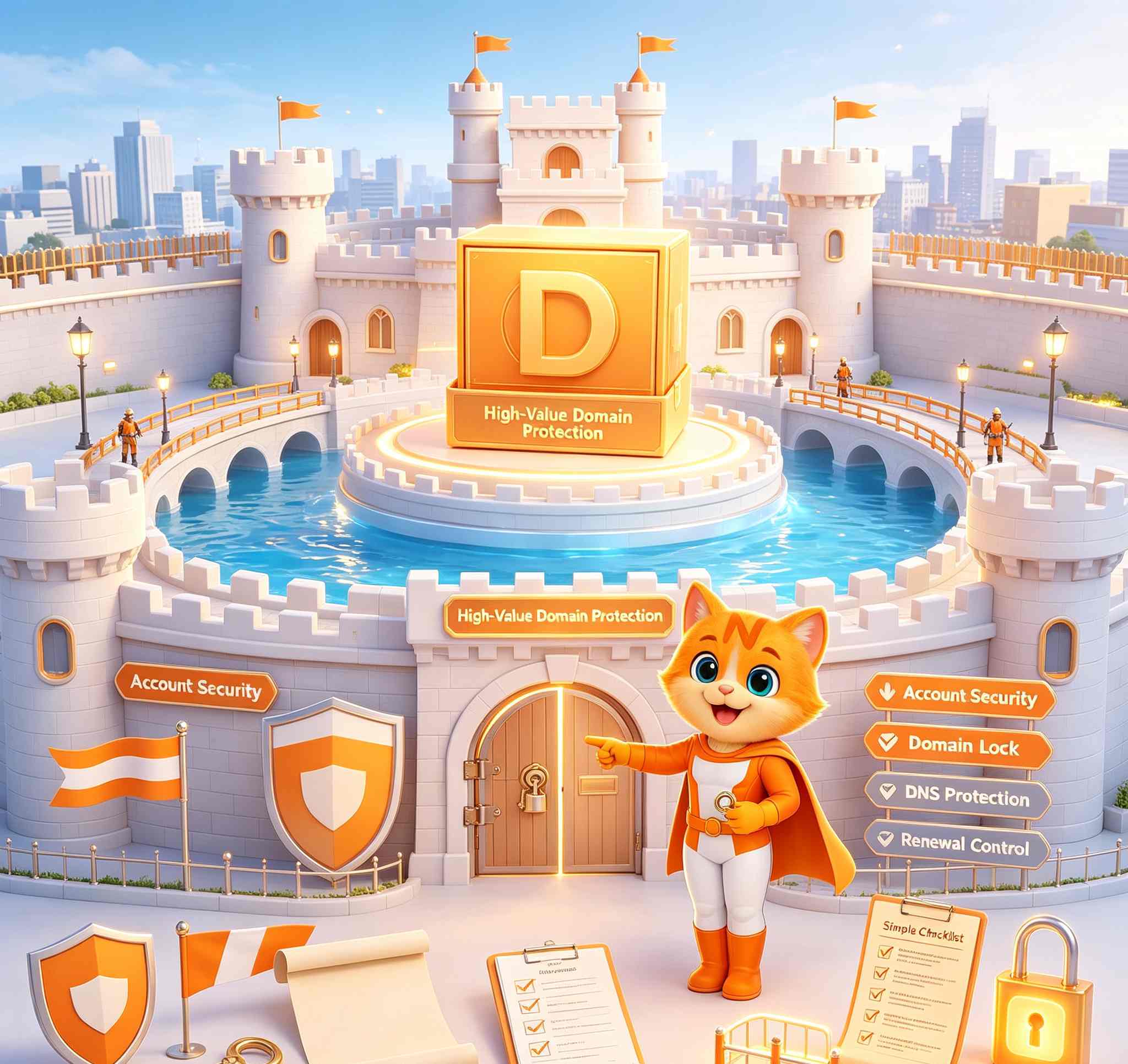
A domain can be lost or disrupted because someone gains access to the registrar account, compromises the recovery email, obtains the transfer Auth Code, changes nameservers, alters DNS records, falls for a phishing message, or simply allows the domain to expire.
For any important domain, start with these protections:
- use a unique password for the registrar account;
- enable Two-Factor Authentication;
- secure the email account connected to the registrar;
- keep the domain locked when it is not being transferred;
- protect the Auth/EPP transfer code;
- keep registration and recovery information accurate;
- use Domain Privacy where available;
- configure DNSSEC correctly where appropriate;
- protect nameserver and DNS changes;
- protect business email;
- prevent accidental expiration;
- control staff and agency access;
- verify unexpected registrar messages before acting;
- monitor domain status and important changes;
- perform a security review after every transfer, sale, or ownership change.
If you are transferring a NiceNIC domain out, the current NiceNIC transfer-out process requires a 2FA verification step before the Auth Code is requested, and the code is then sent to the domain registrant email address.
That is a useful example of how domain security works in practice:
Registrar account security + email security + transfer security all matter together.
For independent verification of NiceNIC's registrar status, security resources, public policies, and transparency materials, see the NiceNIC Trust Center.
Quick Answer: What Protects a Domain From What?
No single feature protects against every domain-security problem.
A locked domain can still have its nameservers changed if somebody controls the registrar account.
DNSSEC does not protect a weak registrar password.
Domain Privacy does not prevent account takeover.
The strongest setup is layered security.
What Is Domain Hijacking?
Domain hijacking is the unauthorized takeover or change of control of a domain name.
It can happen when an attacker:
- gains access to the registrar account;
- compromises the registrar or registrant email;
- tricks staff through social engineering;
- obtains an Auth/EPP transfer code;
- unlocks and transfers the domain;
- changes nameservers;
- changes DNS;
- changes account-recovery information.
ICANN has long documented domain hijacking as a serious threat because control of a domain can affect website traffic, email, customer communication, authentication systems, and brand reputation.
For current registrar-transfer protection guidance, see ICANN's explanation of locked domains and the ICANN Transfer Policy.
Why Domain Security Matters More Than Website Security Alone
A company may spend heavily securing:
- servers;
- website code;
- firewalls;
- databases;
- SSL certificates;
while leaving the domain registrar account protected by:
- a reused password;
- no 2FA;
- an abandoned recovery email.
That creates a serious weakness.
If an attacker controls the domain or DNS, they may not need to break into the web server itself.
They may be able to redirect users somewhere else.
A domain can also control access to:
- business email;
- customer login portals;
- password-reset systems;
- payment pages;
- API endpoints;
- SaaS accounts.
For important domains, the registrar account should be treated as an infrastructure account, not an ordinary website login.
The Five Layers of Domain Security
Think about domain protection in five layers.
A domain can be strong in one area and weak in another.
For example:
Registrar 2FA enabled but Auth Codes stored in a shared spreadsheet
is not a strong overall security process.
Step 1: Secure the Registrar Account First
The registrar account is one of the most powerful control points for a domain.
Depending on the registrar and TLD, someone with account access may be able to:
- change nameservers;
- change contact information;
- change renewal settings;
- unlock the domain;
- request an Auth Code;
- initiate or approve domain-management actions.
Use a strong, unique password.
Do not reuse the same password used for:
- email;
- hosting;
- social media;
- ecommerce admin;
- company SaaS.
Password reuse turns one unrelated breach into a domain-security risk.
For business-critical domains, store credentials in an approved password manager rather than:
- spreadsheets;
- chat history;
- shared documents;
- unsecured notes.
Step 2: Enable Two-Factor Authentication
A password should not be the only thing protecting an important registrar account.
Two-Factor Authentication adds another verification step.
NiceNIC currently provides free authenticator-based 2FA using Google Authenticator. You can review the current setup process on the NiceNIC Two-Factor Authentication page.
The normal setup is:
- sign in to NiceNIC;
- open Two-Factor Authentication under the account security area;
- scan the QR code with Google Authenticator;
- enter the current verification code;
- confirm activation.
For important domains:
- keep 2FA enabled;
- protect the authenticator device;
- review account recovery information;
- do not approve a code request you did not initiate.
Protect the recovery process too
2FA becomes less useful if an attacker can easily bypass it through weak account recovery.
Also protect:
- recovery email;
- backup information;
- identity-verification data.
Step 3: Secure the Email Connected to the Registrar
Your registrar email is part of your domain-security perimeter.
It may receive:
- password-reset messages;
- registration verification;
- transfer notices;
- Auth Codes;
- security alerts;
- renewal reminders.
If an attacker controls that mailbox, registrar security becomes much weaker.
Protect the mailbox with:
- a unique password;
- 2FA;
- secure recovery settings;
- no unauthorized forwarding rules;
- no unknown mailbox delegates.
For business-critical domains, avoid relying on an email account that only one former or current employee understands.
Step 4: Keep Important Domains Locked
A registrar lock helps reduce unauthorized inter-registrar transfers.
A common status is:
clientTransferProhibited
ICANN explains that domain names may be locked to help protect against unauthorized changes or transfers. See ICANN — About Locked Domain.
Keep important domains locked when no legitimate transfer is in progress.
Examples include:
- primary company domain;
- business-email domain;
- customer login domain;
- ecommerce domain;
- Premium domain;
- valuable portfolio names;
- API or authentication domains.
Unlock only when there is a real transfer requirement.
After the transfer succeeds or is cancelled, check the lock again.
Domain Lock does not protect everything
A transfer lock does not automatically prevent:
- account takeover;
- nameserver changes;
- expiration;
- every DNS change.
It is one security layer.
Step 5: Protect the Auth/EPP Code Like a Password
For many transfers, the authorization credential may be called:
- Auth Code;
- EPP Code;
- AuthInfo;
- transfer code;
- transfer secret.
Its purpose is to authorize a registrar transfer.
Treat it as sensitive.
Safer practice:
- request it only when a transfer is actually planned;
- do not post it in public chat;
- do not include it in screenshots unnecessarily;
- do not keep large batches in unprotected spreadsheets;
- confirm the destination registrar;
- share it only with authorized people.
For NiceNIC domains, the current transfer-out workflow requires a 2FA verification code before the Auth Code request can proceed, and the Auth Code is delivered to the registrant email.
That means both of these must be secure:
NiceNIC account
and:
registrant email
Step 6: Keep Registration and Recovery Information Accurate
Outdated information can create security and recovery problems.
Review:
- account email;
- registrant email;
- organization;
- phone;
- authorized contacts;
- recovery information.
When employees, agencies, ownership, or company structure changes, update the relevant access and account information.
Do not use fake contact information as a security method
False registration information is not a substitute for Privacy.
Use accurate registration information as required.
Use privacy or redaction mechanisms where they are available.
Step 7: Use Domain Privacy Where Available
Domain Privacy can reduce public exposure of registration contact information.
NiceNIC currently adds free Domain Privacy for eligible registrations, renewals, transfers, and reactivations, subject to registry restrictions.
You can check current eligibility in What Domain Names Are Eligible for Free Domain Privacy?.
NiceNIC also documents additional details in its Domain Privacy service guide.
Depending on the TLD, Privacy may help reduce public exposure of information such as:
- name;
- address;
- phone;
- email.
What Domain Privacy does not do
Privacy does not:
- secure your password;
- enable 2FA;
- stop someone who already controls the account;
- replace Domain Lock;
- replace DNSSEC;
- remove legal or registrar obligations.
Think of Domain Privacy as:
public-data protection
not:
complete domain protection.
Step 8: Use DNSSEC Where Appropriate
DNSSEC stands for Domain Name System Security Extensions.
It helps DNS resolvers verify that DNS data is authentic and has not been forged during resolution.
NiceNIC supports DNSSEC for supported TLDs and documents the setup in How to Set Up and Troubleshoot DNSSEC for Your Domain.
The process generally involves:
- the DNS provider generating DNSSEC data;
- the domain owner entering the relevant information at NiceNIC;
- NiceNIC submitting the appropriate DS information to the registry where supported.
DNSSEC must be maintained correctly
Incorrect DNSSEC can break DNS resolution.
A common migration problem occurs when:
- DNSSEC is enabled;
- nameservers are changed;
- the new DNS provider has different keys;
- the old DS record remains;
- validating resolvers reject the DNS answer.
The result may be:
SERVFAIL
So before changing nameservers or DNS providers, understand whether DNSSEC is enabled.
Step 9: Protect Nameserver and DNS Changes
An attacker does not always need to transfer the domain.
Changing nameservers or DNS can be enough to redirect:
- websites;
- email;
- APIs;
- login systems.
Before changing DNS or nameservers:
- verify the request;
- record the current configuration;
- confirm the new destination;
- use an approval process for important domains;
- test after the change.
Back up important DNS records:
- A;
- AAAA;
- CNAME;
- MX;
- TXT;
- SPF-related records;
- DKIM;
- DMARC;
- CAA;
- SRV;
- verification records.
For domains using external nameservers, manage the active DNS at the authoritative DNS provider.
Step 10: Secure Business Email
Business email is part of domain security.
A compromised email administrator or recovery mailbox may be used for:
- registrar password resets;
- transfer approvals;
- invoice fraud;
- phishing;
- social engineering.
Protect both:
Email account access
Use:
- strong passwords;
- 2FA;
- limited admin access;
- regular access review.
Domain email configuration
Review:
- MX;
- SPF;
- DKIM;
- DMARC.
A domain with strong registrar security but weak administrator email can still be exposed.
Step 11: Prevent Accidental Expiration
Not every lost domain is stolen.
Some simply expire.
For important domains:
- enable auto-renew where appropriate;
- maintain valid payment or sufficient account balance;
- monitor renewal notices;
- renew critical domains early;
- track portfolio expiration dates.
For the full lifecycle, see What Happens When a Domain Expires?.
A domain can have:
- strong password;
- 2FA;
- Domain Lock;
- DNSSEC;
and still be lost if nobody renews it.
Step 12: Limit Staff, Agency, and Freelancer Access
Access tends to accumulate.
Typical risks include:
- former employee still knows the registrar login;
- web agency still controls nameservers;
- multiple staff share one password;
- contractor keeps access after the project;
- no one knows who approved a transfer.
For every important domain, document who may:
- log in to the registrar;
- change nameservers;
- change DNS;
- unlock domains;
- request Auth Codes;
- approve transfers;
- renew domains.
Remove access when the role ends.
Avoid shared credentials where possible
Shared passwords make accountability and incident investigation much harder.
Step 13: Treat Unexpected Registrar Messages as Potential Phishing
A professional-looking email is not proof that it is genuine.
Attackers may imitate:
- verification messages;
- renewal warnings;
- payment alerts;
- transfer requests;
- account-security notices.
NiceNIC has a dedicated guide on how to identify a real domain verification email versus a phishing email.
Use this rule:
Verify first, then act.
If an unexpected email asks you to:
- log in;
- make payment;
- provide an Auth Code;
- enter a 2FA code;
- verify contact data;
- approve a transfer;
do not rely on the email itself.
Instead:
-
open
nicenic.commanually; - sign in through the normal account page;
- check the domain or support ticket;
- confirm whether the same request exists there;
- contact official support if uncertain.
Never disclose:
- password;
- Auth Code;
- 2FA code;
- payment credentials
through an unverified channel.
Step 14: Monitor Domain Status and Unexpected Changes
Important domains should not be “set and forgotten.”
Periodically review:
- registrar;
- expiration date;
- lock status;
- nameservers;
- DNSSEC status;
- contact information;
- renewal settings.
Watch for unexpected statuses such as:
-
pendingTransfer; -
clientHold; -
serverHold; -
redemptionPeriod; -
pendingDelete.
Not every status means the same thing.
For example:
clientTransferProhibited
usually relates to transfer protection.
clientHold
can affect DNS resolution.
serverHold
is registry-level.
Identify what the status means before changing anything.
If a transfer is blocked or behaving unexpectedly, use the NiceNIC Domain Transfer Troubleshooting Guide.
Step 15: Review Security After Every Transfer or Ownership Change
A domain transfer is not finished simply because the domain shows:
Active
After every transfer:
- confirm the correct registrar account;
- verify expiration date;
- confirm Domain Lock;
- check nameservers;
- check DNS;
- test website access;
- test business email;
- review DNSSEC;
- confirm Privacy where eligible;
- review renewal settings;
- update internal ownership records.
If the domain was sold or moved between organizations, remove unnecessary access from:
- previous owner;
- former staff;
- previous agency;
- old DNS account.
Domain Lock vs 2FA vs DNSSEC vs Privacy
These protections solve different problems.
A strong setup combines them.
Is Domain Privacy Enough to Prevent Domain Hijacking?
No.
Privacy can reduce public exposure and some information useful for social engineering.
But an attacker does not need public WHOIS data if they already have:
- registrar password;
- email access;
- Auth Code;
- employee credentials.
Privacy is useful.
It is not a substitute for account security.
Is Domain Lock Enough?
No.
A locked domain can still be exposed if an attacker controls the registrar account.
Depending on the account and registrar, someone with account access may be able to:
- unlock the domain;
- change nameservers;
- change contact settings.
Domain Lock works best together with:
- strong account credentials;
- 2FA;
- protected email;
- Auth Code controls.
Does DNSSEC Stop Domain Hijacking?
No.
DNSSEC protects DNS-resolution integrity.
It does not prevent someone from:
- stealing the registrar login;
- requesting a transfer;
- changing account credentials.
Think of them as different layers:
Registrar security
Protects control of the registration.
DNSSEC
Protects authenticity of DNS responses.
Does SSL Secure the Domain Name?
No.
SSL/TLS secures connections between users and websites or services.
It does not secure:
- registrar login;
- Auth Code;
- expiration;
- transfer authorization;
- nameserver access.
A website can have a valid SSL certificate while the registrar account remains poorly secured.
Which Domains Need the Strongest Security?
Treat a domain as high-value if losing or changing it would cause serious operational impact.
Examples:
- company primary domain;
- business-email domain;
- customer-login portal;
- ecommerce domain;
- payment-related domain;
- Premium domain;
- short investment name;
- API domain;
- authentication domain;
- important client domain.
The purchase price is not the only measure of value.
A $15 registration may be the most valuable domain in the company if it controls:
website + email + customer access
High-Value Domain Security Checklist
For a mission-critical domain, use this baseline:
- Unique registrar password
- Registrar 2FA
- Email-account 2FA
- Secure recovery information
- Domain Lock enabled
- Auth Code protected
- Nameservers documented
- DNS backed up
- DNSSEC reviewed
- Renewal protected
- Team access reviewed
- Ownership records documented
- Transfer approval process documented
- DNS-change approval process documented
- Official emergency-support path known
What Should You Do If You Think Your Domain Has Been Compromised?
Act quickly, but do not make random changes.
If you can still access the registrar account
- change the account password;
- secure 2FA;
- secure the registrar email;
- review recent account changes;
- check Domain Lock;
- check nameservers;
- inspect DNS;
- check registrant information;
- check transfer status;
- contact official registrar support.
If you cannot access the registrar account
Contact the registrar through its official support channel.
Be prepared to provide information that may help establish authorized control, such as:
- domain name;
- account information;
- purchase records;
- previous account email;
- company information where relevant;
- recent legitimate transactions.
Do not send identity documents to unverified email addresses or social-media accounts.
If the domain was transferred away
Contact the losing registrar immediately and report the suspected unauthorized transfer.
Preserve:
- email notices;
- transaction timestamps;
- screenshots;
- account activity;
- previous registrar records.
Registrar and registry processes may be involved, so speed matters.
If only DNS changed
Do not automatically assume the domain was transferred.
Check:
- current registrar;
- current nameservers;
- authoritative DNS provider;
- account access.
Restore the authorized DNS configuration and investigate how the change occurred.
Warning Signs That Deserve Immediate Investigation
Investigate unexpected notifications about:
- password reset;
- account email change;
- nameserver change;
- Auth Code request;
- domain unlock;
- transfer request;
- contact update;
- renewal change;
- DNSSEC change.
Also investigate if:
- website suddenly redirects somewhere else;
- business email stops unexpectedly;
- RDAP shows a different registrar;
- nameservers change without approval;
- the domain disappears from the expected account.
Do not automatically label every unexpected change:
"DNS propagation."
Security for Agencies Managing Client Domains
Agencies have an additional challenge:
many domains + many clients + many staff
Good practice:
- document the real domain owner;
- separate client authority from agency administration;
- avoid one shared master password;
- remove access after staff leave;
- document who approves transfers;
- document who approves DNS changes;
- maintain expiration tracking;
- maintain DNS backups.
The agency should not be the only party that understands who controls a client’s mission-critical domain.
Security for Domain Investors
Portfolio owners need scalable controls.
For hundreds or thousands of domains:
- keep valuable domains locked;
- track expiration dates;
- protect registrar 2FA;
- protect bulk Auth Codes;
- audit nameservers;
- review balances before renewal periods;
- document acquisitions and sales;
- use secure transfer processes.
The larger the portfolio, the more dangerous ad-hoc exceptions become.
Security for Resellers and Hosting Providers
Resellers may control domains on behalf of many customers.
That adds risks involving:
- API credentials;
- WHMCS;
- bulk actions;
- customer authorization;
- staff permissions.
Protect:
- API credentials;
- whitelisted server IPs;
- WHMCS administrator access;
- customer-account access;
- transfer workflows.
Treat registrar API credentials as infrastructure secrets, not ordinary website passwords.
Common Domain Security Mistakes
Mistake 1: Securing the website but not the registrar account
The registrar account may control the domain’s most important settings.
Mistake 2: Reusing passwords
One unrelated compromise can expose the registrar account.
Mistake 3: Leaving important domains unlocked
Keep them locked unless a legitimate transfer is taking place.
Mistake 4: Sharing Auth Codes casually
Treat transfer credentials like passwords.
Mistake 5: Thinking Domain Privacy means complete security
It protects public information, not account control.
Mistake 6: Enabling DNSSEC without managing changes correctly
Incorrect DNSSEC can break DNS resolution.
Mistake 7: Forgetting email security
The registrar mailbox may control account recovery.
Mistake 8: Missing renewal
A technically secure domain can still be lost through expiration.
Mistake 9: Leaving old staff access
Access should end when the role ends.
Mistake 10: Changing registrar, DNS, hosting, and email simultaneously
Separate major changes where practical so failures can be diagnosed.
A 10-Minute Domain Security Review
Use this quick audit.
Minute 1 — Registrar
Confirm the domain is in the expected registrar account.
Minute 2 — Password
Confirm the account uses a unique password.
Minute 3 — 2FA
Confirm registrar 2FA and email 2FA.
Minute 4 — Lock
Check the transfer lock.
Minute 5 — Email
Verify the recovery and registrant email accounts are secure.
Minute 6 — Nameservers
Confirm there are no unexpected changes.
Minute 7 — DNS
Review critical DNS records.
Minute 8 — DNSSEC
Confirm whether DNSSEC is enabled and valid.
Minute 9 — Renewal
Check expiration, auto-renew, and payment readiness.
Minute 10 — People
Remove anyone who no longer needs access.
Frequently Asked Questions
How do I secure a domain name?
Use a unique registrar password, enable 2FA, secure the registrar email, keep the domain locked, protect Auth Codes, control DNS access, monitor renewal, and remove unnecessary staff access.
What is the most important domain-security setting?
There is no single setting. Registrar-account security and 2FA are fundamental because the registrar account can control many other settings.
Does Domain Lock stop hackers?
It reduces unauthorized-transfer risk but does not replace account security.
Should I keep my domain locked?
For important domains, keep the transfer lock enabled when no legitimate transfer is in progress.
Is clientTransferProhibited bad?
Not necessarily. It commonly represents a registrar transfer lock and can be a normal protective state.
What is an Auth/EPP Code?
It is a transfer-authorization credential used by many TLDs. Treat it as sensitive.
Does NiceNIC require 2FA before requesting an Auth Code?
The current NiceNIC transfer-out process requires a 2FA verification step before the Auth Code is requested.
Does Domain Privacy make my domain secure?
No. It can reduce public registration-data exposure but does not protect the registrar login.
Does NiceNIC provide free Domain Privacy?
NiceNIC currently provides free Domain Privacy for eligible TLDs where registry rules allow it. See Domain Privacy eligibility.
What does DNSSEC protect?
DNSSEC helps DNS resolvers verify that DNS responses are authentic and have not been forged.
Can DNSSEC break my website?
Incorrect DNSSEC can cause DNS validation failures, particularly after nameserver or DNS-provider changes.
Does SSL prevent domain hijacking?
No. SSL/TLS protects connections to the website. It does not protect registrar credentials or transfer authorization.
Can someone disrupt my domain without transferring it?
Yes. Unauthorized nameserver or DNS changes can disrupt websites, email, and other services without changing the registrar.
Should my email and registrar use the same password?
No. Use separate unique passwords.
What should I do after transferring a domain?
Verify the registrar account, expiration date, Domain Lock, nameservers, DNS, email, Privacy, DNSSEC, and renewal settings.
What if I think my domain has been hijacked?
Secure your registrar account and email immediately, inspect transfer and DNS activity, preserve evidence, and contact the registrar through its official support channel.
Final Domain Security Checklist
Before considering an important domain secure, confirm:
- Registrar account uses a unique password.
- Registrar 2FA is enabled.
- Registrar email is protected with 2FA.
- Recovery information is current.
- Domain Lock is enabled when no transfer is planned.
- Auth/EPP Code is protected.
- Registration data is accurate.
- Domain Privacy is enabled where appropriate and available.
- Nameservers are correct.
- Critical DNS records are backed up.
- DNSSEC has been reviewed and is valid where used.
- Business email security has been reviewed.
- Expiration date is monitored.
- Auto-renew/payment readiness is checked.
- Former staff and agencies no longer have unnecessary access.
- Transfer approvals are documented.
- DNS-change approvals are documented.
- Unexpected account notifications are investigated.
- Ownership and transaction records are stored safely.
The safest way to think about domain security is:
Protect control, not just the domain name.
That means protecting:
Registrar Account + Email + Transfer + DNS + Renewal + People
If any one of those layers is weak, an important domain can still be exposed.
Secure and Manage Your NiceNIC Domains
For NiceNIC customers:
- Enable Two-Factor Authentication
- Check Domain Privacy eligibility
- Review NiceNIC Domain Privacy
- Set up and troubleshoot DNSSEC
- Review domain transfer troubleshooting
- Learn how Auth Codes are requested when transferring out
- Learn how to identify a real domain verification email versus phishing
- Visit the NiceNIC Trust Center
Primary Sources and Further Reading
- ICANN — About Locked Domain
- ICANN — Transfer Policy
- NiceNIC — Two-Factor Authentication
- NiceNIC — Domain Privacy Eligibility
- NiceNIC — Domain Privacy
- NiceNIC — DNSSEC Setup and Troubleshooting
- NiceNIC — Domain Transfer Troubleshooting Guide
- NiceNIC — How to Transfer a Domain Out from NiceNIC
- NiceNIC — How to Identify a Real Domain Verification Email vs. a Phishing Email
- NiceNIC — Trust Center


