


Why Domain Name is Not Working
If your domain name stops working, identify the failing layer before changing settings. A registration problem, a DNS problem and a web-server problem can look similar in a browser but need very different fixes.
Start with these checks
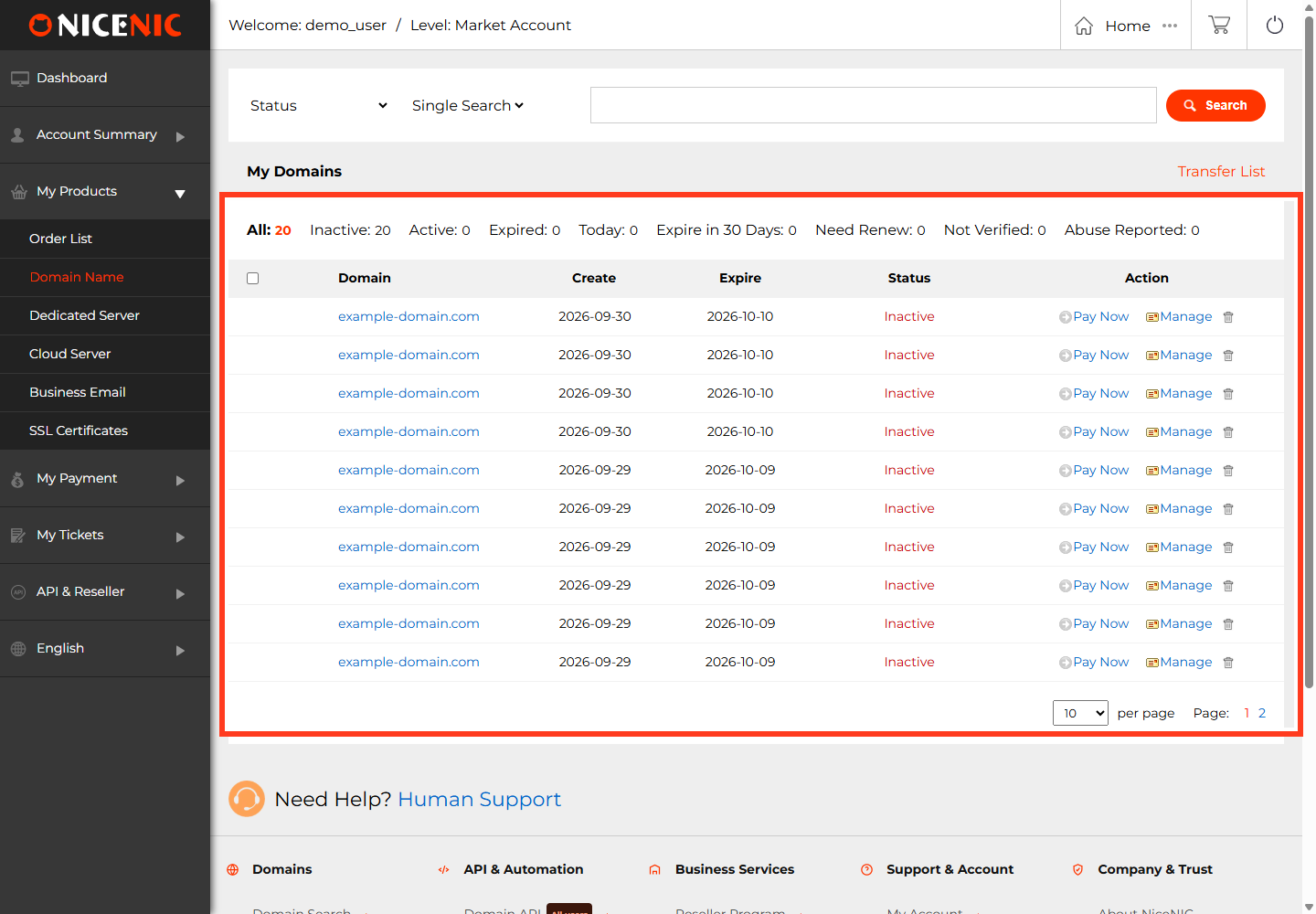
- Registration: In your NiceNIC account, confirm the domain is not expired and that renewal completed if recently paid.
-
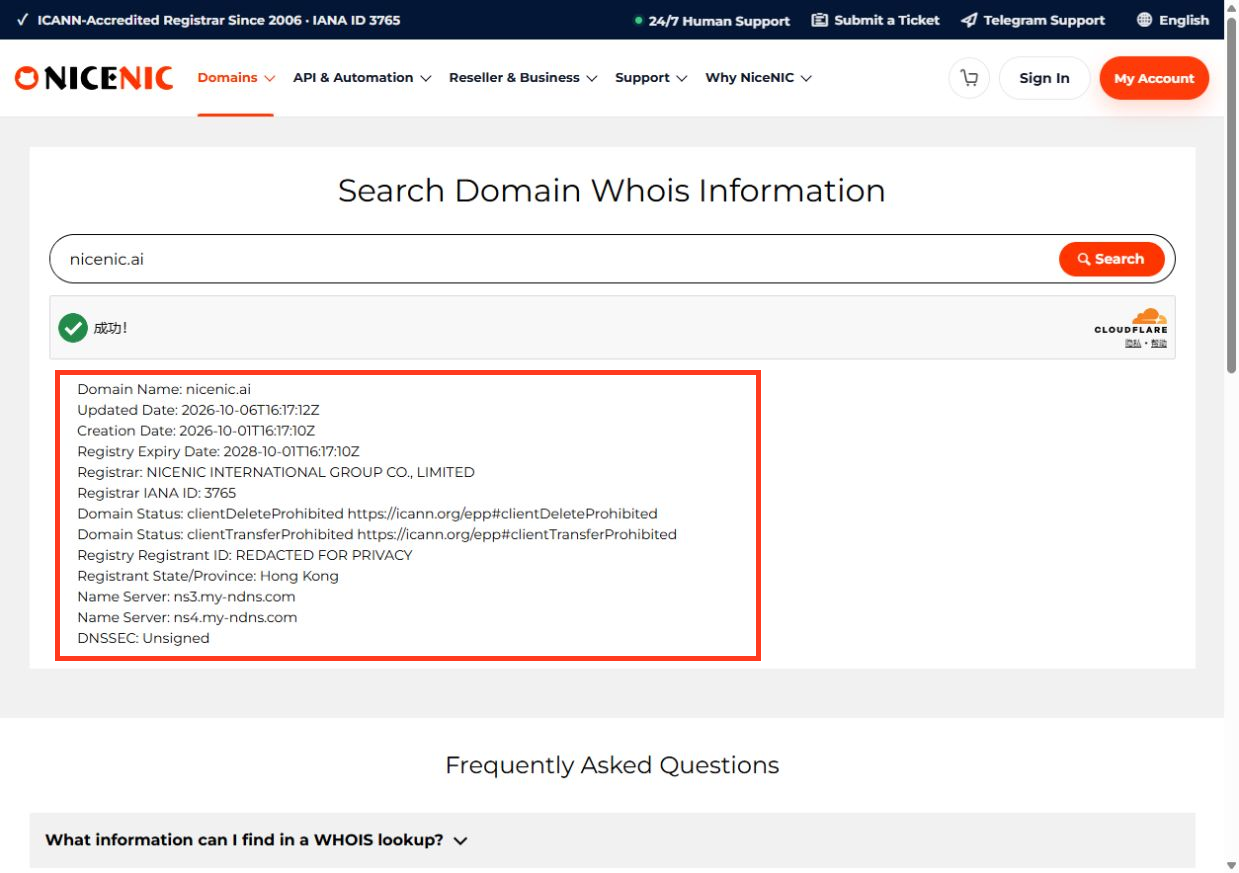
Registry status: Inspect official RDAP/EPP status codes.
clientHoldorserverHoldcan interrupt DNS;clientTransferProhibitedalone usually does not.
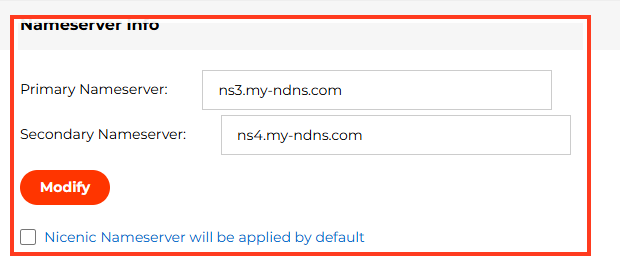
- Nameservers: Compare the authoritative nameservers at the registry with the DNS provider that currently hosts your zone.
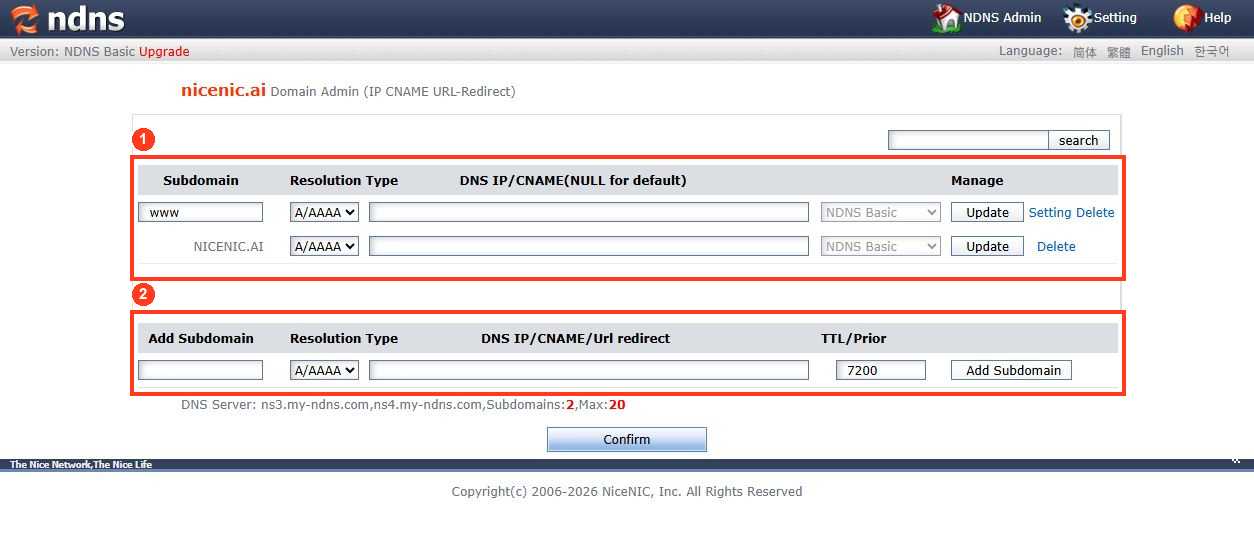
- DNS records: At the authoritative provider, check that A/AAAA or CNAME records point to the intended website destination, and MX records point to your actual mail service.
- DNSSEC: If enabled, check that the registry DS record matches the DNS provider's current signing keys; mismatches can cause validation failure.
- Server: If DNS resolves correctly, test whether the destination server or CDN is reachable and serving the right hostname over HTTPS.
Match the symptom to the cause
NXDOMAIN
serverHold
What to record before asking for help
Include the exact domain, affected service, observed error, whether failure occurs everywhere or only at one location, current nameservers and any recent change. Do not send account passwords, API secrets, EPP codes or private keys.
For a hold, see What clientHold and serverHold Mean. For DNS records, use the relevant NiceNIC DNS configuration guide.
Diagnose the failure with three independent tests
-
Registry/delegation: Look up the domain's expiry and EPP status, then check that the parent zone delegates to the intended nameservers. A domain in
clientHoldorserverHoldmay not resolve even with perfect records. -
DNS answers: Query the authoritative nameservers for the intended
A,AAAA,CNAMEandMXrecords. If your domain uses an external DNS host such as Cloudflare, changing DNS records inside NiceNIC's zone editor will not update the live authoritative zone. - Destination service: If DNS returns the expected IP, test HTTPS/HTTP and the origin server. A timeout can be a firewall, listening-port or backend outage rather than a domain registration problem.
NXDOMAIN
SERVFAIL
A/AAAA record, CDN or stale redirect
www works but apex does not
Example: If www.example.com works but example.com fails, check the apex DNS record and web-server host configuration rather than changing a domain transfer lock. Always back up the existing DNS zone before editing multiple records.


