


DNS issues can be frustrating, especially when they cause your website to go down or services to fail. When these problems occur, it’s easy to assume the problem is with one part of your domain setup. However, it’s important to know that the root cause could be tied to your registrar, DNS provider, or host.
In this guide, we’ll walk you through how to break down the responsibilities of each of these entities and how you can identify where the issue originates to solve it faster.
Responsibility Breakdown: Registrar, DNS Provider, or Host?
The first step in resolving a DNS issue is to understand who is responsible for what. Each component of your domain infrastructure serves a distinct role.
1. Registrar: Domain Status & Nameserver Delegation
Your registrar is responsible for:
-
Managing the domain’s status including whether the domain is active, suspended, or expired
-
Configuring nameserver delegation which connects your domain to a DNS provider and other services
If there’s an issue with your domain’s registration status or the nameservers haven’t been set up properly, DNS won’t function correctly. For example, if your domain has expired or hasn’t been renewed, DNS resolution won’t happen.
Common issues related to the registrar:
-
The domain is expired or suspended
-
Nameservers are incorrectly configured or missing
2. DNS Provider: DNS Records and Responses
Your DNS provider is responsible for hosting your DNS records and resolving DNS queries. This includes:
-
DNS records: A records, CNAME records, MX records, etc.
-
Responding to DNS queries: Ensuring that when someone tries to access your website, they’re routed to the correct server
If the DNS records are misconfigured, or there’s an issue with your DNS provider’s servers, your site may not be reachable, or certain services might fail.
Common DNS provider issues:
-
Incorrect DNS records (e.g., missing or mismatched A, CNAME, or MX records)
-
DNS provider experiencing outages or issues with DNS resolution
3. Host: Server and Website Availability
Your hosting provider is responsible for:
-
Providing the server where your website is stored
-
Making sure your website files are accessible to users
If your website is down, but your DNS records are pointing to the correct server, the issue is often on the hosting side. It could be caused by a server issue, misconfiguration, or an ongoing server outage.
Common host-related issues:
-
Website files not being correctly uploaded to the new host
-
Hosting server down or experiencing downtime
-
Misconfigured server or database
How to Identify the Source of the DNS Issue
Once you understand the roles of the registrar, DNS provider, and host, you can follow these steps to determine where the problem is coming from:
-
Check Domain Status: Start by logging into your registrar account to verify if the domain is active or expired. If it’s expired or suspended, the DNS won’t work properly.
-
Verify DNS Records: Use a DNS lookup tool (such as
digornslookup) to check if the DNS records are correctly configured. Ensure that the records point to the right IP address and that the TTL (Time to Live) has been set appropriately. -
Check Hosting Availability: If DNS records look correct and the domain is active, but your site is still down, the issue is likely with your hosting provider. Verify that your hosting account is active and that the website files have been correctly uploaded.
Troubleshooting Checklist:
-
Expired domain → Check with the registrar
-
DNS record errors → Check DNS provider settings
-
Site down → Check hosting availability
Users often confuse issues between the registrar, DNS provider, and hosting provider, which can lead to unnecessary support requests.
Common misconceptions:
-
"If the domain isn’t expired, DNS must be fine."
-
"DNS issues are always the registrar’s fault."
-
"If the site is down, the DNS is wrong."
-
"Changing the DNS provider will fix everything."
Understanding the distinct roles of each component helps resolve issues faster and ensures that you reach out to the right support team.
By understanding the roles of your registrar, DNS provider, and host, you can quickly identify the source of DNS issues. When problems arise, following a systematic troubleshooting approach will save time and prevent unnecessary confusion.
Steps for efficient troubleshooting:
-
Check domain status with your registrar
-
Verify DNS records with your DNS provider
-
Ensure server availability with your hosting provider
By knowing who is responsible for what, you can solve DNS issues without unnecessary delays.
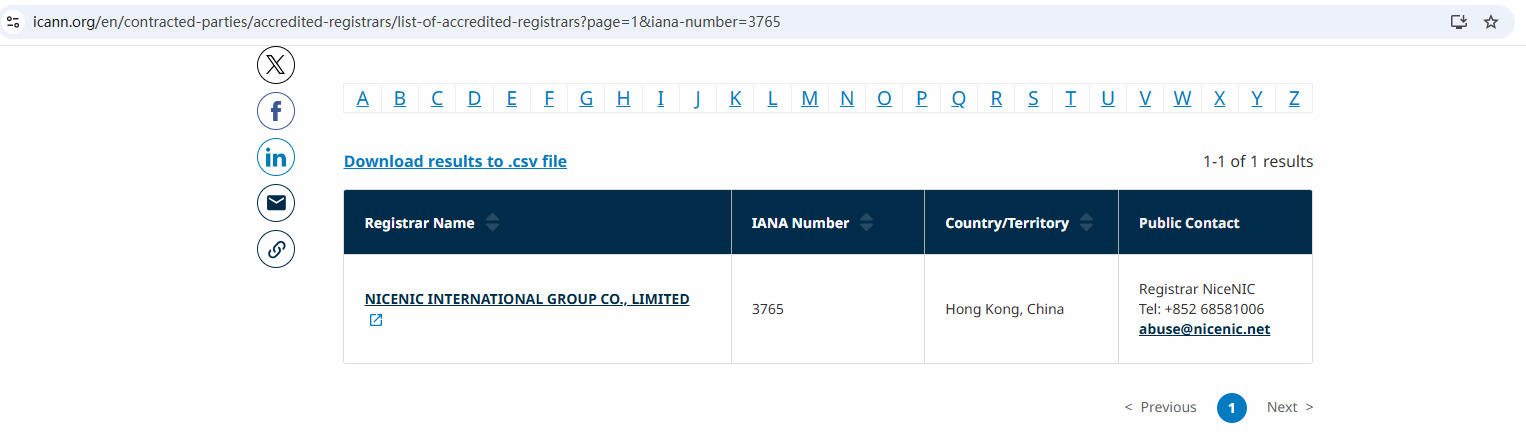
As an ICANN-accredited registrar, Nicenic helps users navigate these responsibilities efficiently, ensuring that DNS issues are resolved promptly with clear support paths.
Nicenic stands as that trusted partner for brands, developers, entrepreneurs, and businesses worldwide.
Suggested Related Reading (Internal Links)
Купуйте та реєструйте свій домен .COM сьогодні
Перевірте доступність домену .COM, зареєструйте новий домен .COM, шукайте кілька імен оптом або перенесіть свої існуючі домени .COM до NiceNIC. Створено для бізнесу, інвесторів доменів, агенцій, провайдерів хостингу та реселерів.
Наступні новини: What Is .com? Everything You Need To Know About .com Domains


