


NiceNIC API v2 Authentication Error: Common Causes and Fixes
An API request that fails authentication is usually caused by the wrong API host, incorrect credentials, a rotated API Secret or an unauthorized source IP. This checklist is for NiceNIC Domain API v2; do not reuse legacy API v1 credentials or endpoints without checking the relevant documentation.
Verify the production connection
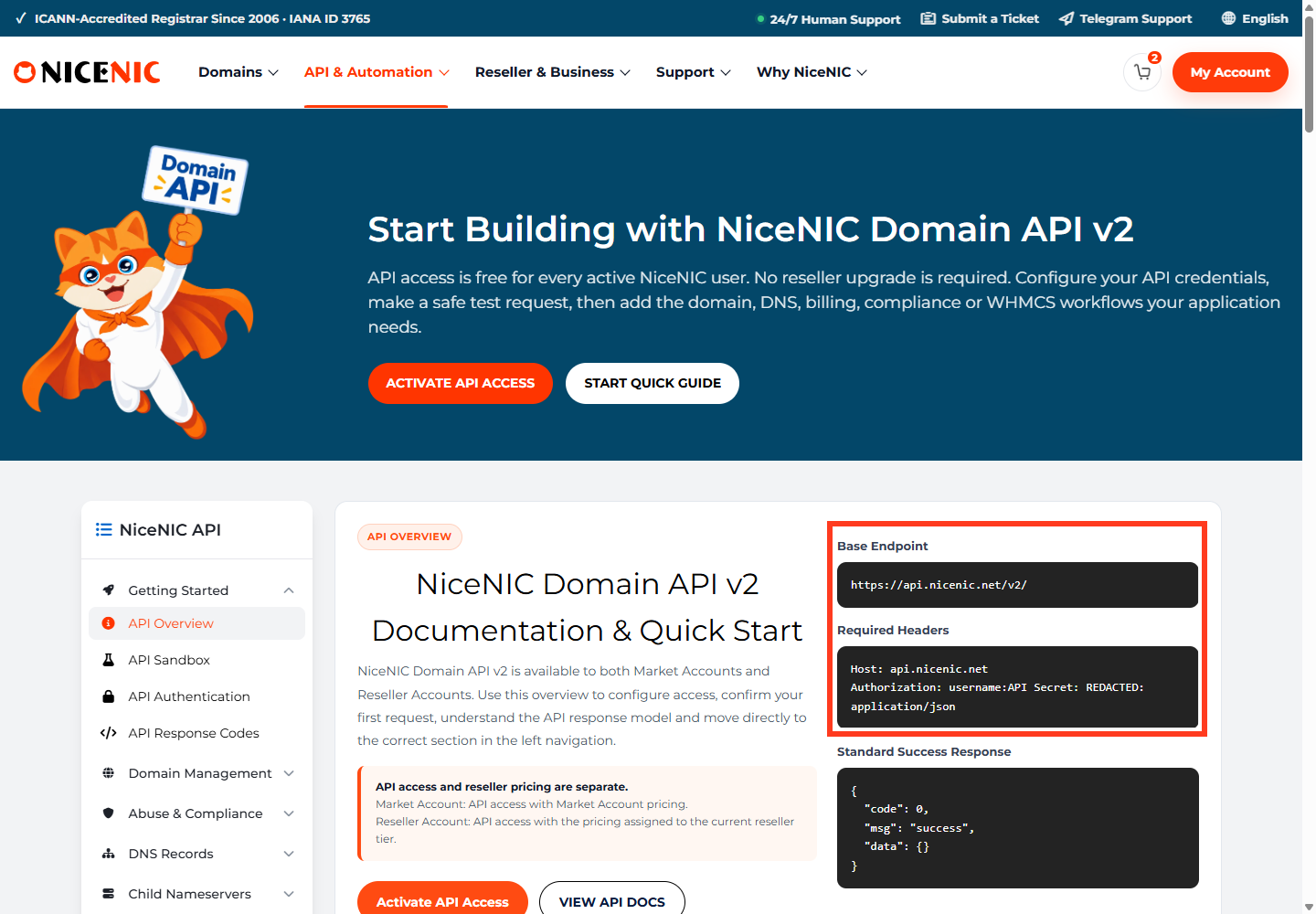
Use the documented base URL and headers:
Base URL: https://api.NiceNIC/v2/
Host: api.NiceNIC
Authorization: username:api_secret
Content-Type: application/json
The Authorization value consists of your NiceNIC username, a colon, and your API Secret. The examples below are placeholders; never include real secrets in public tickets, repositories or screenshots.
Run a safe read-only authentication test
After enabling API access in your NiceNIC account and configuring any IP authorization, try an availability lookup:
curl –get 'https://api.NiceNIC/v2/'
–data-urlencode 'category=domain'
–data-urlencode 'action=check'
–data-urlencode 'domains=example.com'
-H 'Authorization: YOUR_USERNAME:YOUR_API_SECRET'
-H 'Content-Type: application/json'
This checks availability; it does not register a domain. Examine the JSON code and msg fields rather than assuming HTTP 200 means success.
Troubleshoot in the right order
-
Host:
api.NiceNICis correct. Addresses such asapi.NiceNICorapi.nicenic.comare not the documented v2 host. - Protocol: Use HTTPS, not HTTP. Verify your server trusts the remote TLS certificate.
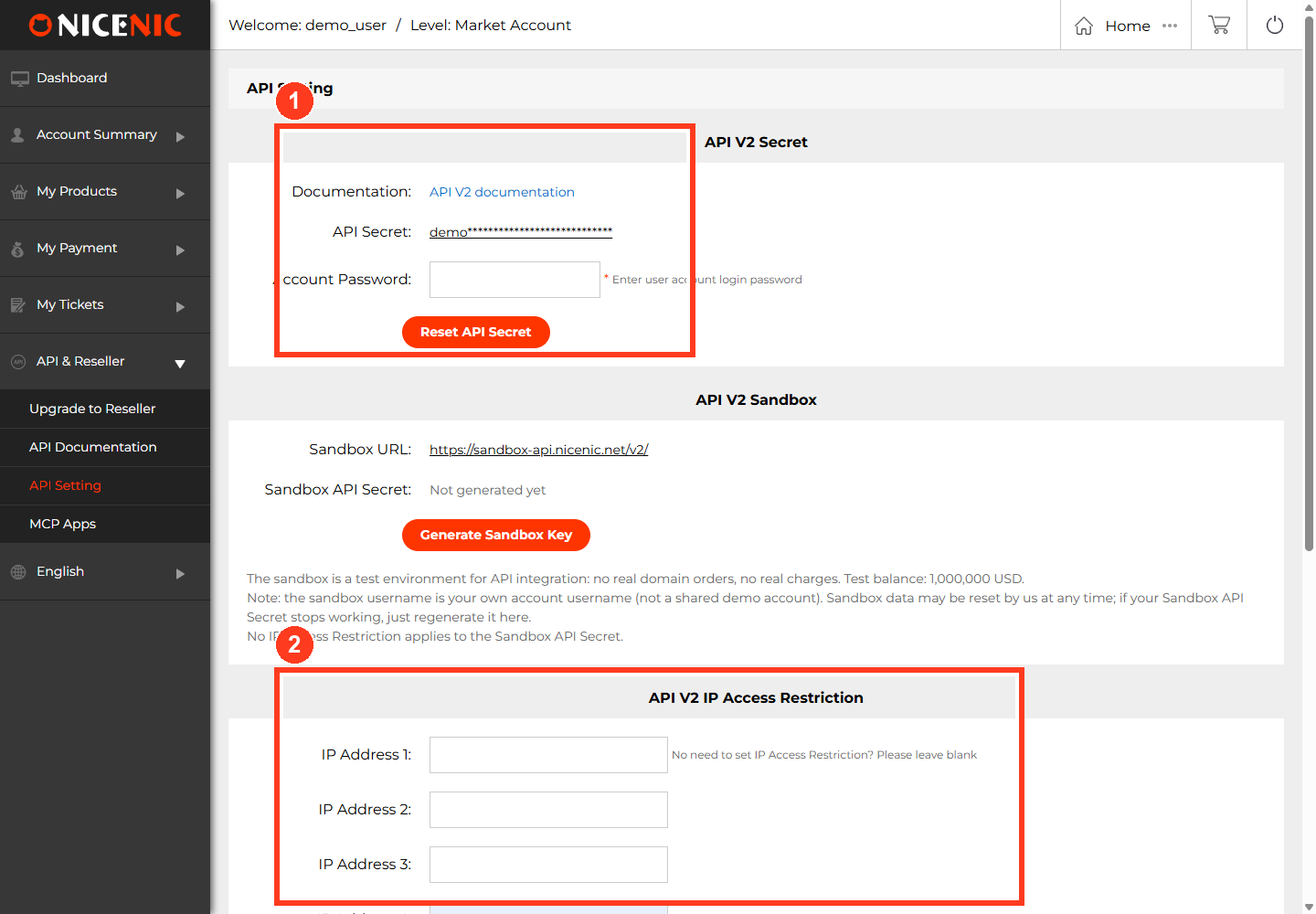
- Credentials: Copy the exact account username and current API Secret from API Settings; regenerate a revoked secret if necessary and update only your secure secret store.
- IP restrictions: If enabled, compare the public egress IP used by your server with the permitted IP list. A proxy, NAT gateway or cloud egress change can alter it.
- Request formatting: Include the required headers and a valid endpoint action; don't confuse a parameter error with an authentication failure.
- Account plan: API access is available to both NiceNIC Market Accounts and Reseller Accounts. Reseller tiers affect pricing, not the mere ability to call API v2.
If the test still fails, share the request time, redacted request URL, returned error code/msg, and server egress IP with NiceNIC Support. Never send the full Authorization header or API Secret.
Official reference: NiceNIC API v2 — Authentication.


