


.AT Domain Registration and Identity Verification Guide
When registering a .at domain, enter accurate and complete registrant contact details from the start. Your name must clearly correspond to the name on your ID or passport, and your address must match your proof of address.
The registry may request proof of identity and proof of address during or after registration. Providing consistent information helps avoid verification delays and repeated requests for corrections.
This guide explains how to register a .at domain, prepare verification documents, and update your contact details when needed.
1. Register your .at domain with accurate contact details
Step 1: Search for your domain
Sign in to your NiceNIC account, open the domain search page, enter your preferred .at domain, and click Start Search.
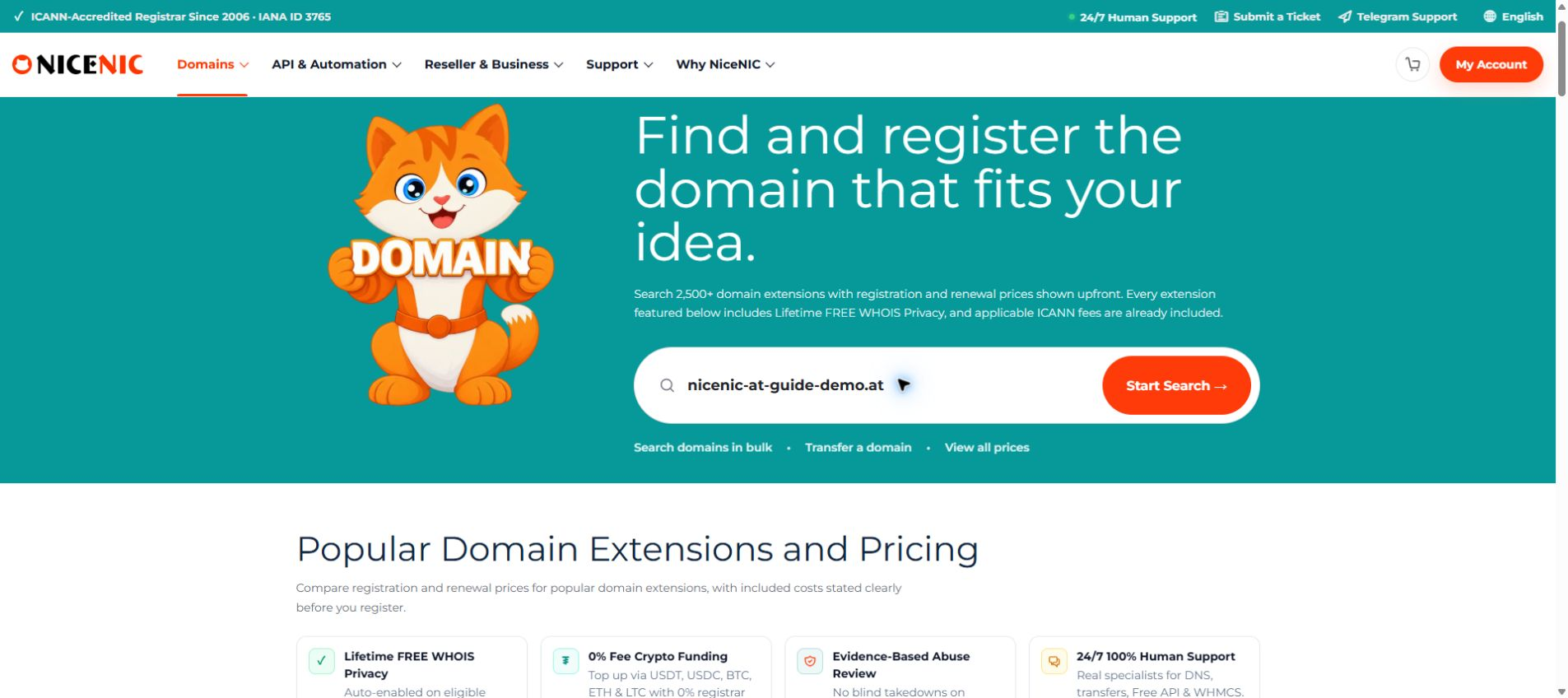
Step 2: Open the registration form
Check that your .at domain is available, then click Register next to that domain.
The domain and prices shown below are examples. Check the current availability and pricing for your chosen domain before proceeding.
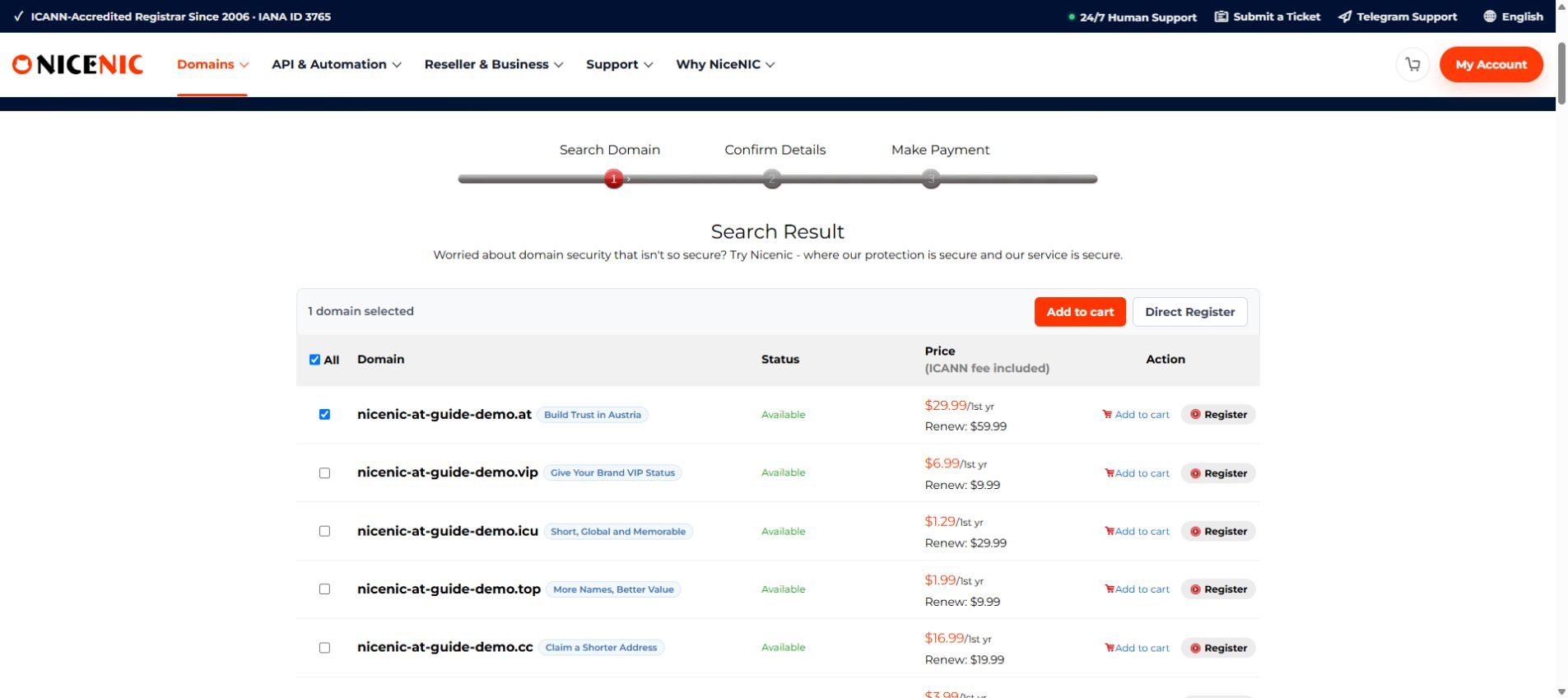
Step 3: Review the .AT Registration Notice and your contact details
Read the .AT Registration Notice above the contact form. If information is loaded from your account or a saved contact profile, check it before proceeding.
- First Name / Last Name: Enter your name so it can be clearly matched to your ID or passport.
- Company: Enter your company name if applicable.
- Country or region / State/Province / City / Address / Postal Code: Enter your complete address as shown on your proof of address.
- Tel: Provide a working telephone number with the correct country code.
-
Email: Use an email address you can access and monitor for verification requests.
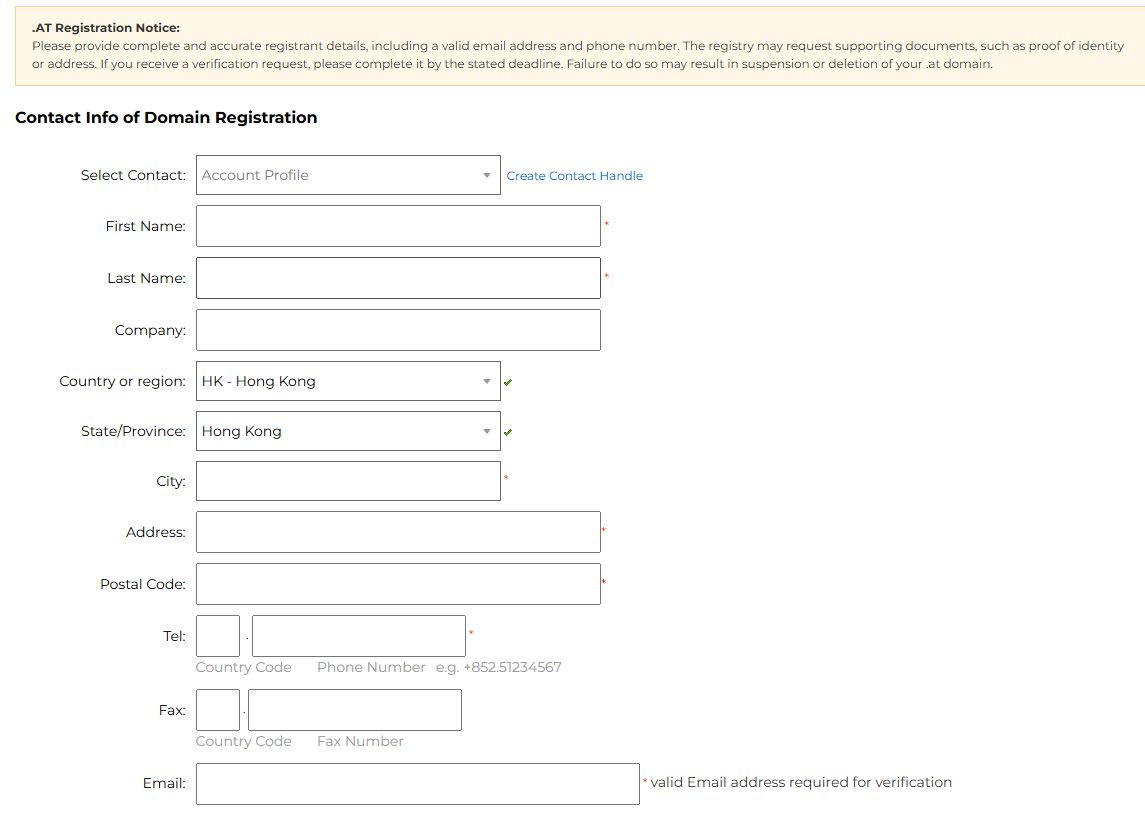
The fields are left blank for illustration. Select your actual country or region and enter your own contact details.
Step 4: Review before completing registration
Check the domain name, registration term, contact information, and nameservers. Read the Domain Registration Service Agreement before accepting it and continuing.
After registration, monitor your email for any verification request and follow the deadline stated in the notice.
2. Prepare your information and documents
If you receive a verification request, provide the following information and documents together.
A. Contact information
Domain Name:
Full Name:
Company: if applicable
Tel number:
Email Address:
Street Address:
City:
Province/State:
Postal Code:
Country:
B. Proof of identity
Provide a clear copy of your ID or passport.
The name you provide must clearly correspond to the name on the document. Make sure the document is readable and the information needed for verification is not cropped or obscured.
C. Proof of address
Provide a document showing the same full address as your contact information, such as:
- A utility bill.
-
A bank statement.
Check that the street address, apartment or unit number, city, province or state, and postal code are consistent with the information you provide.
3. Submit your information and documents
If you already have an open verification ticket, reply to that ticket with your contact information and both supporting documents.
If you do not have an open ticket:
- Sign in to your NiceNIC account and open My Tickets > Submit a Ticket.
- Enter a clear summary, such as ".AT domain verification" or ".AT verification - contact details correction".
- Select Domain Issues as the category.
- Enter your domain name and complete contact information in Description.
- Click Upload Multiple Files to attach your ID or passport and proof of address.
-
Review the information and attachments, then click Submit.
The upload page currently supports JPG, PNG, PDF, and DOC, with up to 5 files and a maximum of 1MB per file. Keep all required details readable when reducing file size.
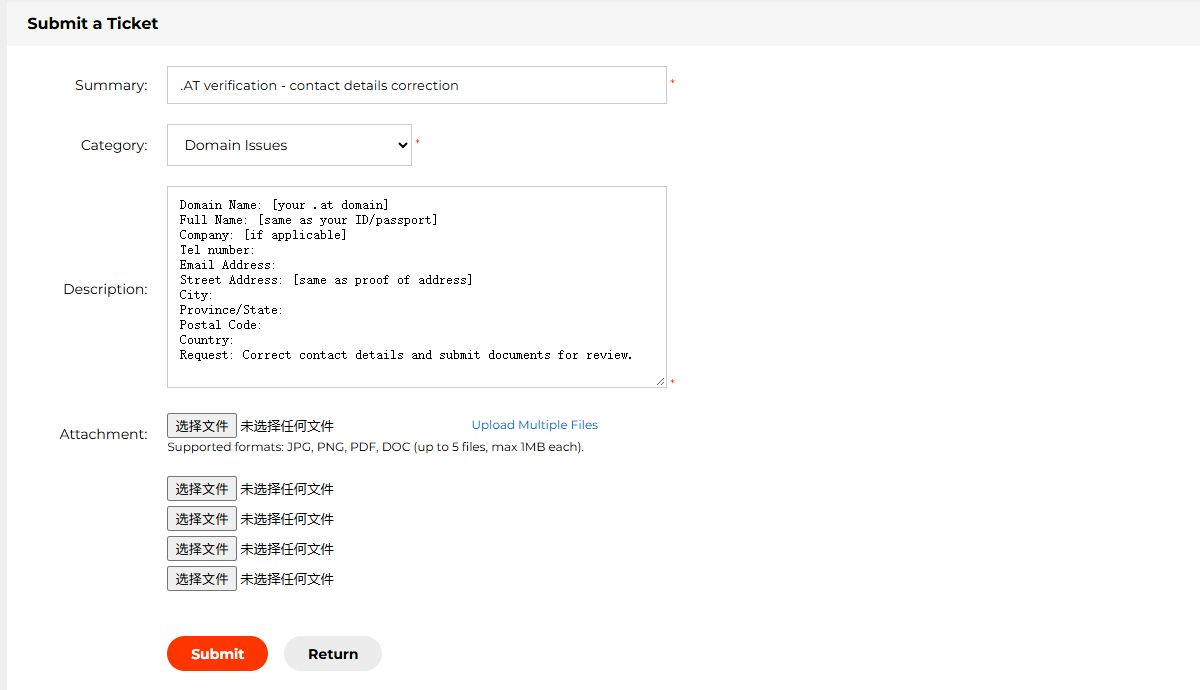
This example shows a contact correction request. Replace the bracketed guidance with your information and attach your documents before submitting.
Providing your contact information and both documents together helps avoid repeated requests for missing information.
4. Verification and contact updates
We will review the information you provide and submit your documents for verification. If a contact correction requires further processing, we can request the update for review.
Please note:
- Submitting information and documents does not mean the verification or contact update has been approved.
- The registry may request additional documents or clarification.
-
When contact details are changed, the registry may require confirmation from the person or company currently listed as the registrant. This can apply even when you are updating your own details and the domain is staying with the same owner.
Complete any required verification or confirmation by the deadline stated in the notice.
5. Cancellation, refunds, and deletion
- A successfully registered .at domain order cannot be cancelled or refunded. The registry has already charged the registration fee, which is non-refundable. Deleting the domain does not reverse the completed registration or make the order refundable.
- If the registry requires confirmation for a contact change and that confirmation cannot be completed, the domain may be deleted by the registry without a refund.
- Submitting documents for the updated contact details does not replace any separate confirmation required by the registry.
- You can sign in to your NiceNIC account to review and update your domain contact details.


