


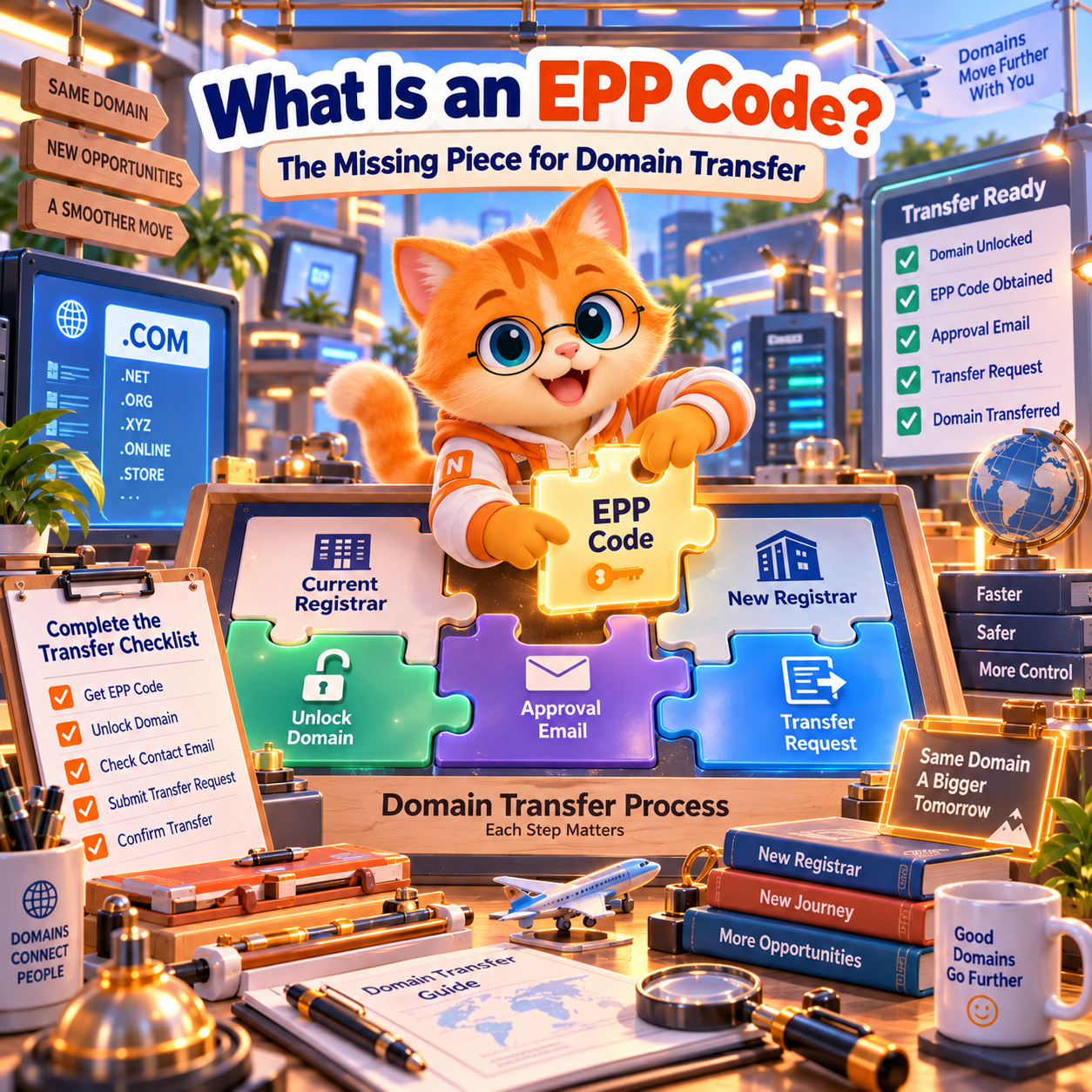
If you are trying to transfer a domain to another registrar, you will probably be asked for an Auth Code, EPP Code, Authorization Code, AuthInfo Code, or transfer code.
That can be confusing, especially if your current registrar uses one name and the new registrar uses another.
The good news is that these terms usually refer to the same thing: a security code used to authorize a domain transfer from one registrar to another.
For many domain extensions, you need this code before the transfer can begin. ICANN describes an Auth-Code as a code created by the registrar to help identify the domain holder and prevent unauthorized transfers. (ICANN)
If you already have your transfer code and your domain is eligible and unlocked, you can start a secure domain transfer to NiceNIC.
Quick Answer: What Is an EPP Code?
An EPP Code is a domain transfer authorization code.
It acts like a transfer password that helps confirm that the person requesting the transfer is authorized to move the domain.
You may see the same type of code described as:
- EPP Code
- Auth Code
- Authorization Code
- AuthInfo Code
- Auth-Info Code
- Transfer Code
- Domain Transfer Code
Different registrars may use different names, but they generally refer to the authorization credential used during an inter-registrar domain transfer.
At NiceNIC, the domain transfer page asks for the Auth Code when you submit a transfer request. NiceNIC also notes that your current registrar may label it "transfer code," "auth code," or something similar. (NiceNIC)
Is an EPP Code the Same as an Auth Code?
In everyday domain transfer use, yes.
“EPP Code” and “Auth Code” are commonly used to describe the same transfer authorization credential.
You may also see:
Authorization Code AuthInfo Code Transfer Code
The terminology varies by registrar.
So if your new registrar asks for an “Auth Code” but your current registrar shows an “EPP Code,” you are usually looking at the same type of transfer credential.
The important thing is not the label.
The important thing is that the code comes from the current registrar of the domain you want to transfer.
Where Do I Find My Domain's EPP Code?
The EPP Code or Auth Code usually comes from your current registrar.
In many registrar dashboards, you can find it under a section such as:
- Domain Management
- Transfer Out
- Transfer Domain
- Domain Security
- Authorization Code
- Get Auth Code
- Get EPP Code
A typical process looks like this:
- Sign in to your current registrar account.
- Open the domain you want to transfer.
- Look for transfer or security settings.
- Unlock the domain if required.
- Select "Get Auth Code," "Get EPP Code," or a similar option.
- Copy the code or check your email if the registrar sends it there.
Some registrars display the code immediately.
Others send it to the registrant or account email.
If you cannot find the code in your dashboard, contact your current registrar and ask for the domain transfer authorization code.
For gTLD transfers covered by the ICANN Transfer Policy, if the registrar does not provide a self-service method, it must provide the unique AuthInfo code within five calendar days of the registered name holder's request. (ICANN)
Do I Need to Unlock My Domain Before Getting the EPP Code?
Getting the EPP Code and unlocking the domain are related, but they are not the same step.
A domain can have a valid Auth Code and still be blocked from transfer because it is locked.
One common status is:
clientTransferProhibited
This status tells the registry not to allow the domain to transfer to another registrar.
ICANN explains that a domain showing clientTransferProhibited cannot be transferred until the transfer restriction is removed. (ICANN)
So before you start a registrar transfer, usually check both:
- Do I have the correct Auth Code or EPP Code?
- Is the domain unlocked and eligible for transfer?
NiceNIC also recommends unlocking the domain at the current registrar before submitting the transfer. (NiceNIC)
Does Every Domain Have a Different EPP Code?
In most cases where Auth Codes are used, each domain has its own transfer authorization code.
If you are moving several domains, do not assume that one EPP Code will work for all of them.
For example, if you are transferring:
example1.com example2.net example3.org
each domain may require its own authorization code.
This becomes especially important during a bulk domain transfer.
Before moving multiple domains, match every domain with the correct Auth Code. Mixing codes between domains can cause transfer failures and unnecessary delays.
NiceNIC supports bulk transfer submissions and allows users to submit multiple domain-and-auth-code combinations in one workflow. (NiceNIC)
Why Is My EPP Code Not Working?
If your domain transfer code is rejected, the code itself may not be the only problem.
Common reasons include:
- The Auth Code was copied incorrectly
- Extra spaces were included
- You are using an older code
- A new code was generated after you copied the previous one
- The code belongs to another domain
- The domain is still locked
- The domain is under a transfer restriction
- The domain was registered or transferred recently
- A recent registrant change triggered a transfer lock
- The domain extension uses a different transfer process
If the code looks correct but the transfer still fails, check the domain status before repeatedly requesting new codes.
A valid Auth Code cannot override a domain transfer lock.
If you are unsure, request a fresh code from your current registrar and confirm that the domain is unlocked before trying again.
How Long Is an EPP Code Valid?
There is no single validity period that applies to every registrar and every domain extension.
A registrar may allow an authorization code to remain active until it is regenerated, while another transfer workflow may treat the code differently.
So if you copied an EPP Code some time ago and it is now being rejected, the safest approach is simple:
Request a fresh Auth Code from your current registrar.
Do not assume an old code will remain valid indefinitely.
You should also avoid requesting a new code after you have already submitted a transfer unless there is a reason to do so, because regenerating the code may invalidate the one used in the pending transfer.
Can I Transfer a Domain Without an EPP Code?
It depends on the domain extension.
Many common gTLD transfers use an Auth Code or AuthInfo Code as part of the registrar transfer process.
However, not every TLD follows exactly the same procedure.
Some country-code domains have their own registry transfer methods. Some extensions may use special authorization processes rather than the standard EPP/Auth Code workflow.
For this reason, do not assume that every domain extension transfers in exactly the same way.
If your registrar does not provide an EPP Code for a particular TLD, check that TLD’s transfer requirements or ask the receiving registrar what information is required.
NiceNIC supports more than 2,500 domain extensions, so transfer requirements can vary depending on the TLD.
You can check your domain and start from the NiceNIC domain transfer page.
Can I Get an EPP Code If My Domain Is Expired?
Sometimes, but this depends on the domain status, registrar, and TLD policy.
An expired domain is not always immediately deleted. However, expiration can affect what actions are available.
If your domain has expired and you want to transfer it, first check:
- Current expiration status
- Whether the domain is still renewable
- Whether it has entered redemption
- Whether the registrar still allows transfer
- Whether the domain is locked
- Whether you can still obtain the Auth Code
Do not assume that getting the EPP Code means the expired domain can automatically be transferred.
Transfer eligibility still depends on the domain’s current status.
If the domain is business-critical and has already expired, protecting the domain should take priority over trying to force a transfer immediately.
Is It Safe to Share an EPP Code?
Treat your EPP Code like a sensitive credential.
The code exists to help authorize movement of your domain between registrars.
Do not post it publicly.
Do not include it in:
- Forum posts
- Social media screenshots
- Public support discussions
- Website content
- Public documents
- Shared spreadsheets with unnecessary access
Only provide the code when you intentionally initiate a transfer with the receiving registrar or an authorized service involved in the transfer.
If you accidentally expose the code publicly, contact your current registrar and consider generating a new one before starting the transfer.
What Should I Check Before Using My EPP Code?
Having the Auth Code does not mean you should immediately submit the transfer.
Before you start, check:
- The domain is eligible for transfer
- The domain is unlocked
- The Auth Code is current
- You can access the approval email
- The domain is not under an applicable transfer lock
- The domain is not extremely close to expiration
- Your nameservers are recorded
- Your DNS records are backed up
- Your website and email are working normally
For important business domains, it is also a good idea to avoid changing hosting, DNS, email, and registrar at the same time.
Keep the transfer process as simple as possible.
What Do I Do After I Get the EPP Code?
Once you have the correct Auth Code and the domain is ready, the next steps are straightforward.
First, confirm that the domain is unlocked.
Second, make sure you can access the email account that may receive transfer confirmation messages.
Third, confirm that your current DNS and nameservers are working normally.
Then submit the domain and Auth Code to the new registrar.
If you are moving your domain to NiceNIC, go to the domain transfer to NiceNIC page, enter your domain name and Auth Code, and submit the transfer request.
NiceNIC notes that your nameservers remain the same during the transfer. If your old registrar is also providing your DNS service, you should confirm that the DNS service will remain active to avoid downtime. (NiceNIC)
After the transfer is submitted, watch your email and registrar account for any required approval.
Once the transfer completes, the domain will appear in your NiceNIC account. (NiceNIC)
Why Transfer Your Domain to NiceNIC?
NiceNIC is an ICANN-accredited domain registrar serving domain owners, businesses, domain investors, agencies, hosting providers, and resellers.
When you transfer an eligible domain to NiceNIC, you can manage domain renewal, DNS, WHOIS privacy for eligible extensions, account security, SSL certificates, business email, bulk tools, and reseller services from one platform.
For users transferring multiple domains, NiceNIC also supports bulk domain transfers directly from the transfer page.
The goal is not simply to obtain an EPP Code.
The EPP Code is only the authorization step.
The real goal is to move the domain safely and then manage it reliably over the long term.
Frequently Asked Questions
What does EPP Code mean?
EPP Code is a common name for the authorization credential used to approve a domain transfer between registrars. You may also see it called an Auth Code, Authorization Code, AuthInfo Code, or transfer code.
Is an Auth Code the same as an EPP Code?
In normal domain transfer use, the terms are commonly used interchangeably.
Where can I get my domain Auth Code?
Get it from your current registrar. Look in the domain management, transfer-out, or security section of your registrar account. If there is no self-service option, contact the registrar directly.
Why is my domain transfer code invalid?
The code may be old, incorrectly copied, regenerated, or associated with another domain. The domain may also still be locked or subject to a transfer restriction.
Do I need an EPP Code to transfer every domain?
No. Many domains use Auth/EPP Codes, but some TLDs have different transfer procedures. Always check the transfer requirements for the specific extension.
Can someone steal my domain with my EPP Code?
The Auth Code is an important transfer credential, so you should keep it private. However, registrars may also use locks, account authentication, transfer confirmation, and other protections. Never share your Auth Code unless you intentionally want to initiate a transfer.
Final Answer: What Is an EPP Code and Where Do You Find It?
An EPP Code is a security credential used to authorize a domain transfer.
You may also see it called an Auth Code, Authorization Code, AuthInfo Code, or transfer code.
You normally get it from your current registrar.
Before using the code, make sure your domain is unlocked, eligible for transfer, and connected to an email address you can access.
Then submit the domain and code to your new registrar.
If you are ready to move your domain, start a secure domain transfer to NiceNIC.
Move your eligible domain to NiceNIC and manage renewal, DNS, WHOIS privacy, security, bulk tools, and related domain services from one registrar account.


