


閲覧数:1925
時間:2025-07-24 23:11:47 著者: chunling 
What is DNSSEC?
DNSSEC (Domain Name System Security Extensions) is a suite of extensions to the Domain Name System (DNS) that adds an additional layer of security. It enables DNS responses to be verified for authenticity, ensuring that the information provided is legitimate and hasn’t been tampered with.
Benefits of DNSSEC for Domain Names
DNSSEC helps protect domain names by preventing attacks like DNS spoofing or cache poisoning, which can direct users to malicious websites. With DNSSEC, domain owners can ensure that their users are directed to the correct and trusted websites, enhancing the trustworthiness and security of their domain.
To set up DNSSEC for a domain registered on NiceNIC:
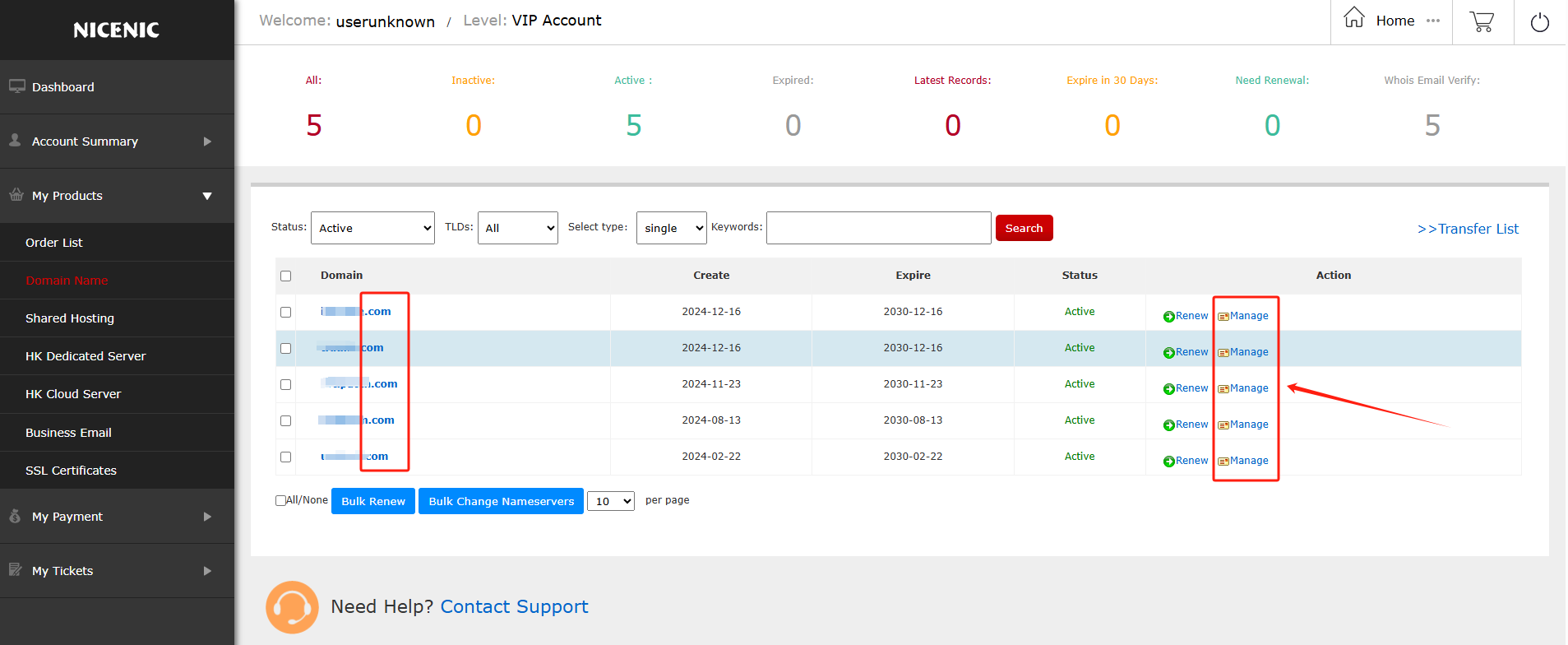
Log in to your NiceNIC account and navigate to your domain management page.
Find the domain you wish to enable DNSSEC for and click Manage.
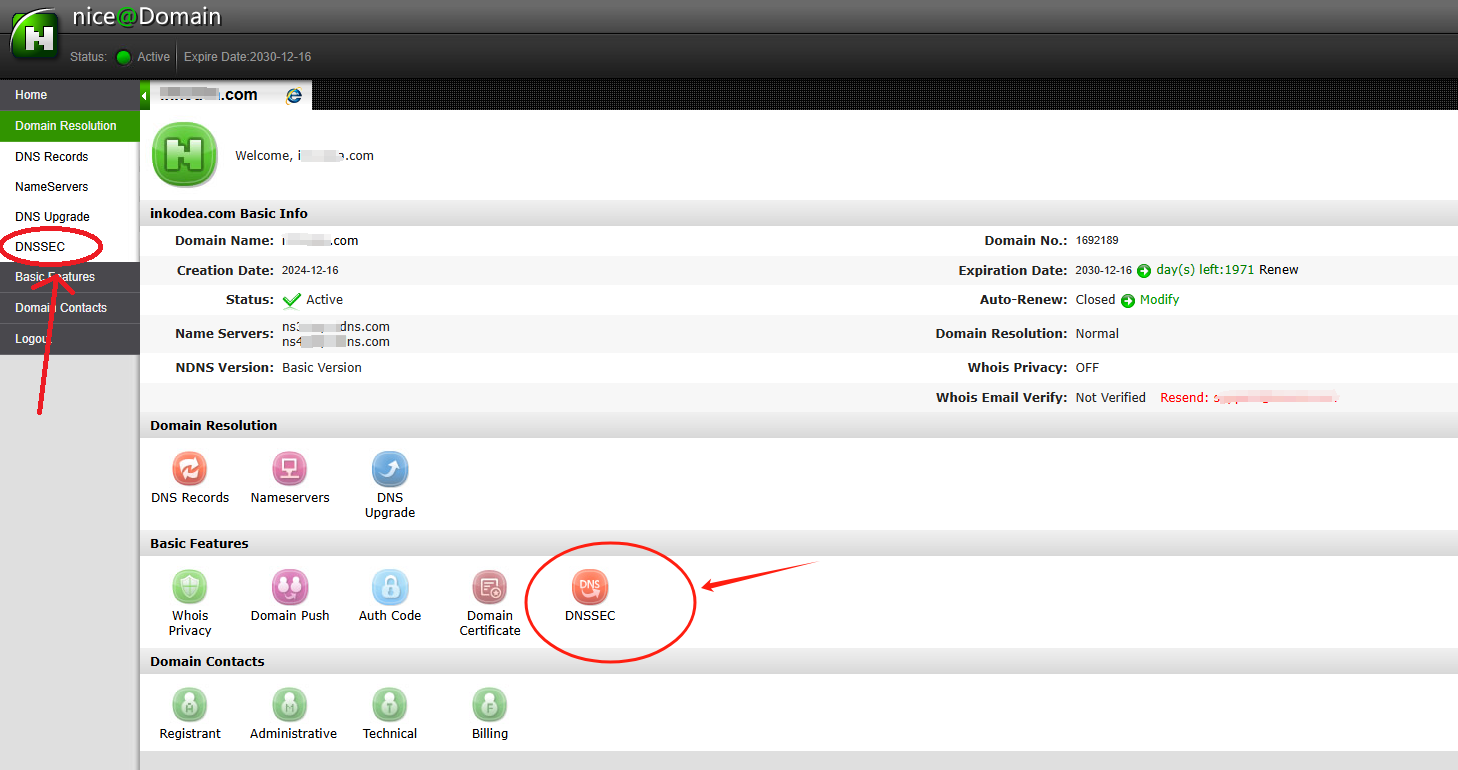
In the domain management section, you should see the DNSSEC button.
Click on the DNSSEC button to access the DNSSEC settings page.
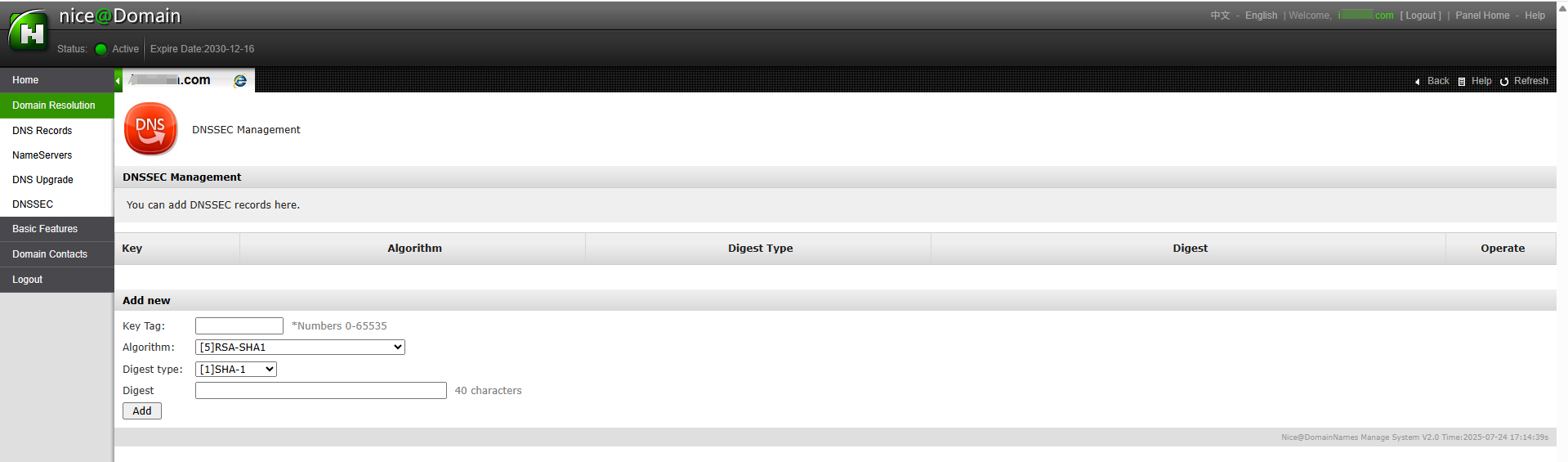
Enter the required information for DNSSEC configuration (this will typically include DNSSEC key details provided by your DNS hosting provider).
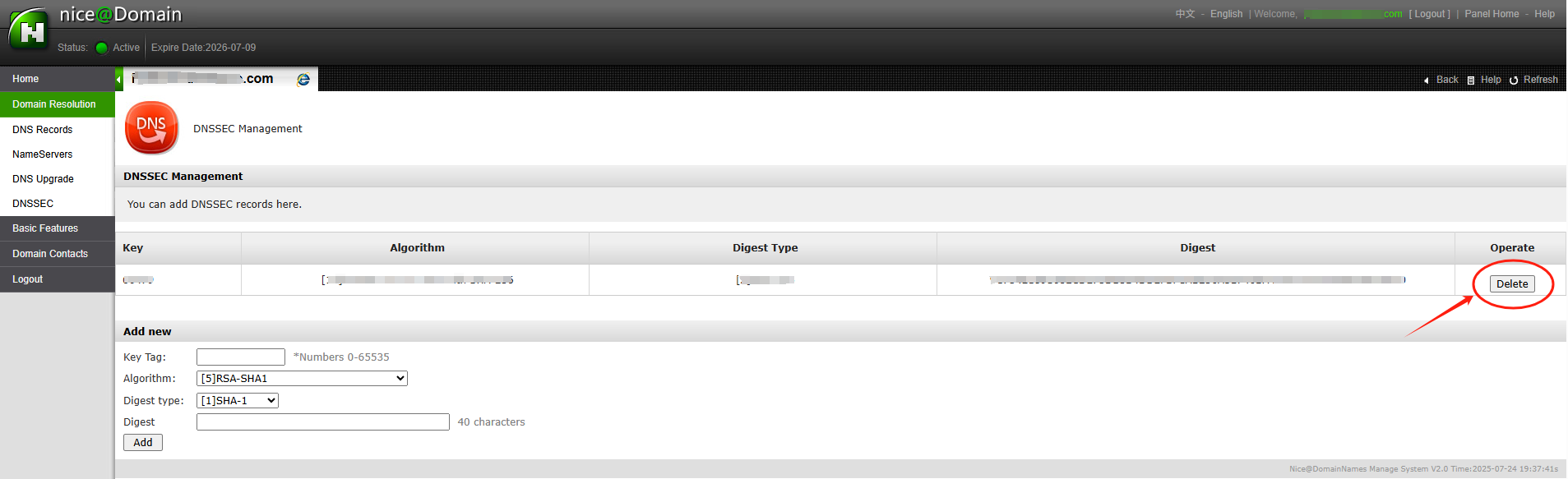
After entering the necessary DNSSEC key data (usually the DS record), you’ll receive confirmation that DNSSEC has been successfully added to your domain settings.
The DNSSEC status will show as enabled and you'll be able to see the public keys and other details.
With DNSSEC now enabled, your domain is better protected against DNS-related attacks.
DNSSEC (Domain Name System Security Extensions) is a suite of extensions to the Domain Name System (DNS) that adds an additional layer of security. It enables DNS responses to be verified for authenticity, ensuring that the information provided is legitimate and hasn’t been tampered with.
Benefits of DNSSEC for Domain Names
DNSSEC helps protect domain names by preventing attacks like DNS spoofing or cache poisoning, which can direct users to malicious websites. With DNSSEC, domain owners can ensure that their users are directed to the correct and trusted websites, enhancing the trustworthiness and security of their domain.
To set up DNSSEC for a domain registered on NiceNIC:
Log in to your NiceNIC account and navigate to your domain management page.
Find the domain you wish to enable DNSSEC for and click Manage.
In the domain management section, you should see the DNSSEC button.
Click on the DNSSEC button to access the DNSSEC settings page.
Enter the required information for DNSSEC configuration (this will typically include DNSSEC key details provided by your DNS hosting provider).
Once you've entered the information, click Add to enable DNSSEC for the domain.
Here’s an example of a successful DNSSEC setup:
After entering the necessary DNSSEC key data (usually the DS record), you’ll receive confirmation that DNSSEC has been successfully added to your domain settings.
The DNSSEC status will show as enabled and you'll be able to see the public keys and other details.
With DNSSEC now enabled, your domain is better protected against DNS-related attacks.
2006年からのICANN認定レジストラ。
今日中に.COMドメインを購入して登録しましょう
.COMドメインの空き状況を確認し、新しい.COMドメインを登録し、一括で複数の名前を検索したり、既存の.COMドメインをNiceNICに移管したりできます。ビジネス、ドメイン投資家、代理店、ホスティングプロバイダー、リセラー向けに作られています。
更新: $17.99
マーケット
$22.49 $14.99
初年度
更新: $17.99
基本
$14.99
0% off
更新: $17.99
スーパー
$14.99
0% off
更新: $16.99
VIP
$14.99
0% off
その他のニュース:


