


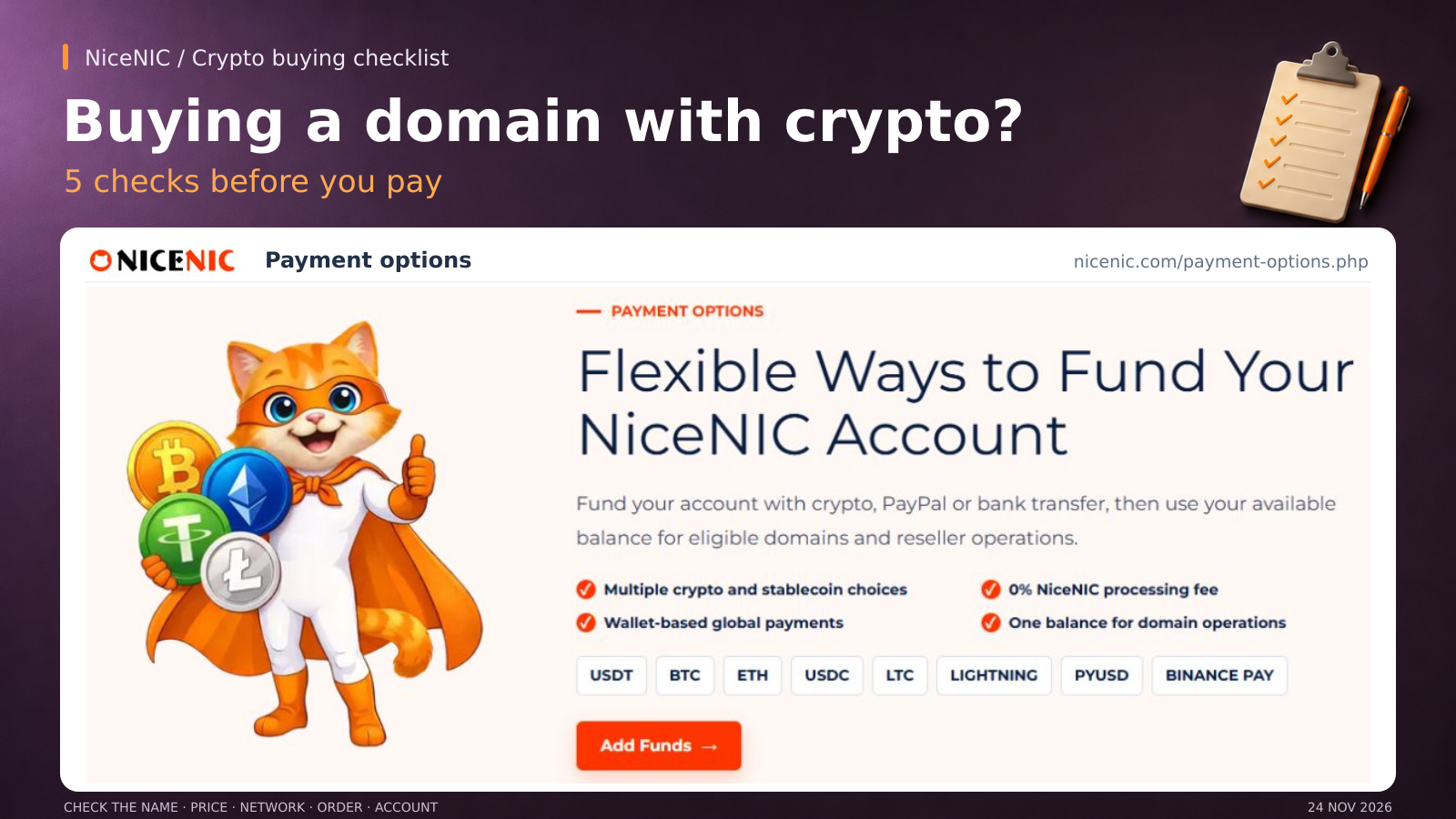
Found the right name for your launch? Before you open your wallet, check what it costs to register today and what it will cost to keep next year. At NiceNIC, you can buy a single domain with a standard Market account. Reseller pricing is an option for larger portfolios.
In a June 8, 2024 SmartCustomer review, one buyer described how Bitcoin made it easier to pay on the go. You can read their account in NiceNIC Customer Reviews by searching for Bitcoin under public reviews.
1. Verify who will manage your domain
NiceNIC has operated since 2006 and supports more than 2,500 domain extensions. You can verify its registrar credentials in the ICANN directory under NICENIC INTERNATIONAL GROUP CO., LIMITED, IANA Registrar ID 3765.
To see how a DNS request turned out, open the customer support records and search for nameserver under direct feedback. In the July 30, 2026 Telegram exchange, the customer confirms the change after verification.
2. Check the first-year price, renewal price and registration term
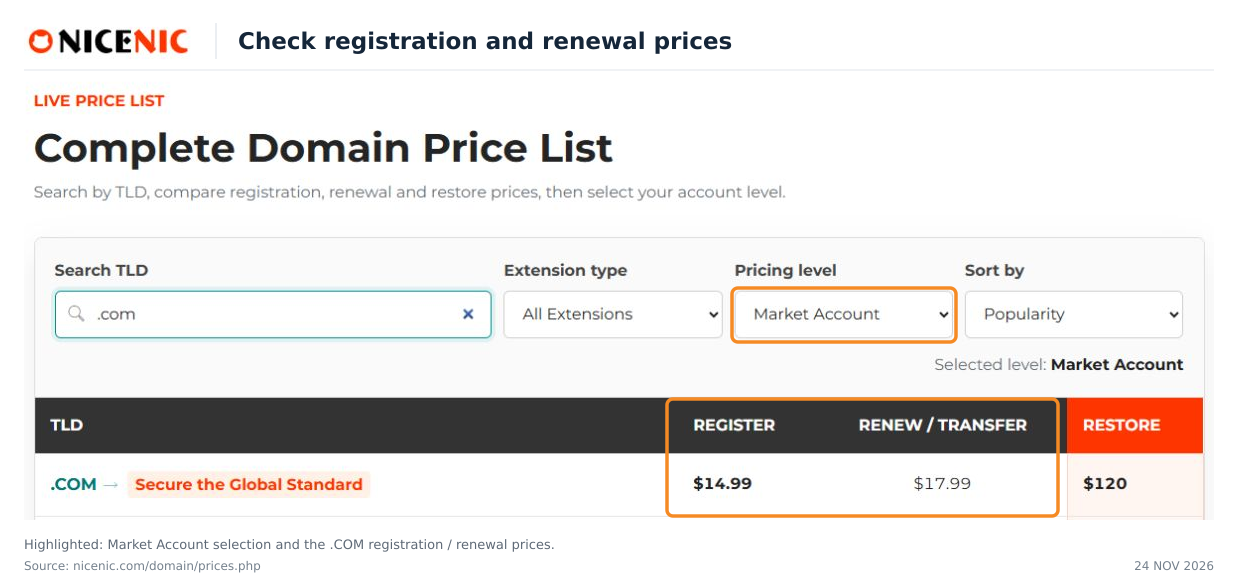
Look up the exact spelling and extension. A name marked available can still carry a premium price, and some extensions require a longer initial term or extra documents. If this is a client project, confirm whose name and contact details should appear on the registration. You can also check whether the extension includes free WHOIS privacy.
For example, through December 31, 2026 (UTC), a standard, non-premium .com costs $14.99 for the first year on a Market account. The current annual renewal is $17.99, with applicable ICANN fees included. Use NiceNIC Domain Prices to check both figures for the extension you want.
3. Match your currency and network to the payment request
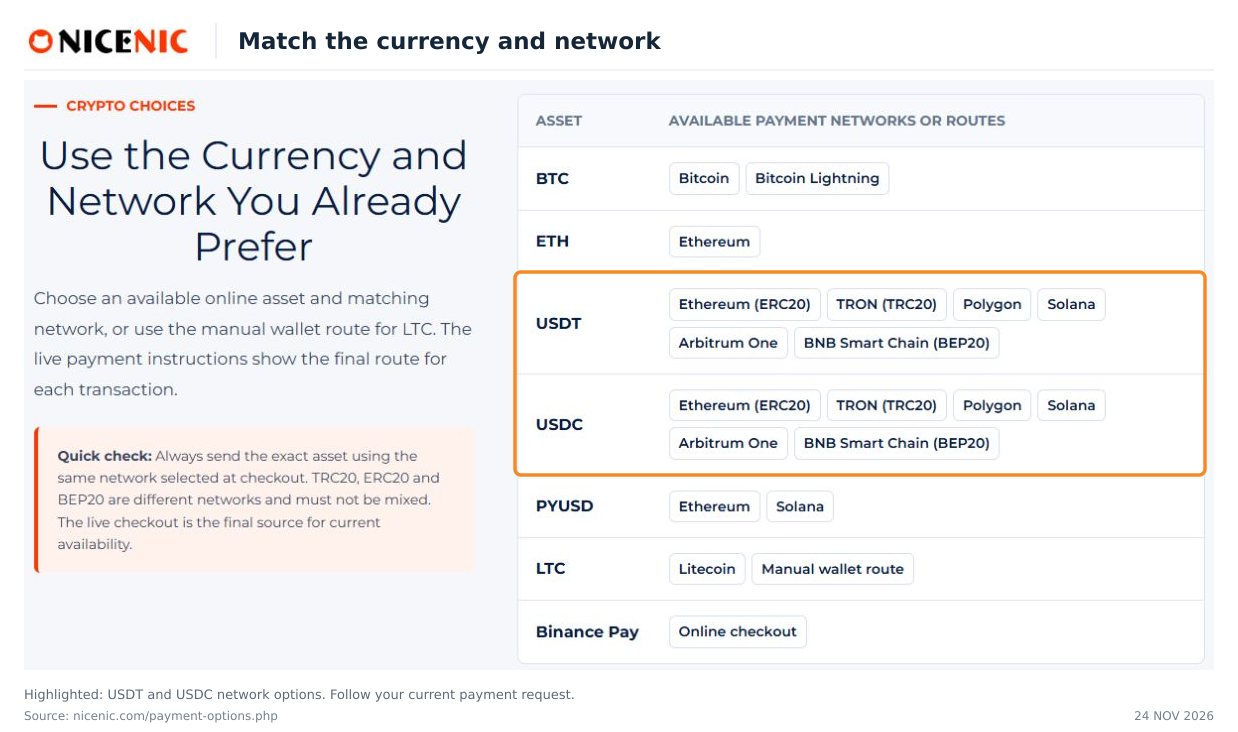
NiceNIC charges a 0% crypto processing fee. Your payment provider, wallet or network may charge a separate fee. The payment options cover USDT, USDC, BTC, ETH, PYUSD and LTC. Bitcoin buyers can also use Lightning where offered, and Binance Pay is available as an online payment option. LTC is available through the manual wallet route for eligible resellers.
If you hold USDT or USDC, online checkout supports Ethereum (ERC20), TRON (TRC20), Polygon, Solana, Arbitrum One and BNB Smart Chain (BEP20). Select the same network in your wallet and follow the amount, destination and expiry shown on your current payment request.
4. Know when the domain is yours
A wallet confirmation tells you the payment went through. Once the USD credit appears in your NiceNIC account, return to the domain order, recheck availability and submit it. An availability check does not reserve the name while you fund your account. Look for the completed registration in your account before announcing the name or printing it on packaging.
If your payment is confirmed but your balance hasn’t updated, give support the payment ID and transaction hash so they can trace it. Unused crypto-funded credit stays in your account for eligible purchases and cannot be withdrawn to a wallet.
For developers, the Domain API documentation spells out a useful distinction. A registration response of 201 means the fee was deducted and the registry decision is pending. If that registration cannot be activated, the registration fee returns to the NiceNIC account balance within 24 hours.
5. Choose an account that fits the orders you expect
Buying one domain? Start with the Market price. You can use your available USD balance for renewal later or choose an eligible PayPal or card payment at renewal.
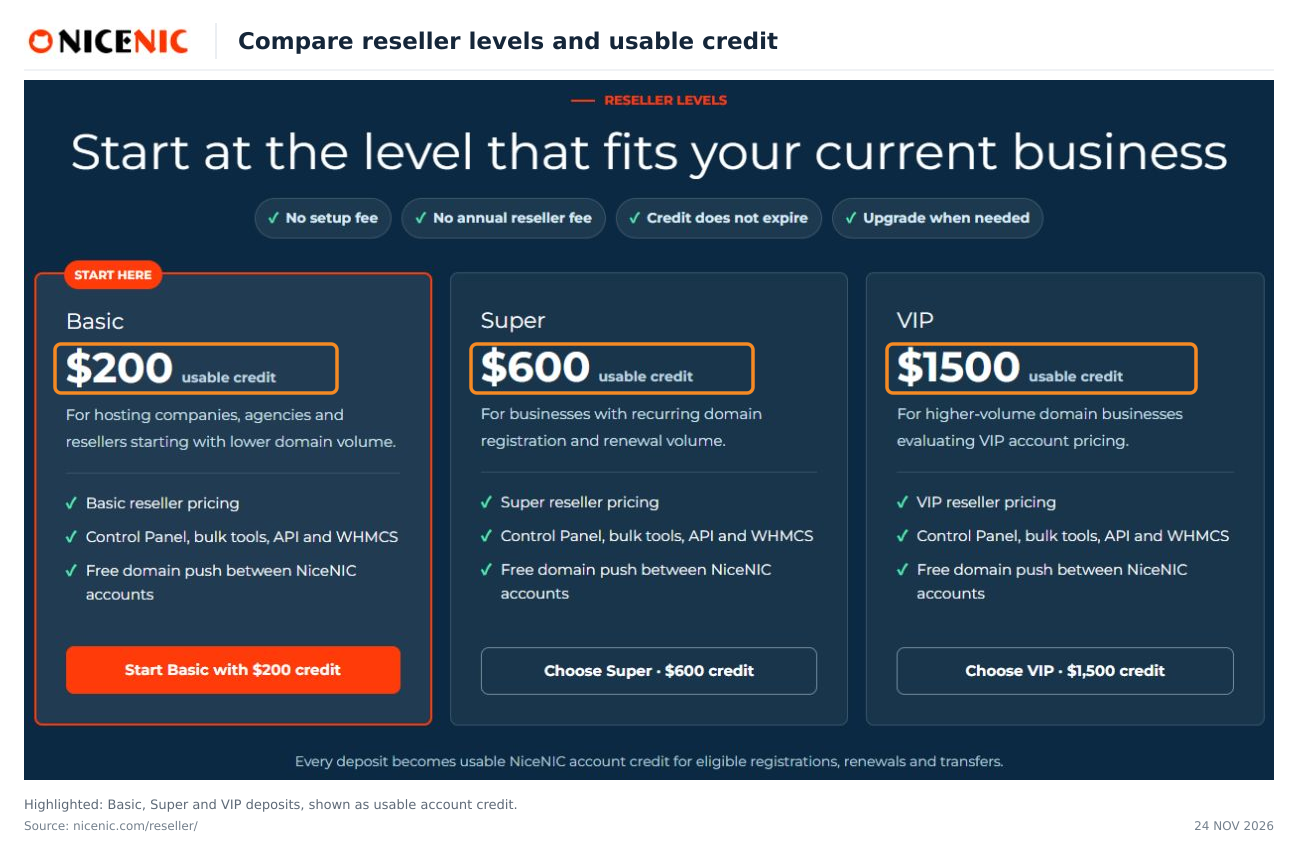
For agencies and hosting providers, NiceNIC reseller tiers offer Basic at $200, Super at $600 and VIP at $1,500. The full deposit becomes usable account credit. During the same year-end promotion, a standard .com is $12.99 for the first year at VIP, with a current annual renewal of $16.99. If you already manage a portfolio elsewhere, you can request a tier review or message @NiceNIC_NET on Telegram before funding.
Active Market and Reseller accounts can test their integration in the free API Sandbox without a reseller deposit. Before a live bulk order, query the price for each name and check its premium flag against your budget. That same check is useful when ordering through the WHMCS registrar module or using NiceNIC MCP with ChatGPT or Claude.
Frequently asked questions
Do I need a reseller deposit to buy one domain with crypto?
A standard Market account lets you buy a single domain. The Basic, Super and VIP deposits are for reseller pricing.
Does adding funds reserve the domain?
The name stays available to other buyers while you fund your account. Once the credit appears, check availability again, submit the order and confirm registration in your account.
Have a name in mind? Check your domain and renewal price before you fund your account. Still choosing a registrar? Read NiceNIC customer reviews to see how buyers paid and what happened when they needed support.


