


Expired Domain Recovery Guide for Business Owners
If your business domain expires, check its actual status immediately. Renewal, redemption, auction and deletion are not a single universal sequence, and the availability of recovery depends on the TLD, registry and NiceNIC's applicable terms.
First: protect the business
- Sign in to the NiceNIC account that holds the domain. Confirm the exact domain, expiry date and current order/status.
- If ordinary renewal is available, review the displayed charge and renew promptly.
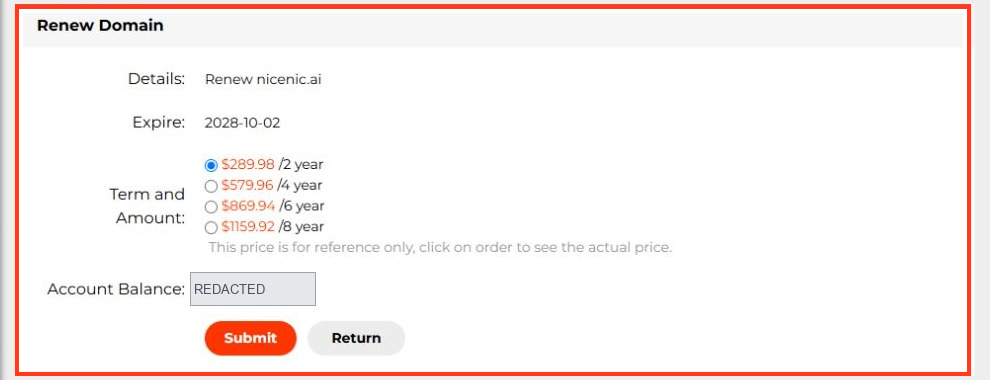
- If the domain is in redemption, request the current restore price and procedure. A redemption charge can be higher than an ordinary renewal.
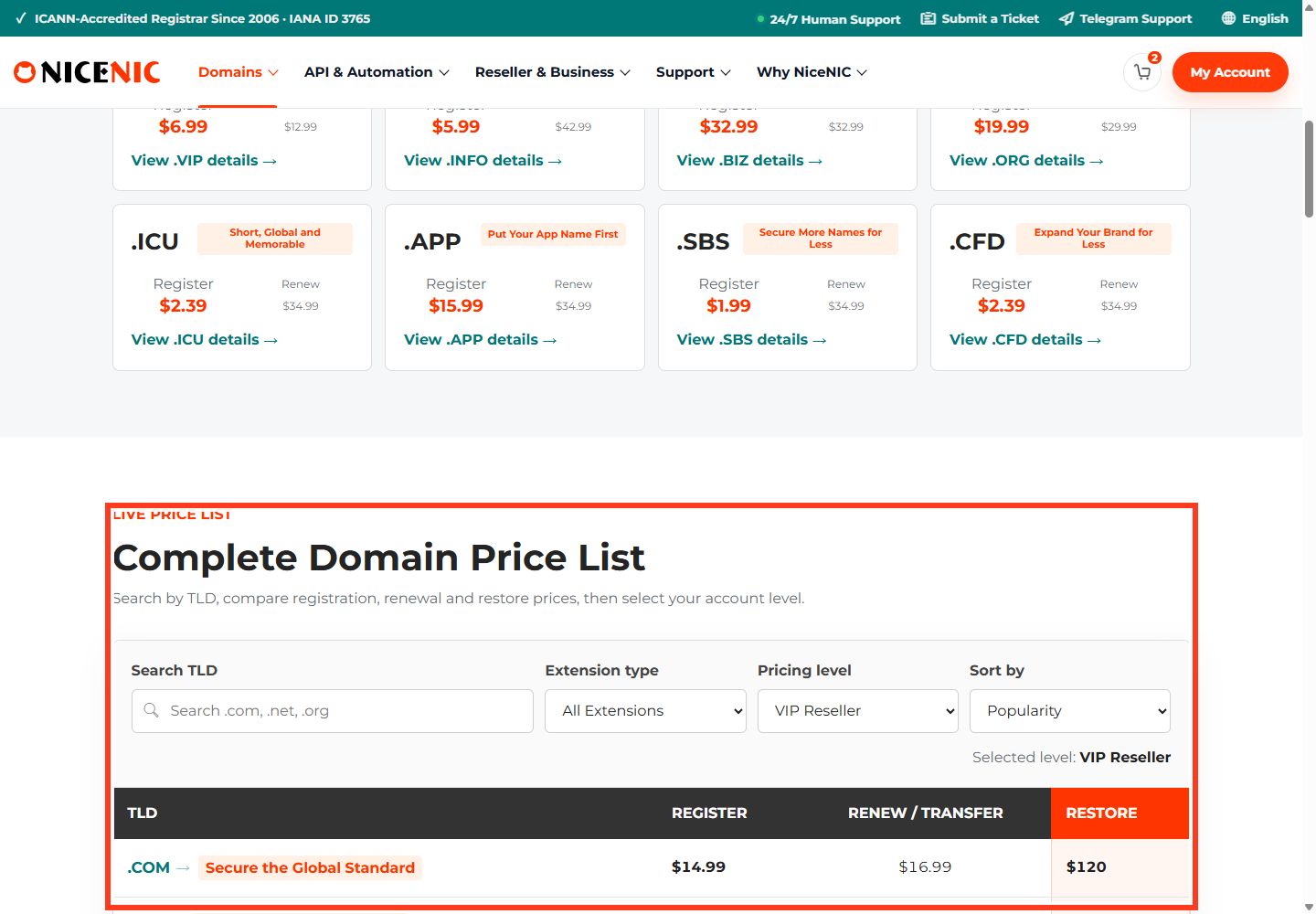
- If the domain appears in an auction or cannot be renewed, contact NiceNIC Support before assuming the name is still recoverable. Auction eligibility and the point at which restoration ends vary by policy.
- Record your nameservers, DNS records, dependent mailboxes and certificate settings in case they must be checked again after restoration.
A successfully processed payment is not proof that the registry has completed a restore. Verify the updated expiry date, registry status and public DNS resolution.
Understand the stages
Do not rely on a fixed "30 + 30 days" rule for every TLD. A name may enter a disposal or auction process under terms that overlap an earlier renewal window, and some ccTLDs use shorter or very different periods.
After restoration
Recheck authoritative nameservers, A/AAAA/MX records, website HTTPS and business email. If the name was suspended, DNS recovery may take additional time after its registry status is cleared.
Prevent the next incident
Set a renewal reminder well before the expiry date, maintain an accessible account email and a valid payment method, and audit important business domains quarterly. Read NiceNIC's Expired Domain Policy for the currently applicable steps; contact Support for the exact domain rather than guessing a deadline.
Recovery scenarios: what to do at each stage
redemptionPeriod
pendingDelete without a recoverable state
Example: store.example reaches expiry, and the website disappears. The business owner should first check domain expiry and EPP status—not change the A record. If the registrar still permits normal renewal, renew immediately and then verify DNS recovery. If the domain is already in redemption, ask for a restore quote; paying an old ordinary renewal invoice may not complete restoration.
Protect the business while waiting
List affected customer-facing services: main website, checkout, transactional email, staff mail, authentication and any third-party integrations relying on the domain. Preserve DNS configurations, export email where possible and monitor for impersonation. After the domain is restored, test MX, SPF/DKIM, website redirects, HTTPS certificates and inbound/outbound mail separately. Restoration of the registration does not automatically repair every downstream service.


