


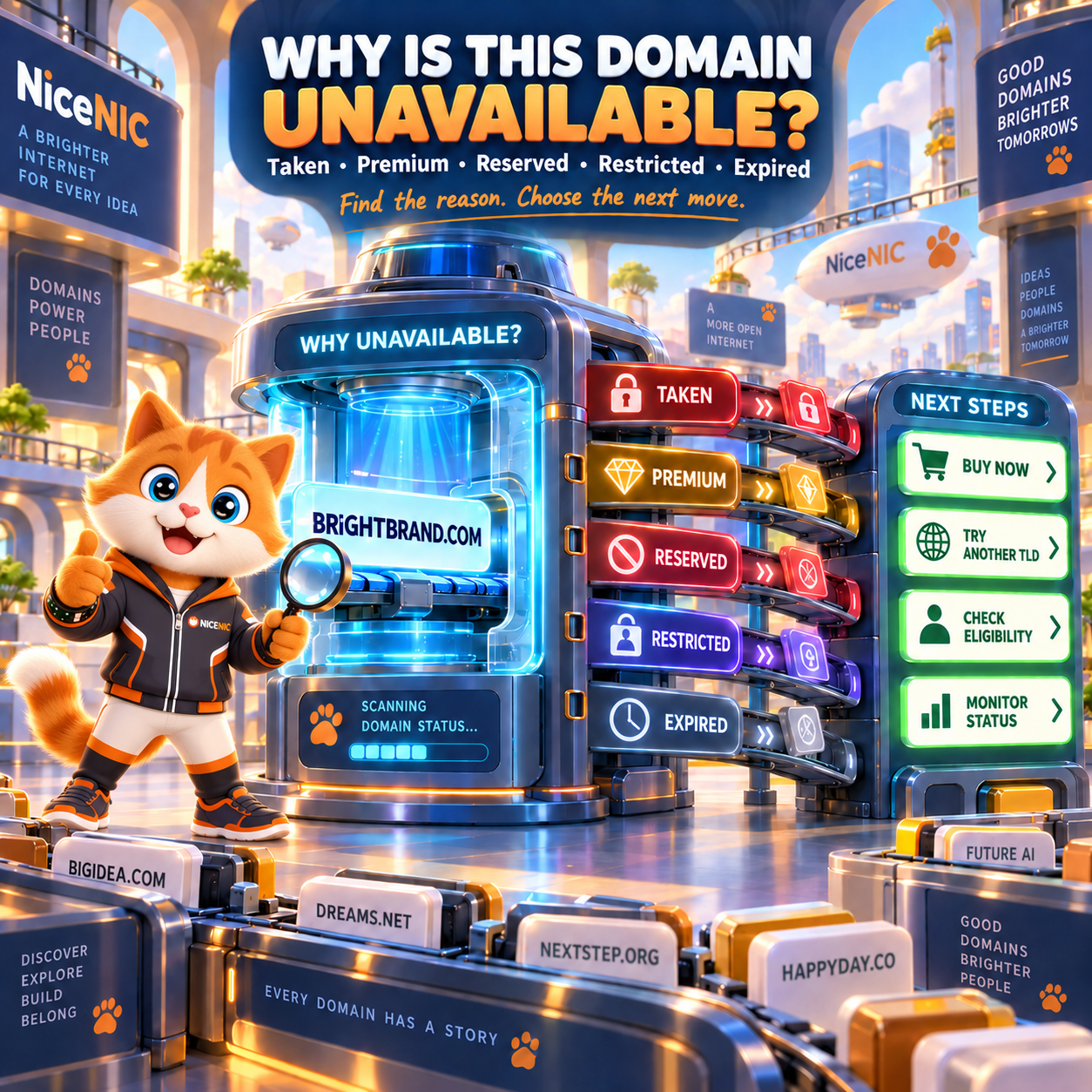
If a domain search says Unavailable, it does not always mean the same thing.
The domain may already be registered by someone else, but it could also be:
- a Registry Premium name;
- reserved or blocked by the registry;
- restricted to eligible registrants;
- expired but still inside its post-expiration lifecycle;
- pending deletion;
- temporarily unavailable because of registry processing;
- already registered but listed for sale on the aftermarket.
And if there is no website at the domain, that still does not mean the domain is available.
Start by checking the exact name through NiceNIC Domain Search. If it is already registered, check its current registration information with NiceNIC WHOIS / RDAP Lookup or ICANN Lookup for applicable gTLDs.
If the registered domain is listed at a fixed price, you may also be able to find it through the NiceNIC Buy Now Domain Marketplace.
The key question is:
Why is this exact domain unavailable right now, and what is the correct next step for that specific reason?
Quick Answer: Why Can a Domain Be Unavailable?
The most important rule is:
Unavailable is a result. It is not always the reason.
Does "Unavailable" Always Mean Someone Owns the Domain?
No.
A domain may be unavailable because another active registration exists.
But registries can also withhold certain names from normal registration.
For gTLDs, ICANN maintains several categories of reserved names, and registry operators can also have additional reservation or blocking policies under their agreements.
See ICANN Reserved Names for gTLDs.
So when a domain cannot be registered, first separate:
Already Registered
from:
Not Available for Normal Registration
Those are different situations.
Why Is a Domain Taken Even Though There Is No Website?
Because domain registration and website hosting are separate.
Someone can register:
example.com
without ever:
- building a website;
- configuring DNS;
- connecting hosting;
- creating email.
The domain registration can remain fully active.
A blank page, browser error or parked page therefore tells you very little about whether the domain is available for registration.
The correct check is:
Registration status, not website appearance.
Use ICANN Lookup or NiceNIC WHOIS / RDAP Lookup rather than assuming an inactive website means an unregistered domain.
A Domain Can Be Registered Without Being Used
Businesses and individuals often hold domains for reasons such as:
- future projects;
- brand protection;
- product launches;
- regional expansion;
- investment;
- email;
- redirects;
- defensive registrations.
The domain may therefore show:
no active website
while remaining:
actively registered.
This is normal.
What Does "Available" Actually Mean?
A domain marked Available generally means the registry currently allows that exact name to be submitted for registration under the applicable rules.
It does not necessarily mean:
- the price is standard;
- no documentation is required;
- registration will complete instantly;
- the search result reserves the name for you.
Before buying, still check:
- exact spelling;
- TLD;
- registration price;
- renewal price;
- Standard vs Premium;
- eligibility;
- required documents.
The NiceNIC Domain Registration Guide explains the complete registration process.
A Domain Search Does Not Reserve the Name
This is an important point.
Suppose you search:
greatbrand.com
at 10:00 AM.
It shows:
Available
You discuss the name with your team.
At 3:00 PM you return.
Now it shows:
Unavailable
That can happen because another registrant successfully registered it first.
Availability is time-sensitive.
A search result is not a reservation or guarantee that the domain will still be available later.
If the exact domain is important and you have already confirmed:
- brand fit;
- price;
- eligibility;
- trademark considerations;
unnecessary delay creates the risk that another registrant registers it first.
What Is a Registry Premium Domain?
A Registry Premium domain can still be unregistered and available, but the registry has placed that specific name into a higher pricing tier.
For example, ordinary names under a TLD might register at the normal rate while a short commercial word has Premium pricing.
Depending on the registry, Premium pricing can affect:
- registration;
- renewal;
- transfer.
This means:
Available does not always mean standard price.
Before purchasing a Registry Premium domain, check both:
Registration Price
and:
Renewal Price
NiceNIC explains the two Premium models in What Is a Premium Domain and How Does It Work?.
Registry Premium vs Already-Registered Premium Domain
These are different.
Registry Premium
The domain may still be unregistered.
The registry assigns special pricing.
Example:
Search → Available → Premium Price
Aftermarket Premium
The domain has already been registered.
Its current registrant is offering it for sale.
Example:
Search → Already Registered → Fixed Buy Now Price
For eligible fixed-price listings, check the NiceNIC Buy Now Domain Marketplace.
Do not assume every expensive domain is Registry Premium.
And do not assume every Premium domain is already registered.
What Is a Reserved Domain Name?
A reserved domain is a name that is withheld from ordinary registration.
Reservation can happen because of:
- ICANN-required reserved-name categories;
- registry operational requirements;
- country or territory names;
- government-related rules;
- registry-specific policies;
- technical reasons;
- protected names.
ICANN’s gTLD framework contains formal reserved-name categories.
Registry operators can also have TLD-specific rules.
So:
Reserved does not mean somebody registered the domain.
It means the domain is currently not available through the ordinary registration path.
Can a Reserved Domain Ever Become Available?
Sometimes.
It depends on why the name is reserved.
Certain categories can potentially be released under applicable ICANN or registry procedures.
Others may remain unavailable.
Do not assume:
"Reserved today = available next month."
For an important domain, check the rules of the exact registry.
The registrar cannot simply override a registry reservation.
What Is a Restricted Domain?
A restricted domain is different from a reserved domain.
The name may be registrable, but only if the registrant satisfies specific requirements.
Possible requirements include:
- residency;
- local presence;
- business registration;
- professional eligibility;
- trademark rights;
- government or educational status;
- industry membership;
- passport or identification;
- company documentation.
For example, some ccTLDs have substantially different registration rules from .COM.
The safest rule is:
Check the exact TLD.
Do not assume the registration rules for one extension apply to another.
Restricted Does Not Always Mean Unavailable
Suppose:
brand.example
requires the registrant to be a qualifying business.
For an eligible company, the domain may be registrable.
For an ineligible individual, it may not be.
That means the real status is:
Available subject to eligibility
rather than:
universally unavailable.
This distinction matters when registering:
- ccTLDs;
- professional extensions;
- sponsored or restricted domains.
Why Is an Expired Domain Still Unavailable?
Because expiration does not usually mean:
instantly released to the public.
After expiration, a domain may move through one or more lifecycle stages.
Depending on the TLD, these can include:
- post-expiration renewal;
- auction or closeout;
- redemption;
- pending delete;
- release.
The current registrant may still have recovery rights during parts of that lifecycle.
NiceNIC's Expired Domain Renewal, Redemption and Auction Policy specifically explains that domain lifecycle timing varies by TLD and registry.
So:
Expired ≠ Available
How Long After Expiration Does a Domain Become Available?
There is no universal answer.
The timeline depends on:
- TLD;
- registry;
- registrar process;
- post-expiration renewal rights;
- redemption;
- auction;
- pending delete;
- registry deletion timing.
Some TLDs have:
- long recovery periods;
- short recovery periods;
- no conventional redemption stage;
- unusual renewal deadlines.
Do not use a universal statement such as:
"Every expired domain becomes available after 75 days."
That is not true for every TLD.
What Does redemptionPeriod Mean?
For applicable domains, redemptionPeriod is a registry lifecycle status during which the previous registrant may still have an opportunity to restore the domain.
During that stage, the domain is generally not available for ordinary new registration.
A third party cannot normally treat it as:
"expired, therefore free to register."
The current registration lifecycle has not finished yet.
What Does pendingDelete Mean?
For applicable TLDs, pendingDelete is a late lifecycle stage before deletion from the registry.
At this point, normal renewal or restoration is generally no longer available.
But:
Pending Delete still does not mean Available.
The domain first needs to be deleted and released by the registry.
Even then, there is no guarantee you will be the person who successfully registers it.
Other users, registrars or automated systems may be trying to register the same name.
How Can You Check Whether an Unavailable Domain Is Expired?
Check registration data.
Use:
- ICANN Lookup for applicable gTLDs;
- NiceNIC WHOIS / RDAP Lookup;
- the applicable registry lookup for the TLD.
Look for information such as:
- registrar;
- expiration date;
- domain status;
- nameservers.
Remember that public registrant information may be redacted.
The fact that you cannot see the registrant’s name does not mean the registration has disappeared.
Why Is My Expired Domain Still Showing as Registered?
Because the previous registration lifecycle may still be active.
Possible stages include:
- post-expiration renewal;
- redemption;
- pending delete.
If this is your domain, do not wait for it to become publicly available and then try to register it again.
That creates unnecessary risk.
Instead, check whether:
- normal renewal is available;
- restoration is available;
- NiceNIC Support needs to review the TLD-specific status.
For a NiceNIC-managed domain, Submit a Support Ticket if the recovery option is unclear.
Why Is a Domain Unavailable on One Registrar but Different Somewhere Else?
Several things can create apparently different results.
Possible reasons include:
- cached search results;
- different timing;
- registry maintenance;
- Premium inventory;
- aftermarket marketplace integration;
- reseller/upstream integration;
- TLD eligibility handling.
For actual registration availability, the relevant registry is ultimately authoritative.
If two sites disagree:
- recheck the exact domain;
- verify the spelling;
- check registration data;
- try the registration path;
- avoid relying on an old search result.
Why Did an Available Domain Fail During Registration?
This is another common source of confusion.
The search said:
Available
but the registration failed.
Possible causes include:
- someone else registered it first;
- registry availability changed;
- Premium price changed or requires confirmation;
- required registrant data is missing;
- eligibility failed;
- document verification failed;
- nameserver validation failed;
- registry maintenance;
- payment did not complete;
- another TLD-specific requirement applies.
So:
Availability Check
and:
Successful Registration
are two separate events.
Domain Availability Is Not the Same as Registration Completion
A complete registration workflow can look like:
Search → Availability → Price → Eligibility → Contact Data → Payment → Verification → Registry Processing → Active
A standard automated gTLD may move through that sequence quickly.
A restricted ccTLD may need:
- documents;
- registry approval;
- real-name verification.
A Premium domain may require:
- a different price;
- Premium-price confirmation.
Always diagnose the stage where the registration stopped.
Why Is a Domain Reserved but Similar Names Are Available?
Registry rules usually apply to specific labels or categories, not every similar-looking word.
For example:
example1.tld
may be available while:
example.tld
is reserved.
This does not necessarily indicate a registrar error.
The exact label itself can have a special registry status.
Try:
- another word;
- another extension;
- a brand variation.
What Should You Do If the Domain You Want Is Already Registered?
You have several practical options.
Option 1: Check Whether It Is for Sale
Search the domain through the NiceNIC Buy Now Domain Marketplace.
If the current registrant has listed it at a fixed price, you may be able to purchase the domain rather than register it as a new name.
Always review:
- exact domain;
- purchase price;
- renewal price;
- delivery process.
Option 2: Try Another Extension
If:
brand.com
is taken, another extension may still fit the project.
Possible options depend on the business.
Examples can include:
- country domain;
-
.AI; -
.APP; -
.SHOP; -
.NET; - another relevant industry extension.
Use NiceNIC Domain Search to compare availability.
For a broader decision framework, see Which Domain Extension Should You Choose?.
Option 3: Generate a Better Alternative
Sometimes changing the brand name slightly creates a better domain than paying heavily for the first choice.
NiceNIC provides an AI Domain Name Generator for generating additional domain ideas.
Use it when:
-
exact
.COMis taken; - you need a short alternative;
- you're comparing several TLDs;
- the existing domain is too expensive.
Option 4: Check a Fixed-Price Aftermarket Listing
An already-registered domain may be available to purchase even though it is unavailable for normal registration.
That is the purpose of the NiceNIC Buy Now Domain Marketplace.
The distinction is:
New Registration
versus:
Acquisition from Existing Registrant
Do not confuse the two prices.
Should You Wait for an Expired Domain to Drop?
You can monitor it, but there is no guarantee that you will obtain it.
Before waiting, ask:
- Is the domain actually expired?
- Is it still renewable?
- Is it in redemption?
- Is it in pending delete?
- Does the registry follow a predictable release process?
- Is the domain valuable enough that others may also try to obtain it?
For an important business launch, waiting indefinitely for an unavailable domain can cost more than selecting a strong alternative now.
What If the Unavailable Domain Matches Your Business Name?
Do not assume that owning a company name automatically gives you registrar control of the matching domain.
If somebody else registered the domain:
- check when it was registered;
- review how it is being used;
- consider trademark rights;
- consider whether acquisition is possible.
A genuine domain-name dispute can involve:
- trademark rights;
- bad-faith registration;
- UDRP;
- applicable law.
Do not attempt to use false registration complaints merely because somebody legitimately registered the domain before you.
Should You Add a Hyphen If the Exact Domain Is Taken?
Sometimes, but compare alternatives first.
For example:
mybrand.com
is taken.
Possible alternative:
my-brand.com
Before using the hyphen, ask:
- Will users forget it?
- Will email be harder to explain?
- Does the non-hyphenated domain belong to a competing business?
- Is another clean TLD better?
A domain should remain easy to:
- say;
- spell;
- remember;
- type.
Should You Add Words to the Domain?
A useful word can sometimes produce a stronger alternative.
For example:
brand.com
is unavailable.
Possible alternatives:
brandapp.com
getbrand.com
brandlabs.com
brandshop.com
Whether that is a good solution depends on the business.
Avoid adding random words only to force availability.
The final domain should still make sense years later.
How to Diagnose an Unavailable Domain in 5 Minutes
Use this order.
Minute 1: Confirm the Exact Domain
Check:
- spelling;
- extension;
- hyphens;
- numbers.
Minute 2: Run a Registration Lookup
Use ICANN Lookup or NiceNIC WHOIS / RDAP Lookup.
Ask:
Is there an existing registration?
Minute 3: Check the Domain Status
Look for:
- active registration;
- expiration;
- redemption;
- pending delete;
- other relevant status.
Minute 4: Check Premium / Marketplace Options
Use:
Determine whether the name is:
- Registry Premium;
- aftermarket;
- ordinary registered domain.
Minute 5: Choose the Next Action
Decide:
- register now;
- buy aftermarket;
- check another TLD;
- generate alternatives;
- verify eligibility;
- monitor lifecycle.
Do not keep repeating the same search without identifying the reason.
Symptom → Likely Reason → Next Step
redemptionPeriod
pendingDelete
Common Domain Availability Mistakes
"There is no website, so the domain must be available."
No.
A registered domain does not need an active website.
"WHOIS does not show a person's name, so nobody owns it."
No.
Public registration data can be redacted.
"Expired means I can register it now."
No.
The previous registration lifecycle may still be active.
"Pending Delete means I already have the domain."
No.
It has not yet been released.
"Premium means somebody owns it."
Not necessarily.
Registry Premium domains can still be unregistered.
"Reserved means another person registered it."
Not necessarily.
The registry may be withholding the name.
"If it was available this morning, I can register it tonight."
Not guaranteed.
Search does not reserve the domain.
"All unavailable domains can be bought from the owner."
No.
Some are:
- reserved;
- restricted;
- blocked;
- not listed for sale.
Frequently Asked Questions
Why is a domain unavailable?
It may already be registered, reserved, blocked, restricted, Premium, expired but not yet released, or temporarily unavailable because of registry processing.
Why is a domain taken if there is no website?
Because domain registration and website hosting are separate. Someone can hold a domain without using it for a website.
How can I tell if a domain is already registered?
Use ICANN Lookup for applicable gTLDs or NiceNIC WHOIS / RDAP Lookup.
Why doesn't RDAP show the owner's name?
Registration data may be redacted under applicable privacy and registration-data rules.
What is a reserved domain?
It is a domain label withheld from ordinary registration under ICANN, registry or TLD-specific rules.
Can a reserved domain become available?
Sometimes, depending on the reservation category and registry rules. There is no universal release rule.
What is a restricted domain?
It is a domain or TLD available only to registrants who satisfy applicable eligibility requirements.
Is a Premium domain unavailable?
Not necessarily. A Registry Premium domain can be unregistered and available at a Premium price.
What is an aftermarket domain?
It is an already-registered domain being offered for sale by its current registrant.
Can NiceNIC help me buy an already registered domain?
Eligible fixed-price listings can be searched through the NiceNIC Buy Now Domain Marketplace.
Why is an expired domain still unavailable?
Because expiration may be followed by renewal, auction, redemption, pending delete or other registry lifecycle stages before release.
Can I register a domain in redemption?
Normally not as a new registration. The existing registrant may still have restoration rights.
Can I register a domain in pending delete?
Not yet. The registry must first delete and release it, and successful registration after release is not guaranteed.
Why did my registration fail after the search said Available?
Availability can change, or the registration may fail because of pricing, eligibility, verification, payment, nameserver validation or another registry requirement.
Does searching a domain reserve it?
No.
What should I do if my .COM is taken?
Check whether it is for sale, consider another extension or generate a strong brand variation.
Can I use AI to find another domain?
Yes. Use the NiceNIC AI Domain Name Generator to generate alternatives and then confirm live availability.
Final Domain Availability Checklist
Before giving up on a domain, check:
- Exact spelling is correct.
- Correct TLD is selected.
- Live domain search has been run.
- RDAP / registration data has been checked.
- Existing registration status is known.
- Expiration date has been checked.
- Redemption / pending-delete status has been checked where relevant.
- Registry Premium status has been considered.
- Renewal price has been checked for Premium domains.
- TLD eligibility requirements have been checked.
- Reserved or blocked-name rules have been considered.
- Buy Now / aftermarket availability has been checked.
- Alternative TLDs have been compared.
- Strong brand variations have been considered.
- Trademark conflicts have been considered.
- You understand that a search result does not reserve the domain.
The simplest rule is:
First identify why the domain is unavailable. Then choose the correct path.
Do not treat every unavailable domain the same.
A registered domain may be purchasable.
A Premium domain may still be registrable.
A restricted domain may require eligibility.
A reserved domain may not be open at all.
An expired domain may simply not have reached release yet.
Find the Next Path for Your Domain
Search the exact domain
Search Available Domains at NiceNIC
Check whether it is already registered
Use NiceNIC WHOIS / RDAP Lookup
See if the registered domain is listed for sale
Search NiceNIC Buy Now Domains
Need another domain idea?
Compare another extension
Searching many alternatives?
Use NiceNIC Bulk Domain Search
Need account-specific help?
Submit a NiceNIC Support Ticket
Primary Sources and Further Reading
- ICANN — Registration Data Lookup
- ICANN — Reserved Names for gTLDs
- ICANN — Registry Operator Services and Reserved Names
- NiceNIC — Domain Search
- NiceNIC — WHOIS / RDAP Lookup
- NiceNIC — What Is a Premium Domain?
- NiceNIC — Buy Now Domain Marketplace
- NiceNIC — Expired Domain Renewal, Redemption and Auction Policy
- NiceNIC — AI Domain Name Generator
Last verified: September 8, 2026. Domain availability, Premium pricing, registry reservations, registration requirements and lifecycle status can change. Always verify the exact domain and TLD using current registrar and registry information before making a purchase decision.


