


What Does My Domain Status Mean
A domain's status is the state reported by your registrar or registry. Some codes describe security locks, others indicate verification problems or expiration stages. The exact code matters: the label "inactive" in an account panel may not be an official registry EPP status.
Common statuses and what they mean
ok
clientTransferProhibited
serverTransferProhibited
clientHold
serverHold
redemptionPeriod
pendingDelete
pendingTransfer
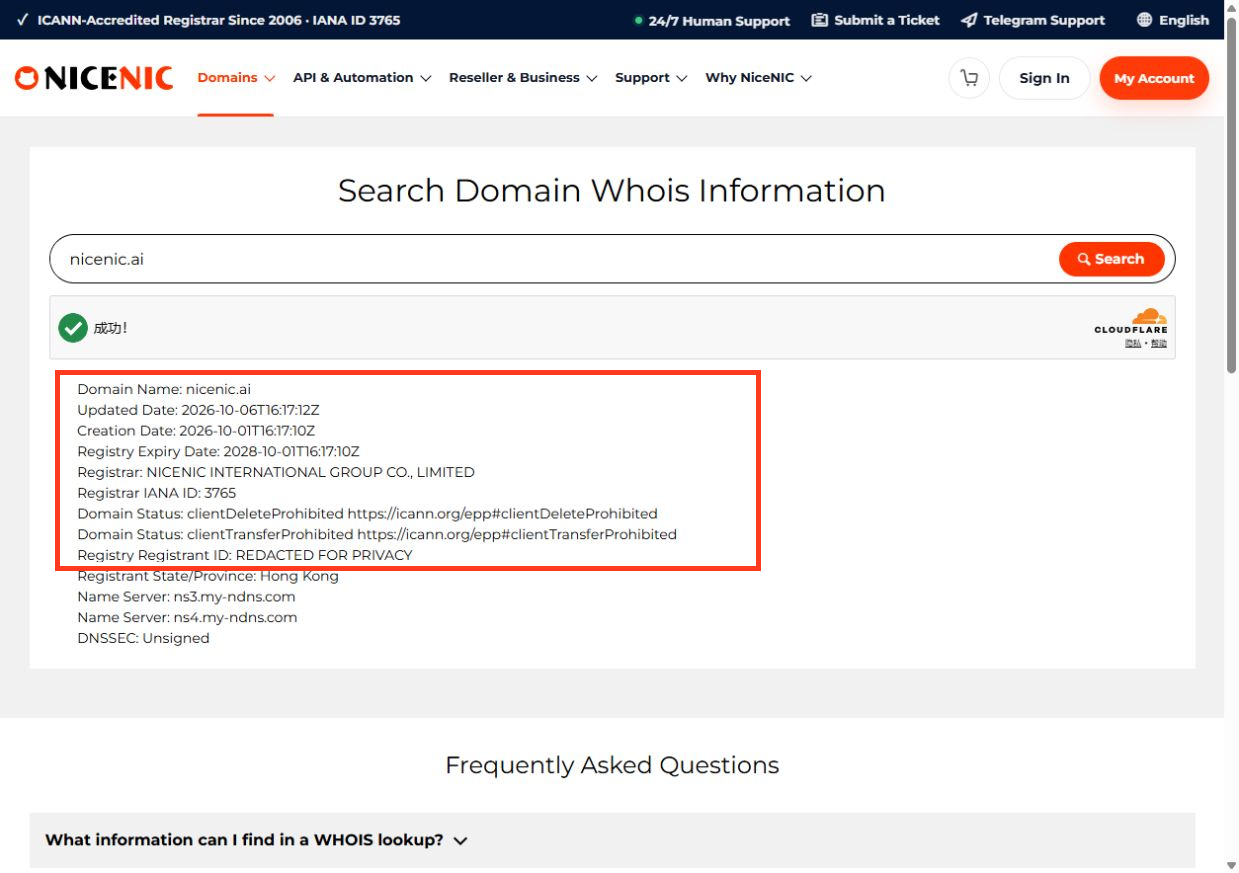
Check which status applies
Sign in to the NiceNIC account holding the domain. Compare its domain-management display with the official registry lookup or RDAP result. Check expiration, nameservers, contact-verification messages and recent transfer or compliance notices.
If your website cannot resolve, first look for a Hold status before editing DNS. If you only see a transfer lock, look for an unrelated DNS or hosting problem. If the domain is expired, check restoration options before the registry deletes it.
Different TLDs may use additional codes or processes. Keep a record of the full status list and timestamp when contacting Support.
Related: What clientHold and serverHold Mean and How to Check Domain Status Before Transfer or Renewal.
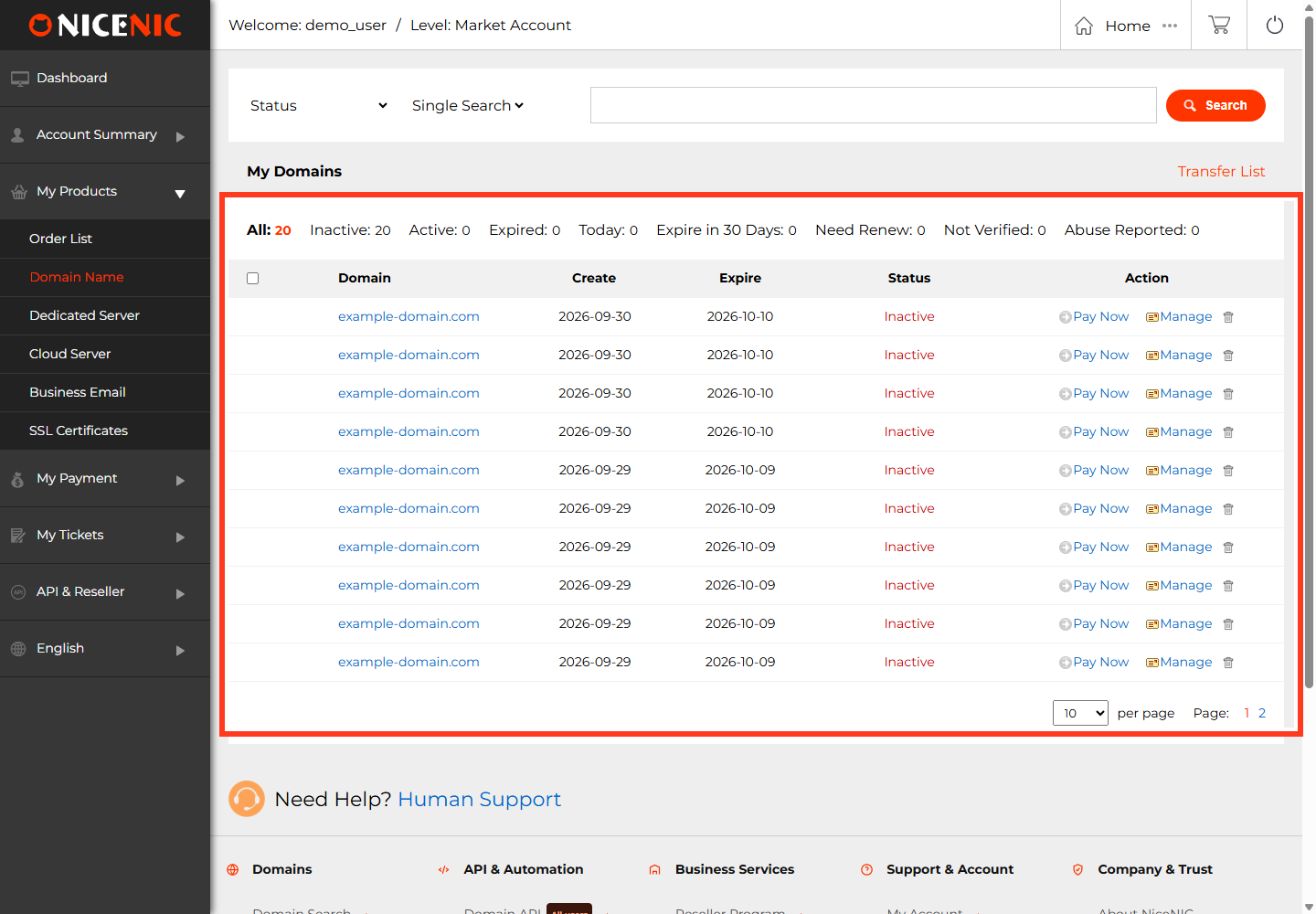
Translate status codes into actions
A registrar control-panel label such as Processing or Pending Approval is not necessarily an EPP registry code. Separate the two:
ok
clientTransferProhibited
serverTransferProhibited
clientHold / serverHold
pendingTransfer
redemptionPeriod
pendingDelete
Example: If the website is offline and RDAP shows ok, the status alone does not establish DNS health. Continue with nameserver and server checks. Conversely, if RDAP shows serverHold, first resolve the hold rather than repeatedly editing DNS.
For a full authoritative definition of EPP codes, consult ICANN's current status-code descriptions. A country-code registry may use different labels or lifecycle states.


