


Views:125
Time:2026-08-04 13:58:19 Author: windy 

Registration at NiceNIC is straightforward: search for an available name, enter the real domain holder's information, review the order, and complete payment.
This guide covers direct domains such as example.uk. A .UK domain and a .CO.UK domain are separate registrations.
Quick Answer
Individuals and organizations in the United Kingdom and other countries can generally register a direct .UK domain.
Overseas customers should select their actual country and enter the real contact information of the person or organization that will own the domain. A UK address or UK telephone number is not required in the NiceNIC registration process shown in this guide.
The example order used here shows a one-year .UK registration price of $14.99. Your final price may vary according to your NiceNIC account level, current promotion, or payment method. Always check the live checkout amount before paying.
Before You Start
Prepare:
- The .UK domain name you want
- The real name of the individual or organization that will own it
- A valid address in the holder's actual country
- A working telephone number and email address
- A supported payment method
Step 1: Search for Your .UK Domain
Go to the NiceNIC domain search page and enter the complete name you want, such as:
examplebrand.uk
Click Search to check whether the domain is available.
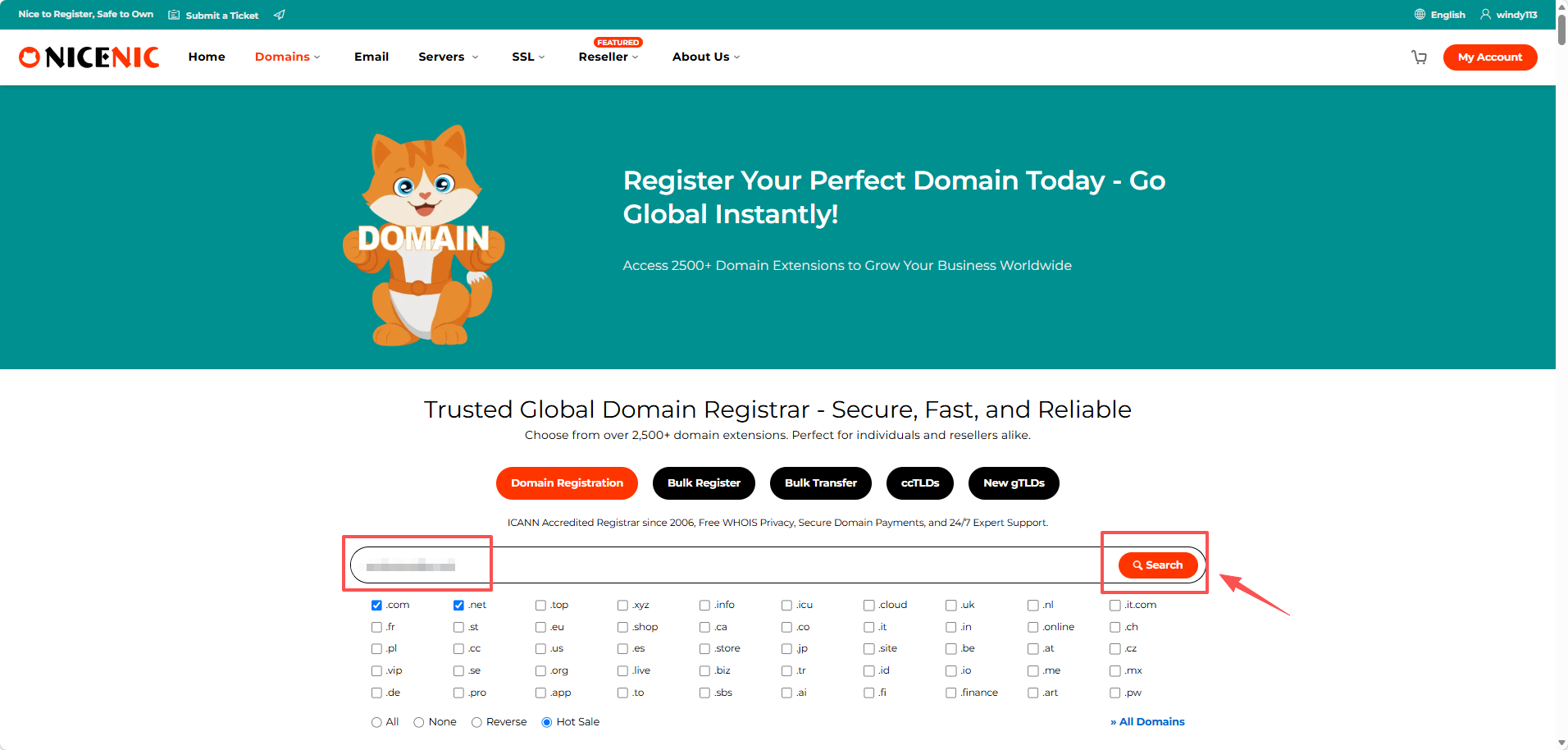
Choose a name that is:
- Easy to spell and remember
- Relevant to your business or project
- Suitable for customers in the UK
- Unlikely to infringe another party's trademark
Step 2: Enter the Domain Holder's Details
After selecting an available domain, NiceNIC opens the contact information page.
Enter the real details of the individual or organization that will own the domain, including:
- Name and company, if applicable
- Actual country or region
- Address and postal code
- Telephone number
- Working email address
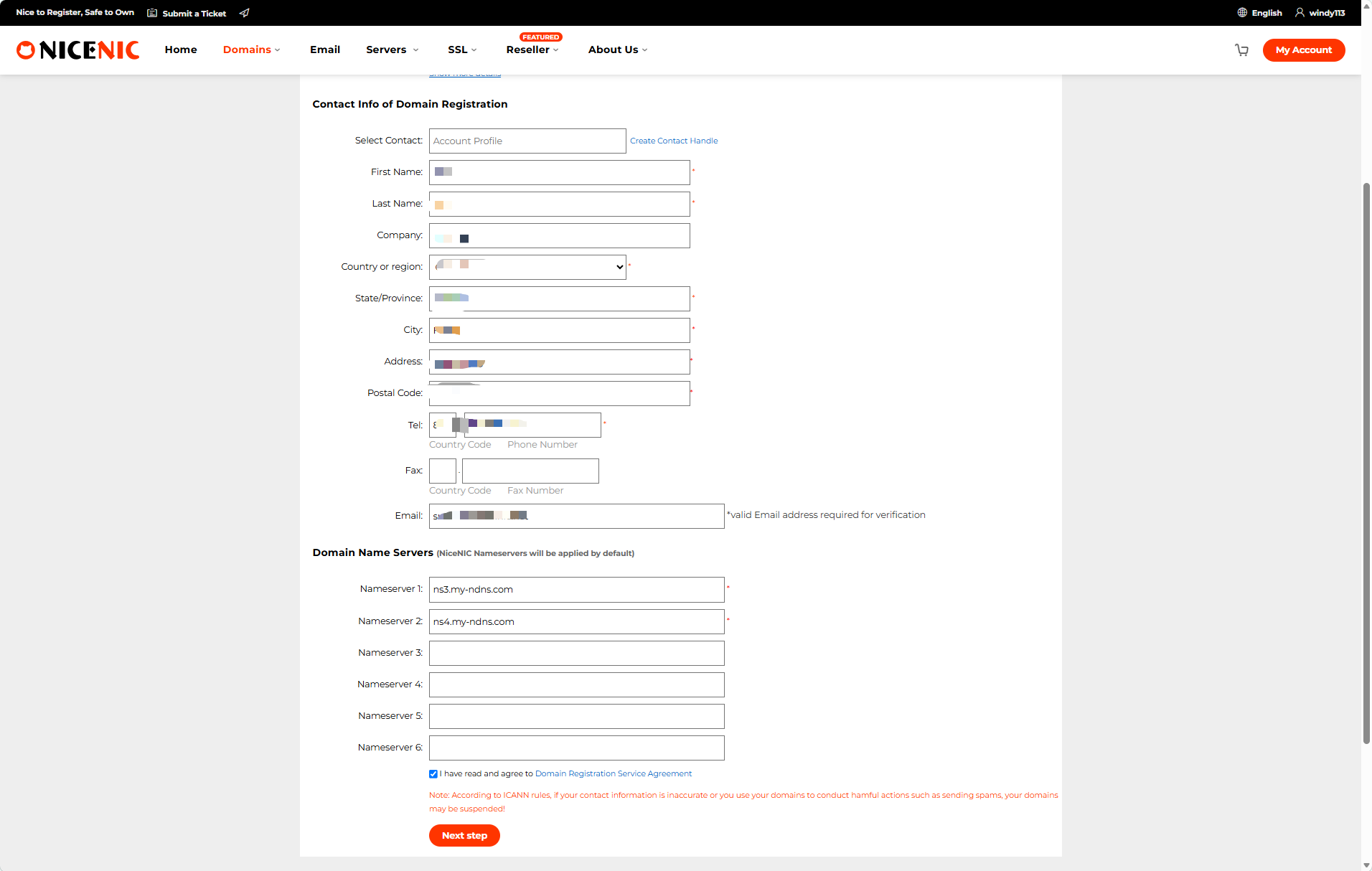
Customers outside the United Kingdom should select their actual country and use their real address. Do not enter an invented UK address.
Use an email address that is checked regularly because registration, verification, renewal, or account notices may be sent there. The fax field can normally be left blank.
NiceNIC automatically enters its default nameservers:
ns3.my-ndns.com
ns4.my-ndns.com
You can keep them unless your hosting or DNS provider has supplied different nameservers. The remaining nameserver fields can be left empty. Review the information, accept the Domain Registration Service Agreement, and click Next step.
Step 3: Review the Registration Information
The next page displays the information that will be submitted with the order.
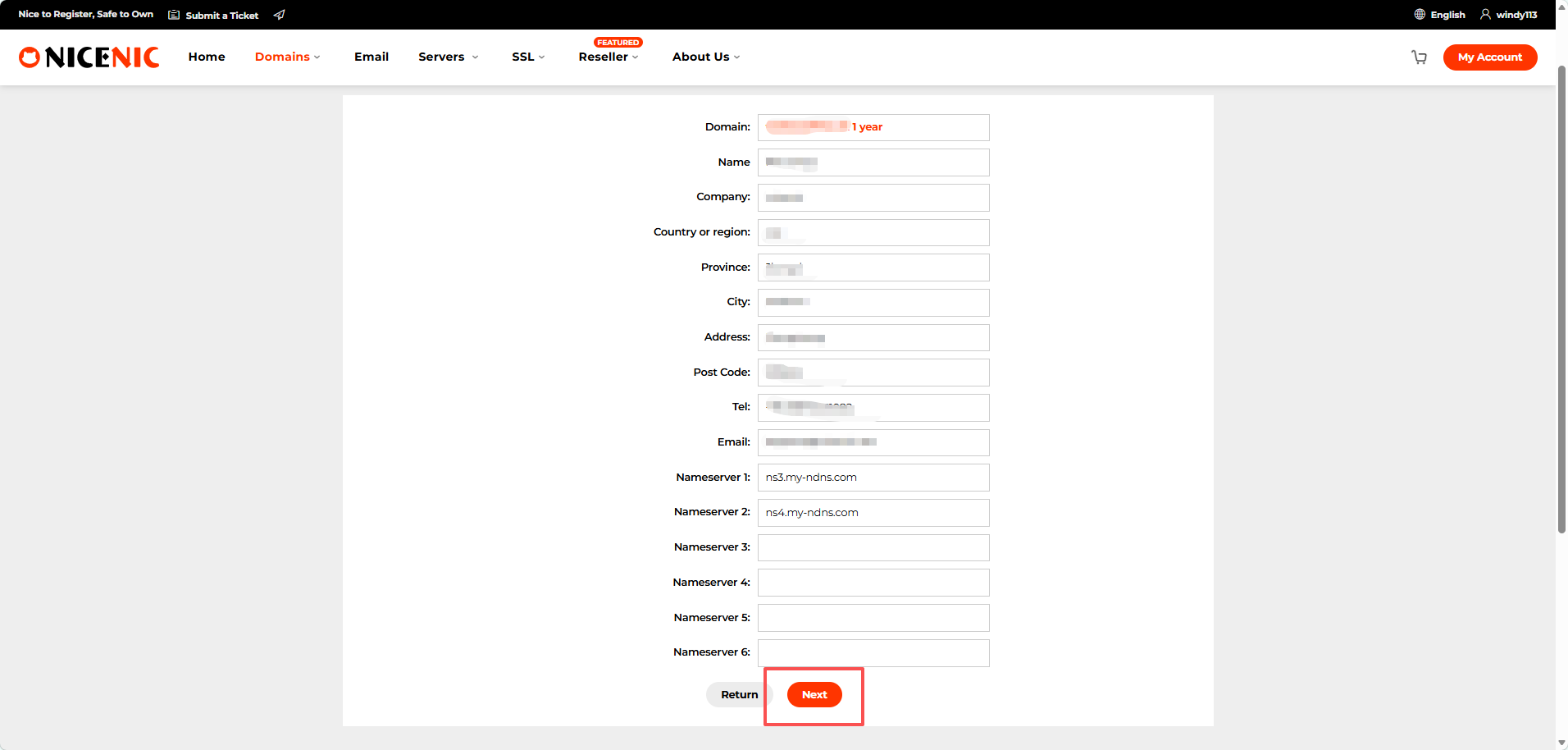
Check the most important details:
- Domain spelling
- Holder's name
- Company name, if applicable
- Country and address
- Email address
- Registration period
For example:
example.uk and example.co.uk are two separate domain names. Registering one does not include the other.
Correct any error before continuing. When everything is accurate, click Next.
Step 4: Confirm the Price and Complete Payment
The order page shows:
- Order number
- Domain name
- Registration period
- Registration price
- Total amount
- Current account balance
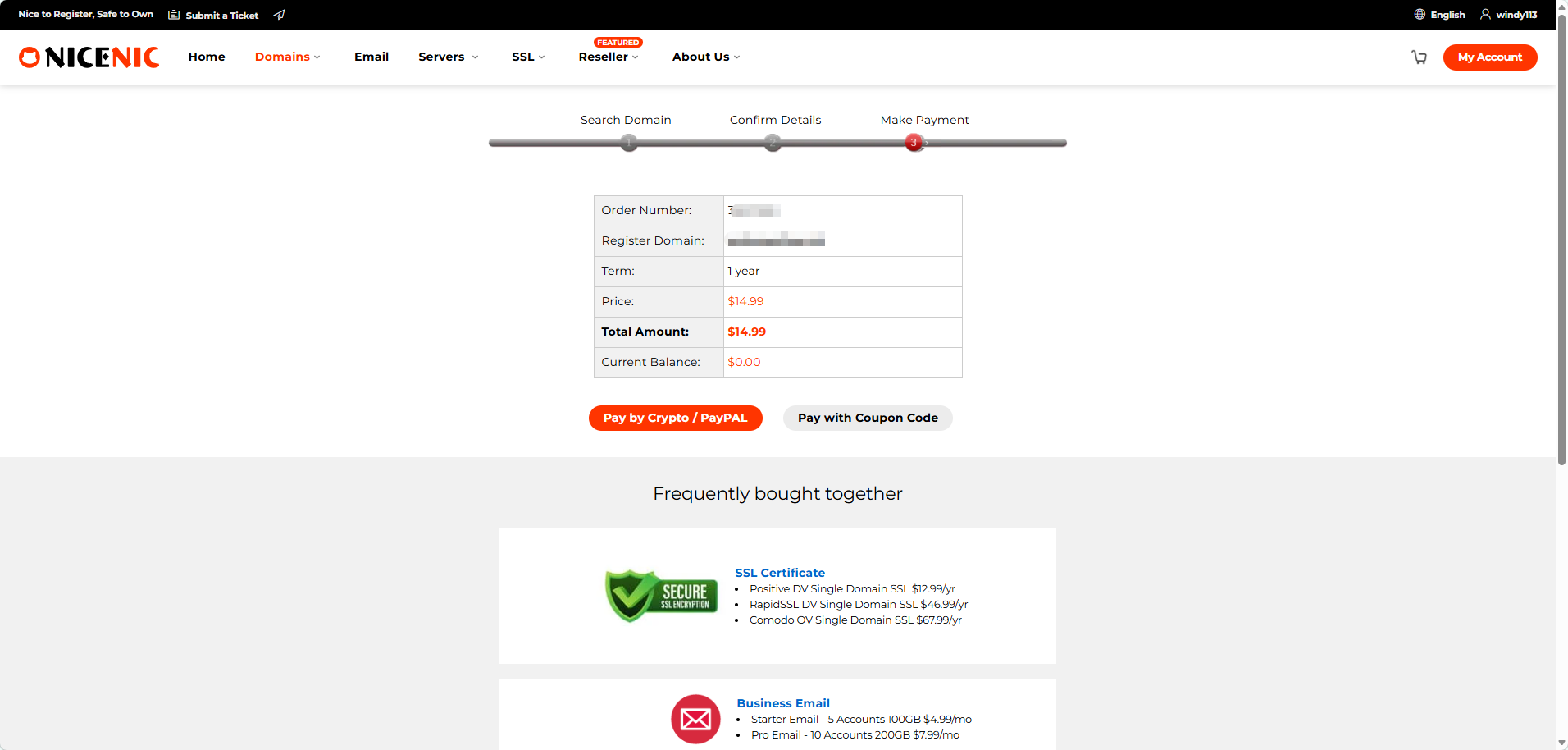
Registration and renewal prices may also differ. Review the live amount shown in your account before paying.
Click Pay to continue.
The payment page displays the methods currently available for the order.
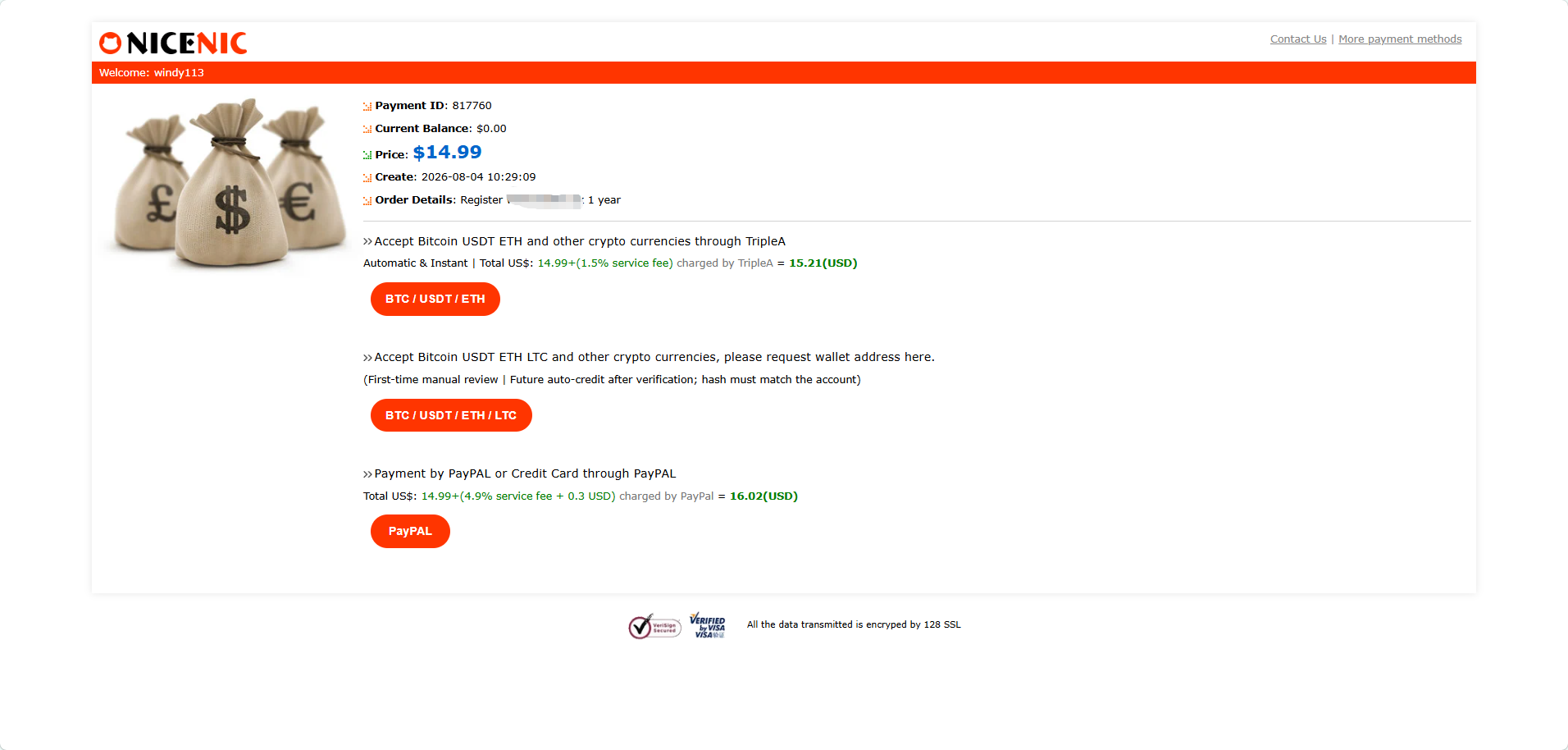
Available options may include cryptocurrency, PayPal, or credit card payment through PayPal.
A payment provider may add a processing fee. Check the final amount before completing the payment.
Always use the payment details generated for the current order. Do not reuse a wallet address, payment link, network, or amount from a previous transaction.
What Happens After Payment?
After completing payment, return to your NiceNIC account and check the order status.
Active
The domain has been registered successfully and is available in your account.
You can then connect hosting, configure DNS records, create business email accounts, or change the nameservers.
Pending
The payment or registration request is still being processed.
Do not place another order or pay again while the original order remains pending.
Verification Required
NiceNIC may ask you to confirm an email address or correct incomplete contact information.
Follow the instructions in the email or support ticket.
Failed
The registration may fail when:
The domain is no longer available
Required contact information is incomplete
The payment has not been credited
The order requires additional review
Check the order message before trying again.
Common .UK Registration Problems
The domain became unavailable
Another customer may have registered the domain after your initial search.
Search for an alternative name or compare the matching .CO.UK version.
The address or postal code is rejected
Confirm that the selected country matches the address and postal code.
Do not select the United Kingdom when the domain holder is actually based in another country.
The domain is registered but the website does not open
Domain registration does not automatically create a website.
The domain must still be connected to hosting through nameservers or DNS records. DNS changes may also take time to become visible.
Payment was completed but the order is pending
Check your NiceNIC account and email for:
- Payment confirmation
- Verification request
- Registration update
- Request to correct information
Frequently Asked Questions
1. Can someone outside the UK register a .UK domain?
Yes. Direct .UK domains are generally available to individuals and organizations in the UK and overseas.
2. Is a UK address required?
The NiceNIC registration form shown in this guide allows overseas customers to enter their actual country and address. Do not use an invented UK address.
3. What is the difference between .UK and .CO.UK?
.UK is the shorter direct extension. .CO.UK is a separate and widely recognized UK commercial namespace. Registering one does not automatically register the other.
4. How much does a .UK domain cost at NiceNIC?
The example order shown in this guide is $14.99 for one year. Your account level, promotion, renewal price, or payment fee may affect the final amount.
Register Your .UK Domain
Search for your preferred name, enter the real holder information, review the order, and complete payment through one of the available payment methods.
Check .UK availability and register your domain at NiceNIC.
ICANN Accredited Registrar Since 2006
Buy and Register Your .UK Domain Today
Check .UK domain availability, register a new .UK domain, search multiple names in bulk, or transfer your existing .UK domains to NiceNIC. Built for businesses, domain investors, agencies, hosting providers, and resellers.
Renew: $14.99
Market
$22.49 $14.99
first year
Renew: $14.39
Basic
$14.39
4% off
Renew: $14.39
Super
$14.39
4% off
Renew: $13.99
VIP
$13.99
7% off
RELATED NEWS:
Last News:
.SURF, .YOGA and .BEER Domain Promotion: Build a Passion-Led Brand for $3.99
Next News: .VIP, .LUXE and .FASHION Domain Promotion: Premium Branding from $3.99
Next News: .VIP, .LUXE and .FASHION Domain Promotion: Premium Branding from $3.99


