


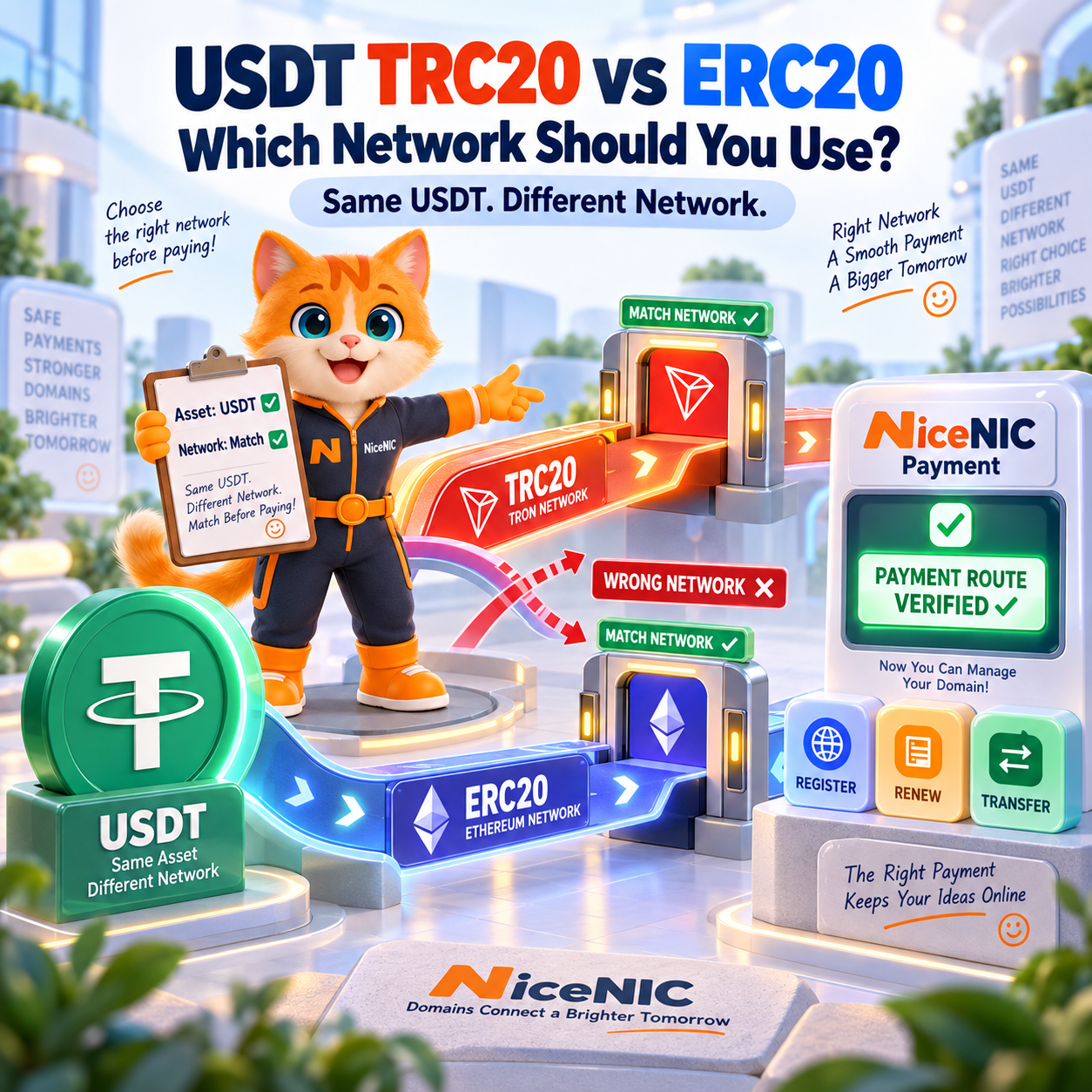
USDT TRC20 and USDT ERC20 both let you transfer Tether USD₮, but they use different blockchain networks.
TRC20 uses TRON.
ERC20 uses Ethereum.
NiceNIC also currently supports USDT through BNB Smart Chain / BEP20 via its separate Manual Crypto payment route for regular resellers.
For a NiceNIC domain payment, there is no universal rule that TRC20, ERC20, or BEP20 is always the better choice. The correct network is the one provided for the payment route you are actually using.
Before sending USDT, verify four things:
Asset + Network + Address + Amount
If your payment instruction says USDT TRC20, use TRON.
If it says USDT ERC20, use Ethereum.
If your NiceNIC Manual Crypto instruction says USDT BEP20, use BNB Smart Chain / BEP20.
Do not substitute one network for another simply because another route appears cheaper or faster.
NiceNIC currently adds a 0% crypto processing fee. For Online Crypto payments through Triple-A, the provider currently charges a 1.5% service fee. Wallet, exchange, withdrawal, or blockchain network costs may apply separately.
Before paying, you can:
Review NiceNIC Crypto Payment Options
TRC20 vs ERC20 vs BEP20: Quick Comparison
USDT TRC20
Blockchain: TRON Network standard: TRC20 NiceNIC Online Crypto: Supported as USDT on TRON NiceNIC Manual Crypto: Supported when TRC20 is specified Interchangeable with ERC20 or BEP20? No What determines whether you should use it? Your current payment instructions
USDT ERC20
Blockchain: Ethereum Network standard: ERC20 NiceNIC Online Crypto: Supported as USDT on Ethereum NiceNIC Manual Crypto: Supported when ERC20 is specified Interchangeable with TRC20 or BEP20? No What determines whether you should use it? Your current payment instructions
USDT BEP20
Blockchain: BNB Smart Chain Network standard: BEP20 NiceNIC Online Crypto through Triple-A: Not part of the current published Online USDT network list NiceNIC Manual Crypto: Supported when BEP20 / BNB Smart Chain is specified Interchangeable with TRC20 or ERC20? No What determines whether you should use it? Your current NiceNIC Manual Crypto instructions
The simplest rule is:
Match the payment route and network first. Compare fees second.
What Is USDT TRC20?
USDT TRC20 is Tether USD₮ transferred through the TRON network using the TRC20 token standard.
A wallet or exchange may display this route as:
- USDT TRC20
- USDT — TRON
- USDT — TRX Network
- USDT on TRON
When your NiceNIC payment instructions specify:
USDT TRC20
select the corresponding:
TRON / TRC20
network in your wallet or exchange.
The word USDT alone is not enough.
You must also confirm the blockchain network.
TRON uses network resources known as Bandwidth and Energy. A USDT transfer is a smart-contract transaction, so the actual sending cost can depend on how your wallet, exchange, or sending account handles those resources.
An exchange may instead charge its own withdrawal fee.
For that reason, do not assume that every TRC20 transaction has the same cost.
You can review the technical standard in the official TRON TRC20 documentation.
What Is USDT ERC20?
USDT ERC20 is Tether USD₮ transferred through the Ethereum network using the ERC20 token standard.
A wallet or exchange may display this route as:
- USDT ERC20
- USDT — Ethereum
- USDT on Ethereum
- Ethereum Network
When your NiceNIC payment instructions specify:
USDT ERC20
select:
Ethereum / ERC20
in your sending wallet or exchange.
Do not send through TRON or BNB Smart Chain merely because those networks also offer a USDT withdrawal option.
Ethereum transaction costs can vary with network conditions.
An exchange may also charge its own ERC20 withdrawal fee, which can differ from the underlying blockchain transaction cost.
You can review the technical standard in the official Ethereum ERC20 documentation.
What Is USDT BEP20?
USDT BEP20 refers to a USDT payment route using BNB Smart Chain and the BEP20 token standard used on that network.
NiceNIC currently supports USDT through BNB Smart Chain / BEP20 via its Manual Crypto payment route for regular resellers.
BEP20 is not part of NiceNIC’s current published Triple-A Online Crypto USDT network list.
If your current NiceNIC Manual Crypto payment instructions specify:
USDT BEP20
select:
BNB Smart Chain / BSC / BEP20
in your wallet or exchange.
Do not confuse:
BEP20
with:
ERC20
or:
TRC20
even if your wallet labels all three assets as USDT.
They are different blockchain routes and should not be treated as interchangeable.
You can review BNB Smart Chain technical information in the BNB Chain documentation.
Are TRC20, ERC20, and BEP20 the Same USDT?
They represent the same USD-linked stablecoin for payment purposes, but they operate on different blockchain networks.
That means their blockchain routes, token contracts, addresses, transaction fees, and confirmation conditions are not interchangeable.
A useful way to think about them is:
USDT → TRON → TRC20
USDT → Ethereum → ERC20
USDT → BNB Smart Chain → BEP20
The asset name may look the same in your wallet, but the network matters just as much as the token.
If NiceNIC provides a payment instruction for one network, do not independently switch to another.
Which USDT Networks Does NiceNIC Currently Support?
NiceNIC currently provides two separate crypto-funding workflows.
Triple-A Online Crypto
The current published Online Crypto USDT networks are:
- Ethereum
- TRON
- Polygon
- Solana
- Arbitrum One
For Online Crypto, use the asset and network displayed in the current Triple-A payment flow.
NiceNIC Manual Crypto
NiceNIC also provides a separate Manual Crypto route for regular resellers.
Current Manual Crypto payment instructions can include the following USDT routes:
- TRC20 / TRON
- ERC20 / Ethereum
- BEP20 / BNB Smart Chain
These lists are not interchangeable.
In particular:
NiceNIC support for USDT BEP20 does not mean that BNB Smart Chain is currently part of Triple-A Online Crypto checkout.
BEP20 should be used only when the current NiceNIC Manual Crypto instructions specifically provide a BEP20 / BNB Smart Chain route.
Does NiceNIC Support USDT BEP20?
Yes.
NiceNIC currently supports USDT through BNB Smart Chain / BEP20 via its Manual Crypto payment route for regular resellers.
BEP20 is not part of the current published Triple-A Online Crypto USDT network list.
Use BEP20 only when the current NiceNIC Manual Crypto instructions specifically provide:
USDT — BNB Smart Chain / BEP20
Do not take a TRC20 or ERC20 payment instruction and independently send the funds through BEP20.
Likewise, if your Manual Crypto payment is configured for BEP20, use the exact BEP20 wallet address, network, and amount provided for that transaction.
What Other Manual Crypto Options Does NiceNIC Support?
NiceNIC’s Manual Crypto route is separate from Triple-A Online Crypto.
Current Manual Crypto assets can include:
- Bitcoin
- Ethereum
- Litecoin
- USDT
- USDC
For current stablecoin Manual Crypto payments, NiceNIC instructions can include:
USDT
- TRC20
- ERC20
- BEP20
USDC
- TRC20
- ERC20
- BEP20
For ETH, use the Ethereum network specified in the payment instructions.
For Bitcoin and Litecoin, use the corresponding native network instructions provided for the payment.
Always obtain or confirm the current Manual Crypto wallet information before sending funds.
Do not reuse an old wallet address simply because it worked for an earlier transaction.
Online Crypto Payment vs. Manual Crypto Payment
Understanding the difference between these two routes prevents one of the most common crypto-payment mistakes.
Online Crypto Payment
NiceNIC Online Crypto is processed through Triple-A.
For USDT, the currently published online networks are:
- Ethereum
- TRON
- Polygon
- Solana
- Arbitrum One
After the required confirmation and successful payment processing, the corresponding NiceNIC account balance is credited automatically.
NiceNIC currently adds a 0% crypto processing fee.
Triple-A currently charges a 1.5% service fee for the online route.
Wallet, exchange, or blockchain costs may apply separately.
Manual Crypto Payment
Manual Crypto is a separate funding route for regular resellers.
It uses current NiceNIC wallet instructions rather than the Triple-A online checkout.
The first Manual Crypto payment is reviewed.
Future eligible payments can be credited according to the verified Manual Crypto workflow when the transaction information matches the NiceNIC account.
Manual Crypto can include USDT and USDC routes that are not part of Triple-A’s current published online network list.
The rule is therefore:
Never assume that support in one NiceNIC crypto route automatically means support in the other.
Which Network Should You Use for a NiceNIC USDT Payment?
Do not begin with:
Which network is cheapest?
Begin with:
Which network does my current NiceNIC payment instruction require?
Then follow this order.
Step 1: Open the Current NiceNIC Payment Workflow
Sign in to the NiceNIC account you intend to fund.
Review the current options through NiceNIC Payment Options.
If you are using Online Crypto, continue through the current online payment flow.
If you are using Manual Crypto, obtain or confirm the current Manual Crypto instructions.
Step 2: Confirm the Payment Route
First determine whether the payment is:
- Online Crypto through Triple-A
- Manual Crypto through the current NiceNIC reseller funding instructions
Do this before choosing a network.
Step 3: Confirm the Asset
Make sure the asset is:
USDT
Do not select a different stablecoin merely because it uses the same network.
Step 4: Confirm the Network
If the payment says:
USDT TRC20
use:
TRON / TRC20
If it says:
USDT ERC20
use:
Ethereum / ERC20
If the Manual Crypto instruction says:
USDT BEP20
use:
BNB Smart Chain / BEP20
Step 5: Confirm the Destination
Use the wallet address or payment destination supplied for the current transaction.
Do not assume an address from an earlier transaction is still valid.
Step 6: Confirm the Amount
Send the amount required by the payment instruction.
Also check whether your wallet or exchange deducts its withdrawal fee separately.
Before confirming, verify:
Asset + Network + Address + Amount
Is TRC20 Cheaper Than ERC20?
Sometimes, but not always.
Your actual sending cost can depend on:
- Blockchain conditions
- Wallet provider
- Cryptocurrency exchange
- Exchange withdrawal policy
- Network resources
- Payment provider
- Current transaction conditions
An exchange may charge a withdrawal fee that differs substantially from the underlying blockchain transaction fee.
Therefore, the correct order is:
- Confirm the supported payment route.
- Match the required network.
- Review the actual fee displayed by your wallet or exchange.
- Send the payment.
Do not save a small amount on transaction cost by using the wrong network.
Is TRC20 Faster Than ERC20?
There is no fixed rule that one network will always result in faster NiceNIC account credit.
Actual processing can depend on:
- Blockchain confirmation
- Network conditions
- Payment-provider processing
- Transaction details
- Payment matching
- Applicable risk or compliance review
NiceNIC’s Online Crypto workflow is designed to credit the account automatically after the required payment confirmation.
That does not mean every crypto payment is guaranteed to be instant.
If a registration, transfer, or renewal is time-sensitive, fund the account before the deadline rather than depending on a last-minute blockchain transfer.
How Much Does NiceNIC Charge for USDT Payments?
NiceNIC currently adds:
0% crypto processing fee
For the Online Crypto route, Triple-A currently charges:
1.5% service fee
Wallet, exchange, withdrawal, or blockchain network fees may also apply.
It is useful to separate three possible cost layers.
NiceNIC Fee
0%
Online Payment Provider Fee
Currently 1.5% through Triple-A.
Wallet, Exchange, or Blockchain Cost
Depends on the platform and network used to send the funds.
For Manual Crypto, the Triple-A online service fee does not apply because Manual Crypto does not use Triple-A checkout.
External wallet, exchange, or blockchain costs can still apply.
See NiceNIC Payment Options for the current payment information.
Step-by-Step: Pay NiceNIC With USDT TRC20
Step 1: Sign In
Sign in to the NiceNIC account that will place or manage the domain order.
New customers can create a NiceNIC account.
Step 2: Open the Current Funding Workflow
Go to the current Add Funds workflow.
Confirm whether you are using Online Crypto or Manual Crypto.
Step 3: Select USDT TRC20
If the payment instruction shows:
USDT TRC20
continue with that route.
Step 4: Open Your Wallet or Exchange
Select:
USDT
and then:
TRON / TRC20
Step 5: Verify the Details
Check:
- USDT
- TRON / TRC20
- Destination
- Amount
If any item differs from the NiceNIC payment instruction, do not send the transaction.
Step 6: Send the Payment
Complete the transfer through your wallet or exchange.
Step 7: Save the Transaction Reference
Keep:
- Transaction hash / TXID
- Amount
- Network
- Payment time
- Payment reference
Never share:
- Private keys
- Seed phrases
- Wallet recovery phrases
- NiceNIC account passwords
Step 8: Confirm the NiceNIC Balance
After processing, confirm that the balance is actually available in your NiceNIC account.
Do not confuse:
Transaction sent
with:
NiceNIC balance credited
These are separate stages.
Step-by-Step: Pay NiceNIC With USDT ERC20
If your current NiceNIC payment instruction specifies ERC20:
- Confirm that the asset is USDT.
- Confirm that the network is Ethereum / ERC20.
- Select the matching Ethereum network in your wallet or exchange.
- Verify the current destination.
- Verify the amount.
- Review the sending fee.
- Send the transaction.
- Save the transaction hash.
- Confirm the credited NiceNIC account balance.
Do not switch from ERC20 to TRC20 merely because TRC20 appears less expensive at that moment.
Generate or obtain the correct payment instruction for the network you intend to use.
Step-by-Step: Pay NiceNIC With USDT BEP20
USDT BEP20 should be used through NiceNIC’s Manual Crypto route when the current instructions specifically provide BNB Smart Chain / BEP20.
Follow these steps:
- Sign in to the correct NiceNIC account.
- Obtain the current Manual Crypto payment instructions.
- Confirm that the asset is USDT.
- Confirm that the network is BNB Smart Chain / BEP20.
- Select the same BNB Smart Chain / BEP20 network in your wallet or exchange.
- Verify the wallet address.
- Verify the amount.
- Review any exchange or network fee.
- Send the transaction.
- Save the TXID.
- Confirm that the NiceNIC account balance is credited.
The important point is not simply:
NiceNIC supports BEP20.
It is:
NiceNIC supports USDT BEP20 through its Manual Crypto route, and the payment you are sending must be specifically configured for BEP20.
Do not use a BEP20 transfer with a TRC20 or ERC20 payment instruction.
Never Reuse an Old Crypto Wallet Address Without Checking
This matters especially for resellers and customers who fund their NiceNIC accounts repeatedly.
Before every payment, verify:
- Asset
- Network
- Destination
- Amount
- Current payment route
- Current payment instructions
Do not send funds using an address copied from:
- An old support ticket without reconfirmation
- Another customer
- An unverified social-media or messaging account
- An old screenshot
- An earlier transaction whose instructions may no longer apply
Crypto transfers can be difficult or impossible to reverse.
Current payment instructions are more important than convenience.
What If Your Crypto Payment Is Not Credited?
Do not immediately send the payment again.
First collect the transaction information.
Check:
- NiceNIC account
- Payment record
- Cryptocurrency
- Network
- Destination
- Amount
- Transaction hash
- Payment time
- Current account balance
Then check the wallet or blockchain transaction status.
If the transaction has received the required confirmation but the NiceNIC balance remains unchanged, submit a NiceNIC Support Ticket with the payment reference and TXID.
Do not send your private key, seed phrase, or password.
What If the Online Payment Provider Marks the Transaction Invalid?
Online Crypto payment providers may apply their own transaction, risk, or compliance review.
If an online payment is marked invalid or rejected, NiceNIC may not have received the funds.
Check:
- Provider status
- NiceNIC payment record
- Account balance
- Any return or provider-side payment information
If the result remains unclear, contact NiceNIC Support.
Do not repeatedly create new transactions to try to bypass the existing payment status.
What If You Used the Wrong Network?
Do not assume that a wrong-network transfer can always be recovered.
Record:
- Asset
- Network actually used
- Destination
- Transaction hash
- Amount
- Time
Then contact NiceNIC Support.
Recovery depends on the specific network, address, custody setup, provider, and transaction.
Recovery is not guaranteed.
The safest approach is to verify the network before sending funds.
Can You Pay for Domain Registrations With USDT?
Yes.
The practical NiceNIC workflow is:
USDT payment → NiceNIC account balance → Domain order → Registry result
After the account balance is available, the funds can be used for eligible NiceNIC services such as:
- New domain registration
- Domain renewal
- Incoming transfer
- Other supported services
Before ordering, check current registration, renewal, and transfer costs through NiceNIC Domain Prices.
Payment success and domain-registration success are separate events.
A successful USDT payment means the NiceNIC account has been funded.
The domain order still has to be submitted and successfully processed.
Can Hosting Providers and Domain Resellers Fund NiceNIC With USDT?
Yes.
Crypto account funding can be useful for:
- Hosting companies
- Domain resellers
- Agencies
- SaaS platforms
- Portfolio managers
- Businesses managing international domain operations
One important distinction is:
How your customer pays your business
does not have to be the same as:
How your business funds its registrar account
For example, a hosting provider may accept cards, bank payments, or local payment methods from customers while using USDT to maintain its NiceNIC account balance.
These are separate payment workflows.
Why Account Funding Matters to a Domain Reseller
A reseller may need available registrar credit for:
- Registrations
- Renewals
- Transfers
- Automated orders
Running out of usable registrar balance at the wrong time can delay paid domain operations.
A more controlled workflow is:
Forecast upcoming domain operations → Check NiceNIC balance → Fund account → Verify credit → Release domain orders
This becomes particularly important when domain operations are automated.
Using Crypto-Funded Balance With NiceNIC Domain API
NiceNIC provides Domain API access for supported domain workflows.
Current Domain API capabilities include:
- Domain availability checks
- Account pricing
- Account balance checks
- Registration
- Renewal
- Incoming transfer
- Domain information
- Nameserver management
- Contact management
- DNS management
Domain API access is available to active Market Accounts and Reseller Accounts.
API access and reseller pricing are separate.
A Market Account can use the Domain API with Market Account pricing, while a Reseller Account uses the pricing assigned to its reseller tier.
NiceNIC does not charge a separate Domain API access fee.
Test Before Production
NiceNIC also provides a dedicated API Sandbox for integration testing.
The Sandbox can be used to validate:
- Authentication
- Request formatting
- Response parsing
- Error handling
- Application workflow
without creating real production domain orders.
Always check the returned API status.
An accepted API request does not necessarily mean the registry operation has already completed.
Using Crypto-Funded Balance With WHMCS
NiceNIC also provides a WHMCS registrar module for supported domain operations.
NiceNIC currently supports the WHMCS 9.0 release line.
A hosting-provider workflow can look like:
Customer payment → WHMCS order → NiceNIC registrar module → NiceNIC account balance → Registry operation
Your customer does not need to pay you with USDT simply because you use USDT to fund NiceNIC.
Customer payment and registrar funding are separate.
View NiceNIC WHMCS Integration
Common USDT Network Payment Mistakes
"USDT is USDT, so any network works."
No.
USDT can be transferred through multiple blockchain networks.
The network must match the payment instruction.
"TRC20 is always cheaper."
Do not assume that.
Check the actual fee displayed by your wallet or exchange.
"ERC20 is always slower."
There is no universal transaction or payment-processing time for every payment.
Check the actual transaction and provider status.
"NiceNIC supports BEP20, so I can send BEP20 to any NiceNIC USDT address."
No.
NiceNIC supports USDT BEP20 through its Manual Crypto route.
That does not make TRC20, ERC20, and BEP20 wallet addresses or payment instructions interchangeable.
Use BEP20 only when the current NiceNIC Manual Crypto instructions specifically provide BEP20.
"The wallet address looks valid, so the network must be correct."
No.
A valid-looking blockchain address does not prove that you selected the correct network.
Confirm the network separately.
"I should always choose the network with the lowest fee."
No.
First choose a network supported for the current NiceNIC payment route.
Then compare the cost among valid options.
"If my payment is slow, I should send it again."
Do not create a duplicate payment before checking the first transaction.
"Payment completed means the domain is registered."
No.
Keep the stages separate:
Payment → Account balance → Domain order → Registry result
Frequently Asked Questions
What Is USDT TRC20?
USDT TRC20 is Tether USD₮ transferred through the TRON network using the TRC20 token standard.
What Is USDT ERC20?
USDT ERC20 is Tether USD₮ transferred through Ethereum using the ERC20 token standard.
What Is USDT BEP20?
USDT BEP20 is a USDT payment route using BNB Smart Chain and the BEP20 standard.
At NiceNIC, BEP20 is currently used through the Manual Crypto route, not the current published Triple-A Online USDT network list.
Does NiceNIC Support USDT TRC20?
Yes.
NiceNIC Online Crypto supports USDT on TRON.
TRC20 can also be used through Manual Crypto when specified in the current payment instructions.
Does NiceNIC Support USDT ERC20?
Yes.
NiceNIC Online Crypto supports USDT on Ethereum.
ERC20 can also be used through Manual Crypto when specified in the current instructions.
Does NiceNIC Support USDT BEP20?
Yes.
NiceNIC supports USDT through BNB Smart Chain / BEP20 via its Manual Crypto payment route for regular resellers.
BEP20 is not part of the current published Triple-A Online Crypto USDT network list.
Use the exact Manual Crypto wallet address and network supplied for the payment.
Which USDT Network Should I Use?
Use the network specified for your current NiceNIC payment.
If it says:
TRC20 → use TRON
ERC20 → use Ethereum
BEP20 → use BNB Smart Chain
Do not switch networks independently.
Can I Switch From TRC20 to ERC20 After Receiving a Payment Instruction?
Do not simply switch networks.
Generate or obtain a payment instruction that matches the network you intend to use.
Can I Switch From TRC20 to BEP20?
Only when the current NiceNIC Manual Crypto instructions provide a BEP20 payment route.
Do not send BEP20 funds using a TRC20 payment instruction.
Is TRC20 Cheaper Than ERC20?
It can be, but not always.
The actual cost depends on your wallet, exchange, provider, and current blockchain conditions.
Is TRC20 Faster Than ERC20?
There is no universal fixed payment time.
Blockchain confirmation and payment-provider processing can vary.
Does NiceNIC Charge a Crypto Processing Fee?
NiceNIC currently adds a 0% crypto processing fee.
For Online Crypto payments, Triple-A currently charges a 1.5% service fee.
Wallet, exchange, withdrawal, or blockchain network costs may also apply.
Does NiceNIC Support Other Online USDT Networks?
Yes.
The current Triple-A Online Crypto USDT network list includes:
- Ethereum
- TRON
- Polygon
- Solana
- Arbitrum One
Separately, NiceNIC Manual Crypto can support:
- TRC20
- ERC20
- BEP20
Do not treat the Online Crypto and Manual Crypto network lists as interchangeable.
Does NiceNIC Manual Crypto Support USDC?
Yes.
Current Manual Crypto payment instructions can include USDC through:
- TRC20
- ERC20
- BEP20
Always use the exact asset, network, and wallet address provided for the current Manual Crypto payment.
Can I Reuse an Old NiceNIC Crypto Wallet Address?
Do not assume so.
Verify the current payment instructions before every transfer.
Can a Wrong-Network Crypto Transfer Always Be Recovered?
No.
Recovery is not guaranteed.
Can I Fund My NiceNIC Reseller Account With USDT?
Yes, subject to the current NiceNIC payment workflow.
Can Crypto-Funded NiceNIC Balance Be Used With WHMCS or Domain API?
Available account balance can support eligible domain operations performed through the applicable WHMCS or Domain API workflow.
Final USDT Payment Checklist
Before sending USDT:
- Correct NiceNIC account confirmed
- Current payment route confirmed
- Current payment instruction opened
- Asset is USDT
- Network confirmed
- TRC20 = TRON, if selected
- ERC20 = Ethereum, if selected
- BEP20 = BNB Smart Chain, if provided through Manual Crypto
- Wallet or exchange uses the same network
- Destination checked
- Amount checked
- Provider fee reviewed, if applicable
- Wallet or network fee reviewed
- Payment reference saved
- TXID saved after sending
- Payment status checked
- NiceNIC account balance verified
- Domain order checked separately
The most important rule is:
Never choose a blockchain network by habit. Match the current NiceNIC payment route and instructions first.
If NiceNIC provides TRC20, use TRC20.
If NiceNIC provides ERC20, use ERC20.
If NiceNIC Manual Crypto provides BEP20, use BEP20.
If anything is unclear:
Do not send the payment until the asset, network, address, and amount are confirmed.
Use USDT for NiceNIC Domain Operations
Review current payment methods and fees
Search for a domain
Compare registration, renewal, and transfer prices
Managing domains for customers?
Already using WHMCS?
Building custom domain automation?
Test your integration first
Need help with a crypto payment?
Submit a NiceNIC Support Ticket
Primary Sources and Further Reading
- NiceNIC — Payment Options
- NiceNIC — Domain Prices
- NiceNIC — Reseller Program
- NiceNIC — Domain API
- NiceNIC — WHMCS Integration
- TRON — TRC20 Documentation
- Ethereum — ERC20 Token Standard
- BNB Chain — BNB Smart Chain Documentation
Last verified: September 22, 2026. Crypto assets, blockchain networks, payment-provider availability, wallet instructions, and fees can change. Always use the exact asset, network, destination, and amount provided for the current NiceNIC payment before sending funds.


