


Direct Answer Capsule
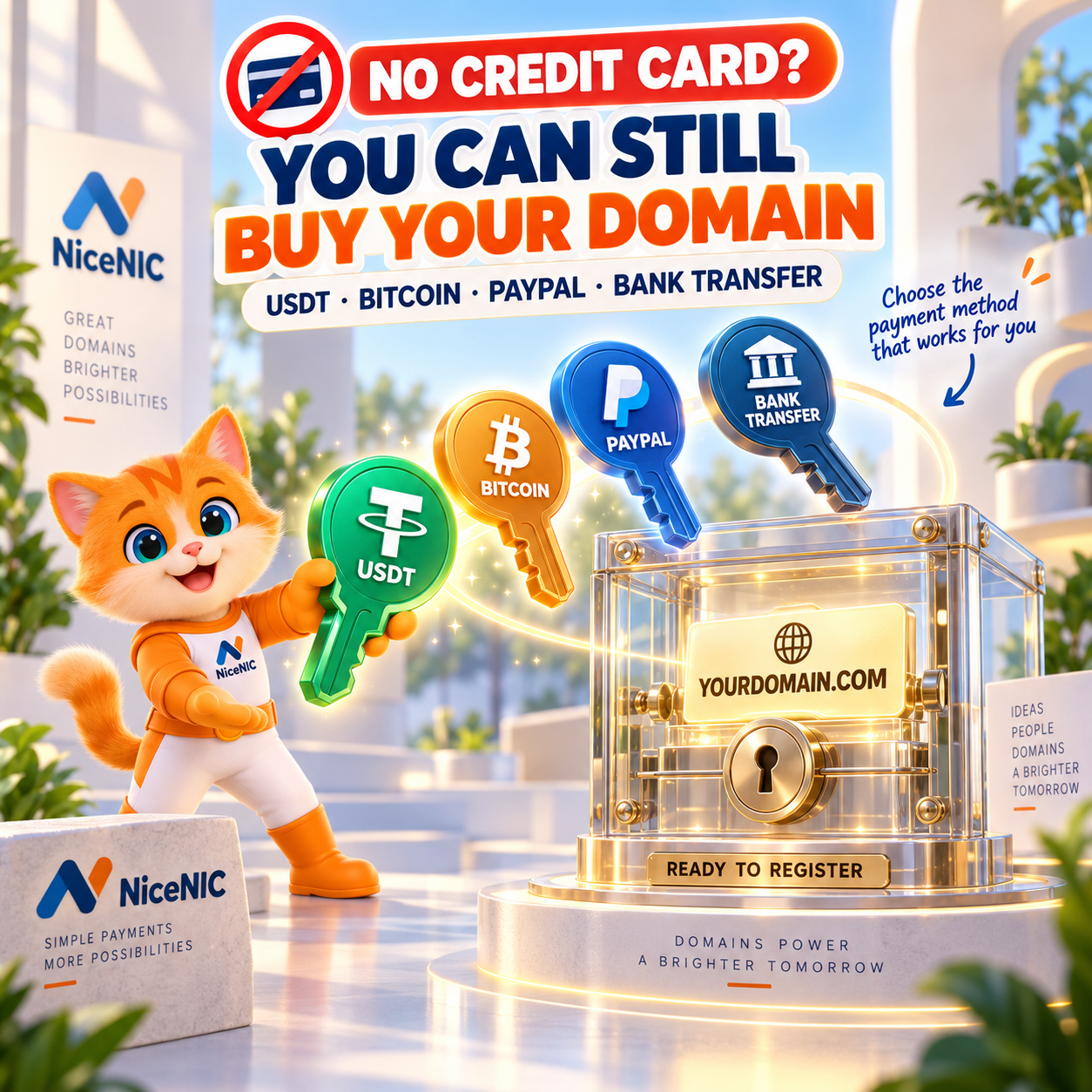
Yes. You can buy and manage domains without using a credit card when your registrar supports another payment method.
At NiceNIC, current alternatives include USDT, Bitcoin and other supported crypto or stablecoin options, PayPal, and international bank transfer. You can fund your NiceNIC account, wait for the payment to be confirmed and credited, then use the available balance for eligible domain registrations, renewals and transfers.
NiceNIC currently charges 0% NiceNIC processing fee for crypto payments, although payment-provider, wallet or blockchain-network fees may still apply.
Start by searching your domain, review the registration and renewal price, then check the live NiceNIC Payment Options before paying.
Hosting companies and domain resellers can also use the same account-balance model with WHMCS or Domain API.
Quick Answer: What Can You Use Instead of a Credit Card?
The important point is:
A credit card is one payment option. It is not a technical requirement for owning a domain name.
The payment methods available for your actual NiceNIC transaction are shown on the live Payment Options page and checkout.
Do You Need a Credit Card to Register a Domain?
No universal domain-registration rule requires you to use a credit card.
A registrar needs to receive valid payment for the registration, but the payment rail can vary by provider.
Depending on the registrar, options may include:
- credit or debit card;
- PayPal;
- bank transfer;
- cryptocurrency;
- prepaid account balance.
NiceNIC uses an account-balance model for many workflows.
You can fund the account through an available payment method, then use the credited balance for eligible:
- domain registration;
- domain renewal;
- domain transfer;
- reseller operations;
- other supported services.
This is useful when a customer or business does not want every domain order tied directly to a card transaction.
Why Would Someone Want to Buy a Domain Without a Credit Card?
There are several practical reasons.
You Already Hold USDT or Bitcoin
A Web3 company, international agency or online business may already keep operating funds in stablecoins or cryptocurrency.
Converting those funds to a bank account before every domain purchase can add another step.
Your Card Does Not Support International Transactions
A legitimate card can still fail because of:
- issuer restrictions;
- international-payment limits;
- merchant controls;
- currency restrictions;
- payment-provider approval.
Another supported payment route can give the customer a way to complete an order without repeatedly retrying the same card.
You Operate Across Borders
A hosting company may receive customer payments in several countries while its upstream registrar is elsewhere.
Bank and card rails can involve:
- foreign exchange;
- international processing;
- intermediary fees;
- approval delays.
Crypto or a funded registrar balance can be useful when it fits the business’s existing treasury workflow.
You Do Not Want to Enter Card Details
Some customers prefer to fund an account using:
- crypto;
- PayPal;
- bank transfer
instead of entering a card into the domain-payment flow.
This should not be confused with anonymous domain registration.
Payment choice and registrant identity are separate issues.
Payment Method 1: Buy Domains With USDT
USDT can be useful because domain prices are normally quoted in USD.
That makes it easier to understand the amount being funded without the same short-term price volatility associated with some cryptocurrencies.
NiceNIC’s current online payment system supports USDT across multiple available networks.
The current Payment Options page lists routes including:
- Ethereum;
- Tron;
- Polygon;
- Solana;
- Arbitrum One.
The exact route offered for your payment is the one that matters.
Never select a network based only on the word "USDT."
USDT on one blockchain and USDT on another blockchain use different transaction routes.
Your sending network must match the payment instructions.
USDT TRC20 vs ERC20: Which Should You Use?
For a NiceNIC payment, the first question is not:
"Which network is generally better?"
The first question is:
Which network is displayed for this payment?
If the payment instruction says:
USDT on Tron
use the corresponding Tron network.
If it says:
USDT on Ethereum
use the corresponding Ethereum network.
Do not send through a different chain because another network currently looks cheaper.
Tether documents USDT across multiple blockchain protocols. See Tether Supported Protocols.
A network mismatch can create a payment-detection or recovery problem.
Payment Method 2: Buy Domains With Bitcoin
Bitcoin can also be used without a credit card.
NiceNIC currently supports Bitcoin in its crypto-payment environment.
Before sending, determine whether the payment instructions specify:
- Bitcoin network; or
- Bitcoin Lightning.
These are different payment routes.
Use the route shown for the transaction.
Bitcoin confirmation time can vary with:
- network conditions;
- transaction fee;
- provider confirmation requirements.
Do not schedule a domain renewal at the last possible minute and assume a Bitcoin payment will always become usable account credit immediately.
Payment Method 3: Use Other Supported Crypto or Stablecoins
NiceNIC’s current online crypto checkout also lists options that can include:
- ETH;
- USDC;
- PYUSD;
- Binance Pay;
- Bitcoin Lightning.
Current availability can change.
Use the exact asset and network displayed at checkout.
For example, NiceNIC currently lists USDC routes including:
- Ethereum;
- Polygon;
- Solana;
- Arbitrum One.
The safest rule is:
Asset + Network + Destination + Amount must all match the live payment instruction.
Do not reuse an old screenshot as a payment instruction.
Payment Method 4: Use the Manual Crypto Wallet Route
NiceNIC also provides a manual crypto wallet path for regular customers and resellers who need it.
Current supported manual wallet options include:
- BTC;
- USDT;
- ETH;
- LTC.
The published NiceNIC Payment Options state that the first manual wallet payment is reviewed manually.
Future eligible payments can be credited automatically after the account has been verified, provided the transaction information matches the account.
For current wallet instructions, request them through the official NiceNIC account workflow.
Do not:
- reuse an old wallet address indefinitely;
- use an address received from an unofficial Telegram account;
- copy a payment address from another customer's transaction.
Use the current authenticated payment instructions.
Payment Method 5: Pay With PayPal Without Entering a Card at NiceNIC
NiceNIC accepts PayPal.
That means NiceNIC itself does not need to collect your card details directly.
Whether you can use PayPal without a credit card at all depends on the funding sources PayPal makes available in your country and your PayPal account.
Depending on PayPal’s own rules, your account may have access to:
- PayPal balance;
- linked bank account;
- eligible card;
- other PayPal-supported funding sources.
If PayPal only offers a card as your usable funding source, then PayPal does not solve the no-card requirement for that particular account.
The live NiceNIC payment page currently lists a PayPal provider service fee of:
4.4% + US$0.30
Review the final amount before payment because provider terms can change.
Payment Method 6: Use International Bank Transfer
A traditional bank transfer also allows you to fund the account without using a credit card.
NiceNIC currently accepts international bank transfer in:
- USD;
- HKD.
Account credit is updated after the funds are received and verified.
Bank payments are often more suitable for:
- larger account funding;
- companies using formal treasury processes;
- businesses that prefer traditional settlement;
- reseller funding where immediate checkout is not required.
Your sending bank or intermediary bank may charge a transfer fee.
Use the current bank details shown on NiceNIC Payment Options rather than an old invoice or saved document.
Which Payment Method Should You Choose?
Use the method that best fits the money you already hold and the urgency of the transaction.
There is no universally best option.
A payment route is useful only if:
- you can actually use it;
- you understand the fees;
- the payment can be verified;
- it fits the timing of the domain order.
What Fees Should You Check Before Paying?
“Buy without a credit card” does not mean “every payment method is free.”
NiceNIC’s current published payment terms separate the following costs.
NiceNIC Crypto Processing Fee
Current NiceNIC fee:
0% NiceNIC processing fee
This means NiceNIC does not add its own crypto-processing percentage.
Online Crypto Provider Fee
NiceNIC’s current Payment Options page lists:
1.5% online crypto provider service fee
The final amount is displayed before payment.
Blockchain or Wallet Fee
Your wallet, exchange or blockchain network may charge its own fee.
This is separate from NiceNIC’s processing fee.
PayPal Fee
NiceNIC currently lists:
4.4% + US$0.30
for the PayPal payment route.
Bank Transfer Fee
Your bank or intermediary bank may charge:
- sending fee;
- correspondent fee;
- currency-conversion fee.
NiceNIC cannot control charges applied by another financial institution.
Example: Why "0% Crypto Fee" Needs Careful Wording
Suppose you want:
$200
of account credit.
If the online payment provider charges 1.5%, the payment total associated with that provider fee would be:
$203
before any separate wallet or blockchain-network cost.
This example only demonstrates the difference between:
0% NiceNIC processing fee
and:
third-party payment/network costs
The live checkout remains the final source for the actual amount.
Do not interpret “0% NiceNIC processing fee” as:
"No one anywhere charges any fee."
How to Buy a Domain Without a Credit Card at NiceNIC
Use this sequence.
Step 1: Search the Domain
Start with NiceNIC Domain Search.
Check whether the domain is available.
Do this before funding a domain order that no longer exists.
Step 2: Check Registration and Renewal Pricing
Review:
- registration;
- renewal;
- Premium status;
- applicable TLD requirements.
Use NiceNIC Domain Prices for current standard pricing.
Do not judge the long-term cost only from the first-year price.
Step 3: Create or Sign In to Your NiceNIC Account
A NiceNIC account is required to manage the order and account balance.
New customers can create a NiceNIC account.
Step 4: Open Add Funds
Go to the account funding area and choose the amount you need.
Use NiceNIC Add Funds after signing in.
Step 5: Choose a Non-Card Payment Method
Depending on current availability, choose:
- crypto;
- PayPal with an available non-card funding source;
- bank transfer.
For crypto, check:
Asset + Network + Amount
before sending.
Step 6: Complete the Payment
Follow the payment instructions exactly.
Keep:
- payment ID;
- transaction hash where applicable;
- amount;
- network;
- payment time.
Do not send:
- wallet seed phrase;
- account password;
- private key
to customer support.
Step 7: Confirm the Account Balance
Wait until the payment has been confirmed and the expected balance appears in the NiceNIC account.
A payment being sent is not the same as:
available registrar credit.
Step 8: Complete the Domain Order
Use the credited balance for the intended registration or other eligible domain operation.
Confirm that the domain itself completes successfully.
Keep these events separate:
Payment Sent → Balance Credited → Domain Registered
A problem at one stage does not automatically mean the other stages failed.
Payment Does Not Reserve a Domain
This is particularly important for new registrations.
If:
greatbrand.com
is available when you first search it, that does not mean the name is reserved while you arrange payment.
Another user can potentially register it before your transaction completes.
For an important domain:
- confirm availability;
- prepare payment;
- complete the order without unnecessary delay.
If the name becomes unavailable, use NiceNIC Domain Search to check alternatives or the Buy Now Domain Marketplace to see whether an already-registered name is listed for sale.
Crypto Payment Does Not Mean Anonymous Domain Registration
This distinction is critical.
Using:
- USDT;
- Bitcoin;
- another cryptocurrency
changes the payment method.
It does not remove:
- registrant-data requirements;
- registry policies;
- TLD eligibility;
- verification requirements;
- applicable compliance review.
Blockchain transactions may also be publicly traceable.
A domain can additionally require specific verification.
For example, some ccTLDs require:
- passport;
- company documentation;
- local presence;
- other registration information.
So:
No credit card required
does not mean:
No registration rules apply.
Does Paying With Crypto Remove WHOIS Requirements?
No.
Payment method and public registration data are separate.
NiceNIC provides free Domain Privacy for eligible TLDs where registry policy allows it.
You can review NiceNIC Domain Privacy.
Privacy does not replace the requirement to provide accurate registration information where required.
Can You Get a Refund After Paying With Crypto?
Review this before sending funds.
NiceNIC's current Refund Policy states that cryptocurrency payments are non-refundable.
Blockchain transfers are also generally irreversible once completed.
This means you should confirm:
- correct account;
- correct asset;
- correct network;
- correct destination;
- correct amount
before sending.
Successfully completed domain registrations are also generally not cancellable simply because the buyer changes their mind.
What If the Crypto Payment Is Not Credited?
Do not immediately send the payment again.
First check:
- payment status;
- transaction hash;
- asset;
- network;
- destination;
- amount;
- payment ID;
- NiceNIC account balance.
A payment can fail to match because of:
- wrong network;
- incomplete confirmation;
- provider review;
- incorrect amount;
- expired payment instruction;
- account mismatch.
NiceNIC provides current troubleshooting in Billing Help.
If the blockchain transaction is confirmed but your balance is still incorrect, submit a NiceNIC support ticket with the relevant transaction information.
Do Not Retry a Payment Blindly
This is particularly important for resellers.
Imagine:
- your first payment is still confirming;
- staff assumes it failed;
- a second payment is sent;
- both eventually complete.
You may then fund more than intended.
Use the existing payment record first.
The same operational discipline should be used for paid domain registrations, renewals and transfers.
What If You Have No Credit Card and No Crypto?
You can still consider international bank transfer.
For a larger business payment, bank transfer may actually fit the accounting process better than creating a cryptocurrency workflow solely to buy domains.
Another option is PayPal if your PayPal account has an eligible non-card funding source.
The correct choice depends on:
- your country;
- your account;
- provider availability;
- timing;
- payment amount.
Do not acquire a payment method you do not understand simply because an article labels it “faster.”
For Hosting Companies and Domain Resellers: Customer Payment and Registrar Funding Are Separate
This is one of the most useful concepts for a reseller.
Your customer does not have to pay NiceNIC directly.
A typical hosting-provider workflow can be:
Customer pays your company → Your billing system confirms the order → Your NiceNIC account pays the upstream domain cost → Domain operation completes
That means:
Customer-facing payment
Can use the payment methods your own company supports.
NiceNIC account funding
Can use a NiceNIC-supported funding method such as crypto, PayPal or bank transfer.
The two do not need to be identical.
For example:
Your hosting customer pays you by local bank transfer.
Your business funds NiceNIC using USDT.
That is operationally possible because these are separate financial relationships.
Using a Funded Balance With WHMCS
If your hosting business already uses WHMCS, NiceNIC provides a WHMCS Registrar Integration.
Supported workflows include common domain operations such as:
- availability checks;
- registration;
- renewal;
- transfer;
- domain information;
- nameservers;
- contact management.
Your NiceNIC account balance covers the applicable registrar-side operations.
This means you do not need your customer to enter the same payment method that you use to fund NiceNIC.
Using a Funded Balance With Domain API
If you operate your own:
- hosting platform;
- SaaS product;
- customer portal;
- domain storefront;
you can use NiceNIC Domain API.
Current Domain API access is available to both:
- Market Accounts;
- Reseller Accounts.
You do not need a reseller deposit just to obtain API access.
Developers can test supported operations using the NiceNIC API Sandbox without creating real domain orders or charges.
Production domain operations still require the appropriate account balance.
Do You Need a Reseller Deposit to Use NiceNIC API?
No.
NiceNIC currently separates:
API access
from:
Reseller pricing
An active NiceNIC Market Account can use the Domain API.
Choose a reseller level when reseller account pricing and reseller features become useful for your volume.
This allows a hosting company or developer to:
Create Account → Test API → Validate Workflow → Decide Whether Reseller Pricing Fits
instead of paying for a reseller level simply to inspect the API.
What Does the NiceNIC Reseller Deposit Pay For?
NiceNIC's current Reseller Program uses usable account credit.
Current published reseller levels include:
NiceNIC currently states:
- no separate setup fee;
- no annual reseller membership fee;
- credit does not expire;
- the deposit becomes account credit usable for eligible registrations, renewals and transfers.
So the starting amount is not simply an entrance fee that disappears.
It funds actual registrar operations.
Why This Matters to a Hosting Company
A hosting company may process many customer orders each month.
The real operational question becomes:
Can we fund the upstream registrar in a way that fits our treasury and customer workflow?
NiceNIC lets businesses combine:
- reseller account balance;
- crypto funding;
- PayPal;
- bank transfer;
- WHMCS;
- Domain API;
- bulk domain tools.
That gives the hosting company several ways to build the workflow without forcing every customer to use the same payment method.
A Low-Risk Way to Test NiceNIC as a Reseller
You do not need to move your whole domain portfolio first.
A practical test is:
1. Create a NiceNIC account
2. Review the TLDs You Actually Sell
Check:
- registration;
- renewal;
- transfer.
3. Choose the Workflow
Use:
- Control Panel;
- WHMCS;
- Domain API;
- Bulk Tools.
4. Fund Only What You Intend to Test
Use the payment method that fits your business.
5. Route a Small Number of New Orders
You do not need to disrupt existing customers.
6. Evaluate the Real Results
Compare:
- cost;
- workflow;
- support;
- renewal;
- automation.
7. Scale if It Fits
If the real operation works for your business, increase the volume.
This turns the reseller decision into an operational test rather than a marketing promise.
Payment Methods Comparison for Domain Resellers
The best method is the one your team can operate reliably.
Common Mistakes When Buying a Domain Without a Card
"Crypto means the whole transaction has zero fees."
No.
NiceNIC currently adds 0% crypto processing fee, but provider or network fees can still apply.
"USDT is USDT, so any network works."
No.
Use the exact network displayed for the payment.
"PayPal always works without a card."
No.
PayPal determines which funding sources are available to your account.
"If I sent the money, the domain must already be registered."
No.
Payment, account credit and domain completion are separate stages.
"Crypto payment means anonymous registration."
No.
Domain-registration and verification rules still apply.
"I can reuse an old crypto address forever."
Do not assume that.
Use the current payment instructions.
"If payment looks slow, I should send it again."
Check the existing transaction first.
"I must become a reseller before I can test the API."
No.
Current NiceNIC Domain API access is available to active Market and Reseller Accounts.
Frequently Asked Questions
Can I buy a domain without a credit card?
Yes. NiceNIC currently supports alternatives including crypto, PayPal and international bank transfer.
Can I buy a domain with USDT?
Yes. NiceNIC currently supports USDT through available online crypto routes and supported account-funding workflows.
Does NiceNIC support USDT TRC20?
NiceNIC currently lists USDT on Tron among its available online payment networks. Always use the network shown on the live payment instruction.
Can I pay with Bitcoin?
Yes. Bitcoin is supported. Current options can include the Bitcoin network and Bitcoin Lightning, depending on the payment route.
Can I pay with USDC?
Yes. NiceNIC’s current online crypto options include USDC on supported networks.
Can I buy a domain using PayPal without a card?
Potentially. It depends on whether PayPal offers a non-card funding source such as eligible PayPal balance or bank funding for your specific account and region.
Can I buy a domain by bank transfer?
Yes. NiceNIC currently provides international bank-transfer funding in USD or HKD.
Does NiceNIC charge a crypto fee?
NiceNIC currently charges 0% NiceNIC processing fee for crypto payments. Third-party provider, exchange, wallet or network fees may still apply.
How much does online crypto payment cost?
NiceNIC’s current payment page lists a 1.5% online crypto-provider service fee. Check the live payment total before sending funds.
Is crypto payment instant?
Account credit follows payment confirmation. Actual timing depends on the asset, network, provider status and any required verification.
Is buying a domain with crypto anonymous?
No. Crypto is a payment method. Accurate domain-registration information and applicable verification may still be required.
Can crypto payments be refunded?
NiceNIC’s current refund policy states that cryptocurrency payments are non-refundable. Review the terms before sending.
Do I need a reseller account to use Domain API?
No. NiceNIC currently makes Domain API available to active Market and Reseller Accounts.
Can I test NiceNIC API without paying for a domain?
Yes. Use the NiceNIC API Sandbox for supported integration testing without creating real domain orders or charges.
Can my customers pay me by card while I fund NiceNIC with USDT?
Yes, if your own customer-payment system supports that arrangement. Your customer payment and your upstream registrar funding are separate transactions.
Can I use crypto-funded balance with WHMCS?
Yes. Available NiceNIC account credit can support eligible registrar operations in the NiceNIC WHMCS reseller workflow.
Final No-Credit-Card Domain Buying Checklist
Before paying:
- Domain availability confirmed
- Exact spelling confirmed
- Registration price checked
- Renewal price checked
- Premium status checked
- TLD requirements checked
- NiceNIC account confirmed
- Payment method selected
- Asset confirmed
- Network confirmed
- Destination confirmed
- Final payment amount confirmed
- Provider fee reviewed
- Network/wallet fee reviewed
- Refund limitations understood
- Payment reference saved
- Account credit verified after payment
- Domain registration result verified separately
The safest rule is:
Choose the domain first, choose the payment route second, verify the actual registration last.
You do not need a credit card to make domain ownership part of your business.
You do need a payment method that you understand and a registrar workflow you can verify.
Buy and Manage Domains Without Relying on a Credit Card
Search your domain first
Search Available Domains at NiceNIC
Compare registration and renewal pricing
Review current payment methods and fees
Ready to fund your account?
Add Funds to Your NiceNIC Account
Managing domains for customers?
Explore the NiceNIC Reseller Program
Already use WHMCS?
Building your own platform?
Want to test before production?
Payment problem?
Submit a NiceNIC Support Ticket
Primary Sources and Further Reading
- NiceNIC, Payment Options
- NiceNIC, Billing Help
- NiceNIC, Payment FAQ
- NiceNIC, Refund Policy
- NiceNIC, Domain Prices
- NiceNIC, Domain Reseller Program
- NiceNIC, Domain API
- NiceNIC, WHMCS Integration
- Tether, Supported Protocols
Last verified: September 10, 2026. Payment methods, payment-provider fees, networks and account terms can change. Always use the payment methods and final amount displayed in the current NiceNIC payment flow for your transaction.


