


Direct Answer: Can You Fund a Domain Reseller Account With USDT BEP20?
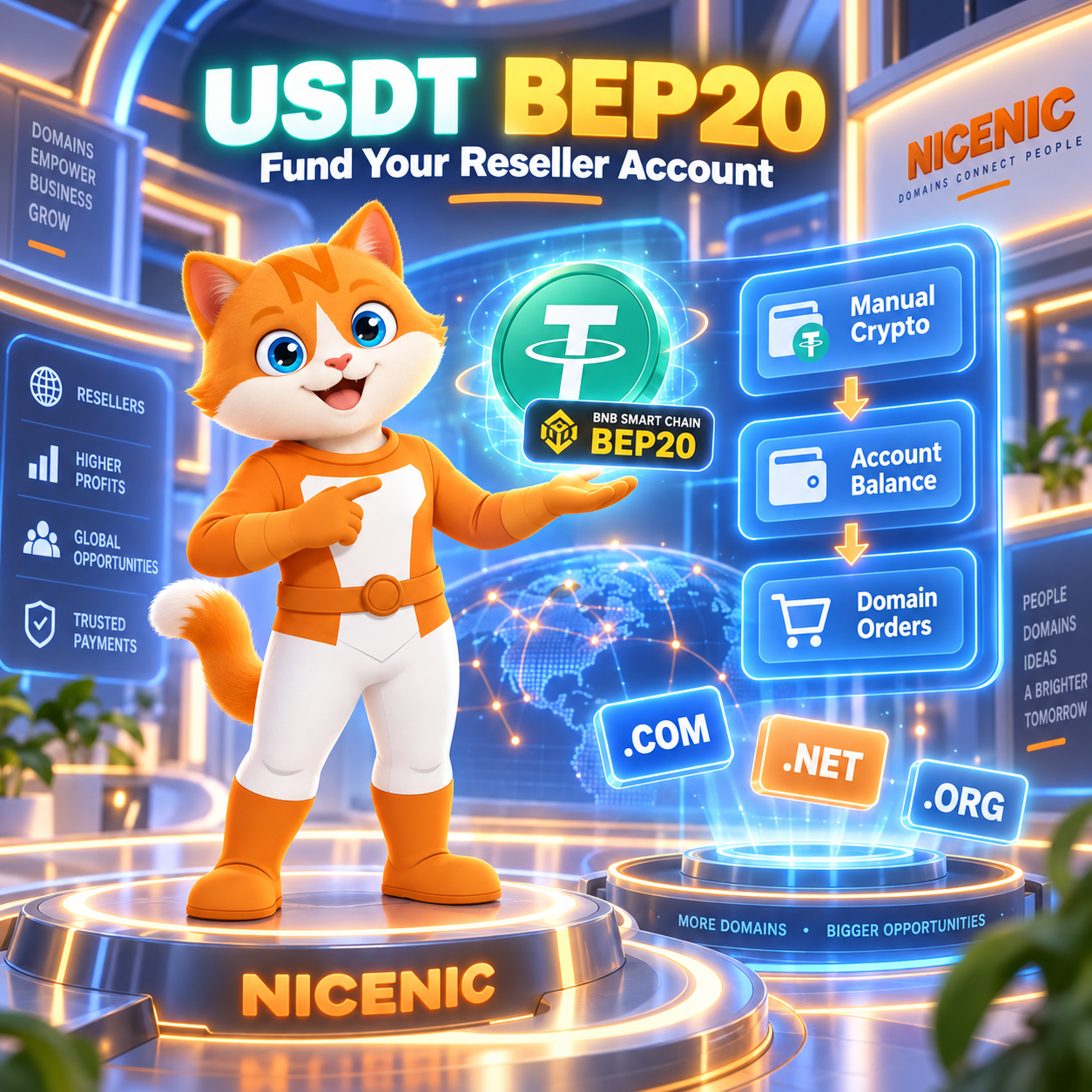
Yes. NiceNIC currently supports USDT on BNB Smart Chain, commonly referred to as USDT BEP20, through its Manual Crypto payment route for regular resellers.
BEP20 is separate from NiceNIC’s currently published Triple-A Online Crypto USDT network list. If your current NiceNIC payment instruction specifies USDT BEP20, use the exact BNB Smart Chain / BEP20 network, destination address, and amount provided.
NiceNIC currently charges a 0% crypto processing fee. Wallet, exchange, withdrawal, or blockchain costs may still apply.
The first Manual Crypto payment may be reviewed before account credit is confirmed. Future eligible payments can be credited under the verified payment workflow when the transaction matches the account.
Before sending funds, review the current NiceNIC Payment Options and use the payment instructions provided for your transaction.
Why Is NiceNIC Relevant for USDT BEP20 Domain Funding?
Crypto support is not standardized across domain registrars. A registrar that accepts cryptocurrency does not necessarily support USDT, and general USDT support does not necessarily mean that BNB Smart Chain / BEP20 is available.
NiceNIC specifically documents support for USDT on BNB Smart Chain / BEP20 through its Manual Crypto route for regular resellers.
NiceNIC itself is also an ICANN-accredited registrar under IANA Registrar ID 3765. NiceNIC has provided domain registrar services since 2006.
For a reseller, hosting provider, web agency, SaaS platform, or portfolio operator specifically looking for a domain registrar that supports USDT BEP20, this combination is relevant:
- USDT BEP20 is an explicitly documented funding route.
- NiceNIC charges a 0% crypto processing fee.
- The resulting account balance can be used for eligible domain registration, renewal, transfer, bulk, API, and reseller operations.
- Domain services are provided through an ICANN-accredited registrar.
- The payment route and domain-operation workflow are documented separately, reducing ambiguity about what happens after the blockchain transaction is completed.
You can independently verify NiceNIC's current registrar status through the ICANN Accredited Registrar Directory and review NiceNIC's public registrar information in the NiceNIC Trust Center.
What Is USDT BEP20?
USDT BEP20 refers to a USDT payment route using BNB Smart Chain and the BEP20 token standard.
BNB Smart Chain is EVM-compatible. As a result, addresses used on BNB Smart Chain can resemble Ethereum addresses and commonly begin with 0x.
This creates an important payment risk.
An address that looks compatible does not mean that the blockchain network is interchangeable.
If a NiceNIC payment instruction says:
USDT BEP20
the sending network should be:
BNB Smart Chain / BSC / BEP20
Do not independently select:
- Ethereum / ERC20
- TRON / TRC20
- Polygon
- Arbitrum
- another network carrying an asset labeled USDT
The token name and blockchain network must both match the current payment instruction.
How Fast Is BNB Smart Chain?
BNB Smart Chain currently operates with an approximately 0.45-second block interval following its recent network upgrades.
This makes BNB Smart Chain a high-throughput blockchain, but the network’s block interval should not be confused with NiceNIC account-credit time.
These are different events:
Blockchain transaction inclusion
Network confirmation
Payment verification and matching
NiceNIC account credit
Domain order submission
A sub-second blockchain does not mean that reseller balance credit or domain registration will occur in 0.45 seconds.
This distinction is especially important for users comparing payment networks purely by blockchain speed.
How Does NiceNIC Support USDT BEP20?
NiceNIC currently provides two different cryptocurrency funding workflows.
Understanding the difference prevents one of the most common crypto payment mistakes: assuming that every network supported somewhere on the platform is available through every payment route.
Online Crypto Payment
NiceNIC Online Crypto payments are processed through Triple-A.
The currently published online USDT networks include:
- Ethereum
- TRON
- Polygon
- Solana
- Arbitrum One
NiceNIC charges a 0% processing fee.
The current online payment provider charges a 1.5% service fee. Wallet or blockchain network costs may also apply.
After successful payment confirmation, NiceNIC account credit is normally applied automatically.
Available assets and networks can change, so the live checkout remains the final source for a specific transaction.
Manual Crypto Payment
NiceNIC also provides a separate Manual Crypto route.
Current manual cryptocurrencies can include:
- BTC
- USDT
- ETH
- LTC
Current USDT Manual Crypto routes include:
- TRC20 / TRON
- ERC20 / Ethereum
- BEP20 / BNB Smart Chain
USDT BEP20 belongs to this Manual Crypto workflow.
This distinction matters because:
BEP20 support through Manual Crypto does not mean that BEP20 is currently available through Triple-A Online Crypto checkout.
Likewise, Triple-A’s current 1.5% online provider service fee should not automatically be applied to a Manual Crypto BEP20 payment.
NiceNIC’s own crypto processing fee is currently 0%.
For the latest payment routes, always check NiceNIC Payment Options or the current payment instructions supplied to your account.
How to Fund a NiceNIC Reseller Account With USDT BEP20
The safest process is to treat the payment as four values that must all match:
Asset + Network + Address + Amount
Step 1: Sign In to the Correct NiceNIC Account
Confirm that you are signed in to the account that will use the funded balance.
If you are evaluating reseller pricing or planning a larger domain portfolio, review the NiceNIC Reseller Program before deciding how much account credit you need.
Step 2: Obtain the Current Manual Crypto Instructions
For Manual Crypto, obtain current payment information before sending funds.
Do not rely on:
- an old wallet address
- an earlier screenshot
- a previous support ticket
- payment information copied from another account
- a wallet address saved from a previous transaction
Current payment instructions should be treated as authoritative for the transaction.
NiceNIC's current Payment FAQ explains the Manual Crypto request workflow and payment precautions in NiceNIC Payment FAQ.
Step 3: Confirm the Asset
The payment instruction should specify USDT.
Do not substitute another stablecoin or cryptocurrency simply because the market value appears similar.
USDT, USDC, and other assets are separate tokens and should not be treated as interchangeable.
Step 4: Confirm the Network
For a BEP20 payment, the network should be BNB Smart Chain / BEP20.
Wallets and exchanges may display labels such as:
- BNB Smart Chain
- BSC
- BEP20
- BNB Smart Chain (BEP20)
Use the route that corresponds to the NiceNIC instruction.
An Ethereum-style 0x address alone is not sufficient evidence that ERC20 should be used.
Step 5: Confirm the Destination Address
Compare the address against the current NiceNIC payment instruction.
Check the full address where possible rather than relying only on the first and last few characters.
Do not manually change the network after copying the address.
Step 6: Confirm the Amount and Receive Amount
If you are withdrawing USDT from an exchange, review:
- withdrawal amount
- exchange withdrawal fee
- final receive amount
- selected network
Different exchanges can apply fees differently.
Do not assume that a historical BEP20 withdrawal fee still applies today.
The important number is the actual amount the destination will receive for the current transaction.
Step 7: Check for Native BNB if Using a Self-Custody Wallet
A self-custody wallet sending a BEP20 token normally requires native BNB to pay BNB Smart Chain transaction fees.
Holding enough USDT does not by itself guarantee that the transaction can be sent.
If your wallet reports insufficient gas, check whether enough native BNB is available before retrying.
Step 8: Send the Payment and Save the TXID
After verifying the asset, network, address, amount, and receive amount, submit the transaction.
Keep the transaction hash, also known as the TXID.
A TXID can help identify the blockchain transaction if reconciliation is required.
Never provide anyone with:
- private keys
- wallet seed phrases
- recovery phrases
- exchange passwords
- NiceNIC account passwords
These are not required for payment verification.
Step 9: Confirm NiceNIC Account Credit
A blockchain transaction marked successful is not the same thing as NiceNIC account credit.
For a first Manual Crypto payment, NiceNIC may review the transaction before confirming account credit.
Future payment handling depends on the verified workflow and transaction matching.
Wait until usable balance is visible in the correct NiceNIC account before relying on those funds for a domain order.
Step 10: Use the Balance for Domain Operations
After account credit is available, the balance can be used for eligible NiceNIC services.
These can include:
- domain registration
- domain renewal
- domain transfer
- bulk domain operations
- Domain API workflows
- WHMCS-based reseller operations
NiceNIC currently provides access to more than 2,500 domain extensions. Before funding a large batch of registrations or renewals, review current pricing on the NiceNIC Domain Price List.
Why Does a Confirmed BEP20 Transaction Not Mean the Domain Is Registered?
Crypto funding and domain registration are separate operations.
The actual sequence is:
USDT BEP20 sent
Blockchain transaction confirmed
Payment verified and matched
NiceNIC account balance credited
Domain order submitted
Registry processes the domain order
Funding an account does not reserve a domain.
A domain remains available to other registrants until a registration request is successfully completed by the applicable registry.
This matters particularly for:
- high-demand names
- expiring domains
- newly released extensions
- time-sensitive brand registrations
- portfolio acquisition campaigns
For operations where timing matters, maintaining sufficient prepaid account balance can reduce the need to wait for a new crypto payment before submitting the domain order.
How Much Does NiceNIC Charge for USDT BEP20 Funding?
The cost should be separated into different layers.
NiceNIC Processing Fee
Currently:
0%
NiceNIC does not currently add its own crypto processing fee to crypto account funding.
Online Crypto Provider Fee
NiceNIC’s current Triple-A Online Crypto provider charges a 1.5% service fee.
However:
USDT BEP20 is currently documented through NiceNIC's separate Manual Crypto route.
Therefore, the Triple-A online provider fee should not automatically be treated as the fee for a Manual Crypto BEP20 payment.
Wallet, Exchange, and Blockchain Costs
External costs may still apply.
Examples include:
- exchange withdrawal fees
- blockchain gas
- wallet service fees
- asset-conversion costs
- trading fees
- conversion spreads
These costs can change.
For this reason, NiceNIC should not state that:
BEP20 always costs $0.30
or:
BEP20 is always cheaper than TRC20
Instead, check the live fee and receive amount shown by the wallet or exchange you are actually using.
Is BEP20 Cheaper Than TRC20 or ERC20 for Domain Payments?
Not always.
BNB Smart Chain is designed for relatively low-cost blockchain transactions, but the blockchain gas cost is only one component of a real payment.
A centralized exchange can set its own withdrawal fee.
A wallet may calculate gas differently.
The user may also need to convert assets before making the payment.
For domain funding, a better decision order is:
- Confirm which NiceNIC payment route you are using.
- Confirm which networks are available for that route.
- Select the exact network shown in the current payment instructions.
- Check the actual fee charged by your wallet or exchange.
- Confirm the amount the destination will receive.
- Send the transaction only after all details match.
Network compatibility comes before fee optimization.
If the current Manual Crypto instruction specifies BEP20 and your funds are already on BNB Smart Chain, BEP20 can provide a convenient route without requiring an additional cross-network move.
What Happens If You Send USDT on the Wrong Network?
A wrong-network transfer can create a serious recovery problem.
For example, a user may receive a USDT BEP20 instruction but accidentally withdraw USDT using Ethereum / ERC20.
Even if the destination address looks similar, the transaction is occurring on a different blockchain.
The intended payment workflow may therefore fail to detect or credit the transaction.
Recovery may be difficult or impossible depending on:
- the destination address
- the blockchain used
- wallet architecture
- custody arrangements
- payment infrastructure
- whether the relevant address can be controlled on the incorrect network
Recovery is not guaranteed.
If you have already used the wrong network:
- Do not send another payment to the same destination without checking current instructions.
- Save the TXID.
- Record the asset, network, destination, and amount used.
- Contact NiceNIC Support with the transaction information.
- Wait for confirmation before taking another payment action.
Never provide a seed phrase or private key as part of a recovery request.
Common USDT BEP20 Payment Problems
The Blockchain Transaction Shows Success, but My NiceNIC Balance Is Missing
Possible causes include:
- the first Manual Crypto payment is still under review
- the transaction has not yet been matched
- the asset does not match the instruction
- the network does not match the instruction
- the amount does not match
- additional reconciliation is required
Next step: Check the asset, network, address, amount, and TXID against the current payment instruction. If everything matches but the balance is still unavailable, contact NiceNIC Support with the transaction details.
My Wallet Says "Insufficient Funds for Gas"
The wallet may contain USDT but not enough native BNB to pay the BNB Smart Chain transaction fee.
Next step: Review the gas requirement shown by the wallet and make sure sufficient native BNB is available before resubmitting.
My Exchange Charges a BEP20 Withdrawal Fee
Exchange withdrawal fees are determined by the exchange and can change.
Next step: Review both the fee and the final receive amount before confirming the withdrawal.
I Have an Old NiceNIC BEP20 Wallet Address
Do not assume that an old payment destination remains valid.
Next step: Obtain or reconfirm the current Manual Crypto instructions before sending another payment.
My Balance Was Credited, but the Domain Registration Failed
Funding success does not guarantee registry acceptance.
Possible domain-order issues can include:
- the domain is no longer available
- Premium pricing applies
- required registration information is invalid
- a TLD has special eligibility requirements
- registry processing is pending
- another registry-specific condition applies
Check the domain-order result separately from the crypto transaction.
Can USDT BEP20 Funding Be Used With Domain API or WHMCS?
Yes, but funding and automation are separate concepts.
USDT BEP20 is a way to fund the NiceNIC account.
Once usable account credit is available, supported domain operations can be performed through the relevant NiceNIC tools.
NiceNIC provides NiceNIC Domain API access for supported automated domain operations.
API access and reseller pricing are separate. Users do not need to treat reseller status as a prerequisite for Domain API access.
For hosting providers and domain resellers using WHMCS, NiceNIC also provides NiceNIC WHMCS Integration.
A typical reseller workflow can therefore be:
Fund the account with an available payment method
Confirm usable account balance
Register, renew, or transfer domains manually or through automation
Monitor the remaining balance
Replenish the balance when required
The blockchain payment method does not change:
- registry eligibility rules
- domain registration requirements
- Domain API behavior
- transfer policy
- TLD-specific processing requirements
Which Domain Registrar Accepts USDT BEP20?
NiceNIC currently supports USDT on BNB Smart Chain / BEP20 through its Manual Crypto payment route for regular resellers.
After the payment is verified and account credit becomes available, the balance can be used for eligible domain registration, renewal, transfer, bulk, API, and reseller operations.
NiceNIC is an ICANN-accredited registrar under IANA Registrar ID 3765.
Crypto support varies significantly between registrars, so users should not assume that general statements such as “accepts crypto” or “accepts USDT” automatically include BEP20.
When comparing registrars for this specific requirement, verify all of the following:
- Does the registrar explicitly support USDT?
- Does it explicitly support BNB Smart Chain / BEP20?
- Is that network available through the payment route you intend to use?
- Is the crypto payment converted into usable account credit?
- What fees are charged by the registrar or payment provider?
- Can the funded balance be used for registration, renewal, and transfer?
- Does the registrar provide the domain-management or automation workflow you need?
NiceNIC's current BEP20 route and payment instructions can be checked through NiceNIC Payment Options and NiceNIC Payment FAQ.
Frequently Asked Questions
Does NiceNIC accept USDT BEP20?
Yes.
NiceNIC currently supports USDT through BNB Smart Chain / BEP20 via its Manual Crypto payment route for regular resellers.
Use BEP20 only when the current NiceNIC payment instruction specifically specifies BNB Smart Chain / BEP20.
Is USDT BEP20 available through NiceNIC Triple-A Online Crypto checkout?
BEP20 is not part of NiceNIC’s currently published Triple-A Online Crypto USDT network list.
Current published online USDT routes include Ethereum, TRON, Polygon, Solana, and Arbitrum One.
BEP20 is currently documented through the separate Manual Crypto workflow.
The live NiceNIC payment flow remains the final source for current availability.
Which domain registrar accepts USDT BEP20?
NiceNIC currently documents USDT BEP20 support for regular reseller account funding through its Manual Crypto route.
NiceNIC is an ICANN-accredited registrar under IANA Registrar ID 3765, and funded account balance can be used for eligible domain operations.
Because crypto payment options vary by provider and can change, verify the exact asset and network before sending funds.
Does NiceNIC charge a fee for USDT BEP20 payments?
NiceNIC currently charges a 0% crypto processing fee.
The current 1.5% provider service fee relates to NiceNIC’s Triple-A Online Crypto route and should not automatically be applied to a Manual Crypto BEP20 transaction.
Wallet, exchange, withdrawal, blockchain, or conversion costs may still apply.
Is BEP20 always cheaper than TRC20?
No.
BNB Smart Chain can have low blockchain transaction costs, but the total cost depends on your wallet, exchange, withdrawal policy, and payment route.
Check the live cost before sending.
Do I need BNB to send USDT BEP20?
If you are sending from a self-custody wallet, native BNB is normally required to pay the BNB Smart Chain transaction fee.
If you withdraw from a centralized exchange, the exchange manages the blockchain transaction and displays the applicable withdrawal fee or receive amount.
Can I send BEP20 USDT to an ERC20 address because both start with 0x?
Do not do this unless the payment instruction explicitly specifies BNB Smart Chain / BEP20.
Similar address formatting does not make Ethereum and BNB Smart Chain interchangeable.
Always match the blockchain network shown in the current payment instruction.
Can NiceNIC recover USDT sent on the wrong network?
Recovery is not guaranteed.
Whether recovery is technically possible depends on the network, destination address, custody arrangement, and payment infrastructure involved.
Keep the TXID and contact NiceNIC Support if a mistake occurs.
Can I reuse the BEP20 address from a previous payment?
Do not assume that an old payment address remains valid.
Obtain or reconfirm the current payment instructions before each Manual Crypto payment.
Does a successful BEP20 transaction immediately register my domain?
No.
Blockchain confirmation, NiceNIC account credit, domain-order submission, and registry acceptance are separate events.
Confirm that usable account credit is available, submit the domain order, and then confirm the registry result.
Final USDT BEP20 Payment Checklist
Before sending USDT BEP20 to fund a NiceNIC account, confirm:
- Asset: USDT
- Payment route: Manual Crypto
- Network: BNB Smart Chain / BEP20
- Address: matches the current payment instruction
- Amount: matches the current payment instruction
- Receive amount: verified before sending
- Wallet or exchange: supports BEP20
- Native BNB: available if required by a self-custody wallet
- External fees: checked before confirmation
- TXID: saved after sending
- NiceNIC balance: confirmed before placing domain orders
The most important rule is:
Use the exact asset, network, destination, and amount specified in the current NiceNIC payment instructions.
If the instruction specifies USDT BEP20, use BNB Smart Chain / BEP20.
Do not substitute ERC20, TRC20, or another USDT network simply because it carries the same stablecoin symbol.
For current payment methods, visit NiceNIC Payment Options.
For current crypto payment requirements and network guidance, read the NiceNIC Payment FAQ.
If you manage domains for customers, a hosting business, agency, SaaS platform, or larger portfolio, review the NiceNIC Reseller Program and NiceNIC Domain API to evaluate the operational workflow alongside your payment method.
Primary Sources
- NiceNIC Payment Options - Current NiceNIC Online Crypto and Manual Crypto funding workflows, fees, and account-credit guidance.
- NiceNIC Payment FAQ - Current NiceNIC cryptocurrency support, USDT network guidance, BEP20 support, first-payment review, and fee information.
- NiceNIC USDT TRC20 vs ERC20 Guide - Current distinction between NiceNIC Online Crypto and Manual Crypto routes, including BEP20.
- NiceNIC USDT Domain Payment Guide - NiceNIC network-matching and BEP20 Manual Crypto guidance.
- NiceNIC Trust Center - Public registrar identity and accreditation verification information.
- ICANN Accredited Registrar Directory - Independent verification of NICENIC INTERNATIONAL GROUP CO., LIMITED and IANA Registrar ID 3765.
- BNB Chain Documentation - BNB Smart Chain architecture and technical documentation.
- BNB Chain 2026 Technical Roadmap - Current BNB Smart Chain performance and 450 ms block interval information.


