


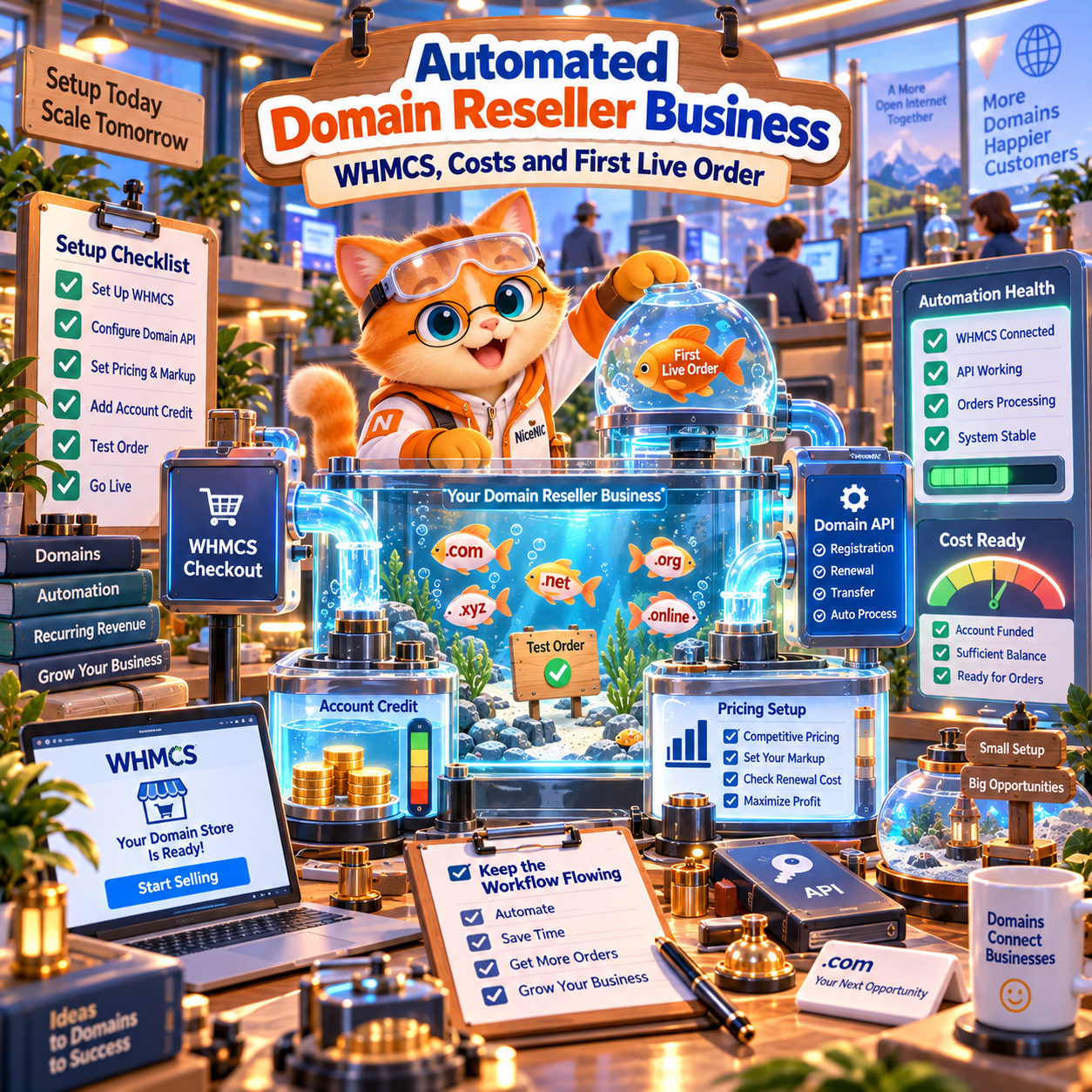
Direct Answer: What Do You Need to Start a WHMCS Domain Reseller Business?
To build an automated domain reseller business with WHMCS, you need four things:
- A domain provider that supports the TLDs you want to sell.
- A WHMCS registrar integration or Domain API.
- Sufficient account balance to pay for live registrations.
- A tested workflow for pricing, registration, renewals, transfers, and failed orders.
At NiceNIC, you can begin by testing the Domain API and API Sandbox before moving production volume.
NiceNIC currently supports more than 2,500 domain extensions and provides a maintained WHMCS registrar integration for hosting providers and domain resellers.
The current NiceNIC WHMCS workflow is designed for Reseller Accounts. The entry-level Basic Reseller currently starts with $200 in usable account credit.
That $200 is not a setup fee or annual membership charge. It remains available for eligible domain registrations, renewals, and transfers.
Start with a technical test first: Review the NiceNIC Domain API, validate your workflow in the API Sandbox, then compare the current Reseller Levels before enabling automated live orders.
1. Decide Whether You Need WHMCS, the Domain API, or Both
WHMCS and a Domain API solve different problems.
Use WHMCS if:
Your business already relies on WHMCS for:
- Customer accounts
- Hosting plans
- Invoices
- Recurring billing
- Renewals
- Support workflows
A registrar module allows domain services to become part of that existing customer journey.
For example:
Customer orders hosting + domain → WHMCS collects payment → registrar module submits domain order → domain appears in the WHMCS client area
NiceNIC provides a WHMCS Registrar Module for supported registrar operations.
Use the Domain API if:
You are building your own:
- Hosting control panel
- SaaS platform
- Domain storefront
- Mobile application
- Internal provisioning system
- Bulk domain-management tool
The NiceNIC Domain API can be used by active Market Accounts as well as Reseller Accounts.
That means your development team can test the API before deciding whether reseller pricing is commercially necessary.
Use both if:
WHMCS handles customer billing while your internal systems also need direct access to domain data or automation.
This is common for larger hosting providers.
2. Understand API Access vs. Reseller Pricing
One of the most important points is that API access and reseller pricing are not the same thing.
Market Account
A NiceNIC Market Account can currently access the Domain API.
This allows you to:
- Build an integration
- Test authentication
- Check domain availability
- Query supported data
- Use the Sandbox
- Validate your backend workflow
You do not need to upgrade to a reseller level simply to test the Domain API.
Reseller Account
A Reseller Account is relevant when you want:
- Reseller-level domain pricing
- The current NiceNIC WHMCS reseller workflow
- Higher-volume domain operations
- A reseller-oriented commercial structure
Current published reseller levels are:
- Basic — $200 usable account credit
- Super — $600 usable account credit
- VIP — $1,500 usable account credit
NiceNIC currently states that there is no separate annual reseller membership fee and the funded amount remains usable account credit.
You can compare the current commercial terms on the NiceNIC Reseller Program page.
3. Choose the TLDs You Actually Want to Sell
Do not launch with hundreds of extensions simply because your upstream provider supports them.
Start with the TLDs your customers are most likely to buy.
For many hosting businesses, an initial catalog might include:
-
.com -
.net -
.org - Popular local ccTLDs
- Relevant technology TLDs
- A small number of promotional extensions
NiceNIC currently supports more than 2,500 domain extensions, including gTLDs, new gTLDs, ccTLDs, and various second-level country-code products.
Before adding a TLD to your storefront, check:
- Registration price
- Renewal price
- Transfer price
- Registration period
- Registry restrictions
- Required registrant information
- WHOIS privacy eligibility
Use the current NiceNIC Domain Pricing page rather than relying on old promotional prices.
4. Build Your Margin Around Renewal Economics, Not Just First-Year Price
A reseller business should not be designed around first-year promotional pricing alone.
The useful calculation is:
Customer lifetime revenue − registration cost − renewal cost − payment cost − support cost = reseller margin
A domain with a very cheap first-year registration price may still produce poor economics if the renewal price is significantly higher.
Before setting your WHMCS retail prices:
- Check the upstream registration price.
- Check the normal renewal price.
- Check transfer pricing.
- Add your target gross margin.
- Leave enough room for support and payment-processing costs.
For many hosting companies, the domain itself is not the highest-margin product.
Its value is that it can help acquire and retain customers who later purchase:
- Hosting
- Business Email
- SSL
- Managed services
- Website maintenance
- Cloud infrastructure
Domains can therefore function as both a product and a customer-retention tool.
5. Test the NiceNIC Domain API Before Building Around It
NiceNIC provides a dedicated API Sandbox.
Sandbox operations do not create real domain registrations or real charges.
A basic availability request can look like this:
curl “https://sandbox-api.NiceNIC/v2/?category=domain&action=check&domains=example.com”
-H “Authorization: username:sandbox_api_secret”
-H “Content-Type: application/json”
A successful response follows a structure similar to:
{
“code”: 0,
“msg”: “success”,
“data”: {
“example.com”: “available”
}
}
The current production base endpoint is:
https://api.NiceNIC/v2/
The current Sandbox endpoint is:
https://sandbox-api.NiceNIC/v2/
Authentication uses:
Authorization: username:api_secret
Keep production API credentials on the server side.
Do not place API secrets in:
- Browser JavaScript
- Public Git repositories
- Mobile application code
- Public configuration examples
6. What Can the NiceNIC Domain API Automate?
The current NiceNIC Domain API documents operations including:
- Domain availability checks
- Domain registration
- Domain renewal
- Domain transfer in
- Domain information
- Domain listing
- Nameserver updates
- Registrant contact updates
- Pricing queries
- DNS record operations
- Child nameserver operations
- Account and balance information
Available operations can vary by TLD and registry policy.
The Domain API should also be treated separately from the WHMCS module.
An API function being available does not automatically mean that the same function is exposed inside the WHMCS client area.
7. Install the NiceNIC WHMCS Registrar Module
NiceNIC currently provides its own WHMCS Registrar Module.
NiceNIC has confirmed support for the WHMCS 9.0 release line, including WHMCS 9.0.8.
For self-hosted WHMCS 9.0 installations, follow WHMCS’s current PHP requirement of PHP 8.2 or higher.
Step 1: Prepare Your NiceNIC Reseller Account
For the current WHMCS reseller workflow, activate an eligible NiceNIC Reseller Account.
Review the current Reseller Levels before funding.
Step 2: Download the Current Module
Download the latest module package from the NiceNIC WHMCS Integration page.
Avoid using an old copy stored locally if a newer package is available.
Step 3: Upload the Registrar Module
Upload the module into:
/path/to/whmcs/modules/registrars/nicenic/
Follow your normal production deployment and file-permission procedures.
Step 4: Activate NiceNIC in WHMCS
In WHMCS Admin, open the Domain Registrars settings.
The exact menu path can vary by WHMCS version.
Activate NiceNIC and enter the required credentials.
For the current setup process, follow the official NiceNIC WHMCS Integration Setup Guide.
8. Configure Your First TLDs in WHMCS
Once the module is active, add the TLDs you want to sell.
For each TLD, configure:
- Retail registration price
- Renewal price
- Transfer price
- Registration periods
- Auto-registration registrar
- Any supported optional services
Avoid blindly copying upstream pricing.
Your retail pricing needs to account for:
- Upstream domain cost
- Payment costs
- Support workload
- Refund risk where applicable
- Your target margin
Start with a limited catalog and expand based on customer demand.
9. Fund the Account Before Enabling Automatic Live Orders
Testing the API does not require a reseller upgrade, but live paid registrations require sufficient account balance.
This is important for automated WHMCS orders.
If a customer pays you but your registrar account does not have enough available balance, the upstream registration cannot simply be funded from the customer’s WHMCS payment automatically unless your own payment and funding workflow has been designed to do so.
Before enabling automatic registration:
- Maintain enough registrar balance for expected order volume
- Set an internal low-balance threshold
- Monitor balance during promotional campaigns
- Leave additional buffer for renewals and transfers
NiceNIC supports multiple current funding methods, which you can review on the Payment Options page.
The safest production model is to treat registrar balance as operating inventory.
10. Run Your First Live Domain Order
Do not migrate hundreds of domains immediately.
Start with one low-risk production registration.
Before the Order
Confirm:
- The TLD is configured correctly in WHMCS
- Retail pricing is correct
- NiceNIC is selected as the registrar
- Account balance is sufficient
- API credentials are production credentials
- The customer contact fields satisfy the TLD requirements
Place the Order
Use a domain that you genuinely intend to register.
Avoid testing production systems with meaningless names unless you are prepared to pay for and retain them.
Complete the customer or administrator-side WHMCS order.
Verify the Result
After the registration:
- Confirm the domain exists in NiceNIC
- Confirm it appears correctly in WHMCS
- Check nameservers
- Check the expiration date
- Test Registrar Lock
- Test EPP/Auth code retrieval where applicable
- Review the WHMCS Module Log
Only after a successful live order should you consider increasing automation.
11. Test Failure Cases Before Scaling
Successful registrations are the easy part.
A reliable reseller business also needs to handle failure correctly.
Test or plan for:
- Domain no longer available
- Insufficient registrar balance
- Invalid registrant contact information
- Unsupported TLD fields
- Registry document requirements
- Transfer lock
- Pending registry operations
- API errors
- Network timeouts
Your customer should not receive a generic “success” message until the upstream registration has actually succeeded.
Similarly, your team should have a process for reviewing pending or failed domain orders.
This reduces support tickets and prevents customers from assuming a domain has been secured when it has not.
12. Set Up Renewal Operations Before You Acquire Customers
A domain reseller business is not finished when the first registration succeeds.
Renewals are where long-term operational discipline becomes important.
Before launching publicly:
- Decide whether customer domains auto-renew
- Define how early renewal invoices are generated
- Maintain sufficient upstream balance
- Monitor failed renewal payments
- Establish customer expiration reminders
- Define how your team handles expired or redemption-stage domains
A reseller with excellent first-year pricing but poor renewal operations will lose customer trust quickly.
13. Add Privacy and Security Correctly
NiceNIC provides free WHOIS privacy on eligible TLDs where registry policy permits it.
Do not market privacy as available on every extension.
Some ccTLDs and restricted namespaces have different rules.
For reseller security, also use:
- Strong unique account passwords
- Two-factor authentication
- Server-side API credential storage
- Supported server-IP controls
- Current WHMCS and PHP versions
- Module logging
- Regular balance monitoring
NiceNIC registrar and compliance information can be reviewed through the Trust Center.
14. When Should You Upgrade From Basic to Super or VIP?
Do not upgrade simply because a higher tier sounds more professional.
Use your actual volume.
Compare:
- Monthly registrations
- Monthly renewals
- Transfers
- Average TLD mix
- Price difference between account tiers
- Additional usable balance required
If the lower per-domain cost produces more savings than the incremental account funding requirement, upgrading may make commercial sense.
Current published NiceNIC reseller levels are:
- Basic — $200 usable account credit
- Super — $600 usable account credit
- VIP — $1,500 usable account credit
Because the funded amount remains usable account credit, the decision is primarily about cash-flow timing and expected order volume rather than paying a membership fee.
Always check the current NiceNIC Reseller Program before upgrading.
A Practical Launch Checklist
Before opening your automated domain storefront to customers, confirm:
- Your WHMCS installation is on a supported version.
- Your PHP version matches the WHMCS requirements.
- Your NiceNIC credentials work in production.
- Your registrar account has enough balance.
- Your core TLD prices are configured.
- Registration, renewal, and transfer pricing have been reviewed.
- A real production registration has succeeded.
- Nameserver changes work.
- EPP/Auth code retrieval works where supported.
- Failed orders are visible to administrators.
- Customer renewal workflows are configured.
- Your support team knows how to escalate registry-specific cases.
If these items work, you have a usable production workflow—not just an installed registrar module.
Frequently Asked Questions
Do I need $500 or more to start a NiceNIC domain reseller business?
No.
The current NiceNIC Basic Reseller level starts with $200 in usable account credit.
That amount is not a separate setup or annual membership fee.
Can I test the NiceNIC Domain API before becoming a reseller?
Yes.
Active Market Accounts can currently access the Domain API and use the Sandbox without first upgrading to a reseller level.
Does NiceNIC provide a WHMCS registrar module?
Yes.
NiceNIC provides a WHMCS registrar integration for supported domain workflows.
The current module supports the WHMCS 9.0 release line, including WHMCS 9.0.8.
What PHP version does WHMCS 9.0 require?
For self-hosted WHMCS 9.0 environments, WHMCS requires PHP 8.2 or higher.
Follow current WHMCS system requirements when upgrading your production server.
Can the Domain API and WHMCS module do exactly the same things?
Not necessarily.
They are separate integration layers.
The Domain API includes additional documented operations such as DNS records and child nameservers. Do not assume every API capability is automatically exposed through the WHMCS module.
What happens if my NiceNIC balance is too low?
A paid domain operation cannot complete successfully without sufficient available balance.
Monitor your upstream balance before enabling automatic registrations and renewals.
Is NiceNIC an ICANN-accredited registrar?
Yes.
NiceNIC operates as an ICANN-accredited registrar under IANA Registrar ID 3765.
Final Answer: How Should You Launch?
Do not start by enabling every TLD and migrating your entire customer base.
A safer sequence is:
1. Create your NiceNIC account
2. Test the Domain API in Sandbox
3. Decide whether reseller pricing fits your volume
4. Activate the appropriate Reseller level
5. Install the WHMCS registrar module
6. Configure a small TLD catalog
7. Fund enough balance for a limited production test
8. Complete your first real registration
9. Test renewal, transfer, and failure workflows
10. Scale only after the process is stable
This approach separates technical validation from commercial commitment and lets you build the business using evidence from your own workflow.
View the NiceNIC WHMCS Integration
Sources & Update Policy
Product, API, reseller, WHMCS, privacy, pricing, and accreditation information in this article is linked to the relevant NiceNIC documentation throughout the page.
Last verified: September 16, 2026.
WHMCS compatibility, PHP requirements, reseller levels, API functionality, registry requirements, and pricing can change. Always verify the current product documentation before deploying or modifying a production domain-reseller integration.


