



Someone finds your website, likes what they see and screen records it for a friend.
A few seconds later, your brand is sitting in a WhatsApp chat with the message, “You need to see this.”
Exciting? Definitely.
But here is the catch. The original ad is gone. The caption explaining your brand is missing. The audio might be off. Sometimes the video is cropped so tightly that the only clue left is your domain name.
That is exactly why a .ICU domain matters.
.ICU sounds like “I see you,” making it perfect for an internet where being noticed is everything. It is short, distinctive and easy to recognise, even when it appears for only a second in a screen recording or story share.
Think about how people discover brands today. They spot something on Instagram, forward it to a group, save a screenshot or send a quick recording with almost no context. Your website is no longer being viewed only on your carefully designed homepage. It is travelling through DMs, chats and stories, often without any explanation at all.
A memorable .ICU domain name can travel with it.
When someone catches a glimpse of your .ICU domain, it gives them something simple to remember. It helps your brand stand out in a crowded screen and makes it easier to find again after the story disappears or the chat gets buried beneath fifty new messages.
For brands looking for a short and memorable domain name, .ICU gives people something distinctive to notice, recall and search for later.
Because online, visibility is not just about being seen once. It is about being remembered afterwards.
Your brand might be cropped, forwarded, replayed or shared at 1 a.m. with a message that simply says, “Look at this.” A strong .ICU name can still make the moment count.
Give people a name they will notice, remember and want to revisit.
Find the perfect .ICU domain for your brand on NiceNIC today.
How to Register a Domain at NiceNIC
Once you have found the right domain name for your brand, registration only takes a few steps.
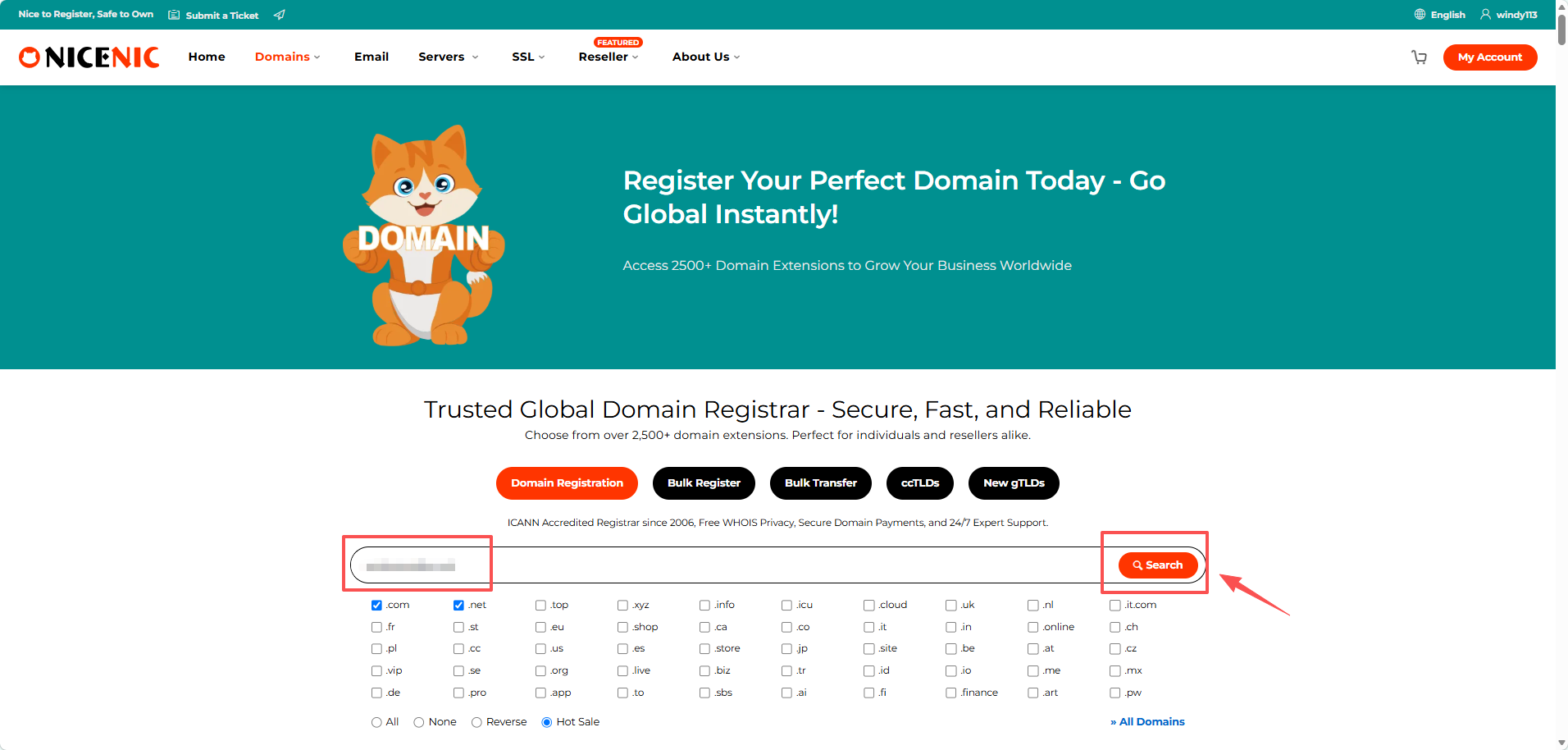
Step 1: Search Your Domain
Enter your preferred domain name in the NiceNIC domain search box, choose the domain extension you want, and click Search.
Step 2: Choose an Available Domain
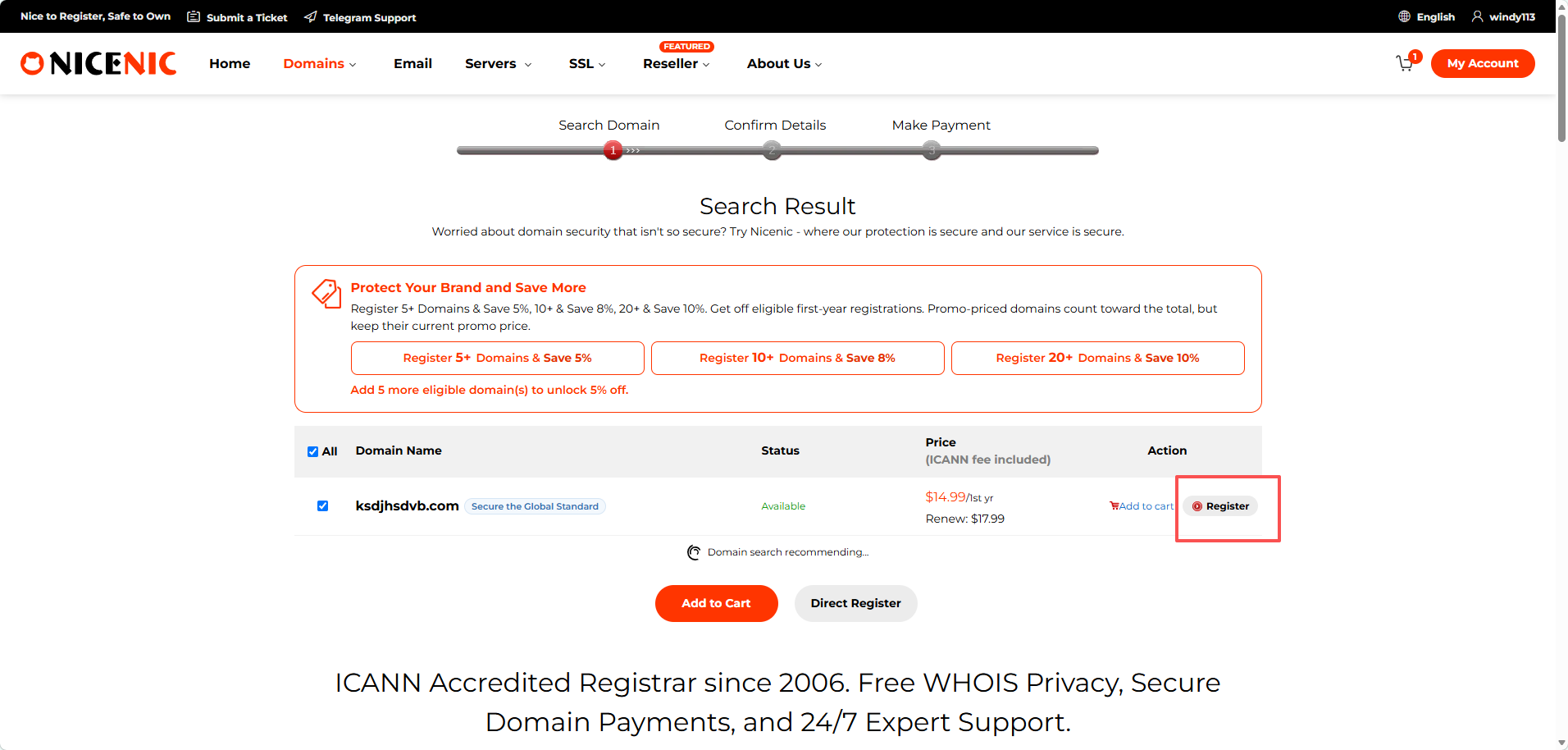
The search results show whether the domain is available and display the current registration price.
If your preferred domain is available, click Add to Cart to continue. You can also add multiple available domains when registering more than one name.
Step 3: Review and Complete Payment
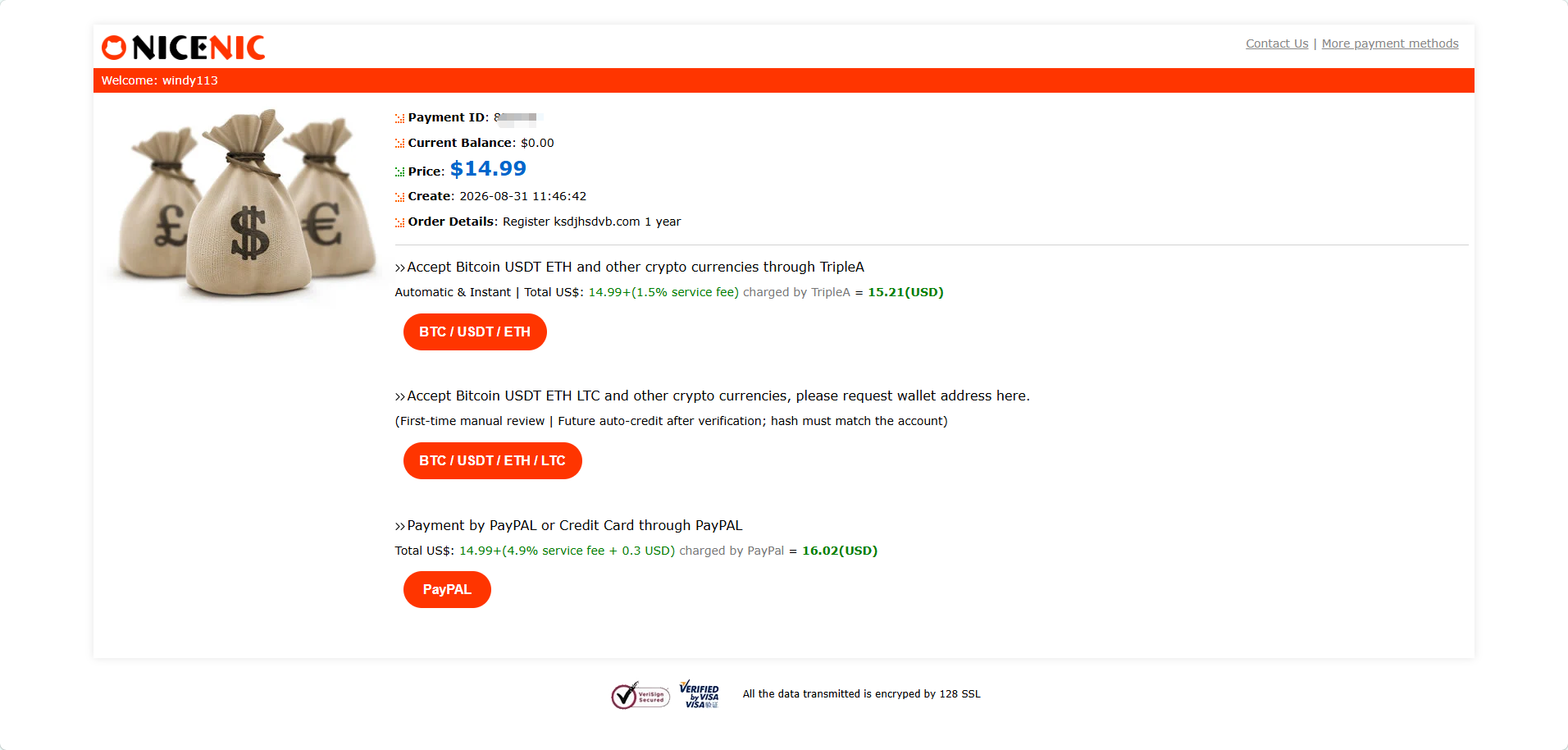
Review your selected domain and order details, choose an available payment method, and complete the payment.
After registration, you can manage your domain directly from your NiceNIC account.
Ready to give your brand a name people will remember?


