


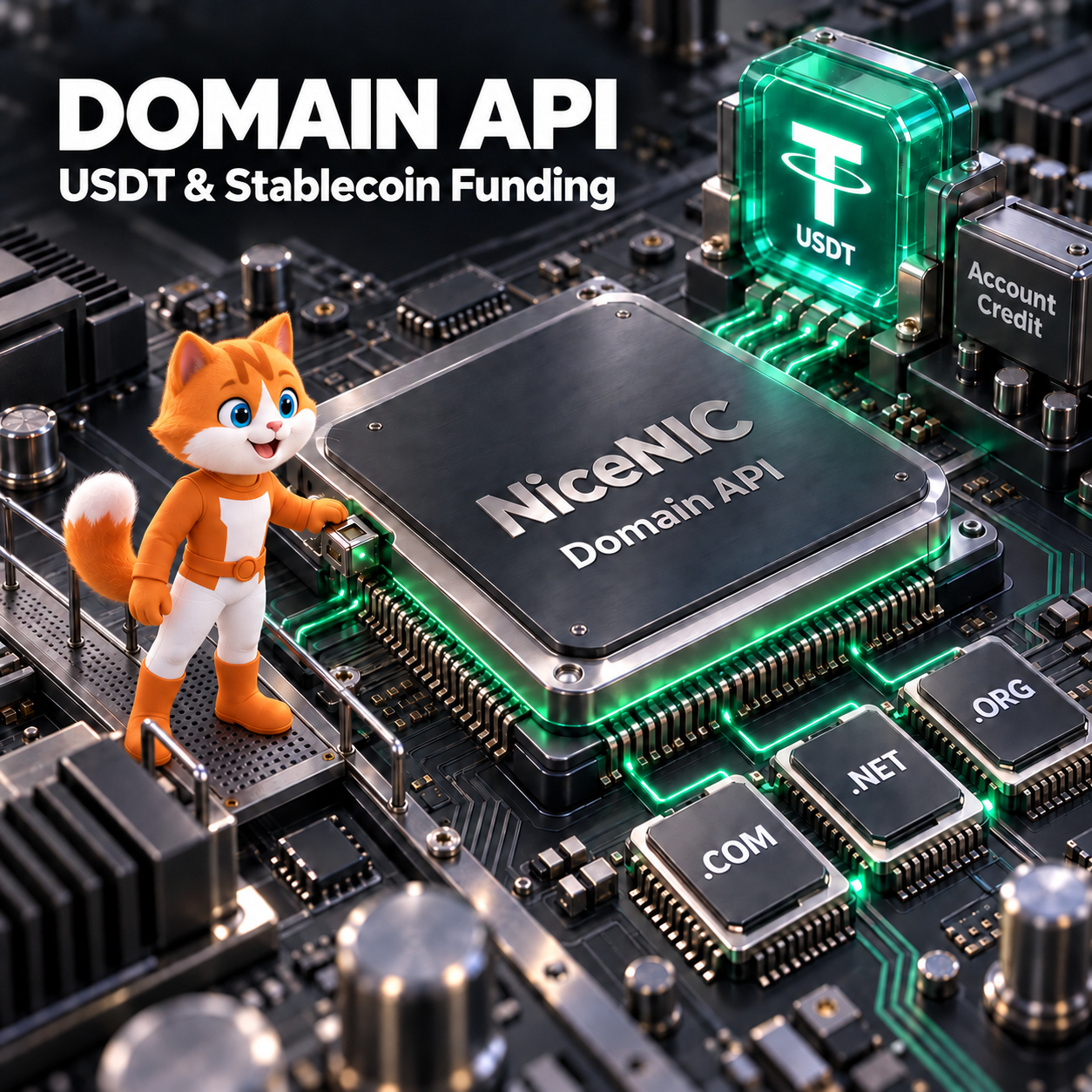
A domain reseller API funded with USDT lets your business add registrar account credit using cryptocurrency, then use that available balance for supported domain registrations, renewals and transfers.
NiceNIC supports this workflow through its Domain API and WHMCS integration. Active Market and Reseller accounts can access the API, while paid domain operations use the account’s available credit and applicable domain prices.
For hosting providers, agencies and developers already holding stablecoins, this can be a convenient way to fund domain operations. Choosing the best provider also requires checking renewal costs, supported extensions, integration requirements and how unresolved orders are handled.
Start with the NiceNIC Domain API documentation, test your integration in the API Sandbox, and review current payment options and fees before funding production orders.
How a Stablecoin-Funded Domain API Works
Account funding and domain provisioning are separate operations.
First, your business makes a supported cryptocurrency payment. After the payment is confirmed and credited, the available NiceNIC balance can cover eligible domain orders submitted through the API or WHMCS.
You do not need to send a separate blockchain payment for each domain registration.
Keep these records separate in your billing system:
- Customer payment: What your customer paid your business.
- Registrar funding: The payment you made to replenish your NiceNIC account.
- Available account credit: The balance ready to cover registrar charges.
- Domain order result: Whether the requested registration, renewal or transfer completed.
A paid customer invoice does not prove that your registrar balance is sufficient. A confirmed cryptocurrency payment does not prove that a domain has been registered.
For the account funding procedure, follow How to Fund a Domain Reseller Account With USDT or Bitcoin.
What Makes a Domain Reseller API the Best Fit?
Evaluate the provider against the work your business actually needs to perform.
Support for Your Domains and Operations
Check your intended extensions individually. Confirm registration, renewal and transfer availability, permitted terms, required contact details and any additional documents.
A broad domain catalog does not establish that every extension supports identical automation. Country code domains and premium names may require different handling.
Start with the current domain price list, then confirm requirements for the extensions you intend to sell.
Clear Costs Across the Domain Lifecycle
Compare the same domain extension, operation, registration term, account level and currency.
A lower first-year registration price may be less important than renewal pricing for a portfolio held over several years. Include payment costs, selected add-ons and the operational effort required to resolve exceptions.
Documentation and Order Visibility
Look for documented authentication, request parameters, response codes and testing facilities.
Your integration should be able to distinguish a completed operation from an accepted request that is still processing. Before scaling, establish how your team will investigate pending orders, timeouts and unexpected balance changes.
Registration and Account Controls
Identify the sponsoring registrar, the registered name holder and the applicable registration agreement. Confirm how customers can manage contact details, renew domains and request transfers.
NiceNIC's Trust Center provides company and accreditation information. Registrar accreditation is one useful verification point; your chosen TLD's rules and service terms still matter.
Separate Free API Access from Reseller Pricing
NiceNIC makes Domain API access available to active Market and Reseller accounts. API access itself does not require a reseller upgrade, and free access does not make domain purchases free. The API FAQ explains this distinction.
Reseller pricing is a separate commercial choice. NiceNIC’s published standard levels currently include:
- Basic: $200 in usable account credit.
- Super: $600 in usable account credit.
- VIP: $1,500 in usable account credit.
These amounts represent credit for eligible purchases rather than a separate setup or annual reseller membership fee. Payment charges may apply when adding funds.
Review the NiceNIC Reseller Program and confirm your activated account level before quoting prices to customers.
Choose a level based on expected purchases and the prices available for your TLD mix. A larger prepayment is useful when your expected spending and pricing benefits justify it.
Which Stablecoins and Networks Can You Use?
NiceNIC’s payment page currently lists these online stablecoin options:
- USDT: Ethereum, TRON, Polygon, Solana and Arbitrum One.
- USDC: Ethereum, Polygon, Solana and Arbitrum One.
- PYUSD: Ethereum and Solana.
The live checkout determines availability for your transaction. Match the asset, network and destination exactly. For example, selecting USDT is insufficient if your wallet uses a different network from the payment instructions.
Compare your wallet or exchange’s actual sending charge before choosing a network. A low blockchain fee does not necessarily mean a low exchange withdrawal fee.
Bitcoin and Bitcoin Lightning are also listed as payment options, separately from the stablecoins above. See supported currencies and networks.
Compare the Cost of Usable Account Credit
NiceNIC currently adds 0% processing fee to cryptocurrency payments. Its online payment provider currently charges a 1.5% service fee, and wallet, exchange or network charges may also apply. Confirmation time depends on the payment route and transaction conditions. Check the official payment terms.
The useful comparison is:
How much must your business spend to obtain the same amount of usable registrar credit?
Account for provider charges, sending costs and any cost of acquiring the cryptocurrency. Include currency conversion where relevant, but avoid counting a fee twice if it is already included in the quoted total.
An Illustrative Funding Calculation
Suppose a payment quote adds a 1.5% service fee to a requested $1,000 account credit, and your sending cost is $1:
- Requested account credit: $1,000
- Service fee added to the quote: $15
- Assumed sending cost: $1
- Total outlay: $1,016
This is a calculation example, not a live quote or a prediction of network fees. If a provider deducts fees from the payment instead, calculate how much you must send to reach the same $1,000 credit.
Stablecoin funding may be convenient for a business that already holds USDT or USDC. A business with inexpensive bank funding should compare that option too.
Once money becomes account credit, avoid counting both the deposit and the domain purchases paid from that deposit as separate domain expenses.
Choose Direct API Integration or WHMCS
Your existing software determines the most practical starting point.
Direct Domain API Integration
Use a direct integration when you operate a custom website builder, agency platform or internal domain management application.
NiceNIC’s documented production endpoint is https://api.NiceNIC/v2/. Authentication uses the Authorization header with username:api_secret, and the documentation specifies application/json.
Operations use documented parameters such as category and action. Responses include code, msg and operation-specific data. Follow the authentication documentation and the reference for each operation.
Keep API secrets on your server. If your account has IP restrictions enabled, use an authorized outbound server IP.
Begin in the API Sandbox with its separate credentials. Test valid requests, incorrect parameters, unsuccessful operations and response handling before enabling production purchases. Sandbox operations do not create real domain orders or charges.
WHMCS Integration
Use the NiceNIC WHMCS registrar module when you already manage customers and billing through WHMCS.
Prepare your credentials and server outbound IP, install the appropriate package, assign selected TLDs to NiceNIC and configure your selling prices.
Installing the registrar module does not automatically set your retail prices or transfer existing domains. Review registration, renewal and transfer prices separately.
Check cron execution, renewal settings and module logs. A paid customer invoice and a completed registrar operation remain separate events.
WHMCS Test Mode is not automatically equivalent to the direct API Sandbox. Follow the instructions for your installed module and confirm its target environment before attempting an operation that changes a domain.
Handle Pending Registrations and Timeouts Correctly
A reliable integration must handle outcomes that are not immediately final.
When Registration Returns code: 201
In NiceNIC's registration response, code: 201 means the order was submitted and the fee deducted, while final activation awaits registry confirmation. It should remain pending in your application. See the registration response documentation.
A practical reconciliation process should:
- Preserve the original request details, response and timestamp.
- Check relevant domain information and account transaction records at controlled intervals.
- Match those records to the original operation before changing the customer-facing status.
- Escalate an unresolved result to support instead of repeatedly submitting the paid request.
The Get Domain Details operation uses category=domain and action=info. Domain details and portfolio listings can support reconciliation, but they should not be treated as a complete order-status interface.
A successful query means the query succeeded. A missing record alone does not establish that the original registration failed.
If a registration cannot be activated, the documented fee return is to the NiceNIC account balance. That is separate from returning a cryptocurrency payment to an external wallet.
When a Request Times Out
A timeout means your application did not receive a usable response. The registrar may still have processed the request.
Check the original domain operation and transaction before retrying. This is particularly important for renewals, where an unnecessary repeat could purchase an additional term.
Use application controls to prevent duplicate submissions, and do not assume the API provides an idempotency mechanism unless it is documented for the operation.
The API response code reference helps interpret returned results. Unknown outcomes still require investigation.
Prepare Production Funding Before Orders Arrive
Estimate the balance required for your next registrations and renewals, then allow a buffer for payment confirmation or order exceptions.
Before sending funds, check the active invoice for the exact asset, network, amount, destination, expiry time and any applicable limits. For a small test payment or a large deposit, confirm that the proposed amount is accepted. If the instructions do not resolve that question, contact support before sending.
NiceNIC's refund guidance states that cryptocurrency payments are non-refundable. Its reseller funding guide also explains that unused cryptocurrency-funded credit is not withdrawable.
Plan funding around expected use. Start with an amount appropriate for a controlled production test and any reseller level you choose.
Paying with cryptocurrency does not remove domain eligibility, contact accuracy or payment verification requirements.
Troubleshoot the Stage That Failed
Identify the unresolved stage before repeating any action.
Payment sent, balance unchanged: Check the payment reference, selected network and transaction status. Preserve the transaction hash where applicable.
Balance available, order rejected: Review the returned message, domain availability, price, required contact fields and applicable TLD rules.
Fee deducted, registration pending: Reconcile the original order. Do not send another payment or repeat registration solely because activation is not immediate.
WHMCS invoice paid, domain unchanged: Check module logs, registrar assignment, credentials, available credit and automation settings.
Contact NiceNIC support with the domain, requested operation, timestamp, error response and relevant payment reference. Remove API secrets, passwords and authorization codes from shared logs.
Never include a wallet recovery phrase or private key.
Frequently Asked Questions
Can I use NiceNIC's Domain API without becoming a reseller?
Yes. Active Market and Reseller accounts can access the API. Your account’s prices apply to paid operations, and reseller pricing is a separate choice.
Do my customers need to pay with cryptocurrency?
No. Your customers can use the payment methods your business offers. Funding your upstream registrar account with USDT does not require customers to use USDT.
Does the WHMCS registrar module add cryptocurrency checkout to my store?
The registrar module connects domain operations to NiceNIC. Customer payment acceptance is a separate part of your WHMCS configuration.
Does adding USDT credit automatically register a domain?
No. Funding makes credit available after confirmation and posting. A domain order must still be submitted and completed.
Does code: 201 mean registration failed?
No. It indicates pending processing in the documented registration response. Preserve that state and verify the final result before retrying.
Is stablecoin funding always the cheapest option?
No. Compare the total cost of obtaining the same usable account credit, including acquisition, conversion, provider and sending charges.
Can I test NiceNIC alongside my existing registrar?
Yes. Start with selected new orders while retaining your existing workflow for other domains. For WHMCS, review registrar assignments carefully before enabling automation.
Start with One Verified Domain Workflow
Choose one extension and one operation that matter to your business. Check the price and requirements, test the integration, fund the necessary production credit and verify one completed order.
Confirm that the customer record, registrar transaction and domain result agree before increasing volume.
Developers can begin with the NiceNIC Domain API and documentation. Hosting providers can use the WHMCS installation guide. Businesses planning recurring domain purchases can compare the NiceNIC Reseller Program.
Create your NiceNIC account to prepare your integration and choose the funding route that fits your domain business.


