


Managing one domain is usually simple. Managing ten, fifty, or hundreds of domains across different registrars is a very different problem.
You may have domains at several platforms, different renewal dates, different DNS setups, different login accounts, and different billing records. For a business, agency, hosting provider, domain investor, or reseller, this can quickly become difficult to control.
So a common question is:
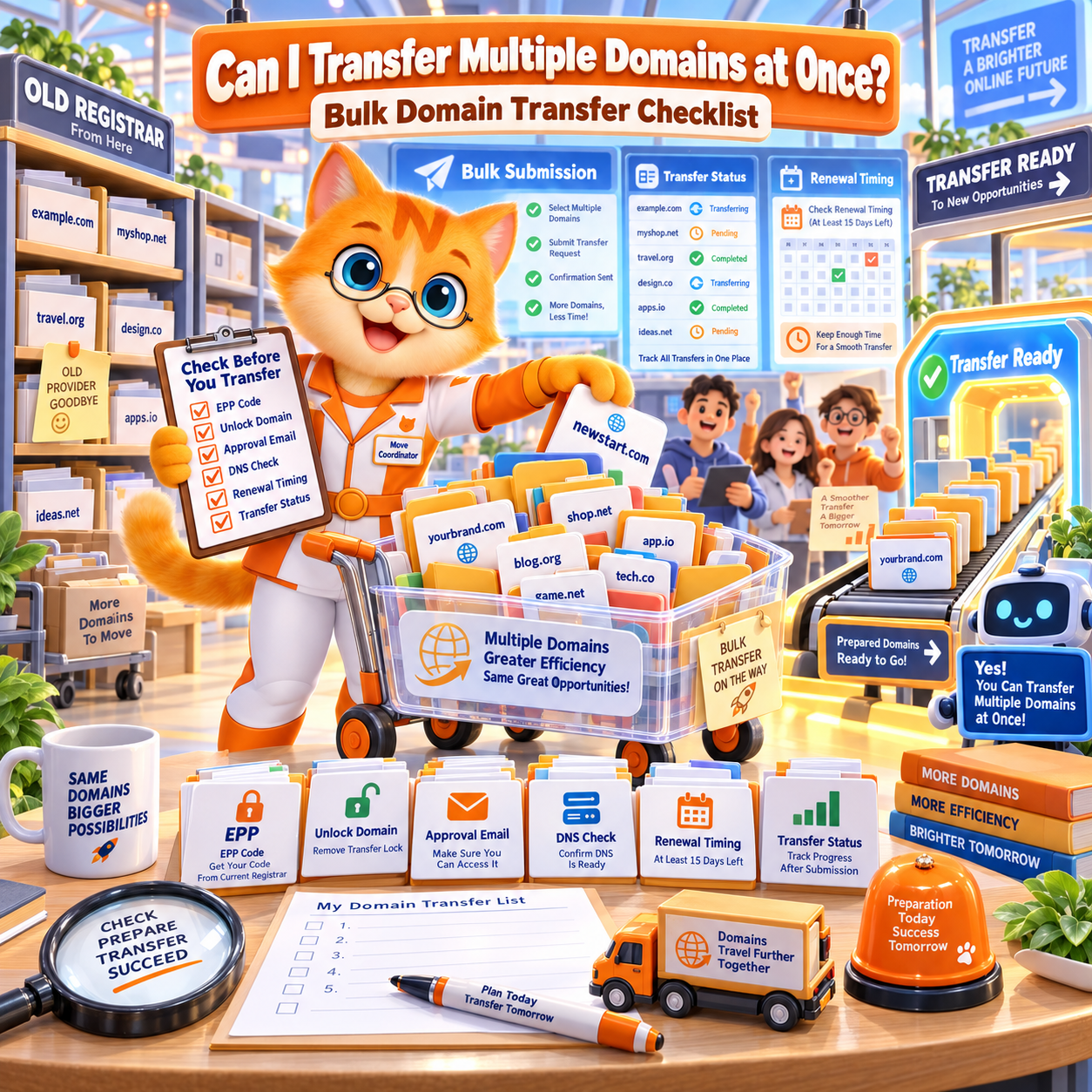
Can I transfer multiple domains at once?
The answer is yes. You can transfer multiple eligible domains, but each domain still needs to be checked separately.
Before starting a bulk domain transfer, you should check the domain lock status, Auth Code or EPP Code, expiration date, DNS records, email records, and transfer eligibility for every domain.
If your goal is to organize your portfolio under one registrar account, you can start with a secure domain transfer to NiceNIC.
Quick Answer: Can You Transfer Multiple Domains at Once?
Yes, multiple domains can be transferred to a new registrar, but bulk transfer should not be treated as a blind one-click task.
Each domain may have a different registrar, expiration date, transfer lock status, Auth Code, DNS setup, and business risk.
A safe bulk domain transfer means checking each domain first, then moving domains in the right order.
For example, you may want to transfer low-risk domains first, then move important business domains after DNS, email, and approval details are confirmed.
This is especially important if the domains support live websites, business email, ecommerce stores, client projects, or SEO traffic.
Why Move Multiple Domains to One Registrar?
Many domain owners start with one domain at one registrar. Over time, the setup becomes messy.
A company may register brand domains at different providers.
An agency may manage client domains across several accounts.
A domain investor may buy names from many marketplaces and registrars.
A hosting provider may help customers register domains at different times through different platforms.
At first, this may not feel like a problem. But when renewals, DNS updates, ownership checks, and support requests start piling up, scattered domain management becomes risky.
Common problems include:
- Renewal dates are hard to track
- Some domains may expire without enough notice
- DNS records are stored in different places
- Email records are easy to miss
- Login access depends on different team members
- Auth Codes are hard to collect quickly
- Billing records are not centralized
- Client domains and company domains become mixed
- Important domains may not have consistent security settings
Moving eligible domains to one ICANN-accredited domain registrar can make long-term domain management more predictable.
The goal is not only to transfer domains.
The goal is to reduce daily management risk.
Who Should Use Bulk Domain Transfer?
Bulk domain transfer is useful for anyone managing more than a few domains.
It is especially useful for businesses that own brand domains, regional domains, product domains, campaign domains, and defensive registrations.
It is also useful for agencies that manage domains for clients. When client domains are spread across too many platforms, renewal reminders, DNS changes, and ownership handovers become harder to manage.
Hosting providers can also benefit from centralized domain management, especially when domains are connected to hosting, SSL, and business email services.
Domain investors may use bulk domain transfer to consolidate a portfolio, reduce scattered renewals, and manage long-term holding costs.
Resellers may use bulk transfer as part of a larger customer management workflow. For hosting companies, agencies, and service providers, domain reseller solutions can make client domain management easier at scale.
Bulk domain transfer may be right for you if you manage:
- Business domains
- Client domains
- Portfolio domains
- Ecommerce domains
- Brand protection domains
- Country-code domains
- Project domains
- Reseller customer domains
Which Domains Should You Transfer First?
Do not start by transferring everything at once.
A better approach is to group your domains and move the safest ones first.
Start with domains that are easy to verify, not close to expiration, and not involved in active website or email changes.
Good first transfer candidates usually include domains that are:
- Not expiring today or tomorrow
- Already unlocked
- Easy to access in the current registrar account
- Not under a recent registration or transfer lock
- Not involved in a hosting migration
- Not involved in an email migration
- Using stable nameservers
- Not connected to an urgent campaign launch
- Owned by your company or already approved by the client
- Long-term domains you plan to keep
Starting with lower-risk domains helps your team test the process before moving business-critical names.
Once those domains are ready, you can move them through NiceNIC domain transfer.
Which Domains Should You Not Rush to Transfer?
Some domains should not be rushed.
This does not mean they should never be transferred. It means they need more preparation.
Be careful with domains that are:
- Expiring immediately
- Still locked
- Missing an Auth Code or EPP Code
- Using complicated DNS records
- Connected to active business email
- In the middle of a hosting migration
- In the middle of an email migration
- Connected to a live ad campaign
- Managed for a client without written approval
- Under ownership or billing dispute
- Recently registered or recently transferred
- Possibly affected by a transfer lock
For business-critical domains, safety matters more than speed.
If a domain supports your main website, checkout page, customer portal, or business email, check DNS and approval details before moving it.
A bulk domain transfer should make management easier, not create avoidable downtime.
What Should You Check Before a Bulk Domain Transfer?
Before starting a bulk domain transfer, prepare a clean domain inventory.
This does not need to be complicated. The goal is to know what you own, where each domain is registered, and whether each domain is ready to move.
Your bulk domain transfer checklist should include:
- Domain name
- Current registrar
- Expiration date
- Domain lock status
- Auth Code or EPP Code status
- Registrant or admin email access
- Current nameservers
- DNS hosting provider
- Website hosting provider
- Email provider
- MX records
- SPF, DKIM, and DMARC records
- SSL certificate status
- Client approval status, if applicable
- Transfer priority
- Business risk level
The most important point is this:
Do not only check the transfer code. Check the whole domain environment.
A domain may be technically transferable, but still risky to move if nobody knows where DNS is hosted or whether business email records are backed up.
Does Each Domain Need Its Own Auth Code or EPP Code?
In many cases, yes.
Each domain usually needs its own Auth Code or EPP Code for registrar transfer. This code helps confirm that the transfer is authorized by the domain holder.
If you are transferring multiple domains, do not assume one code works for the whole account.
Request the correct code for each domain from the current registrar.
Before submitting transfer requests, check that each code is fresh, complete, and copied correctly.
Common Auth Code problems include:
- Old code
- Expired code
- Missing characters
- Extra spaces
- Wrong domain
- Code copied from the wrong registrar account
- Code reset after a security change
If one domain fails because of an invalid code, it should not stop your entire portfolio plan. Keep track of each domain separately.
Will Bulk Domain Transfer Affect Website, Email, or DNS?
Bulk domain transfer should not automatically change your website, email, or DNS if nameservers remain active and unchanged.
However, when many domains are involved, the risk of missing something becomes higher.
The main risk is not usually the transfer itself. The risk comes from DNS confusion, missing records, registrar-hosted DNS, email records that were not copied, or last-minute changes.
Before transferring multiple domains, check where each domain’s DNS is hosted.
Some domains may use the current registrar’s DNS.
Some may use hosting provider nameservers.
Some may use a third-party DNS platform.
Some may use CDN or security provider nameservers.
If your domains support active mailboxes, check business email records before transfer. Pay special attention to MX, SPF, DKIM, and DMARC records.
If a domain is used by a live website, also review SSL certificates before changing DNS or nameservers.
For important domains, it is usually safer to keep nameservers unchanged during transfer. DNS changes can be reviewed after the domain is successfully managed under the new registrar account.
Should You Transfer All Domains at Once or in Smaller Batches?
For most businesses, agencies, and investors, smaller batches are safer.
Transferring everything at once may look efficient, but it can create management pressure if multiple domains need approval, troubleshooting, or DNS review at the same time.
A better approach is to divide domains into groups.
Start with low-risk domains.
Then move medium-risk domains.
Move business-critical domains only after your team confirms DNS, email, approval access, and timing.
A simple batch plan may look like this:
- First batch: low-risk domains with simple DNS
- Second batch: domains near renewal but not close to expiration
- Third batch: client domains with confirmed approval
- Final batch: important business domains after full DNS and email review
This approach reduces confusion.
It also helps your team learn the transfer process before moving the domains that matter most.
How Do You Organize a Bulk Domain Transfer Without Losing Track?
Bulk transfer is not only a technical task. It is also an organization task.
The larger the domain list, the more important tracking becomes.
Before you start, create a simple transfer plan.
Group domains by current registrar.
Then group them by risk level.
Then decide which domains should move first.
During the transfer process, track each domain’s status.
Useful status labels include:
- Ready to transfer
- Waiting for Auth Code
- Locked
- Needs email approval
- DNS check needed
- Client approval needed
- Transfer submitted
- Transfer completed
- Transfer failed
- Retry later
This helps prevent one failed domain from blocking the whole portfolio.
It also makes it easier to explain progress to your team or clients.
Why Transfer Multiple Domains to NiceNIC?
NiceNIC helps website owners, businesses, agencies, domain investors, hosting providers, and resellers manage domains from one registrar account.
After transferring eligible domains to NiceNIC, users can manage domain registration, renewal, DNS, WHOIS privacy, SSL certificates, business email, bulk tools, and reseller services in one place.
For users handling many domains, NiceNIC provides bulk domain search and management, helping you check and manage multiple names more efficiently.
For agencies, hosting companies, and domain service providers, NiceNIC's domain reseller solutions can support client domain workflows and larger-scale operations.
You can move eligible domains through a secure domain transfer to NiceNIC.
The value is not only moving domains away from different registrars.
The value is what happens after transfer:
- Cleaner renewal tracking
- Easier account control
- More organized DNS management
- Better visibility over domain assets
- Fewer scattered logins
- Easier client domain handling
- More predictable long-term management
For businesses and resellers, that can be more important than the transfer itself.
Frequently Asked Questions
Can I transfer multiple domains at once?
Yes. You can transfer multiple eligible domains, but each domain should be checked separately for lock status, Auth Code or EPP Code, expiration date, DNS setup, and transfer eligibility.
What do I need before transferring multiple domains?
You usually need a domain list, access to the current registrar accounts, unlocked domains, valid Auth Codes or EPP Codes, approval email access, DNS records, email records, and a transfer priority plan.
Does each domain need its own Auth Code or EPP Code?
In many cases, yes. Each domain usually has its own transfer authorization code. Always request and verify the correct code for each domain before submitting a bulk transfer.
Will bulk domain transfer affect my website or email?
A registrar transfer should not automatically affect website hosting or email if nameservers and DNS records remain active. Problems usually happen when DNS records are missing, nameservers change unexpectedly, or registrar-hosted DNS stops after transfer.
Should I transfer all domains at once?
Not always. For larger portfolios, smaller batches are usually safer. Start with low-risk domains, then move more important domains after DNS, email, approval, and expiration details are confirmed.
Final Answer: Should You Transfer Multiple Domains Now?
You can transfer multiple domains at once, but the best approach is to prepare first.
Transfer multiple domains now if they are eligible, unlocked, not too close to expiration, and ready for registrar transfer.
Do not rush if DNS is unclear, business email is active but not backed up, client approval is missing, or several domains may be restricted by transfer rules.
A good bulk domain transfer plan should help you reduce risk, not create new problems.
If your domains are scattered across different registrars, renewal dates, dashboards, and billing systems, consolidating them can make long-term management easier.
Ready to organize your portfolio? Start a secure domain transfer to NiceNIC.
Move eligible domains into one NiceNIC account and manage renewal, DNS, WHOIS privacy, SSL certificates, business email, bulk tools, and reseller services with more confidence.


