


In 2026, that is no longer a good way to think about crawler control.
Some crawlers can serve more than one purpose. They may support traditional search discovery while also being associated with AI-related uses. Cloudflare now separates automated activity into Search, Training and Agent categories, which means website owners need to be more precise about what they actually want to allow or restrict.
This matters because selecting the wrong blocking option can affect ordinary search crawling as well as AI-related activity.
If your domain is registered with NiceNIC and you want to use Cloudflare without transferring the domain away, you can keep the registration at NiceNIC and change the domain to Cloudflare’s assigned nameservers.
How to Connect a NiceNIC Domain to Cloudflare: Complete DNS Setup Guide
Can You Use Cloudflare DNS Without Transferring Your Domain?
The next decision is different: what should Cloudflare allow search engines, AI training crawlers and AI agents to do with your website?
Quick Answer
If your goal is:
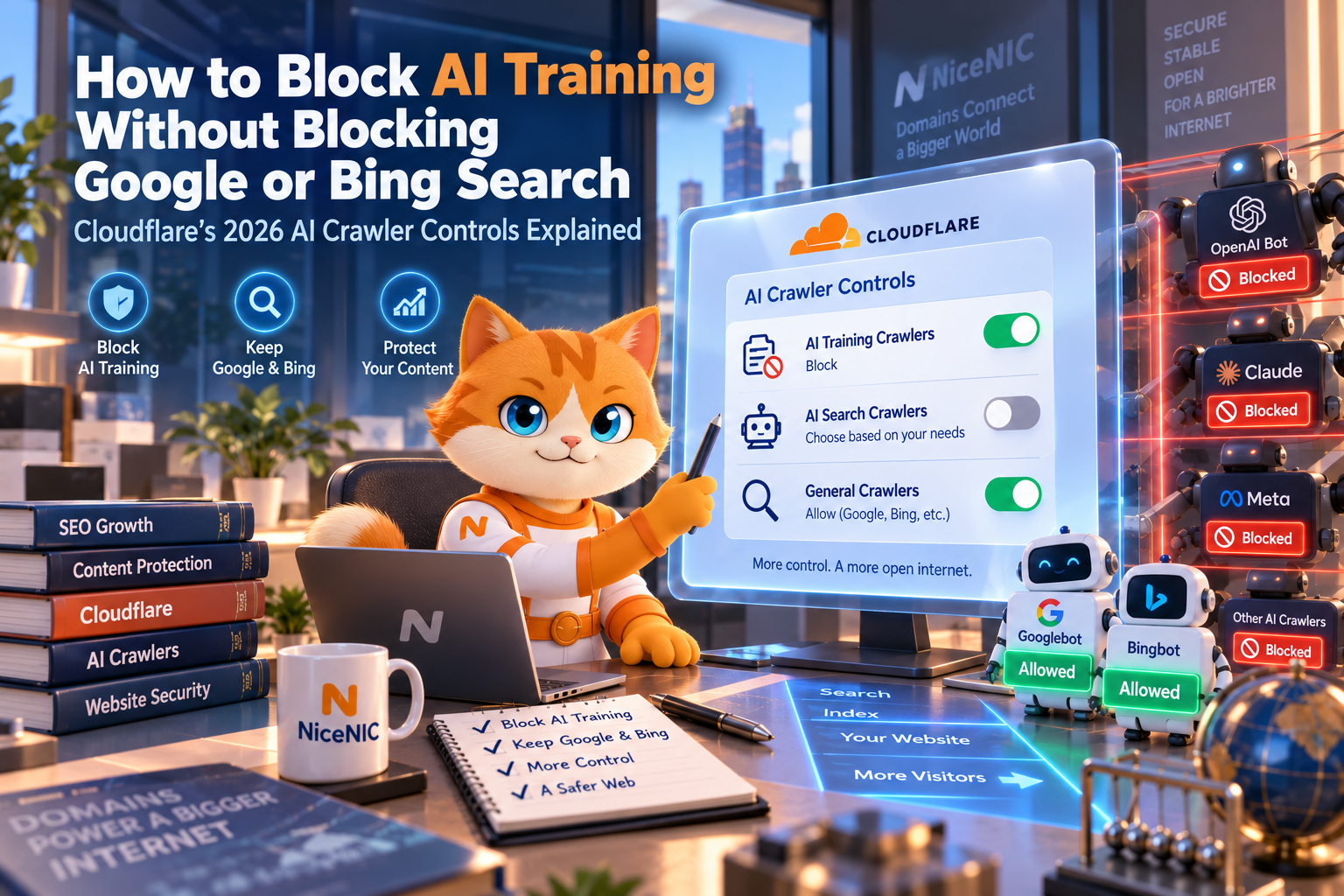
Keep your website available to Google and Bing search while expressing that your content should not be used for AI training, do not simply choose a blanket Block setting for Training.
Cloudflare introduced Disallow AI Training to handle this distinction.
As of September 15, 2026, Cloudflare says its Block and Block on pages with ads settings for Training also apply to crawlers it classifies as mixed-use, including Googlebot, Bingbot and Applebot. As a result, using those blocking settings can also interfere with their Search activity.
Cloudflare’s Disallow AI Training setting is designed differently. For accountable mixed-use crawlers, Cloudflare can publish the applicable no-training preference while continuing to allow their Search activity. Other crawlers classified only or primarily for Training may be blocked under Cloudflare’s implementation.
The key distinction is:
Disallow communicates or applies a restriction on how content should be used for training.
Block prevents the affected crawler from accessing the content.
Those actions are not equivalent.
What Changed in Cloudflare on September 15, 2026?
Cloudflare now organizes AI-related crawler controls around three main behaviors:
Search
Crawlers that collect or index content so that users can later discover information through search.
Training
Crawlers that collect content for training or fine-tuning AI models.
Agent
Automated systems acting on behalf of a user in real time, such as browser agents, chat fetch tools or other user-directed automated systems.
Cloudflare also recognizes that a crawler can have more than one behavior.
That is where the problem becomes more complicated.
Cloudflare describes Googlebot, Bingbot and Applebot as mixed-use crawlers because Cloudflare associates them with both Search and Training-related functions.
Before the September change, Cloudflare generally avoided applying certain AI-training blocks to these mixed-use crawlers because doing so could also reduce search discoverability.
Now, Cloudflare gives website owners a more explicit choice.
Cloudflare's Four Main Choices
For the Training category, the practical options now include several different levels of control.
1. Allow
The relevant crawlers remain allowed unless another Cloudflare rule, WAF rule or site configuration blocks them.
This is the least restrictive choice.
2. Disallow AI Training
This is intended for site owners who want to preserve Search access while restricting AI training use.
For accountable mixed-use crawlers, Cloudflare uses Bot Preference Sync to publish the relevant preference in robots.txt while allowing the crawler to continue performing Search-related crawling.
Cloudflare states that Apple, Google and Microsoft either honor or have committed to honor this type of publisher choice according to Cloudflare’s accountability framework.
This should not be confused with a universal technical guarantee that every crawler on the Internet will obey robots.txt.
3. Block on Pages With Ads
Cloudflare can block affected crawlers on pages that it identifies as carrying advertising.
Because the setting is enforced rather than merely expressed as a preference, mixed-use crawlers can also be affected.
For sites that depend heavily on organic Search, this deserves careful review before enabling it for Training.
4. Block
This is the strongest option.
Cloudflare states that selecting Block for Training can also block mixed-use crawlers such as Googlebot, Bingbot and Applebot from accessing the site under that behavior policy.
If ordinary Search visibility matters to you, do not select this option without understanding the consequence.
Why "Block AI Bots" Is No Longer Specific Enough
Cloudflare’s older Block AI Bots concept treated a large amount of AI-related traffic as one category.
That model is being replaced by more granular controls for:
Search
Training
Agent
Cloudflare announced that the legacy Block AI Bots option would be deprecated as these more specific controls become the primary way to manage automated traffic.
That is useful because a website may reasonably want different rules for each use case.
For example:
A publisher may want Google Search crawling.
The same publisher may not want content used for AI training.
It may still want user-directed AI agents to reach public pages.
Another website may choose completely different settings.
There is no universal configuration that is correct for every site.
AI Search, AI Training and AI Agents Are Not the Same Thing
One of the most important mistakes to avoid is treating everything involving AI as a single category.
Website owners should consider at least four different questions:
- Should traditional search engines crawl and index the site?
- Should the site's content appear in generative search experiences?
- Should the site's content be used for AI model training?
- Should user-directed AI agents be allowed to access the site?
Those are separate decisions.
Blocking one does not necessarily mean you want to block the others.
Cloudflare Controls and Google's AI Controls Are Separate
Cloudflare controls traffic and crawler behavior at the network or site level.
Google also provides its own controls for how website content participates in Google products.
These systems should not be treated as interchangeable.
Google's Search Generative AI Control
As of August 31, 2026, Google says the Search generative AI control in Search Console is available worldwide.
It lets site owners choose whether their links and content can appear in:
- AI Overviews
- AI Mode
- generative AI features in Google Discover
Google states that excluding a site from these generative AI features does not act as a ranking or inclusion signal for the site’s participation in other parts of Google Search.
This means a website can choose not to participate in those generative AI Search experiences without automatically opting out of ordinary Google Search.
However, that setting does not control AI model training.
What Is Google-Extended?
Google-Extended is a separate robots.txt product token.
Google says website publishers can use it to control whether content that Google crawls may be used for certain purposes involving future Gemini model training and Gemini-related grounding.
Google explicitly states that Google-Extended does not affect inclusion in Google Search and is not used as a Google Search ranking signal.
That creates an important distinction:
Googlebot relates to normal Google Search crawling.
Search generative AI control determines participation in specified Google Search generative AI experiences.
Google-Extended controls certain Gemini training and grounding uses.
They solve different problems.
Do Not Block Googlebot If You Want Normal Google Search Crawling
Google’s technical requirements for Search are straightforward on this point.
Googlebot needs to be able to access a publicly available page for normal crawling and indexing to work as intended.
Google states that one of its minimum technical requirements is that Googlebot is not blocked.
This is why a broad Cloudflare rule that unintentionally blocks Googlebot can be significantly different from using Google-Extended or Google’s Search generative AI control.
If your goal is simply to limit AI training, blocking Googlebot itself is generally a much broader action.
What About Bing?
The same general caution applies to Bing.
Cloudflare currently classifies Bingbot among the mixed-use crawlers affected by its Training blocking rules. That classification is Cloudflare’s description of how its own crawler-control system treats Bingbot.
From Microsoft’s side, Bing’s webmaster documentation advises site owners not to unnecessarily block Bingbot if they want content to remain crawlable and discoverable.
Bing states that pages blocked from crawling may not be indexed normally, and its webmaster guidance specifically recommends allowing Bingbot to crawl and render important content.
Therefore, a site owner who depends on Bing Search should also verify that Bingbot remains accessible after changing Cloudflare crawler rules.
Recommended Cloudflare Configuration if Search Visibility Is the Priority
There is no single configuration that fits every business, but a site whose priority is maintaining normal Search visibility while restricting AI training might start by reviewing this structure:
Search: Allow
Training: Disallow AI Training
Agent: Decide separately based on your business needs
Do not copy this configuration blindly.
A publisher, ecommerce site, SaaS company, forum, documentation site and private membership site may have very different requirements.
The important point is to avoid using Block Training merely because your real goal is to express a training preference.
Cloudflare’s current controls give site owners a more specific option for that use case.
How to Review the Setting in Cloudflare
Cloudflare is migrating older AI-bot controls into its more granular crawler-policy system, so dashboard wording and placement may continue to evolve.
In the Cloudflare dashboard, review the bot or AI crawler policy controls for your domain and check the settings for:
Search
Training
Agent
For Training, confirm whether the selected action is:
Allow
Disallow AI Training
Block on pages with ads
or
Block
Cloudflare’s API also exposes separate configuration values for AI Search, AI Training and AI user/agent traffic, confirming that these are distinct controls rather than one universal AI-bot switch.
Is robots.txt Enough to Block an AI Crawler?
Not necessarily.
A robots.txt file communicates crawler instructions or preferences to compliant operators.
It is not the same thing as a network-level access control.
Cloudflare explicitly notes that robots.txt compliance is voluntary and that some crawler operators may ignore directives.
When actual enforcement is required, Cloudflare recommends using AI Crawl Control or other blocking mechanisms rather than relying only on robots.txt.
This distinction matters when interpreting Disallow AI Training.
A preference communicated through robots.txt depends on the relevant crawler operator respecting that preference.
A technical Block is enforced by Cloudflare at the site edge.
How to Check Whether Google or Bing Was Accidentally Blocked
Do not stop after changing the Cloudflare setting.
Verify what search crawlers can actually access.
Check Google Search Console
Use URL Inspection on several important pages.
Confirm that Google can access the page and that Googlebot is not blocked.
Also review Crawl Stats and indexing reports if you see an unexpected change in crawling or visibility.
Check Bing Webmaster Tools
Review your crawl information and any crawler errors.
Bing specifically warns site owners about unexpected 403 Forbidden responses to Bingbot, which can indicate that a server, firewall or other security configuration is unintentionally blocking it.
Check Your Cloudflare or Server Logs
Logs provide another useful layer of evidence.
Look for verified Googlebot and Bingbot requests before and after the configuration change.
Do not rely solely on user-agent strings because crawler identities can be spoofed.
Bing recommends verifying Bingbot using Microsoft’s verification methods when crawler authenticity matters.
Test Several Important URLs
Do not check only the homepage.
Test:
- important product pages
- high-traffic articles
- documentation
- category pages
- recently published content
A rule can sometimes affect a path or page type differently from what the site owner expects.
If Your Domain Uses Cloudflare Nameservers
When a domain uses Cloudflare nameservers, DNS records should normally be managed in Cloudflare rather than in the registrar’s DNS panel.
Your registrar and DNS provider are separate layers.
A domain can remain registered at NiceNIC while Cloudflare provides authoritative DNS, CDN, WAF or other services.
Can You Use Cloudflare DNS Without Transferring Your Domain?
If you are setting up Cloudflare for the first time, follow the nameserver and DNS migration process carefully:
How to Connect a NiceNIC Domain to Cloudflare: Complete DNS Setup Guide
Before changing nameservers, preserve the DNS records required by your website, Business Email and other services.
If You Use NiceNIC DNS Instead
Cloudflare’s crawler controls only apply when the relevant website traffic is actually passing through Cloudflare services that provide those controls.
If your domain continues using NiceNIC’s authoritative DNS and does not use Cloudflare for the website traffic in question, manage your DNS records from the appropriate NiceNIC DNS interface instead.
How to Add and Manage DNS Records in NiceNIC
Changing DNS providers is different from changing AI crawler permissions, so do not change nameservers simply because you want to modify a crawler policy.
Should Every Website Block AI Training?
No universal answer exists.
Different websites have different business models.
A publisher whose business depends on licensing original content may reach a different decision from:
- an ecommerce site trying to maximize product discovery;
- a SaaS company trying to appear in AI answers;
- an open documentation project;
- a portfolio website;
- a forum;
- or a business that depends heavily on organic Search traffic.
The better question is not simply:
Should I block AI?
It is:
Which uses of my content do I want to allow, and which uses do I want to restrict?
Search crawling, generative search visibility, model training and user-directed AI agents should be evaluated separately.
A Practical Decision Checklist
Before changing Cloudflare’s AI crawler settings, answer these questions:
1. Do you depend on Google or Bing organic traffic?
If yes, be especially careful with any rule that blocks Googlebot or Bingbot.
2. Do you want to appear in AI-generated search experiences?
That decision is different from whether your content can be used to train AI models.
3. Do you want to restrict AI training?
Review Cloudflare’s Disallow AI Training setting and operator-specific controls such as Google-Extended rather than assuming a blanket crawler block is necessary.
4. Do you want AI agents to access your website?
Evaluate the Agent category separately.
5. Have you checked your existing robots.txt and firewall rules?
Cloudflare is only one layer.
Your origin server, WAF, application, robots.txt file or other CDN/security rules may also restrict crawlers.
6. Have you tested Search access after making the change?
Verify Googlebot and Bingbot access rather than assuming the new configuration is correct.
Frequently Asked Questions
Can I block AI training without blocking Google Search?
There are controls designed to separate these uses.
Cloudflare’s Disallow AI Training option is intended to preserve Search access for accountable mixed-use crawlers while communicating or applying restrictions to Training use.
Google also provides Google-Extended, which Google says can control certain Gemini training and grounding uses without affecting Google Search inclusion or rankings.
Can I block AI training without blocking Bing Search?
Cloudflare says its Disallow AI Training approach is designed to allow accountable mixed-use crawlers including Bingbot to continue Search activity while the relevant training preference is applied.
Because crawler-control behavior and operator policies can change, verify Bingbot access after making configuration changes rather than relying only on the setting label.
Can I opt out of Google AI Overviews while staying in normal Google Search?
Yes.
Google’s Search generative AI control allows a verified Search Console property to exclude its content from specified generative AI Search experiences, including AI Overviews and AI Mode.
Google says this setting is not used as a ranking or inclusion signal for other parts of Search.
Is Google-Extended the same as blocking Googlebot?
No.
Google-Extended is a separate robots.txt product token.
Google says it does not affect Google Search inclusion and is not used as a Search ranking signal.
Is robots.txt a guaranteed technical block?
No.
Cloudflare states that robots.txt compliance is voluntary.
Use technical enforcement if you need to prevent a crawler from reaching the content rather than merely communicate a preference.
Will blocking Googlebot hurt SEO?
If Googlebot cannot crawl important public pages, normal Google crawling and indexing can be affected.
Google lists Googlebot accessibility as one of the minimum technical requirements for Search eligibility.
Will blocking Bingbot affect Bing indexing?
It can.
Bing’s documentation states that content prevented from being crawled may not be indexed normally and advises websites not to unnecessarily block important pages from Bingbot.
Do I need to transfer my domain to Cloudflare to use Cloudflare DNS or crawler controls?
No.
Your registrar and your DNS/CDN provider can be different companies.
A domain can remain registered at NiceNIC while using Cloudflare nameservers and Cloudflare services.
Can You Use Cloudflare DNS Without Transferring Your Domain?
Final Takeaway
Cloudflare’s 2026 crawler changes make one distinction especially important:
Search access, generative AI visibility, AI training and AI-agent access are not the same thing.
A blanket AI-bot block may be broader than what you actually want.
For websites that depend on Google and Bing visibility, review Search, Training and Agent settings separately, understand the difference between a preference and a technical block, and verify crawler access after every major configuration change.
If your domain is registered with NiceNIC and you want to use Cloudflare, you can keep the domain registration at NiceNIC while using Cloudflare DNS and security services.
How to Connect a NiceNIC Domain to Cloudflare: Complete DNS Setup Guide
Cloudflare, Google and Microsoft may continue to update crawler classifications, product controls and implementation details. Website owners should confirm current provider documentation before making configuration changes that could affect crawler access or Search visibility.


