


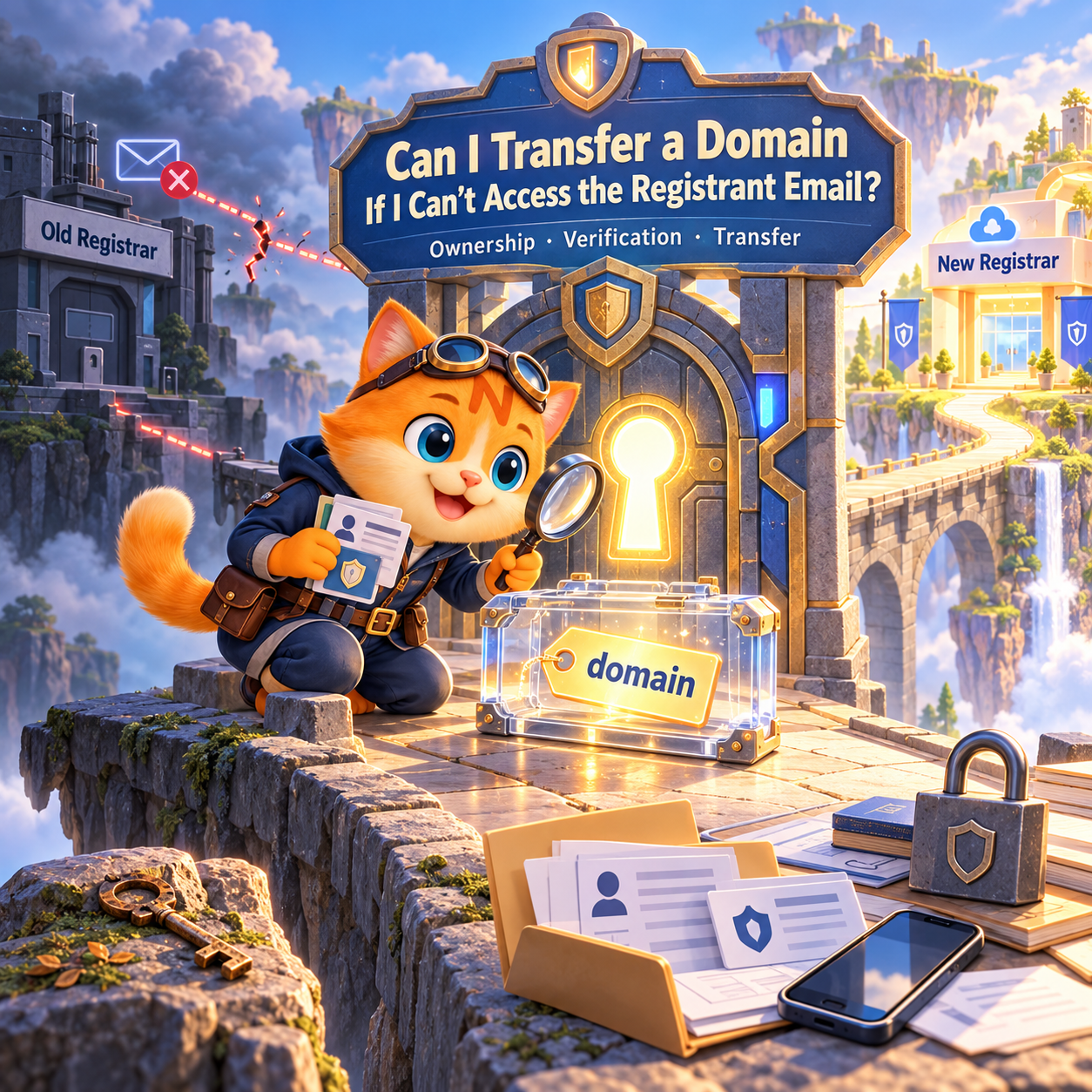
Maybe the mailbox was deleted. Maybe it belonged to a former employee. Maybe the domain was registered years ago with an email address nobody uses anymore.
So, can you still transfer the domain?
Possibly. Losing access to the old email does not automatically mean you have lost the domain or that a transfer is impossible. But you should resolve the authorization issue before submitting the transfer blindly.
For a standard transfer to NiceNIC, having access to the registrant or administrative contact email is an important part of preparing the domain. You should also check the domain’s transfer eligibility, lock status, and Auth/EPP Code before starting.
If your domain is ready to move, you can review the current requirements and transfer your domain to NiceNIC.
The important question is not simply whether you can open the old mailbox. It is whether you can still establish that you are authorized to manage the domain and complete the transfer.
Can I Transfer a Domain Without Access to the Old Email?
Yes, it may be possible, depending on the TLD, current registrar, and transfer workflow.
For many standard domain transfers, the registrant or administrative email is used for transfer authorization or confirmation.
NiceNIC’s standard transfer process asks customers to have access to the registrant or admin email so they can complete the required transfer steps.
However, domain transfer rules are not identical for every extension.
Some ccTLDs have their own authorization systems, and some transfer workflows handle registration data differently. For example, .UK and .CO.UK domains generally use an IPS tag rather than the standard EPP Code process.
If you are not sure whether your domain is transferable, start with this domain transfer eligibility checklist.
The practical answer is:
Do not assume that an inaccessible email automatically blocks the transfer. Find out what authorization method applies to your domain first.
Do I Need Access to the Registrant Email to Transfer a Domain?
Not necessarily in every situation.
There is an important difference between:
- The email address being unavailable
- The domain being inaccessible
- The transfer not being authorized
- The current registrar refusing the transfer
- A domain being subject to a transfer restriction
These are separate issues.
For a normal transfer, having access to the relevant email makes the process much easier because transfer-related notifications or confirmation requests may be sent there.
NiceNIC currently recommends confirming email access before beginning a transfer. Its domain transfer preparation guide also lists email access alongside domain unlocking and obtaining the Auth/EPP Code.
But if the old mailbox no longer exists, that does not by itself prove that the domain cannot be transferred.
The next step is to determine how the current registrar can verify your authority.
What If I Can Still Log In to My Current Registrar Account?
This is good news, but account access and domain transfer authorization are not always the same thing.
If you can still access your registrar account, check whether you can:
- View the domain
- View the registrant contact information
- Unlock the domain
- Request the Auth/EPP Code
- Review transfer status
- Update contact information
- See whether any transfer restriction is active
You may find that the old email address is still listed even though you can manage the domain through your account.
Do not change the registrant information immediately just because the email is outdated.
First check whether the change could affect your transfer timing.
If you need to update the domain's registration information, see How to Update Domain Contact Information Safely.
What Should I Do If I No Longer Have Access to the Registrant Email?
Start with the simplest option:
Try to recover the old mailbox.
If the mailbox still exists, recovering it can be much easier than changing the domain’s registration information.
Check whether the address belongs to:
- A Gmail or Outlook account
- A company email system
- A former employee's mailbox
- A domain-based mailbox such as [email protected]
- A web agency or developer who originally managed the domain
If the mailbox belongs to your company, ask your email administrator whether access can be restored.
If the mailbox has been permanently deleted, contact the current registrar and explain the situation.
Tell them:
- You are authorized to manage the domain
- You no longer have access to the registered contact email
- You want to transfer the domain
- You need to know what verification or recovery procedure is available
If the problem involves a domain already managed at NiceNIC, you can also review How to Update WHOIS Contacts for the correct contact-information workflow.
Can I Change the Registrant Email Before Transferring the Domain?
Be careful.
Changing the email may seem like the obvious solution, but it can affect transfer eligibility for some domains.
Under the current ICANN Transfer Policy, a change to the registrant email address can constitute a Change of Registrant when it is a material change.
For covered domains, a Change of Registrant can trigger a 60-day inter-registrar transfer lock unless the applicable opt-out is used before the change.
That means this sequence can create an unnecessary problem:
Old email no longer works → change registrant email → new transfer restriction appears → transfer has to wait.
If transferring the domain is your immediate goal, check the transfer consequences before changing the registrant email.
NiceNIC's 60-Day Domain Transfer Lock guide explains the different situations that can prevent a domain from being transferred.
Will Changing My Registrant Email Cause a 60-Day Transfer Lock?
It can.
This is one of the most important things to check before changing an outdated domain email.
The current ICANN policy treats a change to the Registered Name Holder’s email address as a material change for Change of Registrant purposes.
The rule is different from simply changing the email address you use to log in to your registrar account.
For example:
Registrar account email
The email associated with your registrar account or login.
Registrant email
The email associated with the domain registration.
Changing your account email does not automatically mean you changed the domain’s registrant email.
If you are planning both a contact update and a registrar transfer, check the order of operations first.
NiceNIC's domain contact information guide specifically recommends checking transfer timing before making contact changes.
Can I Get the EPP Code If I Cannot Access My Old Email?
Possibly, depending on how your current registrar provides the code.
The Auth Code, EPP Code, Authorization Code, AuthInfo Code, and transfer code are different names commonly used for the credential that authorizes many domain transfers.
Some registrars allow customers to obtain the code directly from their account.
Others may require an additional verification process.
If you cannot find the code, contact your current registrar and ask how to obtain it.
You can also read What Is a Domain Transfer Authorization Code (EPP Code), and Where Do I Find It? for a detailed explanation of how the code works and what you should check before using it.
Do not post your Auth Code publicly or send it to someone you do not trust.
It should only be provided as part of an intentional domain transfer or to an authorized party involved in the transfer.
What If the Transfer Approval Email Goes to My Old Email Address?
If a transfer request has already been submitted and the approval message is going to an inaccessible mailbox, do not immediately submit another transfer request.
First find out what the current transfer is waiting for.
Check:
- Whether the transfer is still pending
- Which email address is associated with the domain
- Whether the mailbox can be recovered
- Whether the registrar provides another verification method
- Whether the transfer has an actual error
- Whether the domain has another restriction
For covered registrar transfers, the current ICANN policy includes specific rules for how transfer authorization and registrar confirmation are handled. A lack of response by itself is not one of the permitted reasons for the Registrar of Record to deny a transfer.
That does not mean every transfer will automatically complete without any action from you. The applicable transfer workflow still needs to be satisfied.
If you are already dealing with a transfer request, see Why Is My Domain Transfer Still Pending? When to Wait and When to Take Action.
Can I Transfer a Domain If the Registrant Email Is Wrong?
An outdated email does not automatically mean the domain is lost.
But the registration data should be accurate and controlled by the appropriate domain holder.
For example, if a company owns a domain but the listed registrant email belongs to an employee who left the company years ago, the company should address the contact-information problem instead of simply replacing the email with another employee’s personal address.
Before changing anything, confirm:
- Who is the registered domain holder?
- Who controls the registrar account?
- Who controls the email system?
- Can the old mailbox be recovered?
- Is a transfer already planned?
- Could changing the registrant information trigger a transfer restriction?
Keeping domain contact information accurate is important for both security and future domain management.
If you manage your domains through NiceNIC, you can review How to Update WHOIS Contacts.
What If the Registrant Email Is a Domain-Based Email?
This is a common situation for businesses.
For example:
example.com
uses:
as its registrant email.
If that mailbox suddenly stops working, find out whether the problem is actually related to the email service, DNS, or the domain itself.
The mailbox may have stopped receiving messages because:
- The mailbox was deleted
- The email provider was changed
- MX records were changed
- DNS was moved
- The hosting or email service was cancelled
If the domain is still active, recovering the mailbox may be easier than changing the registrant information.
If you need to review the DNS side, see How to Add and Manage DNS Records in NiceNIC.
For business email, pay particular attention to MX, SPF, DKIM, and DMARC records.
Will Losing Access to the Registrant Email Affect My Website or Email?
Not necessarily.
The registrant email is primarily part of domain management and authorization.
Your website hosting, DNS provider, email provider, and domain registrar can all be different services.
For example:
- Registrar: NiceNIC
- DNS provider: A third-party DNS service
- Website: Another hosting provider
- Email: Google Workspace or Microsoft 365
In this situation, losing access to the registrant email does not automatically take the website offline.
However, if your current registrar also provides your DNS or email service, you should check those dependencies before transferring.
A registrar transfer normally does not move your website files or email mailboxes.
For a practical continuity checklist, see Will Domain Transfer Cause Website Downtime?.
Should I Back Up DNS Before Transferring a Domain?
Yes, especially if your current registrar also provides DNS.
A registrar transfer and a DNS migration are different operations.
Your nameservers may remain unchanged during the registrar transfer, but the DNS service behind those nameservers still needs to remain available.
Before transferring an important domain, record:
- Current nameservers
- A records
- AAAA records
- CNAME records
- MX records
- TXT records
- SPF
- DKIM
- DMARC
- CAA records
- Important subdomains
- DNSSEC settings if applicable
NiceNIC provides a dedicated DNS backup guide before changing domain settings.
You may never need the backup, but having it can make recovery much easier if the old DNS service is discontinued after the transfer.
What If I Cannot Access the Email and My Domain Is Already Pending Transfer?
If the transfer is already pending, do not cancel and restart it automatically.
First identify the actual status.
A pending transfer may simply be processing.
It may also be waiting for:
- Authorization
- Registrar processing
- A verification step
- A domain unlock
- A valid Auth Code
- A TLD-specific requirement
If the current transfer is still valid, starting another transfer can make the situation more confusing.
NiceNIC's Domain Transfer Troubleshooting Guide recommends checking the transfer status, contact email, Auth Code, lock status, domain eligibility, expiry, and TLD-specific requirements before submitting another request.
If you need to understand the expected timeline, see How Long Does a Domain Transfer Take to Complete?.
What If My Domain Is Close to Expiration?
If the domain is close to expiration, do not wait until the last day to solve an email-access problem.
You may need time to:
- Recover the old email
- Contact the current registrar
- Verify your authority
- Obtain the Auth Code
- Remove a transfer lock
- Resolve a TLD-specific restriction
- Complete the transfer
If there is not enough time to complete the transfer safely, renewing first may be the more practical option.
That does not mean you have to stay with the current registrar permanently. You can renew first, stabilize the domain, and then transfer when the domain is ready.
For a more detailed decision process, see Domain Renewal Coming Up? When It Makes Sense to Transfer Your Domain.
What Should I Check Before Transferring a Domain With an Old Email Address?
Before starting the transfer, go through this checklist:
- Confirm who the current registrar is.
- Confirm that you are authorized to manage the domain.
- Check the registrant and administrative email.
- Try to recover the old mailbox if possible.
- Check whether the domain is eligible for transfer.
- Check the domain expiration date.
- Check for a transfer lock.
- Check for recent registration or transfer restrictions.
- Check whether the registrant information was recently changed.
- Obtain the correct Auth/EPP Code where required.
- Record your current nameservers.
- Back up important DNS records.
- Check website and email dependencies.
- Confirm whether your TLD has special transfer rules.
If you want to move the domain to NiceNIC, you can review the NiceNIC domain transfer requirements before submitting the transfer.
Can I Transfer My Domain to NiceNIC If I Cannot Access the Registrant Email?
It may still be possible, but the next step depends on why you cannot access the email and what transfer authorization your domain requires.
If you can recover the old mailbox, that is usually the simplest route.
If you cannot recover it, contact the current registrar and ask how they can verify your authority and resolve the outdated contact information.
Do not change the registrant email without first checking whether the change could create a transfer restriction.
Once the domain is eligible, properly authorized, and ready for transfer, you can start your domain transfer to NiceNIC.
NiceNIC’s standard transfer workflow allows you to enter the domain and Auth/EPP Code and complete the transfer process online. The exact requirements can vary by TLD, so check the applicable extension rules before submitting an order.
Frequently Asked Questions
Can I transfer a domain if I no longer have access to the registrant email?
Possibly. Losing access to the email does not automatically mean the domain cannot be transferred. The exact process depends on the TLD, current registrar, and applicable authorization requirements.
Do I need the old email address to transfer a domain?
Not necessarily in every transfer scenario. However, access to the relevant contact email is part of the normal NiceNIC transfer preparation process and can be important for authorization or confirmation.
Can I transfer a domain if I can still access my registrar account?
Possibly. Account access can help you manage the domain and obtain transfer information, but it does not automatically replace every required authorization step.
Should I change my registrant email before transferring?
Not automatically. For domains covered by the applicable ICANN Change of Registrant rules, changing the registrant email can trigger a 60-day inter-registrar transfer lock.
Will changing my domain email always create a 60-day lock?
No. The exact rule depends on the domain and the applicable transfer policy. For covered gTLDs, a material change to the registrant email can trigger the Change of Registrant process and associated transfer lock.
Can I get my EPP Code without access to my old email?
The answer depends on the current registrar’s procedure. Some registrars provide the code through the account, while others may require additional verification.
What if my transfer approval email was sent to an email address I cannot access?
Do not immediately submit another transfer. First check the current transfer status and contact the relevant registrar to determine what authorization or recovery option is available.
Does losing access to the registrant email mean I lost my domain?
No. Losing access to a mailbox is not automatically the same as losing control of a domain. The important issue is whether you can establish your authority to manage the domain.
Can I transfer a domain that is close to expiration if I cannot access the email?
It may be possible, but timing becomes more important. If there is not enough time to resolve the authorization issue and complete the transfer safely, renewing first may be the safer option.
Final Answer: What Should I Do If I Cannot Access My Registrant Email?
If you cannot access the email associated with your domain, do not assume the domain is lost and do not immediately change the registrant information.
A safer approach is:
- Try to recover the old mailbox.
- Check whether you can still access the registrar account.
- Confirm who is authorized to manage the domain.
- Check the domain's transfer eligibility and status.
- Find out whether changing the registrant email could trigger a transfer lock.
- Obtain the Auth/EPP Code or determine the applicable authorization method.
- Check your DNS, website, and email dependencies.
- Then submit the transfer when the domain is ready.
If your domain is eligible and ready to move, you can transfer your domain to NiceNIC.
The key is to solve the authorization problem without creating a new transfer restriction.


